https://github.com/esm-dev/vscode
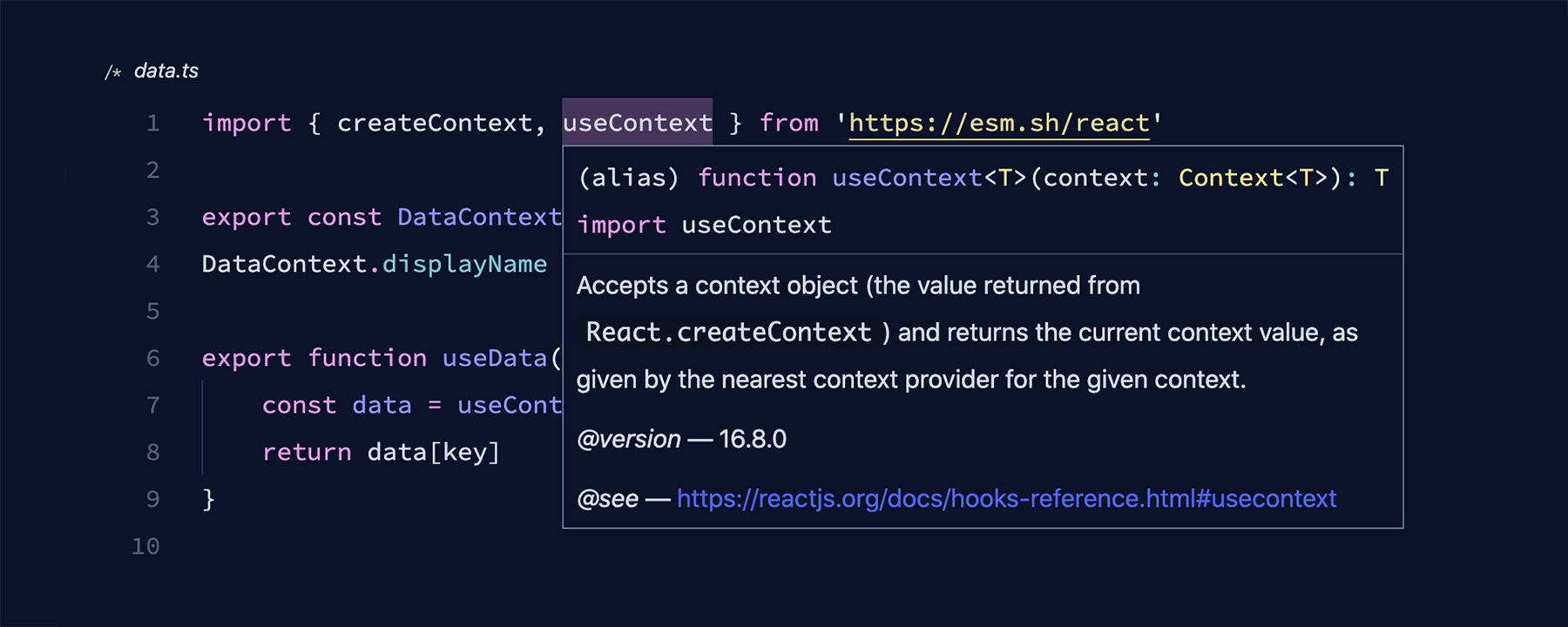
A Visual Studio Code extension loads types(.d.ts) for esm.sh imports.
https://github.com/esm-dev/vscode
Last synced: over 1 year ago
JSON representation
A Visual Studio Code extension loads types(.d.ts) for esm.sh imports.
- Host: GitHub
- URL: https://github.com/esm-dev/vscode
- Owner: esm-dev
- License: mit
- Created: 2024-06-28T11:37:50.000Z (about 2 years ago)
- Default Branch: main
- Last Pushed: 2024-10-29T18:52:05.000Z (almost 2 years ago)
- Last Synced: 2025-04-21T07:31:50.930Z (over 1 year ago)
- Language: TypeScript
- Homepage:
- Size: 206 KB
- Stars: 33
- Watchers: 1
- Forks: 1
- Open Issues: 1
-
Metadata Files:
- Readme: README.md
- License: LICENSE
Awesome Lists containing this project
README
# esm.sh - Visual Studio Code Extension
[](https://marketplace.visualstudio.com/items?itemName=ije.esm-vscode)
A Visual Studio Code extension loads types(.d.ts) for [esm.sh](https://esm.sh) imports. No `npm install` required. (Types in `node_modules` will be used first, if exists)
## Using Import Maps
This extension respects `importmap` script tag in `index.html` files of your project. With [import maps](https://github.com/WICG/import-maps), you can use "bare import specifiers", such as `import React from "react"`, to work.
```html
{
"imports": {
"react": "https://esm.sh/react@18.3.1"
}
}
```
```tsx
// app.tsx
import { useState } from "react";
export default function App() {
const [message, setMessage] = useState("Hello World!");
return
{message}
;
}
```
## JSX Import Source
By default, the extension uses [react](https://www.npmjs.com/package/react) or [preact](https://www.npmjs.com/package/preact) as the JSX transform runtime if it's specified in the import map. You can specify it by setting the `@jsxRuntime` import in the importmap script tag.
```html
{
"imports": {
"@jsxRuntime": "https://esm.sh/react@18.3.1"
}
}
```
## Snippets
This extension provides some useful snippets for working with ESM modules in HTML files.
- `importmap`: Insert a new import map script tag.
- `module`: Insert a new module script tag.
- `module-with-src`: Insert a new module script tag with `src` attribute.
## Roadmap
- Support Windows platform
- Import map version code lens