https://github.com/etcinit/xss-challenge
XSS challenge over IRC, because why not
https://github.com/etcinit/xss-challenge
Last synced: about 1 year ago
JSON representation
XSS challenge over IRC, because why not
- Host: GitHub
- URL: https://github.com/etcinit/xss-challenge
- Owner: etcinit
- Archived: true
- Created: 2014-11-30T20:29:49.000Z (over 11 years ago)
- Default Branch: master
- Last Pushed: 2014-11-30T21:26:21.000Z (over 11 years ago)
- Last Synced: 2025-03-13T23:29:52.975Z (over 1 year ago)
- Language: JavaScript
- Size: 828 KB
- Stars: 1
- Watchers: 2
- Forks: 1
- Open Issues: 0
-
Metadata Files:
- Readme: README.md
Awesome Lists containing this project
README
# XSS IRC Challenge
This is a very simple CTF XSS challenge that emulates an insecure HTML/JS IRC client
connected to an IRC network. The goal is to inject JS into the client and
change the title of the web page (`document.title`) to a non-empty string.
As an additional non-productive feature, the client will send random [developer excuses](http://developerexcuses.com/)
to the `#general` channel on the IRC server every 10 seconds.
## Requirements
This challenge is built inside a Docker container so all its dependencies are already
provided. The only thing you need to download to get it running is the Docker
daemon:
- Docker 1.3 (or higher)
- Boot2docker (if you are on Windows or OSX)
## Architecture
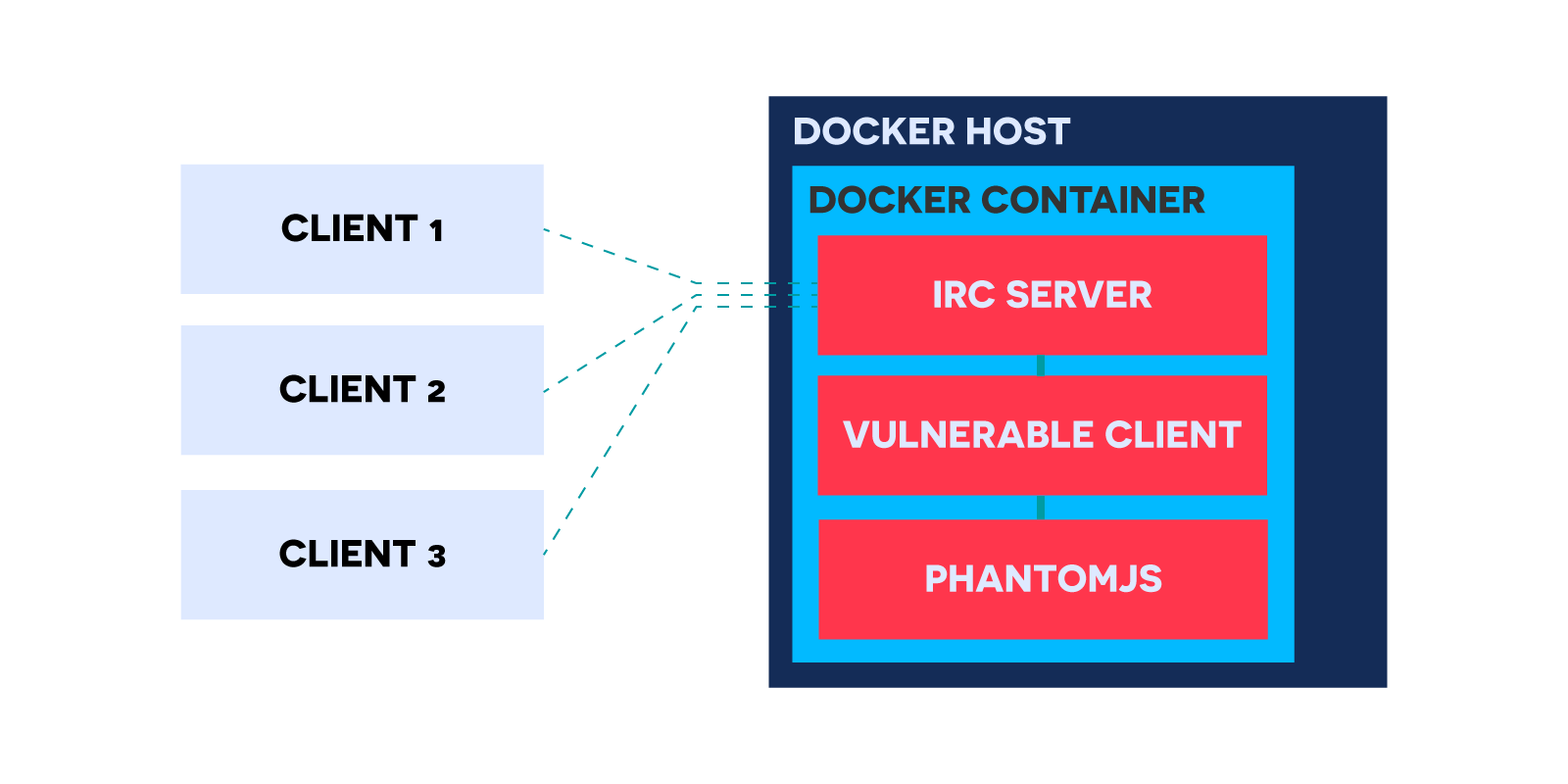
Inside the Docker container there are two main modules, a simple IRC server and the
vulnerable IRC client. The client by itself is not really a web browser, but when
it starts it creates an instance of a PhantomJS headless browser, this allows it
to create a sandbox-like environment. Whenever the client gets a private message
from an IRC user, it will create an HTML page and inject the message into it.
After that it checks if the page title changes after the message was injected,
if it was it sends a private message back to the user with the flag.
In order to prevent any concurrency issues the client uses an internal queue to
process each message sequentially.
## Quick setup
```sh
# Start the server
docker run -p 6667:6667 -it eduard44/xss-challenge
```
After the server has started, you should be able to connect with your own IRC client to `localhost:6667`
(or the Boot2Docker VM IP address)
## Building from source
```sh
# Change the current work dir to the git repo
cd xss-challenge
# Build the docker image (this might take a while)
docker build -t .
# Start the server
docker run -p 6667:6667 -it xss
```
After the server has started, you should be able to connect with your own IRC client to `localhost:6667`
(or the Boot2Docker VM IP address)
## Using a custom flag
If the `FLAG` environment variable is set, the client
will use that instead of the default flag. You can set it when running the container:
```
docker run -p 6667:6667 -e "FLAG=ThisIsASampleFlag" -it xss
```
## Running without Docker
It is also possible to use the client without Docker, however, you will need to
have Node.js and NPM installed and have an IRC server to which the client can connect to.
The setup process is very simple:
```sh
# Change the current work dir to the git repo
cd xss-challenge
# Install dependencies
npm install
# Start the client
node index
```
You can use the environment variables below to configure the client without modifying it
## Environment Variables
- `HOST`: Hostname of the IRC server to connect to (default: `localhost`)
- `NICK`: Nickname of the IRC client
- `FLAG`: Flag to hand out once code injection is detected
## Example CTF formulation
For an example CTF problem formulation and hints, check [CTF.md](https://github.com/eduard44/xss-challenge/blob/master/CTF.md)
## Example solution
Check [SOLUTION.md](https://github.com/eduard44/xss-challenge/blob/master/SOLUTION.md) (Spoiler alert!)