https://github.com/ethho/glitch-disc-bot
Discord bot that uses discord.py and supports deployment on glitch.com
https://github.com/ethho/glitch-disc-bot
Last synced: 11 months ago
JSON representation
Discord bot that uses discord.py and supports deployment on glitch.com
- Host: GitHub
- URL: https://github.com/ethho/glitch-disc-bot
- Owner: ethho
- Created: 2024-01-18T01:37:20.000Z (over 2 years ago)
- Default Branch: main
- Last Pushed: 2024-01-18T01:42:17.000Z (over 2 years ago)
- Last Synced: 2025-03-05T15:19:35.342Z (over 1 year ago)
- Language: Python
- Size: 27.3 KB
- Stars: 0
- Watchers: 1
- Forks: 0
- Open Issues: 0
-
Metadata Files:
- Readme: README.md
Awesome Lists containing this project
README
Flask / Python Version of the default 'Dreams' project
======================================================
Click `"Show"` in the header to see your app live. Updates to your code will instantly deploy and update live.
Your Project
------------
On the back-end,
- your app starts at `server.py`
- add frameworks and packages in `requirements.txt`
- safely store app secrets in `.env`
On the front-end,
- edit `client.js`, `style.css` and `index.html`
- drag in `assets`, like images or music, to add them to your project
Remixed from 'flask-hello-world' by Kenneth Reitz
# Docs from Discord 1337 Bot 🤖
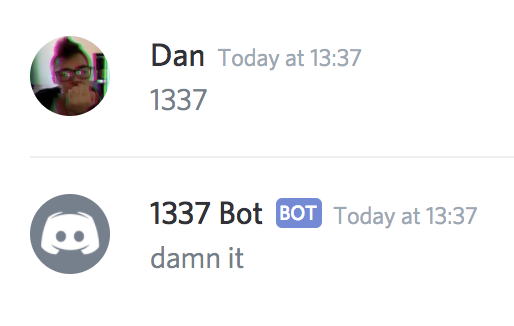
A simple Discord bot that replies "damn it" whenever anyone says "1337"
## Prerequisites
You'll need:
- A [Discord account](https://discordapp.com/register)
- Permission to add accounts to a server, or your own server
## Steps to set up:
1. Create an App here: [https://discordapp.com/developers/applications/me](https://discordapp.com/developers/applications/me)
2. Create an App Bot User for your App by clicking "Create a Bot User"
3. Add the App Bot User to your Discord server using this link: `https://discordapp.com/oauth2/authorize?&client_id=&scope=bot&permissions=0` replacing `` with the Client ID found on the page of your App
4. Set the `DISCORD_BOT_ID` value in `.env` using the Bot User token ("click to reveal" in the App page under the bot username)
## The code
Check out `server.js` to see how it works ✨
We're using the [Eris](https://npm.im/eris) library to interact with the Discord API.
If it's working you should see "Ready!" in the logs.