https://github.com/evansuner/habits-tracker-ws-server
https://github.com/evansuner/habits-tracker-ws-server
Last synced: 4 months ago
JSON representation
- Host: GitHub
- URL: https://github.com/evansuner/habits-tracker-ws-server
- Owner: evansuner
- Created: 2025-04-17T12:02:52.000Z (about 1 year ago)
- Default Branch: main
- Last Pushed: 2025-04-17T12:02:55.000Z (about 1 year ago)
- Last Synced: 2025-09-13T21:11:31.361Z (9 months ago)
- Size: 89.8 KB
- Stars: 0
- Watchers: 1
- Forks: 0
- Open Issues: 0
-
Metadata Files:
- Readme: README.md
Awesome Lists containing this project
README
# Durable Chat App
[](https://deploy.workers.cloudflare.com/?url=https://github.com/cloudflare/templates/tree/main/habits-tracker-ws-server)
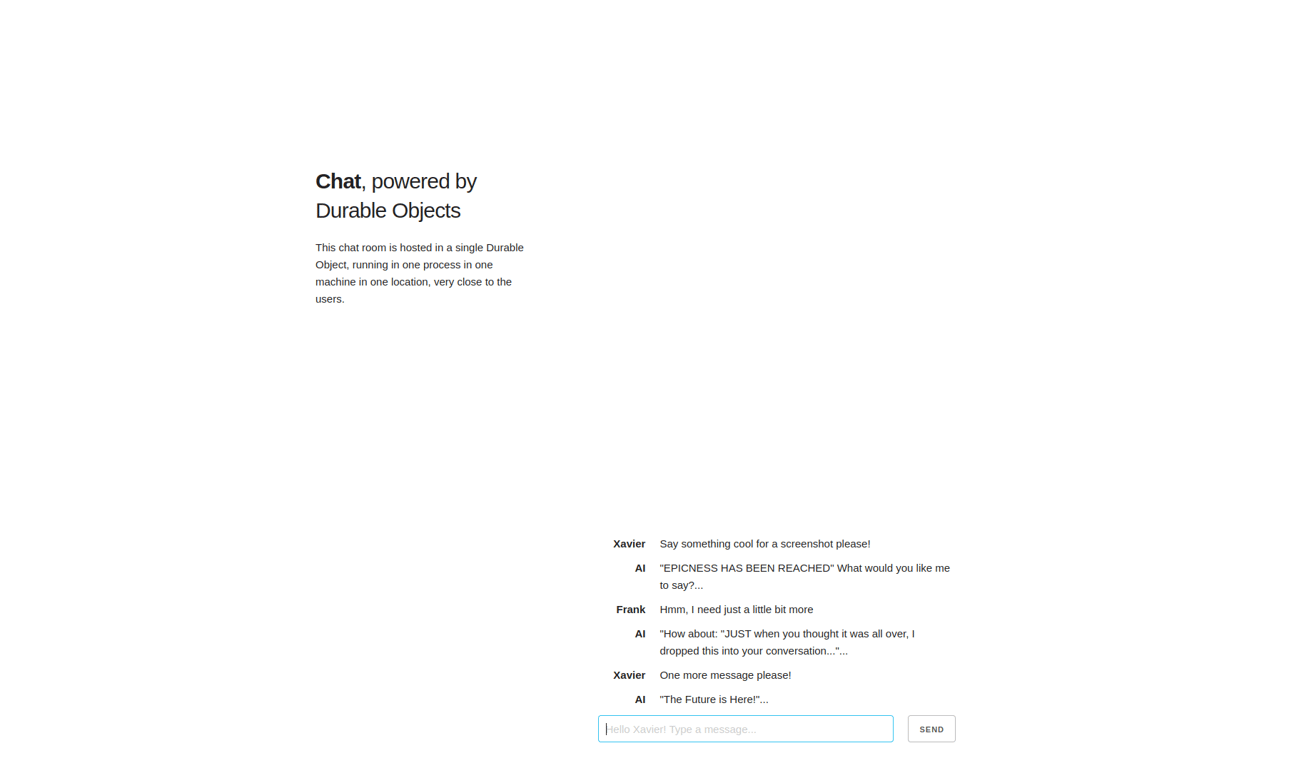
With this template, you can deploy your own chat app to converse with other users in real-time. Going to the [demo website](https://habits-tracker-ws-server.templates.workers.dev) puts you into a unique chat room based on the ID in the url. Share that ID with others to chat with them! This is powered by [Durable Objects](https://developers.cloudflare.com/durable-objects/) and [PartyKit](https://www.partykit.io/).
## How It Works
Users are assigned their own chat room when they first visit the page, and can talk to others by sharing their room URL. When someone joins the chat room, a WebSocket connection is opened with a [Durable Object](https://developers.cloudflare.com/durable-objects/) that stores and synchronizes the chat history.
The Durable Object instance that manages the chat room runs in one location, and handles all incoming WebSocket connections. Chat messages are stored and retrieved using the [Durable Object SQL Storage API](https://developers.cloudflare.com/durable-objects/api/sql-storage/). When a new user joins the room, the existing chat history is retrieved from the Durable Object for that room. When a user sends a chat message, the message is stored in the Durable Object for that room and broadcast to all other users in that room via WebSocket connection. This template uses the [PartyKit Server API](https://docs.partykit.io/reference/partyserver-api/) to simplify the connection management logic, but could also be implemented using Durable Objects on their own.
## Getting Started
Outside of this repo, you can start a new project with this template using [C3](https://developers.cloudflare.com/pages/get-started/c3/) (the `create-cloudflare` CLI):
```
npm create cloudflare@latest -- --template=cloudflare/templates/habits-tracker-ws-server
```
A live public deployment of this template is available at [https://habits-tracker-ws-server.templates.workers.dev](https://habits-tracker-ws-server.templates.workers.dev)
## Setup Steps
1. Install the project dependencies with a package manager of your choice:
```bash
npm install
```
2. Deploy the project!
```bash
npx wrangler deploy
```