https://github.com/everettjf/liney
Liney is a native macOS terminal workspace built with AppKit, SwiftUI, and Ghostty, designed for multi-repo workflows, worktree switching, and focused vibe coding.
https://github.com/everettjf/liney
ghostty macos swift terminal
Last synced: 2 months ago
JSON representation
Liney is a native macOS terminal workspace built with AppKit, SwiftUI, and Ghostty, designed for multi-repo workflows, worktree switching, and focused vibe coding.
- Host: GitHub
- URL: https://github.com/everettjf/liney
- Owner: everettjf
- License: apache-2.0
- Created: 2026-03-21T06:20:26.000Z (4 months ago)
- Default Branch: main
- Last Pushed: 2026-04-20T17:38:56.000Z (3 months ago)
- Last Synced: 2026-04-20T18:19:42.740Z (3 months ago)
- Topics: ghostty, macos, swift, terminal
- Language: Swift
- Homepage: http://liney.dev
- Size: 45.1 MB
- Stars: 109
- Watchers: 1
- Forks: 13
- Open Issues: 1
-
Metadata Files:
- Readme: README.md
- Contributing: CONTRIBUTING.md
- License: LICENSE
- Security: SECURITY.md
- Agents: AGENTS.md
Awesome Lists containing this project
README
# Liney
[中文版本](./README.zh-CN.md)
[](https://liney.dev)
[](https://github.com/everettjf/liney/releases)
[](https://liney.dev)
[](./LICENSE)
Liney is a native macOS terminal workspace app for developers who work across repositories, worktrees, branches, and split panes.
It gives you one focused place to open codebases, switch worktrees, keep terminal layouts around, and move faster without juggling a pile of Terminal windows.

## Why Use Liney
- Keep multiple repositories and worktrees in one sidebar.
- Reopen the same pane layout when you come back to a repo.
- Mix local shell, SSH, and agent-backed terminal sessions.
- Stay in a native macOS app built around keyboard-heavy workflows.
## Install
### Homebrew
```bash
brew update && brew install --cask everettjf/tap/liney
```
### Direct Download
Download the latest signed `.dmg` from GitHub Releases:
## Quick Start
1. Open Liney.
2. Add one or more local repositories to the sidebar.
3. Select a repository or worktree and open a terminal tab.
4. Split panes as needed and switch worktrees without rebuilding your layout from scratch.
## Requirements
- macOS 14.6 or later
- Universal build: Apple Silicon and Intel Macs are both supported
## Links
- Website:
- Docs:
- Releases:
- Issues:
- Discord:
Power features:
- [Lifecycle hooks](https://liney.dev/docs/guides/lifecycle-hooks) — run a command when the app or a session starts/exits
- [Agent notifications](./docs/guides/agent-notifications.md) — `liney notify` CLI and OSC 9/777 sequences route through the dynamic island, scoped to the pane that fired them
## Branches
- `main` — development branch, may be unstable.
- `stable` — stable release branch. Use this if you need a reliable version of the source code.
## For Developers
Development setup, build commands, testing, repo layout, and release docs live in [`DEVELOP.md`](./DEVELOP.md).
## Star History
[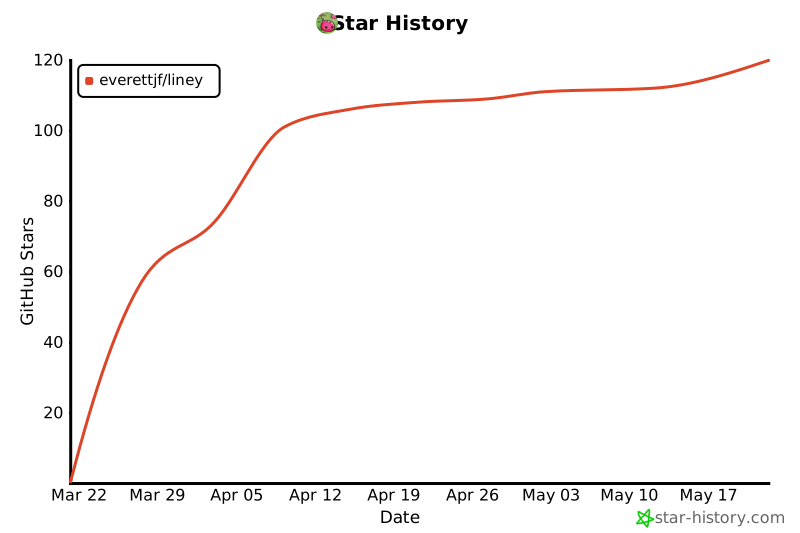](https://www.star-history.com/#everettjf/liney&Date)
## License
Released under the Apache License 2.0. See [`LICENSE`](./LICENSE).