https://github.com/everettjf/reporead
A lightweight desktop app to browse GitHub repositories without cloning. Features syntax highlighting, file tree navigation, trending repos, favorites, and AI-powered code interpretation. Built with Tauri + React.
https://github.com/everettjf/reporead
macos repository rust study tauri typescript
Last synced: 5 months ago
JSON representation
A lightweight desktop app to browse GitHub repositories without cloning. Features syntax highlighting, file tree navigation, trending repos, favorites, and AI-powered code interpretation. Built with Tauri + React.
- Host: GitHub
- URL: https://github.com/everettjf/reporead
- Owner: everettjf
- License: mit
- Created: 2026-01-27T17:04:15.000Z (5 months ago)
- Default Branch: main
- Last Pushed: 2026-02-02T07:27:38.000Z (5 months ago)
- Last Synced: 2026-02-02T20:19:29.437Z (5 months ago)
- Topics: macos, repository, rust, study, tauri, typescript
- Language: TypeScript
- Homepage:
- Size: 8.5 MB
- Stars: 3
- Watchers: 0
- Forks: 1
- Open Issues: 0
-
Metadata Files:
- Readme: README.md
- License: LICENSE
- Agents: AGENTS.md
Awesome Lists containing this project
README
# RepoRead

Read GitHub repositories. No clone. No setup. Just code.
Features •
Installation •
Development •
License
---
A lightweight desktop app for browsing GitHub repositories without cloning. Perfect for code review, learning from open source projects, or quickly exploring unfamiliar codebases.
## Features
- **Instant Access** - Enter a GitHub URL and start reading immediately
- **File Tree Navigation** - Browse repository structure with familiar folder/file hierarchy
- **Syntax Highlighting** - Monaco Editor (VS Code's editor) with full syntax highlighting
- **Search GitHub** - Search and import repositories directly from the app
- **Trending Repos** - Discover trending repositories by language and time period
- **Favorites** - Save repositories for quick access later
- **Screenshots** - Capture code regions as images (with clipboard support)
- **AI Interpretation** - Get AI-powered code explanations via OpenRouter API
- **Offline Cache** - Previously viewed repos are cached locally
## Screenshots


## Installation
### macOS
Download the latest `.dmg` from [Releases](https://github.com/everettjf/RepoRead/releases) and drag to Applications.
### Homebrew (macOS)
```bash
brew tap everettjf/tap
brew install --cask reporead
```
### Build from Source
1) Install Rust (via rustup)
- macOS/Linux:
```bash
curl --proto '=https' --tlsv1.2 -sSf https://sh.rustup.rs | sh
source "$HOME/.cargo/env"
```
- Verify:
```bash
rustc --version
cargo --version
```
2) Install Bun
- macOS/Linux:
```bash
curl -fsSL https://bun.sh/install | bash
```
- Verify:
```bash
bun --version
```
3) Build and run RepoRead
```bash
# Clone the repository
git clone https://github.com/everettjf/RepoRead.git
cd RepoRead
# Install dependencies
bun install
# Run in development mode
bun run tauri dev
# Build for production (outputs .dmg to src-tauri/target/release/bundle/dmg/)
bun run tauri build
```
## Development
```bash
# Start development server
bun run tauri dev
# Build production app (outputs .dmg to src-tauri/target/release/bundle/dmg/)
bun run tauri build
# Frontend only (without Tauri)
bun run dev
```
### Tech Stack
- **Frontend**: React 19, TypeScript, Vite, Monaco Editor
- **Backend**: Rust, Tauri 2
- **Styling**: CSS (no framework)
### Project Structure
```
├── src/ # React frontend
│ ├── components/ # React components
│ ├── api.ts # Tauri IPC wrappers
│ └── types.ts # TypeScript interfaces
├── src-tauri/ # Rust backend
│ └── src/
│ ├── lib.rs # Tauri commands
│ └── repo.rs # Core business logic
└── package.json
```
## Configuration
### GitHub Token (Optional)
For higher API rate limits, add your GitHub personal access token in Settings.
### AI Interpretation (Optional)
To enable AI-powered code interpretation:
1. Get an API key from [OpenRouter](https://openrouter.ai/)
2. Add the key in Settings > Interpretation
## License
MIT License - see [LICENSE](LICENSE) for details.
## Star History
[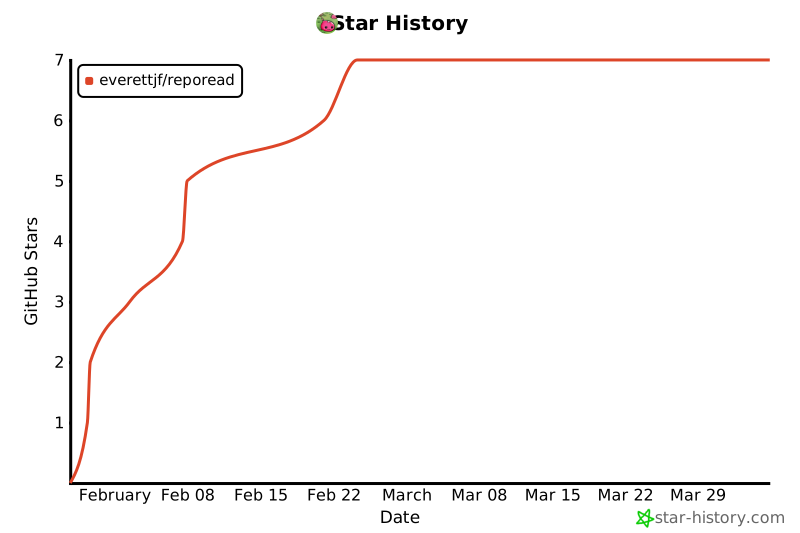](https://star-history.com/#everettjf/RepoRead&Date)
---
Made with Tauri + React