https://github.com/evilsocket/clipbud
AI powered clipboard.
https://github.com/evilsocket/clipbud
Last synced: 10 months ago
JSON representation
AI powered clipboard.
- Host: GitHub
- URL: https://github.com/evilsocket/clipbud
- Owner: evilsocket
- License: other
- Created: 2025-09-05T22:05:57.000Z (11 months ago)
- Default Branch: main
- Last Pushed: 2025-09-08T13:31:23.000Z (10 months ago)
- Last Synced: 2025-09-18T11:02:09.104Z (10 months ago)
- Language: Rust
- Size: 17 MB
- Stars: 31
- Watchers: 1
- Forks: 3
- Open Issues: 4
-
Metadata Files:
- Readme: README.md
- Funding: .github/FUNDING.yml
- License: LICENSE
Awesome Lists containing this project
- awesome-rig - clipbud - Cross-platform AI clipboard assistant. (Applications / Agents, Assistants, and RAG)
README
# Clipboard Buddy
[](https://github.com/evilsocket/clipbud/releases/latest)
[](https://rust-reportcard.xuri.me/report/github.com/evilsocket/clipbud)
[](https://github.com/evilsocket/clipbud/actions/workflows/ci.yml)
[](https://github.com/evilsocket/clipbud/blob/master/LICENSE.md)


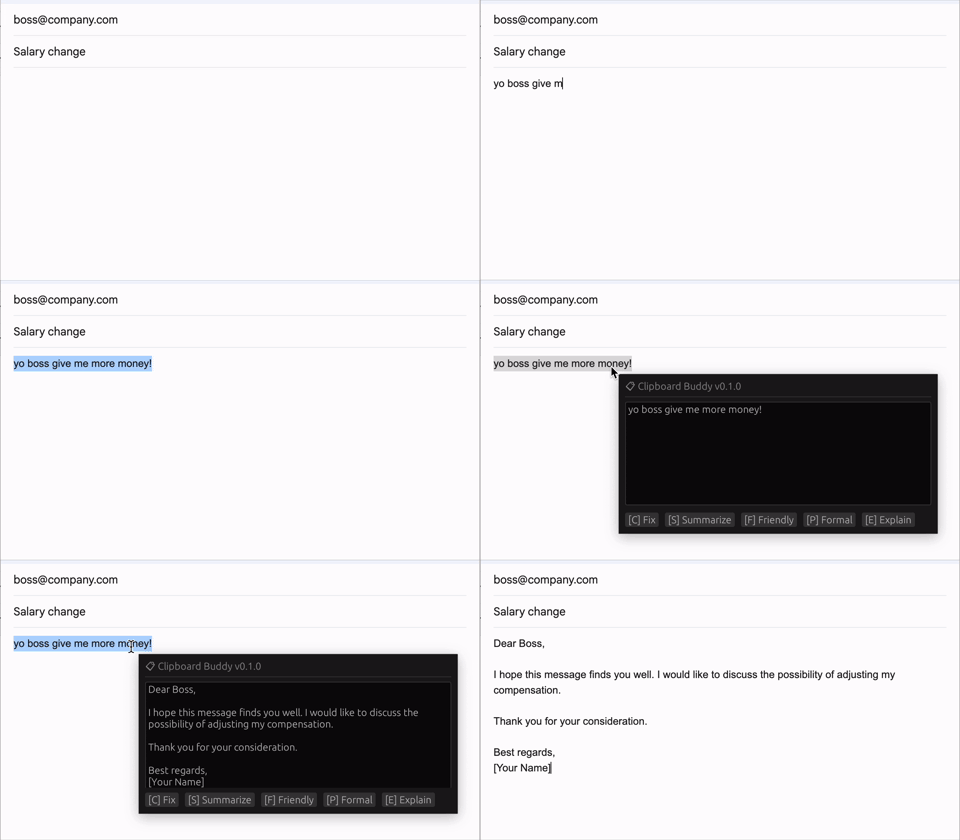
Clipboard Buddy (`clipbud`) is a cross platform utility that interacts with your system clipboard and augments it with AI capabilities. You can register a set of custom action prompts and recall them at any time on your clipboard contents using a custom global hotkey. The power of this mechanism is that it works with any application since it reads and writes directly from and to the system clipboard. Avoid repetitive copy/paste to and from your LLM!
## Quick Start
If you have [Cargo installed](https://rustup.rs/), you can:
```sh
cargo install --git https://github.com/evilsocket/clipbud.git
```
This will compile its sources and install the binary in `$HOME/.cargo/bin/clipbud`. You are now ready to go! 🚀
```bash
# you can also set this via config file
export OPENAI_API_KEY=...
# default configuration loaded from ~/.clipbud/config.yml
clipbud
```
An example configuration file can be found in [config.yml](https://github.com/evilsocket/clipbud/blob/main/config.yml).
For a list of all supported LLM providers [refer to this page](https://docs.rig.rs/docs/integrations/model_providers).
## Contributors

Join the project community on our server!

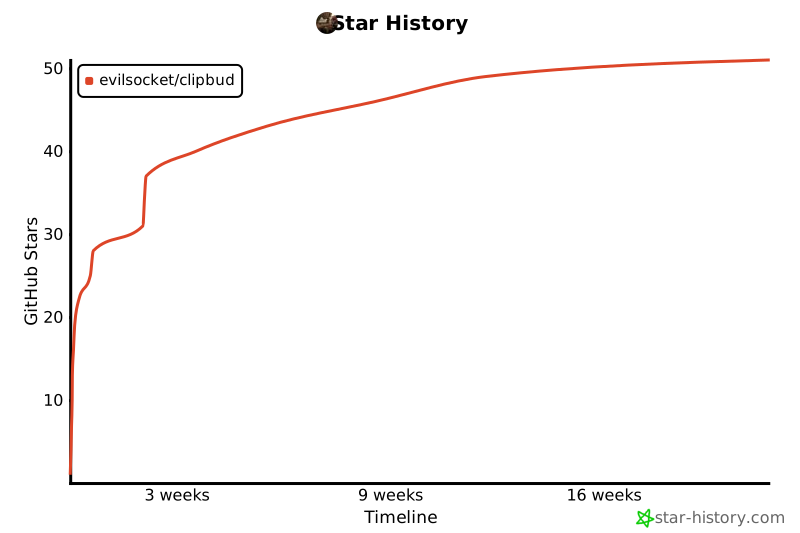
## Star History
[](https://www.star-history.com/#evilsocket/clipbud&Timeline)
## License
Clipboard Buddy is released under the GPL 3 license. To see the licenses of the project dependencies, install cargo license with `cargo install cargo-license` and then run `cargo license`.