https://github.com/evilsocket/sum
A specialized database server for linear algebra and machine learning.
https://github.com/evilsocket/sum
Last synced: about 1 year ago
JSON representation
A specialized database server for linear algebra and machine learning.
- Host: GitHub
- URL: https://github.com/evilsocket/sum
- Owner: evilsocket
- License: gpl-3.0
- Created: 2018-04-18T13:24:22.000Z (about 8 years ago)
- Default Branch: master
- Last Pushed: 2023-02-25T03:05:21.000Z (over 3 years ago)
- Last Synced: 2024-12-30T21:41:53.713Z (over 1 year ago)
- Language: Go
- Homepage:
- Size: 1.18 MB
- Stars: 86
- Watchers: 6
- Forks: 10
- Open Issues: 3
-
Metadata Files:
- Readme: README.md
- Changelog: changelog.sh
- Funding: .github/FUNDING.yml
- License: LICENSE
Awesome Lists containing this project
README
# SUM
[](https://travis-ci.org/evilsocket/sum)
[](https://goreportcard.com/report/github.com/evilsocket/sum)
[](https://codecov.io/gh/evilsocket/sum)
[](/LICENSE)
[](https://godoc.org/github.com/evilsocket/sum)
[](https://github.com/evilsocket/sum/releases/latest)
Sum is a database server for linear algebra and machine learning, providing data persistency, fast in-memory operators with multiple backends (only `blas32` supported at the moment, `cuda` soon) and a scripting engine to access all of this with ease.
## Installation
Download the [latest binary release](https://github.com/evilsocket/sum/releases/latest), then create the certificate used for authentication and channel encryption:
sudo mkdir -p /etc/sumd/creds
sudo openssl req -x509 -newkey rsa:4096 -keyout /etc/sumd/creds/key.pem -out /etc/sumd/creds/cert.pem -days 365 -nodes -subj '/CN=localhost'
Proceed to install the `sumd`, `sumcli` and `sumcluster` binaries:
cd /path/to/extracted/sum
sudo mkdir -p /var/lib/sumd/data
sudo mkdir -p /var/lib/sumd/oracles
sudo mv {sumd,sumcli,sumcluster} /usr/local/bin/
To install a single `sumd` node as systemd service:
sudo mv sumd.service /etc/systemd/system/
sudo systemctl daemon-reload
## Compile from Source
Install [gRPC go bindings](https://grpc.io/docs/quickstart/go/) and then:
go get github.com/evilsocket/sum
cd $GOPATH/src/github.com/evilsocket/sum
To run the tests:
make tests
To run the benchmarks:
make benchmark
To compile and install:
make
sudo make install
## Run a Node
sudo sumd -listen "localhost:50051" -creds /etc/sumd/creds -datapath /var/lib/sumd
## Run a Master
sudo sumd -listen "localhost:50051" -master master.json
Where `master.json` contains the list of the nodes that this master administers:
```json
{
"nodes": [{
"address": "localhost:1000",
"credentials": "/etc/sumd/creds/cert.pem"
}, {
"address": "localhost:1001",
"credentials": "/etc/sumd/creds/cert.pem"
}, {
"address": "localhost:1002",
"credentials": "/etc/sumd/creds/cert.pem"
}, {
"address": "localhost:1003",
"credentials": "/etc/sumd/creds/cert.pem"
}, {
"address": "localhost:1004",
"credentials": "/etc/sumd/creds/cert.pem"
}, {
"address": "localhost:1005",
"credentials": "/etc/sumd/creds/cert.pem"
}, {
"address": "localhost:1006",
"credentials": "/etc/sumd/creds/cert.pem"
}, {
"address": "localhost:1007",
"credentials": "/etc/sumd/creds/cert.pem"
}]
}
```
## Start a Cluster
To use the `sumcluster` utility to spawn a specific number of workers (by default one per logical CPU), each one in a separate datapath and one master process:
sudo sumcluster
If you want to run the nodes bound to localhost, but the master bound to another ip or domain, you need to create two set of certificates. First, create one for the slave nodes:
sudo mkdir -p /etc/sumd/creds/localhost
sudo openssl req -x509 -newkey rsa:4096 -keyout /etc/sumd/creds/localhost/key.pem -out /etc/sumd/creds/localhost/cert.pem -days 365 -nodes -subj '/CN=localhost'
And then another for the master node, serving from `domain.com`:
sudo mkdir -p /etc/sumd/creds
sudo openssl req -x509 -newkey rsa:4096 -keyout /etc/sumd/creds/key.pem -out /etc/sumd/creds/cert.pem -days 365 -nodes -subj '/CN=domain.com'
You can now start the cluster with:
sumcluster -address "domain.com:50051" -creds /etc/sumd/creds/localhost/cert.pem
And connect to it with a client:
sumcli -address domain.com:50051 -name domain.com -cert /path/to/cert.pem -eval "info; nlist; q"
## Client
You can access your sum instance by using the `sumcli` client, run `sumcli -eval "help; q"` to print a list of available commands. Moreover, to have an idea of how the client side works, take a look at [the example python client code](https://github.com/evilsocket/sumpy/blob/master/example.py) that will create a few vectors on the server, define an oracle, call it for every vector and print the similarities the server returned.
## Why?
If you work with machine learning you probably find yourself having around a bunch of huge CSV files that maybe you
keep using to train your models, or you run PCA on them, or you perform any sort of analysis. If this is the case, you
know the struggle of:
* parsing and loading the file with `numpy`, `tensorflow` or whatever.
* crossing your fingers that your laptop can actually store those records in memory.
* running your algorithm
* ... waiting ...
This project is an attempt to make these tedious tasks (and many others) simpler if not completely automated. Sum is a database and gRPC high performance service offering three main things:
1. Persistace for your vectors.
2. A simple CRUD system to create, read, update and delete them.
3. **Oracles**.
An **oracle** is a piece of javascript logic you want to run on your data, this code is sent to the Sum server by a
client, compiled and stored. It'll then be available for every client to use in order to "query" the data.
For instance, this is the `findSimilar` oracle definition:
```js
// Given the vector with id=`id`, return a list of
// other vectors which cosine similarity to the reference
// one is greater or equal than the threshold.
// Results are given as a dictionary of :
// `vector_id => similarity`
function findSimilar(id, threshold) {
var v = records.Find(id);
if( v.IsNull() == true ) {
return ctx.Error("Vector " + id + " not found.");
}
var results = {};
records.AllBut(v).forEach(function(record){
var similarity = v.Cosine(record);
if( similarity >= threshold ) {
results[record.ID] = similarity
}
});
return results;
}
```
Once defined on the Sum server, any client will be able to execute calls like `findSimilar("some-vector-id-here", 0.9)`, such
calls will be evaluated on data **in memory** in order to be as fast as possible, while the same data will be persisted on disk
as binary protobuf encoded files.
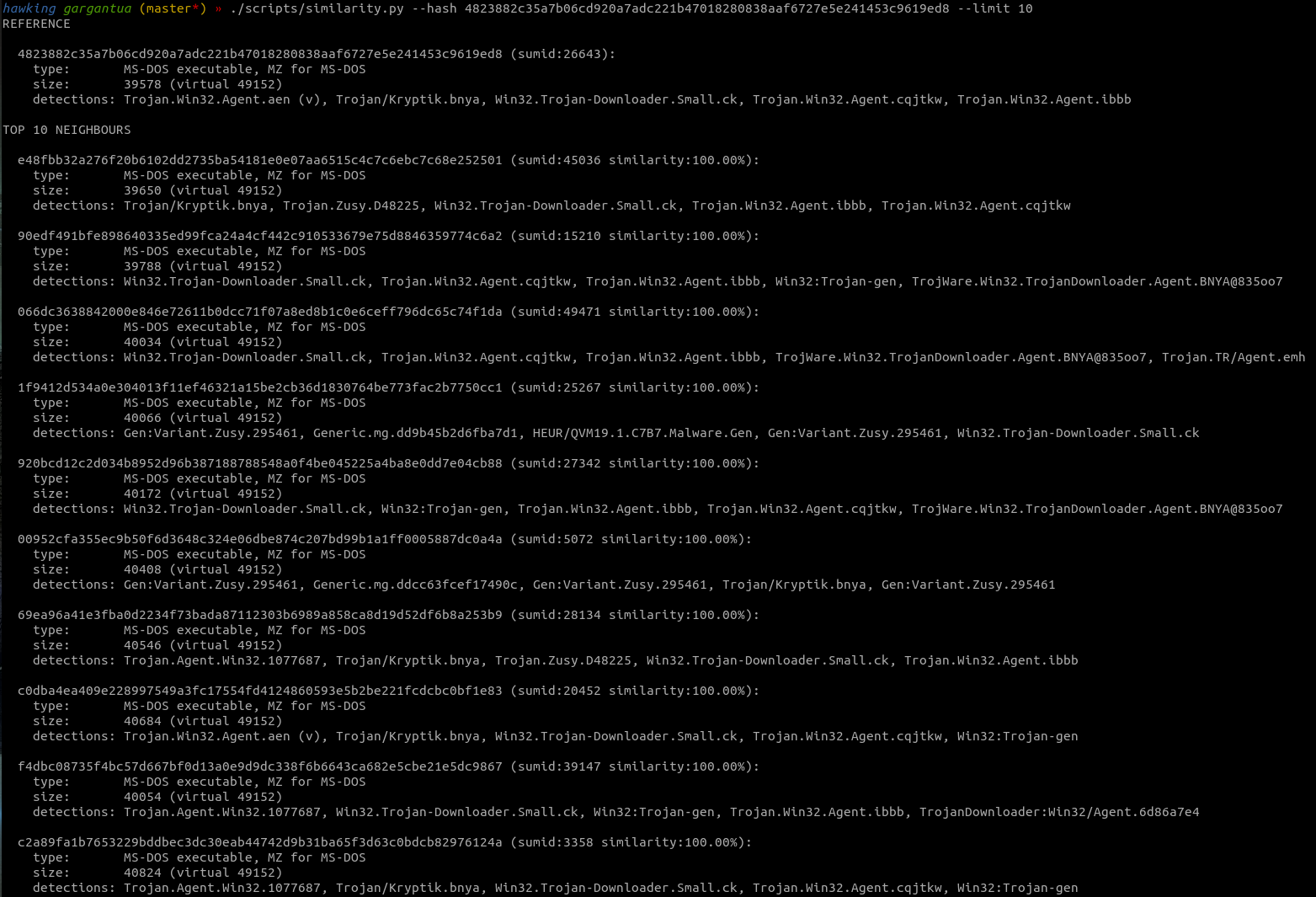
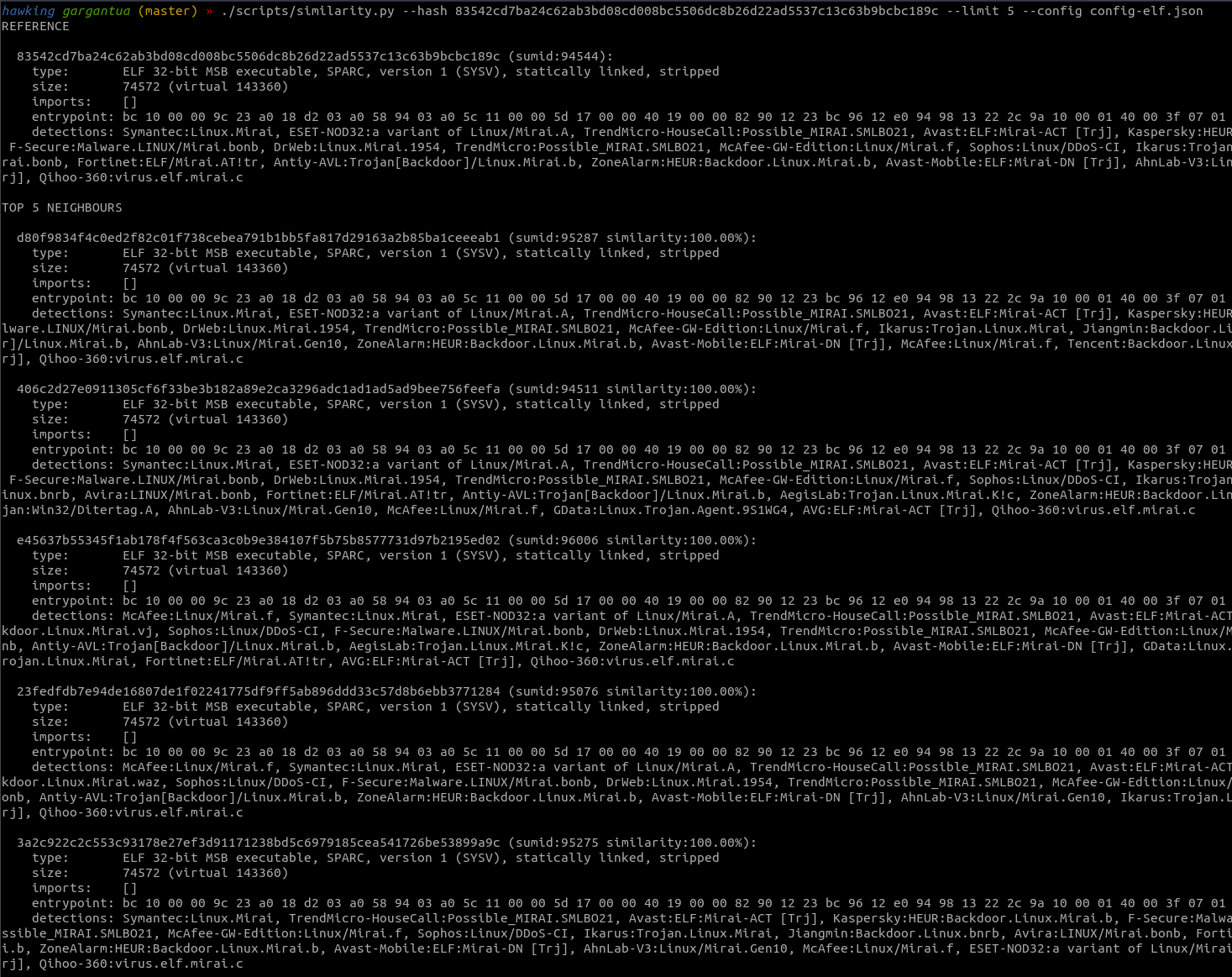
Here you can see the output of an example usecase - finding behaviourally similar malware samples given a reference executable: