https://github.com/evmts/evmts-vm-example
An example of using the EVMts vm
https://github.com/evmts/evmts-vm-example
Last synced: about 1 year ago
JSON representation
An example of using the EVMts vm
- Host: GitHub
- URL: https://github.com/evmts/evmts-vm-example
- Owner: evmts
- Created: 2023-11-18T08:54:08.000Z (over 2 years ago)
- Default Branch: main
- Last Pushed: 2024-01-25T07:06:49.000Z (over 2 years ago)
- Last Synced: 2025-04-10T21:51:51.614Z (about 1 year ago)
- Language: TypeScript
- Size: 214 KB
- Stars: 4
- Watchers: 1
- Forks: 1
- Open Issues: 1
-
Metadata Files:
- Readme: README.md
Awesome Lists containing this project
README

Evmts vm example
## ✨ EVMts Vm example
Starter project of using Bun with EVMts. EVMts is a JavaScript framework for building blockchain applications. It includes the following features
- An EVM that runs in Node.js and the browser
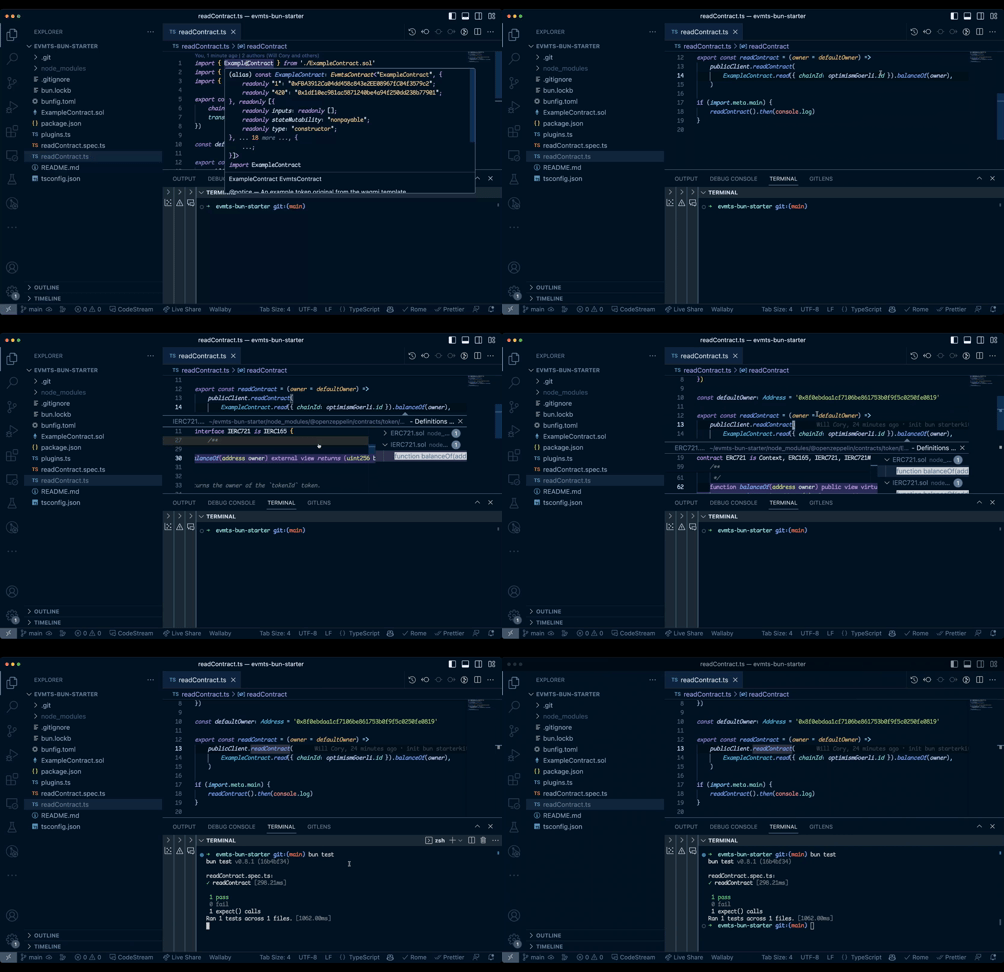
- A bundler and LSP that allows one to import solidity files directly into JavaScript
## 🤝 Getting Started
1. Install Node Modules
```
bun install
```
2. Run tests
```
bun test
```
3. Run [bun script](./readContract.ts) in watch mode
```
bun dev
```
## EVMts VM
The EVMts vm allows one to execute Solidity code directly in JS. It can fork a live network similar to ganache anvil or hardhat. It can also optionally take JavaScript functions as predeploys. In EVMts 1.0 this vm is used in a framework to enable optimistic updates.
## EVMts bundler configuration
EVMts works via a [bun plugin](https://bun.sh/docs/bundler/plugins). This includes:
1. EVMts configuration which is in the [tsconfig.json](./tsconfig.json). Note in future EVMts will be configurable via a `evmts.config.ts` file.
The minimal configuration simply needs to specify typescript uses the `@evmts/ts-plugin` but it also has other configuration options. This template globally configured the contract addresses for [ExampleContract.sol](./ExampleContract.sol)
2. Bun plugin configuration in the [plugins.ts](./plugins.ts) file along with loading the plugin file in [bunfig.toml](./bunfig.toml)
This enables bun to import solidity files
## EVMts LSP
EVMts LSP gives you language server functionality in your editor. In EVMts this includes many nice features
- Natspec comments on hover
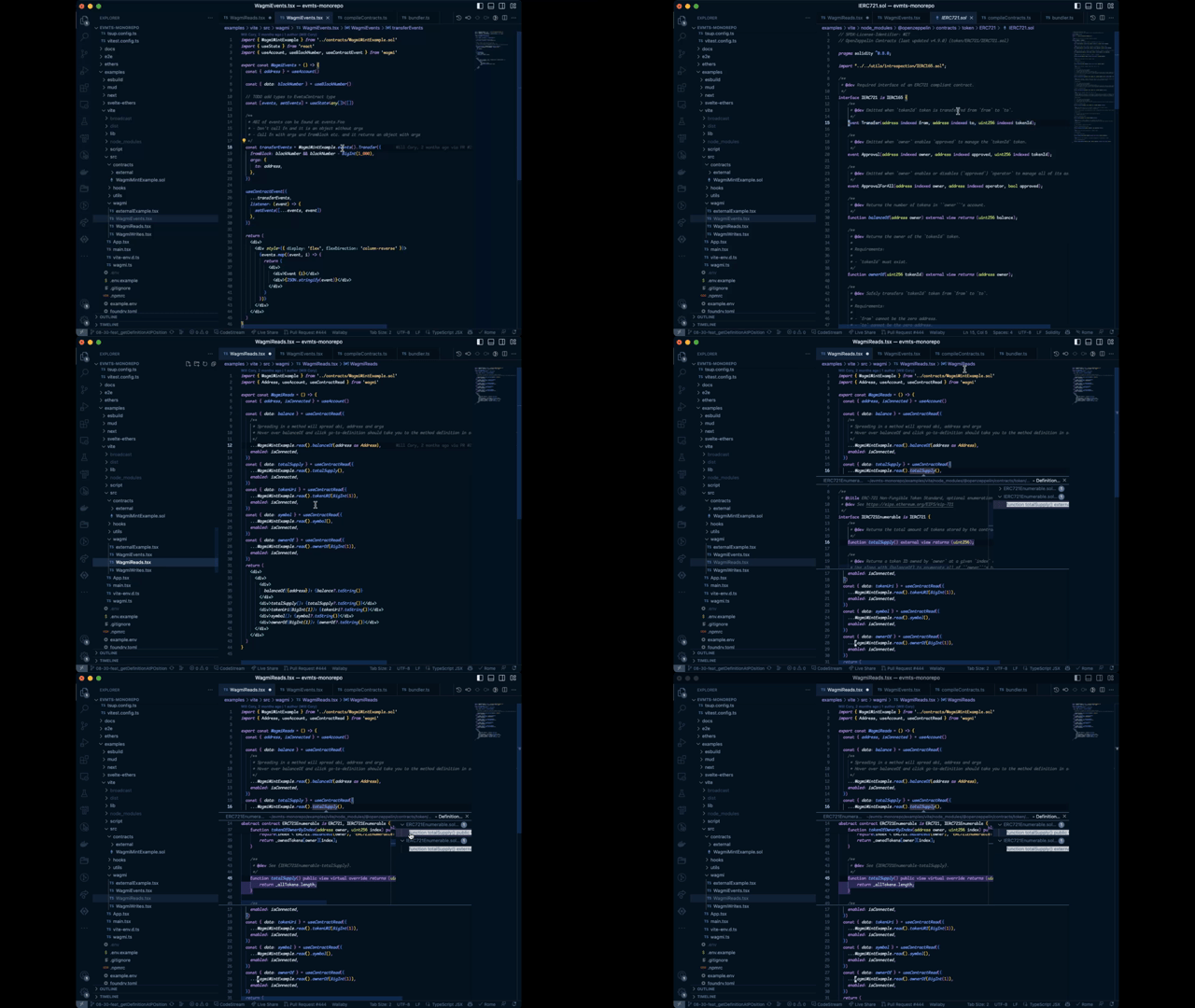
- go-to-definition takes you directly to the solidity code that defined the contract method or event
- Etherscan links to your contracts on hover
Below is an example of go-to-definition support
## VSCode instructions
Special steps are needed to get the LSP features working in VSCode. Most editors should work out the box but please open an issue if you run into trouble.
To use this plugin with Visual Studio Code, you should set your workspace's version of TypeScript, which will load plugins from your tsconfig.json file.
1. Open a typescript file in your project in vscode
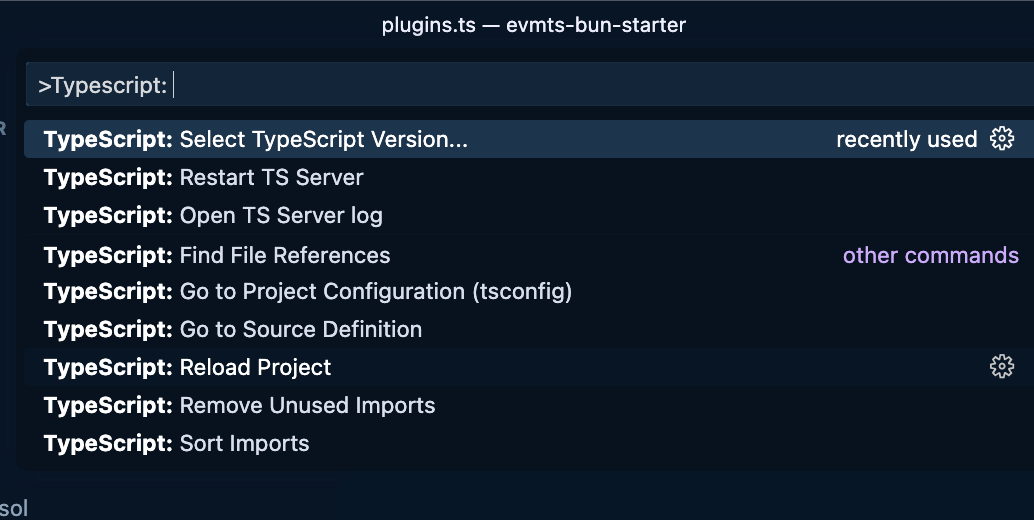
2. Open command pallet +p or +p
4. Select `>Typescript: Select TypeScript Version` in command pallet
5. Select `Use workspace version`
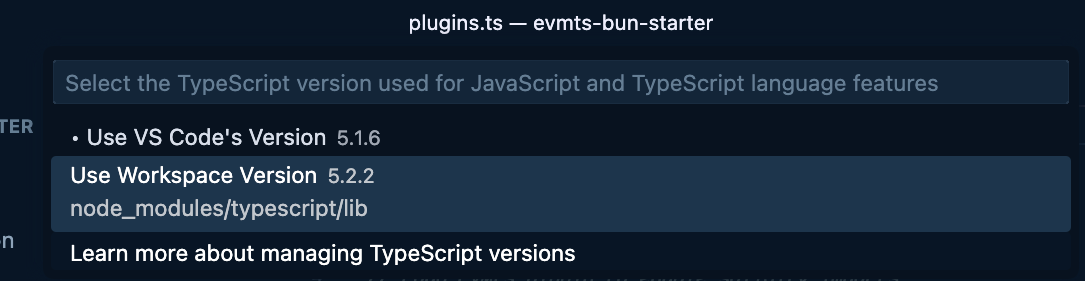
You now should get all the EVMts LSP features such as natspec comments on hover and go-to-solidity-definition support
For more details see: [Using the workspace version of TypeScript](https://code.visualstudio.com/docs/typescript/typescript-compiling#_using-the-workspace-version-of-typescript).
## ⭐ Github
If you like Evmts give it a ⭐ at the [Evmts monorepo](https://github.com/evmts/evmts-monorepo)
## 🔗 See also
- Check out [Next.js starterkit](https://github.com/orgs/evmts/repositories) for an example of Evmts wagmi and Next
- Check out [Vite starterkit](https://github.com/evmts/evmts-monorepo/tree/main/examples/vite) for an example of Evmts wagmi and Vite