https://github.com/exddc/svelte-mac-keyboard
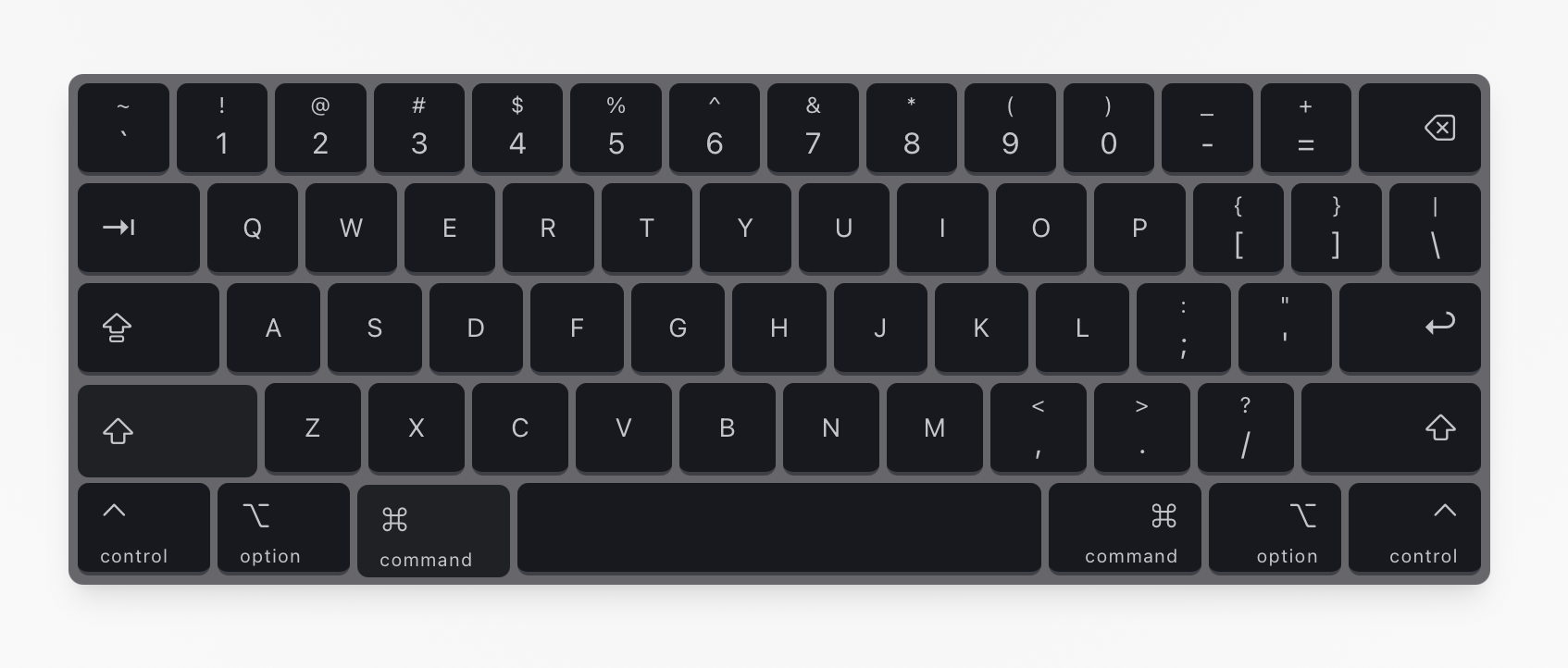
A customizable and animated Mac-style keyboard component for Svelte. It visually responds to both keyboard and mouse events.
https://github.com/exddc/svelte-mac-keyboard
components keyboard mac svelte sveltekit
Last synced: about 2 months ago
JSON representation
A customizable and animated Mac-style keyboard component for Svelte. It visually responds to both keyboard and mouse events.
- Host: GitHub
- URL: https://github.com/exddc/svelte-mac-keyboard
- Owner: exddc
- Created: 2025-10-06T16:56:52.000Z (9 months ago)
- Default Branch: master
- Last Pushed: 2025-10-06T18:48:53.000Z (9 months ago)
- Last Synced: 2025-10-06T20:37:44.826Z (9 months ago)
- Topics: components, keyboard, mac, svelte, sveltekit
- Language: Svelte
- Homepage: https://svelte-mac-keyboard.vercel.app
- Size: 85 KB
- Stars: 0
- Watchers: 0
- Forks: 0
- Open Issues: 0
-
Metadata Files:
- Readme: README.md
Awesome Lists containing this project
README
# Svelte Mac Keyboard
A customizable and animated Mac-style keyboard component for Svelte. It visually responds to both keyboard and mouse events.
## Setup and Running the Project
1. **Clone the repository:**
```sh
git clone https://github.com/timoweiss/svelte-mac-keyboard.git
cd svelte-mac-keyboard
```
2. **Install dependencies:**
```sh
bun install
```
3. **Run the development server:**
```sh
bun run dev
```
The application will be available at `http://localhost:5173`.
## How to Use in Another Project
1. **Copy the component:**
Copy the `keyboard.svelte` file from `src/lib/components/` into your own Svelte project's components directory. Also, copy the `utils.ts` file from `src/lib/` for class name utility if you didn't install shadcn/ui yet.
2. **Import the component:**
In your Svelte file, import the `Keyboard` component:
```svelte
import Keyboard from './path/to/keyboard.svelte';
```
## Customization
You can customize the keyboard's appearance and layout directly within the `keyboard.svelte` file.
- **Props:**
You can customize the keyboard's behavior with the following props:
- `showFunctionRow`: A boolean to show or hide the function key row (default: `true`).
```svelte
```
- **Styling:**
Modify the style constants at the top of the script section to change colors, fonts, and borders.
```javascript
const BG_COLOR = 'bg-[#67666b]';
const KEY_BG_COLOR = 'bg-[#161920]';
// ... and so on
```
- **Layout:**
The `keyboardLayout` array defines the structure of the keyboard. You can add, remove, or reorder keys by editing this array. Each key object can have properties like `code`, `label`, `size`, etc.
```javascript
const keyboardLayout: Key[][] = [
[
{ code: 'Backquote', label: '`', shiftLabel: '~' },
// ... more keys
],
// ... more rows
];
```