https://github.com/exelban/nutshell
Nutshell is a simple GUI for NUT (Network UPS Tools) that allows you to monitor your UPS devices.
https://github.com/exelban/nutshell
gui nut ups
Last synced: 12 months ago
JSON representation
Nutshell is a simple GUI for NUT (Network UPS Tools) that allows you to monitor your UPS devices.
- Host: GitHub
- URL: https://github.com/exelban/nutshell
- Owner: exelban
- License: mit
- Created: 2025-06-20T20:10:10.000Z (about 1 year ago)
- Default Branch: master
- Last Pushed: 2025-06-22T13:26:39.000Z (about 1 year ago)
- Last Synced: 2025-06-29T14:43:23.723Z (12 months ago)
- Topics: gui, nut, ups
- Language: Go
- Homepage:
- Size: 46.9 KB
- Stars: 0
- Watchers: 0
- Forks: 0
- Open Issues: 0
-
Metadata Files:
- Readme: README.md
- License: LICENSE
Awesome Lists containing this project
README
# NutShell
[]()
[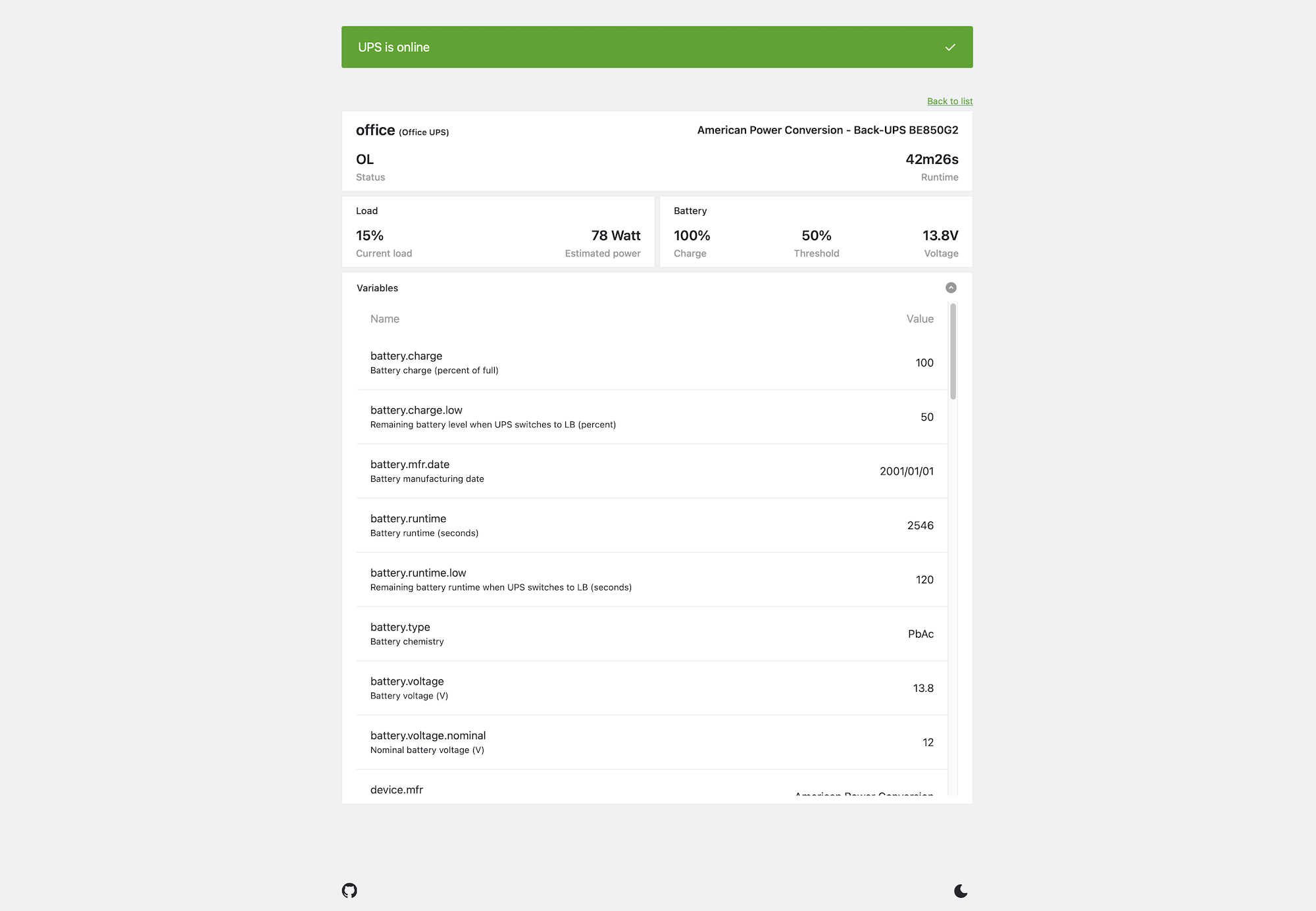]()
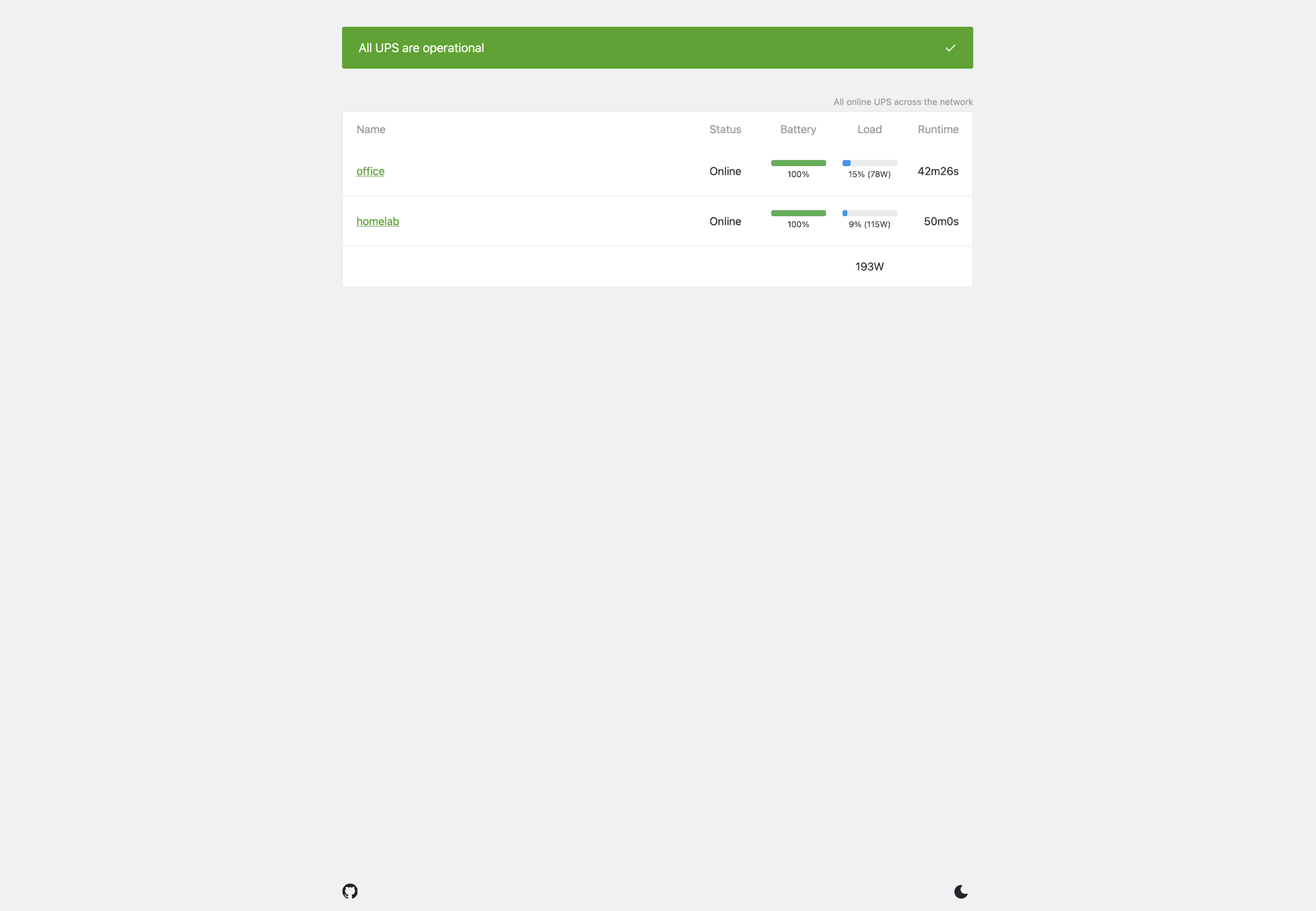
Nutshell is a simple GUI for NUT (Network UPS Tools) that allows you to monitor your UPS devices.
## Features
- Monitor multiple UPS devices (on the same host or different hosts)
- Display UPS status, battery level, and load
- Dark mode support
## Usage
### Docker
Build and run the Docker container:
```sh
docker -e UPSD_HOST=localhost exelban/nutshell
```
### Docker Compose
```yaml
Nutshell:
image: exelban/nutshell:latest
restart: unless-stopped
environment:
- UPSD_HOST=localhost
```
## Configuration
Nutshell can be configured using environment variables. Here are the available options:
- `UPSD_HOST`: Hostname or IP address of the NUT server (multiple can be specified, separated by commas)
- `UPSD_PORT`: Port of the NUT server (multiple can be specified, separated by commas)
- `UPSD_USERNAME`: Username for the NUT server (multiple can be specified, separated by commas)
- `UPSD_PASSWORD`: Password for the NUT server (multiple can be specified, separated by commas)
- `POOL_INTERVAL` - Interval for polling UPS status (default: `10s`)
- `ADDR` - Address to listen on (default: `localhost`)
- `PORT` - Port to listen on (default: `8833`)
- `DEBUG` - Enable debug mode (default: `false`)
## License
[MIT License](https://github.com/exelban/nutshell/blob/master/LICENSE)