https://github.com/exiahuang/xysfdx
xysfdx is a Rapid development tool for Salesforce SFDX Development. Support Docker, WSL, Dataloader! Metadata diff with server, retrieve standard sobject.
https://github.com/exiahuang/xysfdx
dataloader docker salesforce sfdc sfdx-cli vscode vscode-extension
Last synced: about 2 months ago
JSON representation
xysfdx is a Rapid development tool for Salesforce SFDX Development. Support Docker, WSL, Dataloader! Metadata diff with server, retrieve standard sobject.
- Host: GitHub
- URL: https://github.com/exiahuang/xysfdx
- Owner: exiahuang
- License: gpl-3.0
- Created: 2019-12-25T12:25:05.000Z (over 6 years ago)
- Default Branch: master
- Last Pushed: 2025-02-08T07:37:41.000Z (over 1 year ago)
- Last Synced: 2025-11-16T16:03:33.031Z (8 months ago)
- Topics: dataloader, docker, salesforce, sfdc, sfdx-cli, vscode, vscode-extension
- Language: TypeScript
- Homepage: https://marketplace.visualstudio.com/items?itemName=ExiaHuang.xysfdx
- Size: 382 KB
- Stars: 11
- Watchers: 3
- Forks: 0
- Open Issues: 4
-
Metadata Files:
- Readme: README.md
- Changelog: CHANGELOG.md
- License: LICENSE.txt
Awesome Lists containing this project
- awesome-salesforce - xysfdx
- awesome-salesforce - xysfdx
README
# xysfdx README
[xysfdx](https://github.com/exiahuang/xysfdx) is a Rapid development tool for Salesforce SFDX Development. Metadata diff with server, retrieve standard sobject.
## Features
- Less than 100k
- Support [Dataloader v40.0.0~v47.0.0](https://github.com/exiahuang/dataloader) Export/ExportAll/Insert/Update/Upsert/Delete.
- Support Docker to develope sfdx . Use [exiasfdc/sfdx](https://hub.docker.com/r/exiasfdc/sfdx) docker image, no need to config, just run it.
- Support using WSL/git bash/Msys2/MingW64/MingW32 to develope sfdx .
- Authenticated with oauth2.
- Retrieve Metadata by select.
- Metadata diff with server(any sfdc organization).
- Retrieve standard sobject.
- Open sfdc link easily.
- Open console easily.
- Option Features
- support Username-Password OAuth Authentication .
- auto run `.apex` file after save.
- auto save to sfdc server
- deploy to any sfdc organization
- pretty code: pretty `.cmp`, `.page`, `.component`, `.trigger`, `.cls` file
- support base git command.
- support [exiahuang/sfdc-cli](https://github.com/exiahuang/sfdc-cli).
## Shortkey
shortkey: `ctrl+shift+j`
## Requirements
[Salesforce Cli](https://developer.salesforce.com/ja/tools/sfdxcli)
## Usage
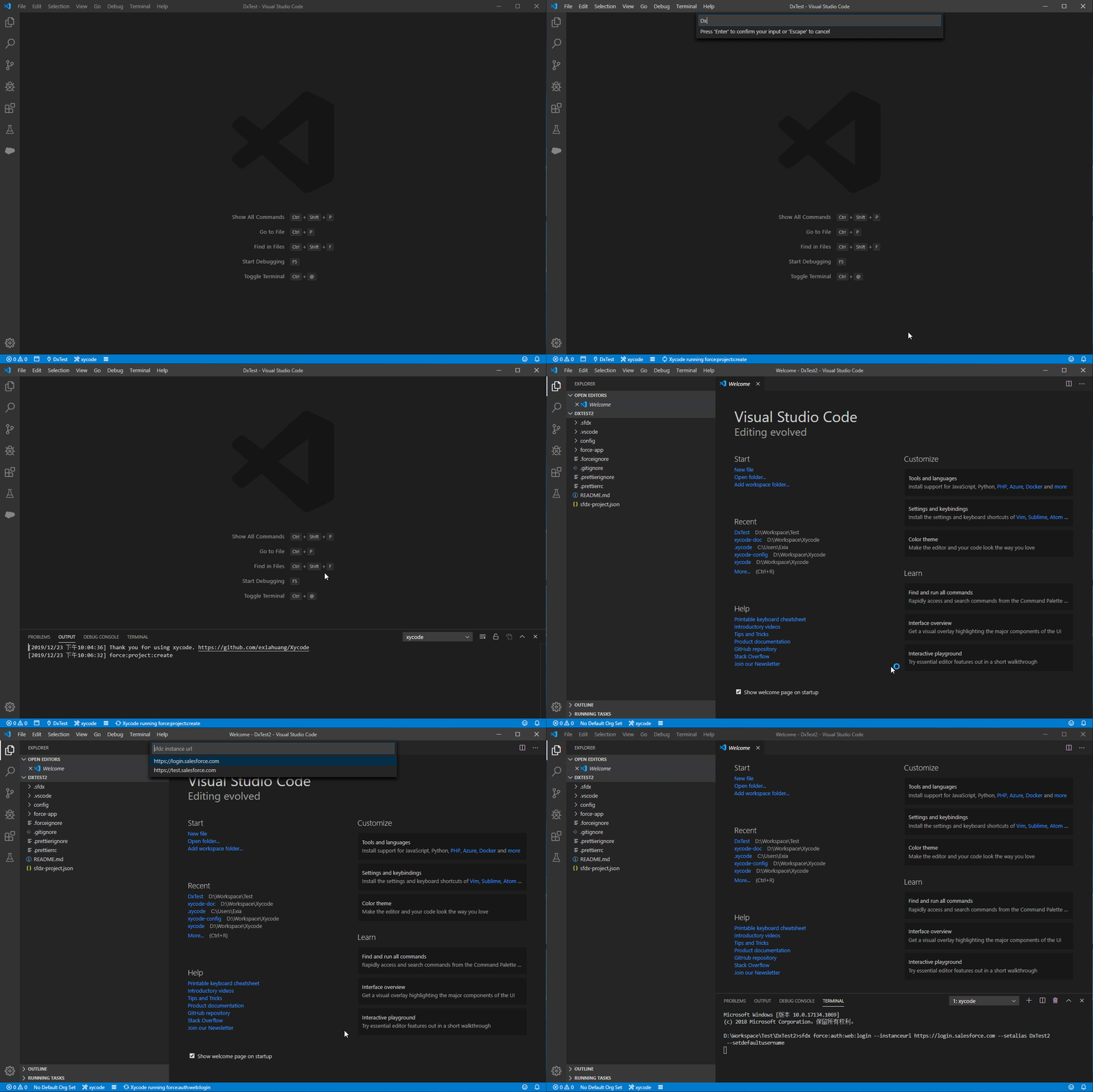
## Create a project
`force:project:create`
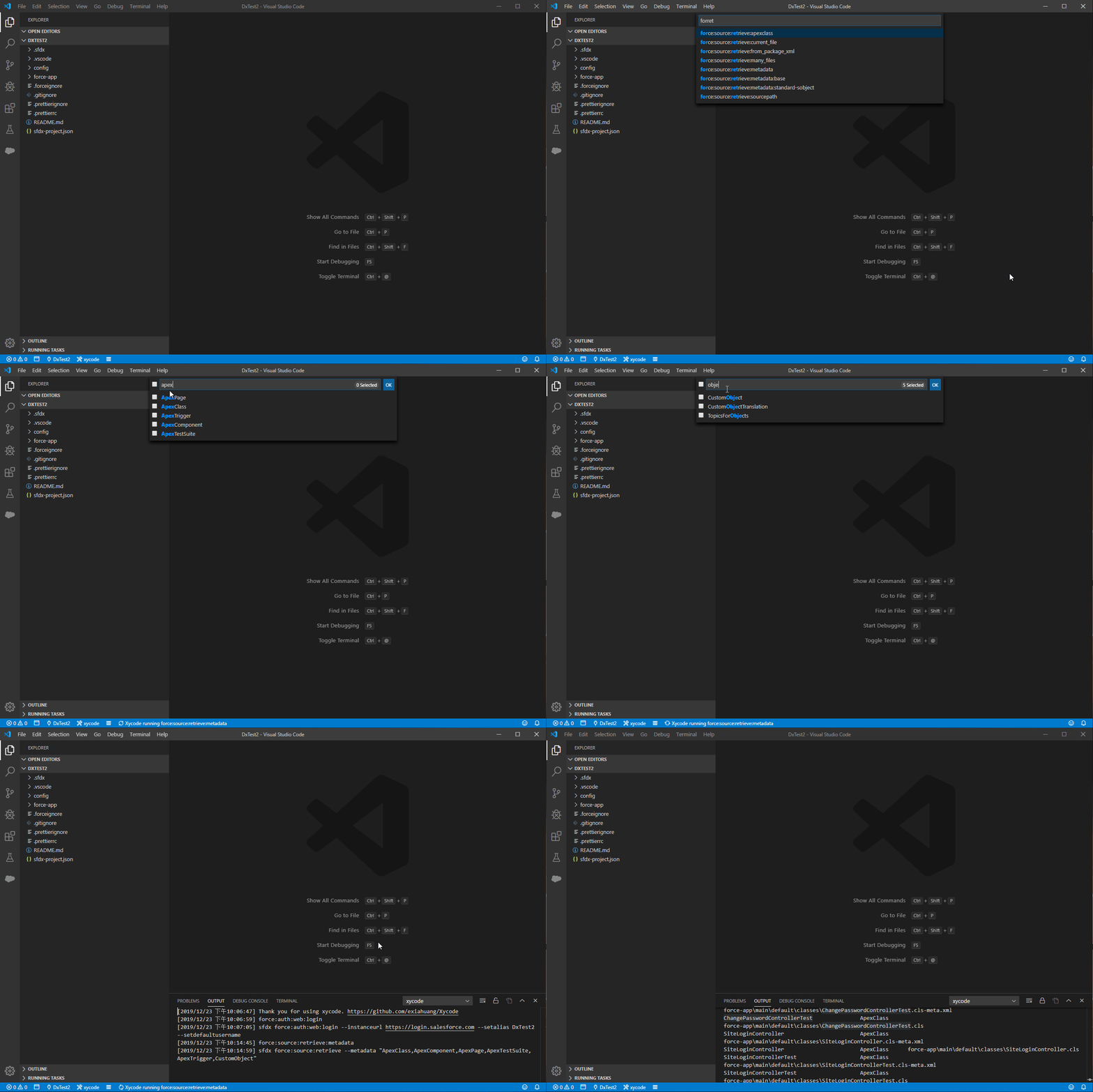
## Retrieve metadata
`force:source:retrieve:metadata`
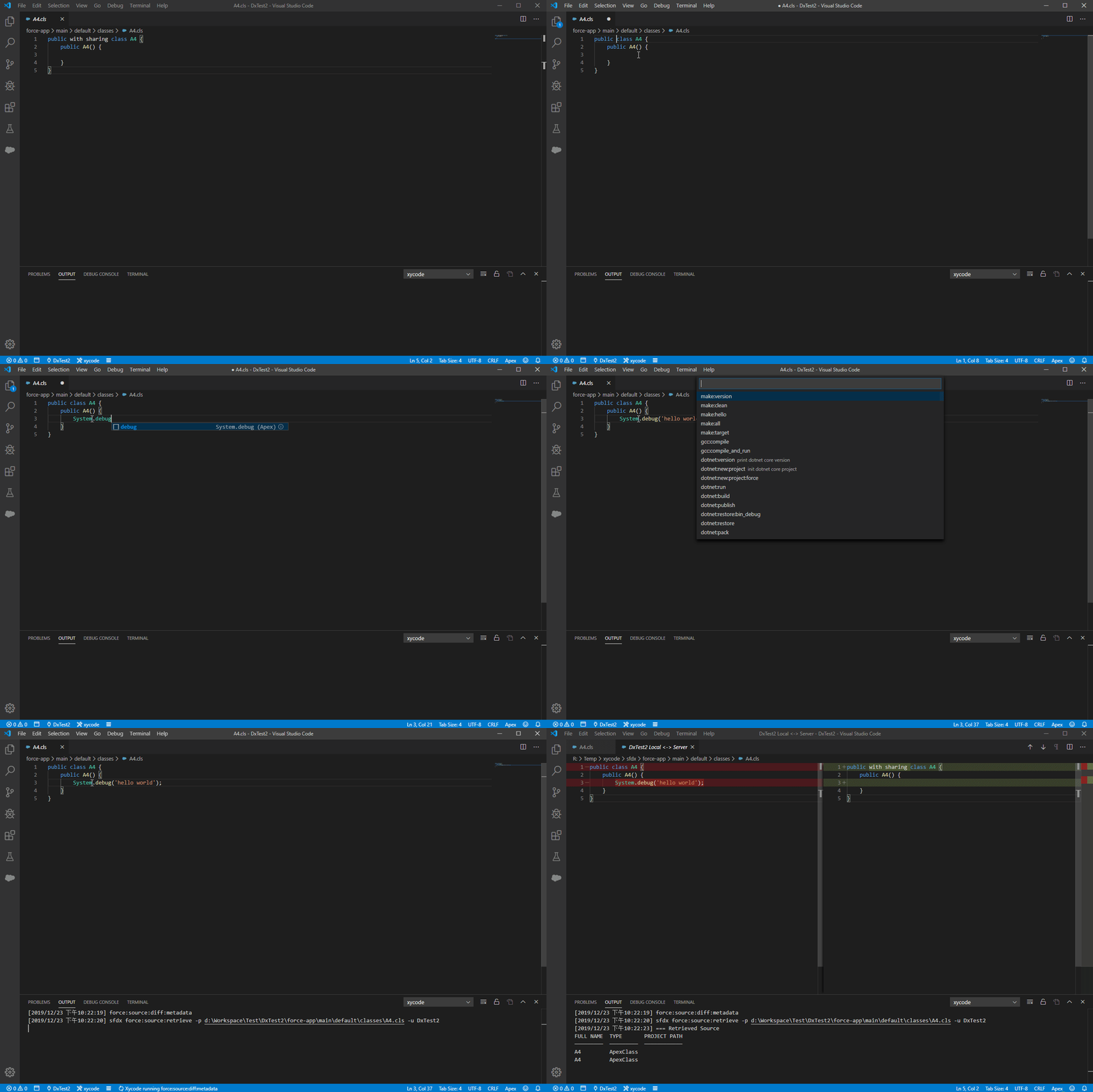
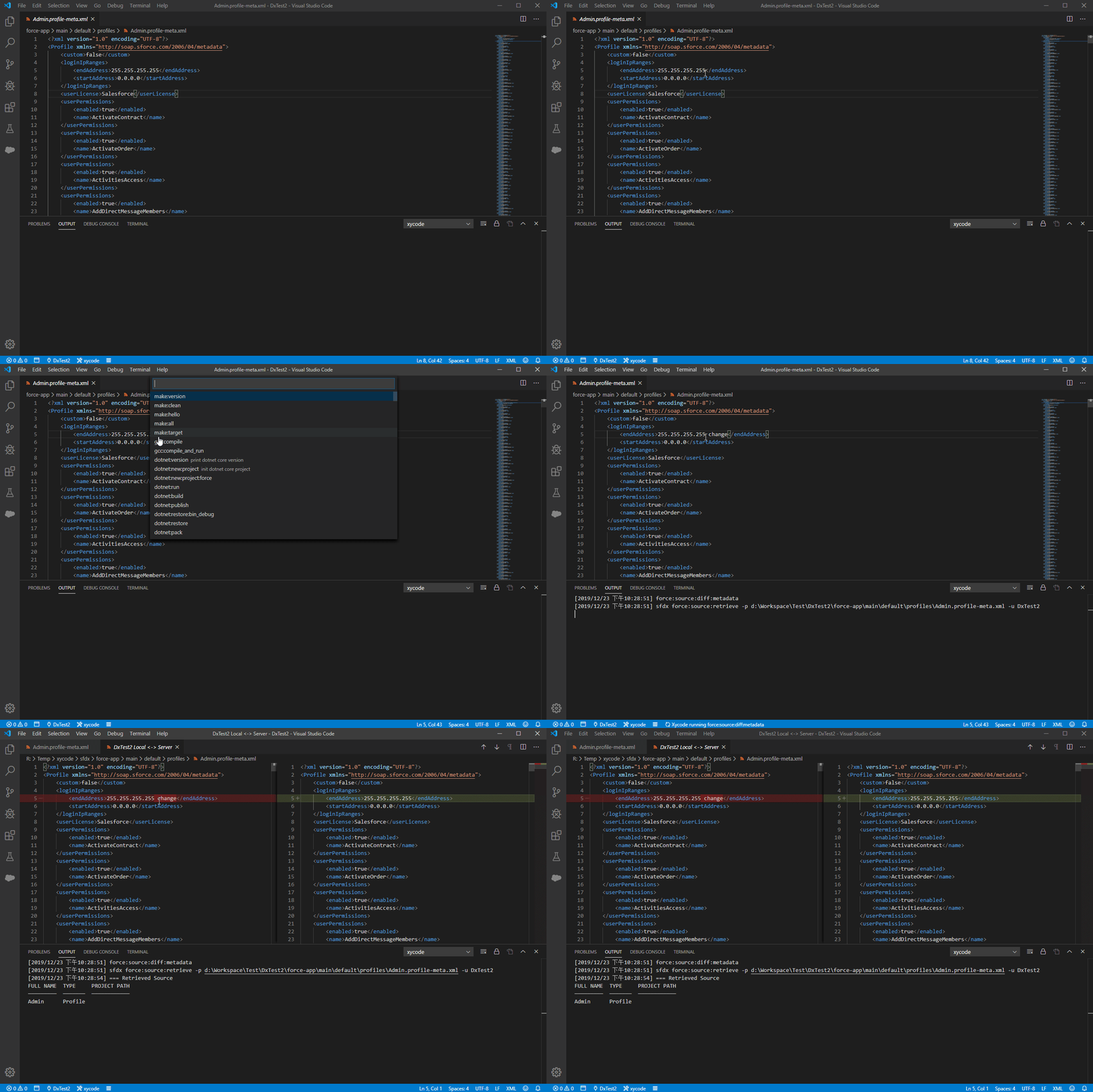
## Diff metadata
`force:source:diff:metadata`
You can diff with **any sfdc organization**.
### diff source
### diff profile
## Authentication
`force:auth:web:login`
`force:auth:web:login:setdefaultusername`
## Deploy metadata
- `force:source:deploy:metadata`
- `force:source:deploy:current_file`
## Dataloader
- support v40.0.0~v47.0.0
- support CSV Export/ExportAll/Insert/Update/Upsert/Delete
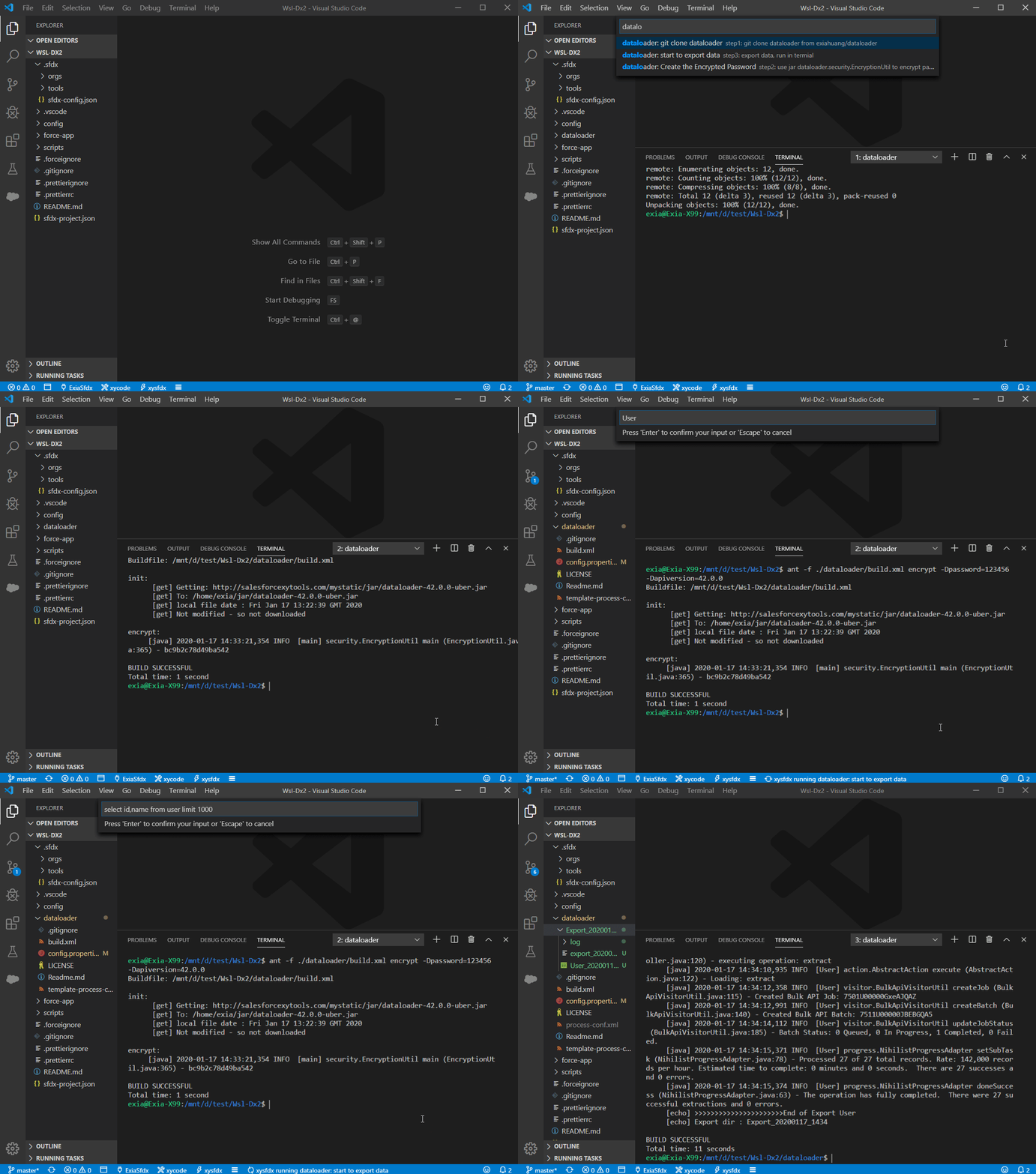
> If you use docker, you can only select csv/sdl file in current workspace.
> TIPS: How to create sdl file ? I always use [SalesforceXyTools For Chrome](https://chrome.google.com/webstore/detail/salesforce-xytools/ehklfkbacogbanjgekccnbfdgjechlmf) to create it.
## Option Features
### How to config option features
You can also open the Settings editor from the Command Palette (`Ctrl+Shift+P`) with Preferences: Open Settings or use the keyboard shortcut (`Ctrl+,`).
search `xysfdx`
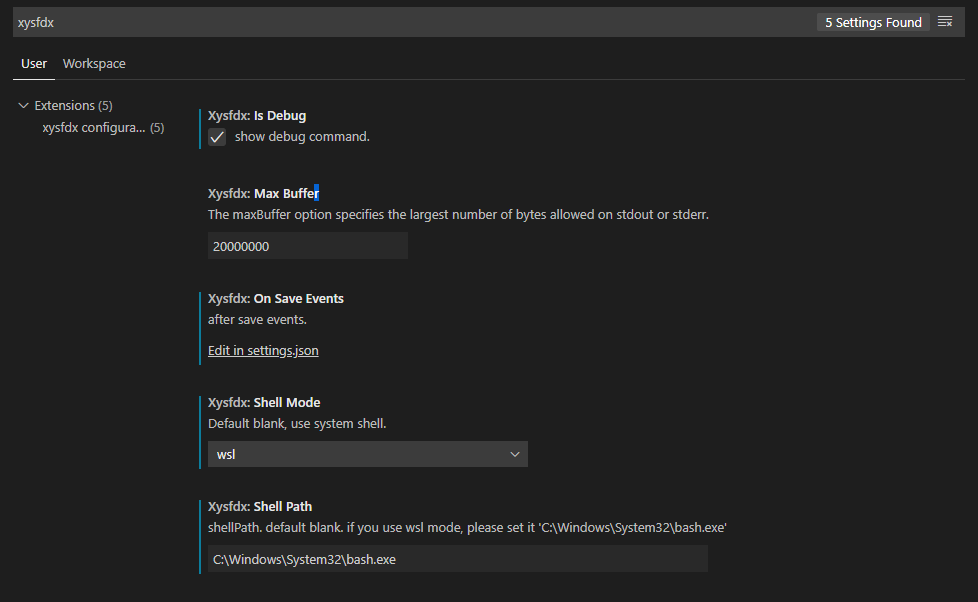
### Build-in Option Features
`xysfdx.optionFeatures` config:
- use_advanced_command: show advanced command
- auto_run_apex_anonymous: run `.apex` file after save it
- auto_save_to_sfdc: auto deploy to `.trigger`, `.cls`, `.component`, `.page` file to sfdc
- pretty_vf_page: pretty `.cmp`, `.page`, `.component` file
- pretty_apex_anonymous: pretty `.apex` file
- pretty_apex: pretty `.trigger`, `.cls` file
config:
```json
{
"xysfdx.optionFeatures": [
// show advanced command
//"use_advanced_command",
// auto deploy to `.trigger`, `.cls`, `.component`, `.page` file to sfdc
// "auto_save_to_sfdc",
// pretty `.cmp`, `.page`, `.component` file
// "pretty_vf_page",
// pretty `.trigger`, `.cls` file
// "pretty_apex",
// run `.apex` file after save it, default active
"auto_run_apex_anonymous",
// pretty `.apex` file
"pretty_apex_anonymous",
// use git
"git",
// use sfdc-cli, read more: https://github.com/exiahuang/sfdc-cli
"xytools",
"xytools.auto_save_to_server",
"xytools.auto_run_apex_anonymous",
]
}
```
### show advanced command
- `Advanced:force:source:deploy:current_file`: Select Authenticated server and deploy file
- `Advanced:force:source:retrieve:current_file`: Select Authenticated server and retrieve file
### auto run apex anonymous code
`auto_run_apex_anonymous`
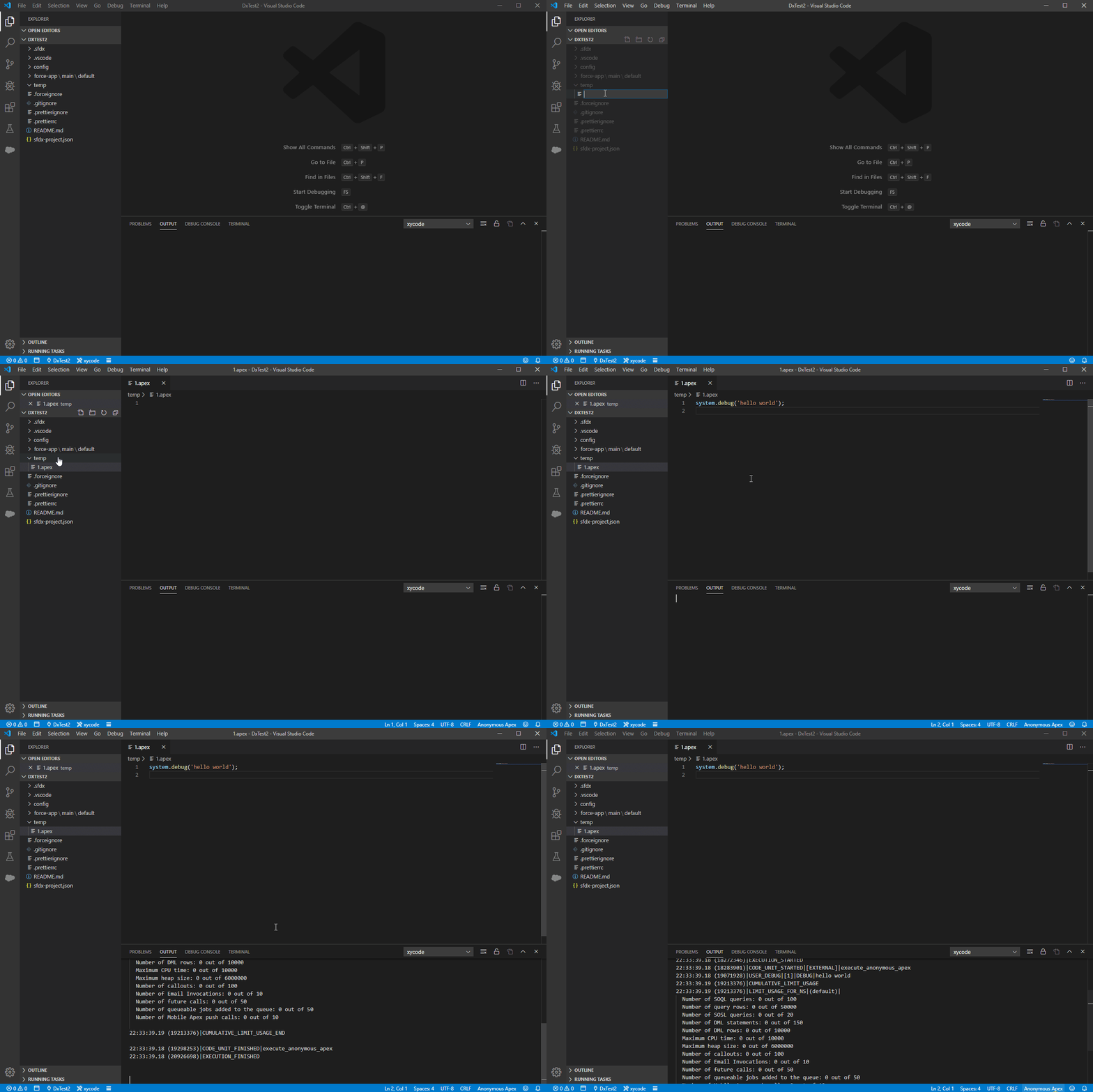
### auto save to sfdc server
`auto_save_to_sfdc`
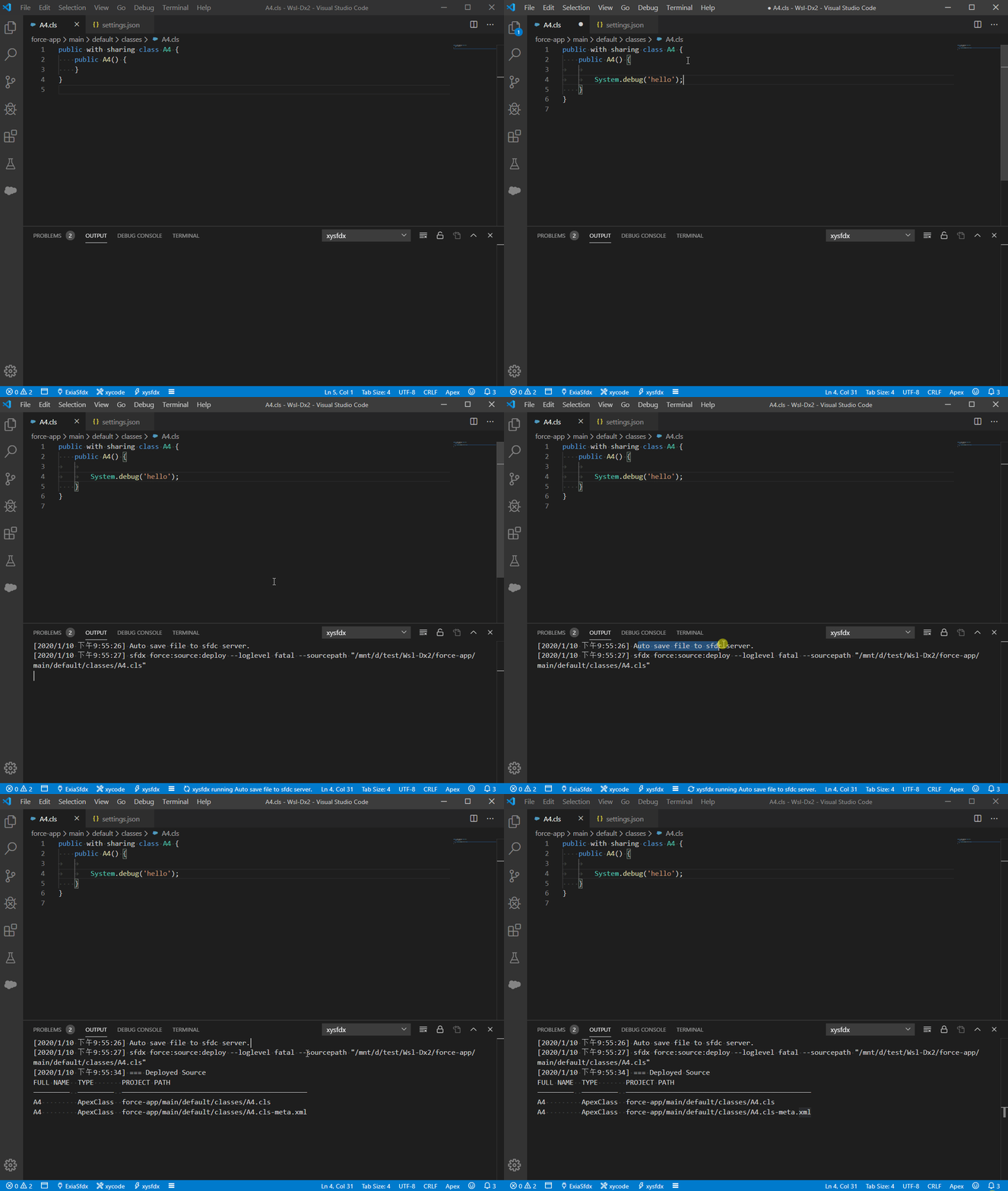
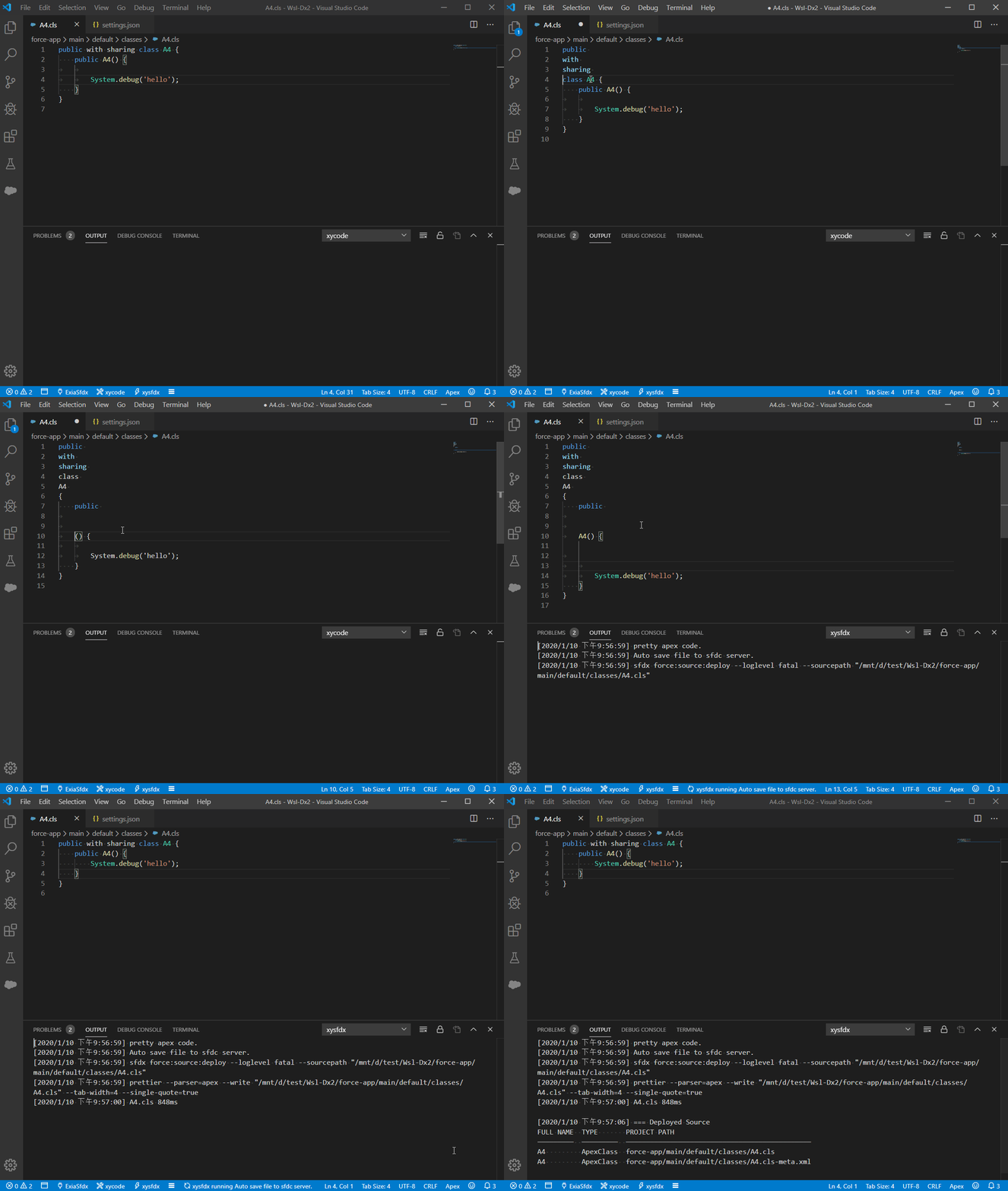
### pretty code
- pretty_apex: pretty `.cmp`, `.page`, `.component` file
- pretty_vf_page: pretty `.trigger`, `.cls` file
- pretty_apex_anonymous : pretty `.apex` file
> you need to install `java` and prettier and prettier-plugin-apex
> npm install --global prettier prettier-plugin-apex
> sudo apt install openjdk-8-jdk
> read more about [prettier-plugin-apex](https://github.com/dangmai/prettier-plugin-apex)
### use git
set `git` option features, then use the base git command.
[git config json](https://github.com/exiahuang/xysfdx/blob/master/src/conf/xysfdx.git.json)
### use sfdc-cli
set `xytools` option features, then use the `sfdc-cli` command.
- "xytools" : use the `sfdc-cli` command
- "xytools.auto_save_to_server": after save apex/trigger/page/component, it will auto save to sfdc server.
- "xytools.auto_run_apex_anonymous": run .apex file after save.
> please do not use `xytools.auto_save_to_server` and `auto_save_to_server` in the same time
> please do not use `xytools.auto_run_apex_anonymous` and `auto_run_apex_anonymous` in the same time
read more about `sfdc-cli`:
- [sfdc-cli](https://github.com/exiahuang/sfdc-cli) is a sfdc development kit.
- sfdc-cli is from [exiahuang/SalesforceXyTools](https://github.com/exiahuang/SalesforceXyTools)
## For Docker user
### vscode config
```json
{
"xysfdx.shellMode": "docker",
"xysfdx.shellPath": "",
"xysfdx.dockerContainer": "${lowercaseWorkspaceName}_sfdx_1",
"xysfdx.dockerAppRoot": "/app/sfdx"
}
```
### How to use docker ?
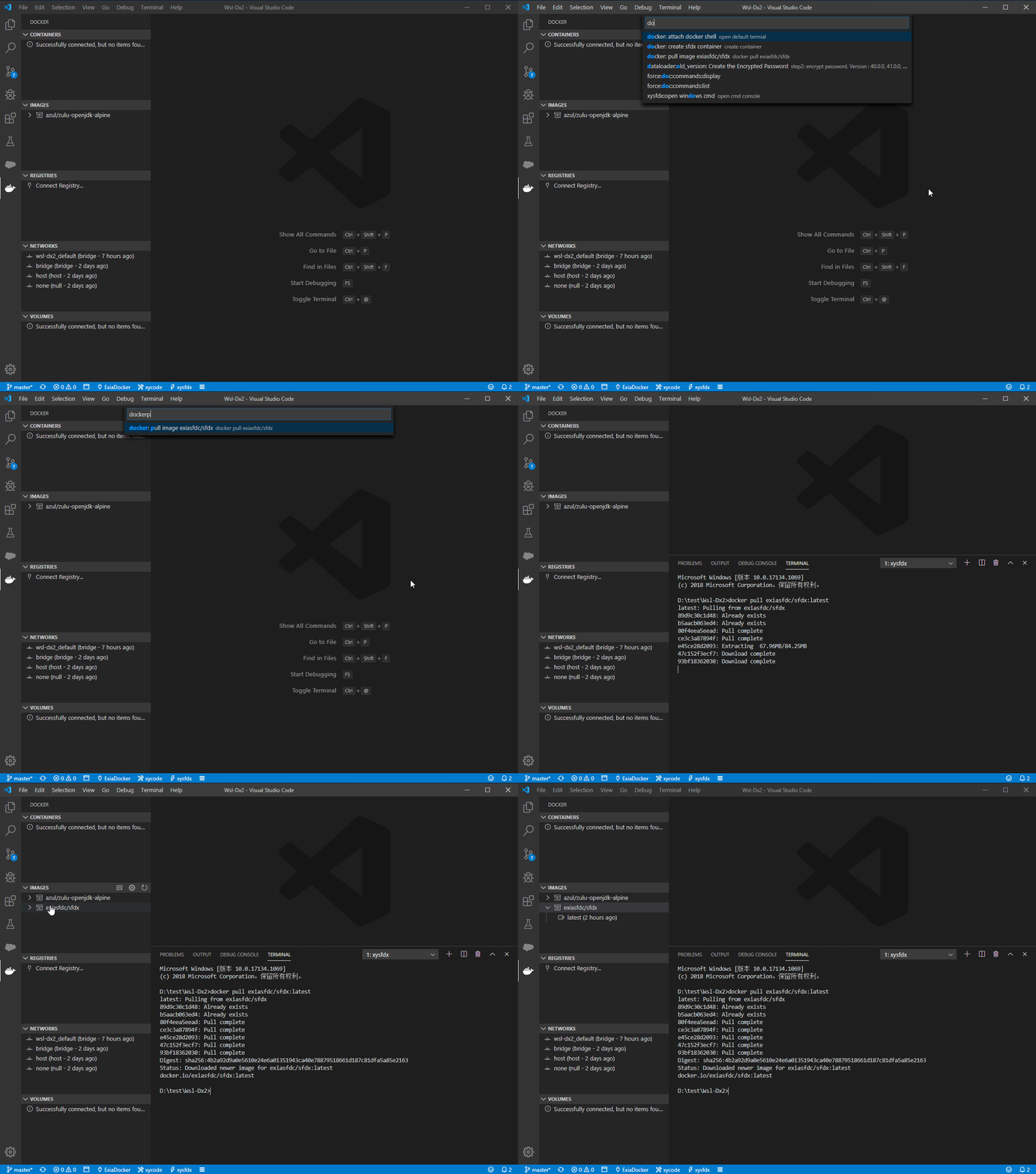
1. pull images : `docker: pull image exiasfdc/sfdx`
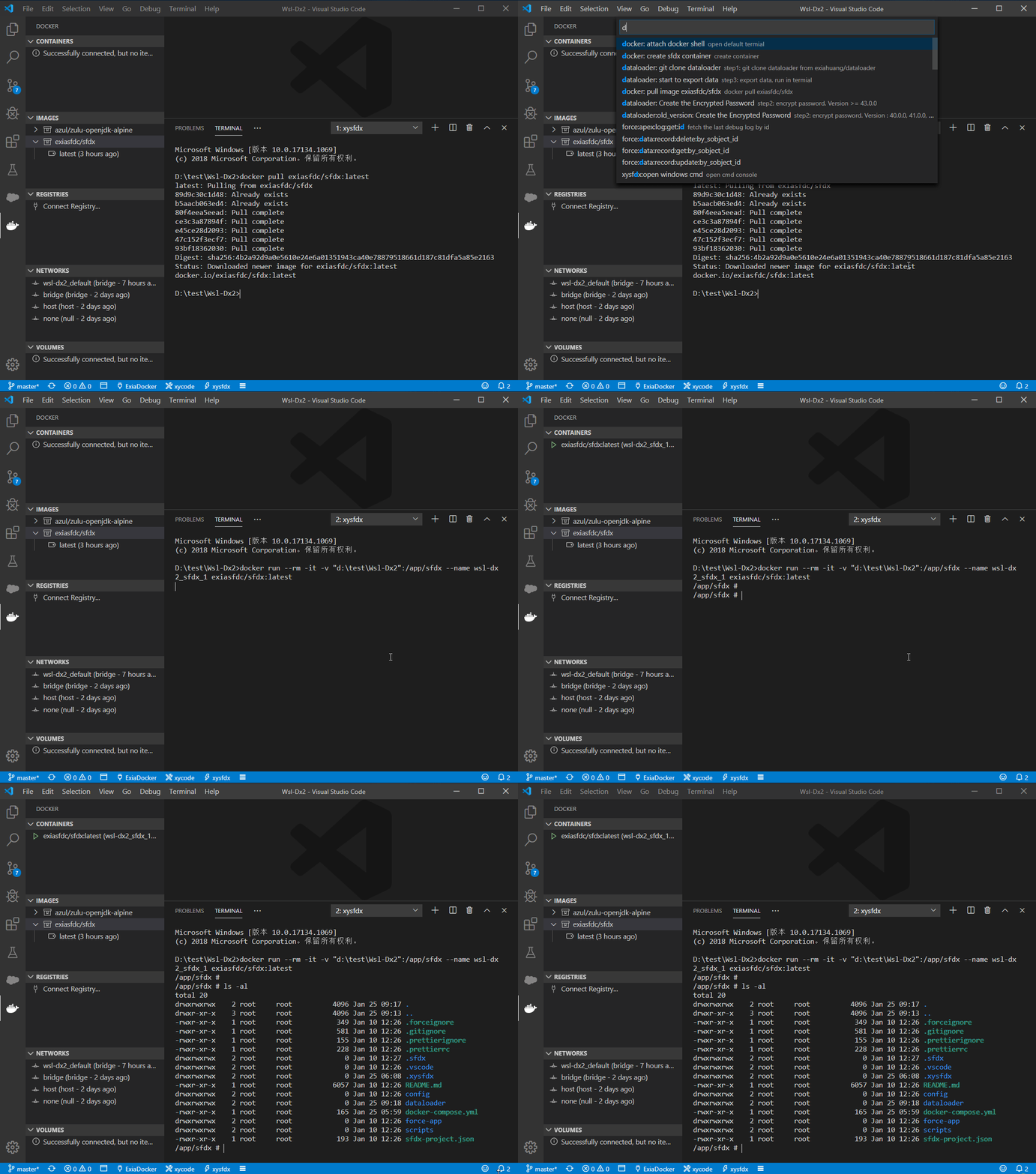
2. create container : `docker: create sfdx container`
3. use docker shell : `docker: attach docker shell`
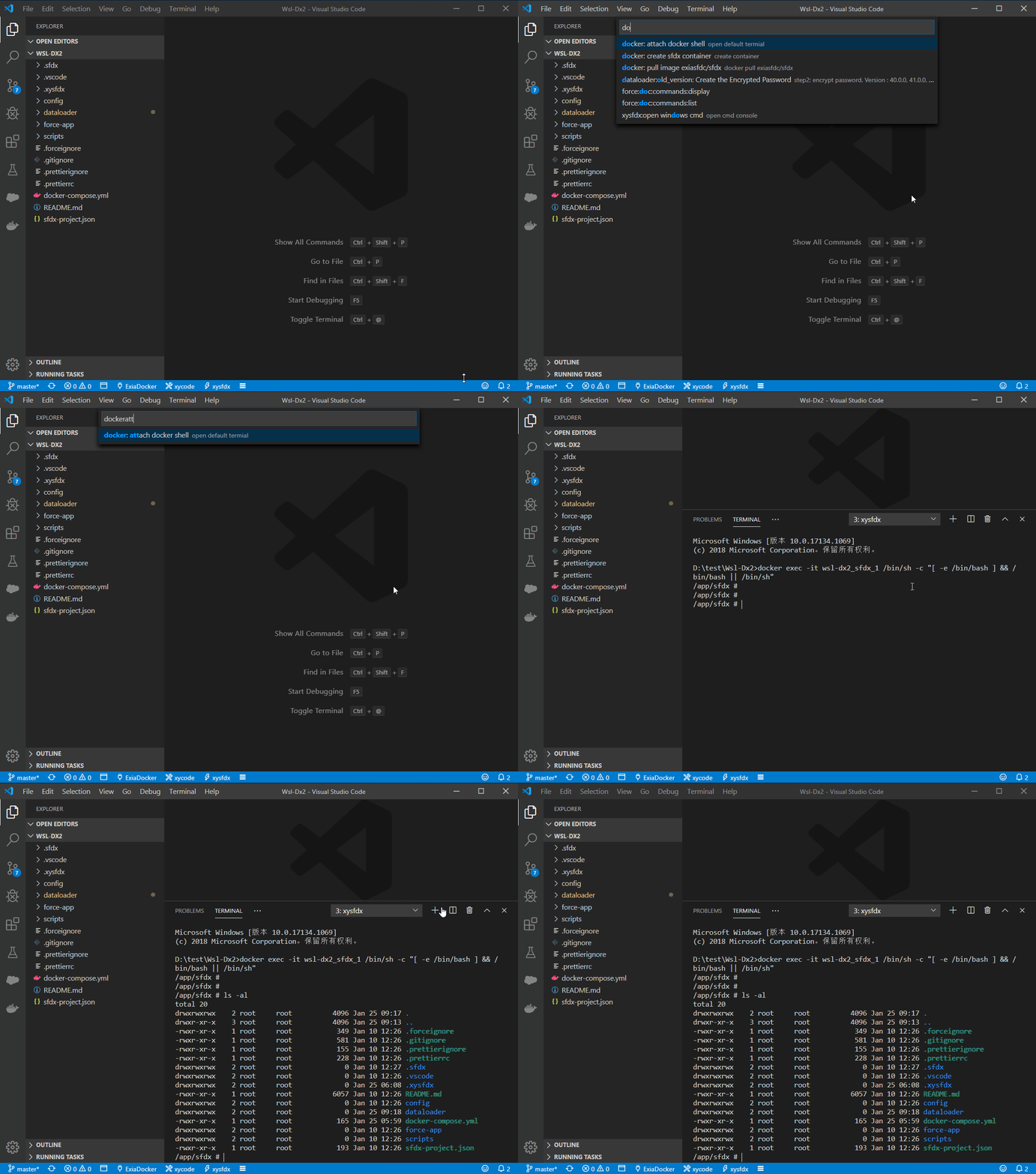
then , use the `xysfdx` to develope sfdx.
### attention
- can not use `force:auth:web:login` or `force:auth:web:login:setdefaultusername`
- use `xy:auth:username:login` to auth
## For Windows user
use wsl/git bash/Msys2 bash to develope sfdx.
### Open cmd/wsl/bash
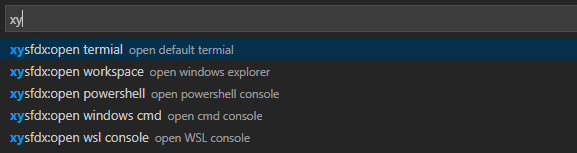
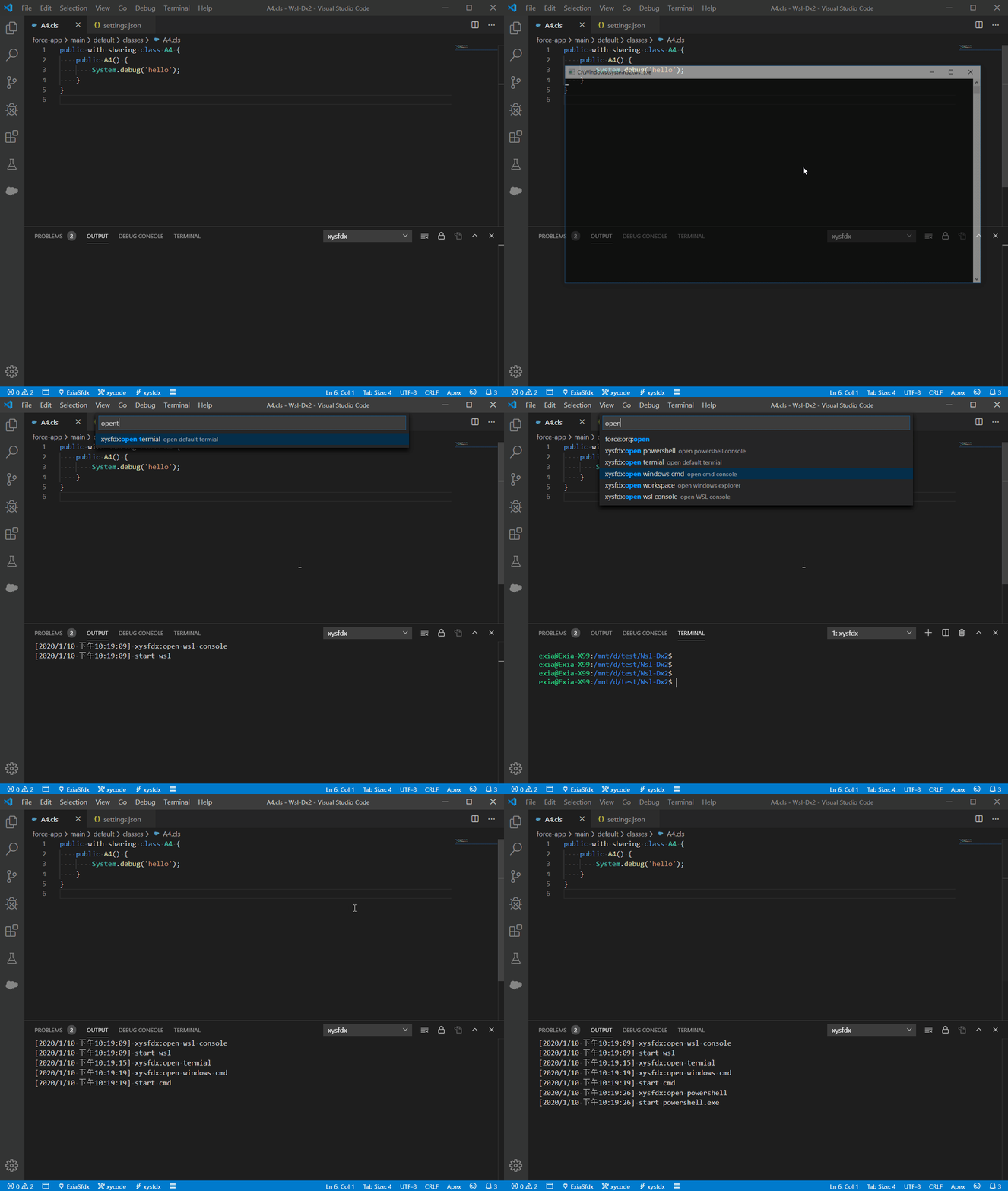
### use wsl
open `wslmode`
```json
{
"xysfdx.shellMode": "wsl",
"xysfdx.shellPath": "C:\\Windows\\System32\\bash.exe"
}
```
### use msys2 bash
```json
{
"xysfdx.shellMode": "bash",
"xysfdx.shellPath": "C:\\msys64\\usr\\bin\\bash.exe"
}
```
### use git bash
```json
{
"xysfdx.shellMode": "bash",
"xysfdx.shellPath": "C:\\Program Files\\Git\\usr\\bin\\bash.exe"
}
```
**Enjoy it!**