https://github.com/fajarbc/learn-rabbitmq-php
Learn RabbitMQ with PHP
https://github.com/fajarbc/learn-rabbitmq-php
Last synced: about 1 year ago
JSON representation
Learn RabbitMQ with PHP
- Host: GitHub
- URL: https://github.com/fajarbc/learn-rabbitmq-php
- Owner: fajarbc
- Created: 2021-07-13T22:00:26.000Z (almost 5 years ago)
- Default Branch: main
- Last Pushed: 2021-07-13T22:42:23.000Z (almost 5 years ago)
- Last Synced: 2025-03-10T17:29:51.436Z (over 1 year ago)
- Language: PHP
- Size: 4.88 KB
- Stars: 0
- Watchers: 1
- Forks: 0
- Open Issues: 0
-
Metadata Files:
- Readme: README.md
Awesome Lists containing this project
README
# learn-rabbitmq-php
Learn RabbitMQ with PHP
**INSTALLATION**
My notes on installing RabbitMQ in Windows:
I Follow the steps from https://www.rabbitmq.com/install-windows.html
* Open RabbitMQ Terminal
1. Open terminal (Command Prompt or PowerShell)
2. Change directory to RabbitMQ Server sbin folder
```
cd C:\Program Files\RabbitMQ Server\rabbitmq_server-{version}\sbin
```
Note: change {version} according to your installed RabbitMQ Server version, for example the version is **3.8.18**. So the code would look like:
```
cd C:\Program Files\RabbitMQ Server\rabbitmq_server-3.8.18\sbin
```
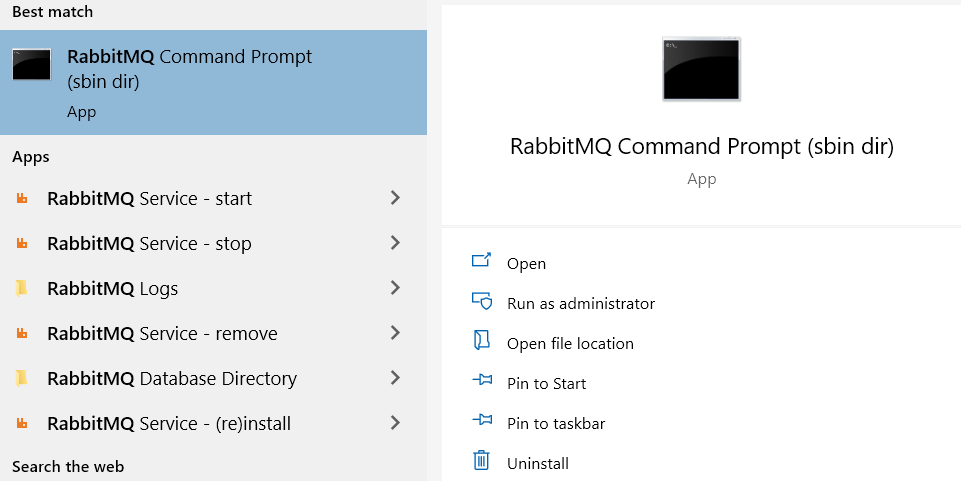
Or you can simply search for RabbitMQ Command Prompt
* Start RabbitMQ Service
```
rabbitmq-service start
```
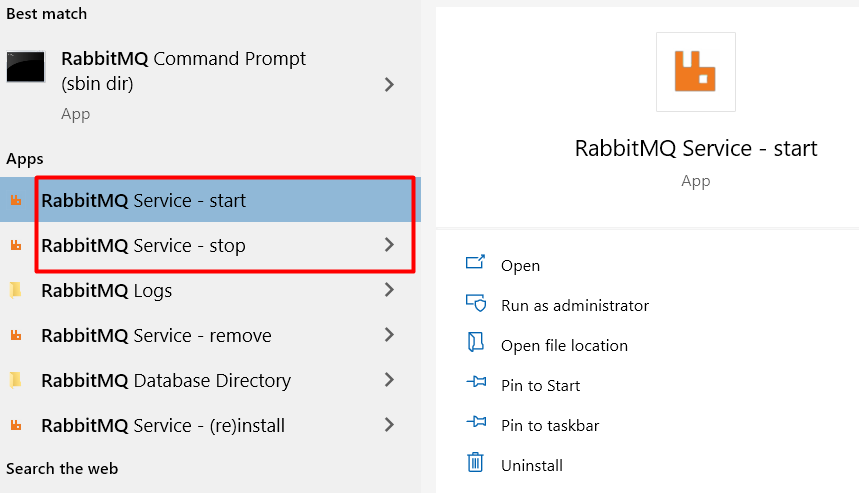
* Stop RabbitMQ Service
```
rabbitmq-service stop
```
Or you can just simply search for RabbitMQ in your computer
* Enable RabbitMQ UI Management
After install finished, in order to **enable the RabbitMQ UI Management** that runs onhttp://localhost:15672 you should do the following:
```
rabbitmq-plugins.bat enable rabbitmq_management
```
**RUN THE SCRIPTS**
In this project directory
1. Before you run the sript, please make sure you have `composer` installed in your machine and have all the dependency needed. You can type `composer update` in your terminal.
2. There are 2 scripts, send.php to send the queue message and receive.php to receive the queue message.
3. Open 2 separate terminals. I assume that **php** command is can be used in your environment.
4. Run the **receive.php**
```
php receive.php
```
6. Run the **send.php**
```
php send.php
```

You can also run send.php through your browser if there is an active webserver
