https://github.com/fancygrid/fg-grid
JavaScript Data Grid
https://github.com/fancygrid/fg-grid
grid javascript table typescript
Last synced: 9 months ago
JSON representation
JavaScript Data Grid
- Host: GitHub
- URL: https://github.com/fancygrid/fg-grid
- Owner: FancyGrid
- License: other
- Created: 2024-11-04T09:44:24.000Z (over 1 year ago)
- Default Branch: main
- Last Pushed: 2025-08-17T10:52:13.000Z (11 months ago)
- Last Synced: 2025-08-25T02:29:23.049Z (11 months ago)
- Topics: grid, javascript, table, typescript
- Language: JavaScript
- Homepage: https://fg-grid.com
- Size: 4.34 MB
- Stars: 7
- Watchers: 2
- Forks: 1
- Open Issues: 0
-
Metadata Files:
- Readme: README.md
- License: LICENSE.md
Awesome Lists containing this project
README
# FG-Grid
Build v0.9.5
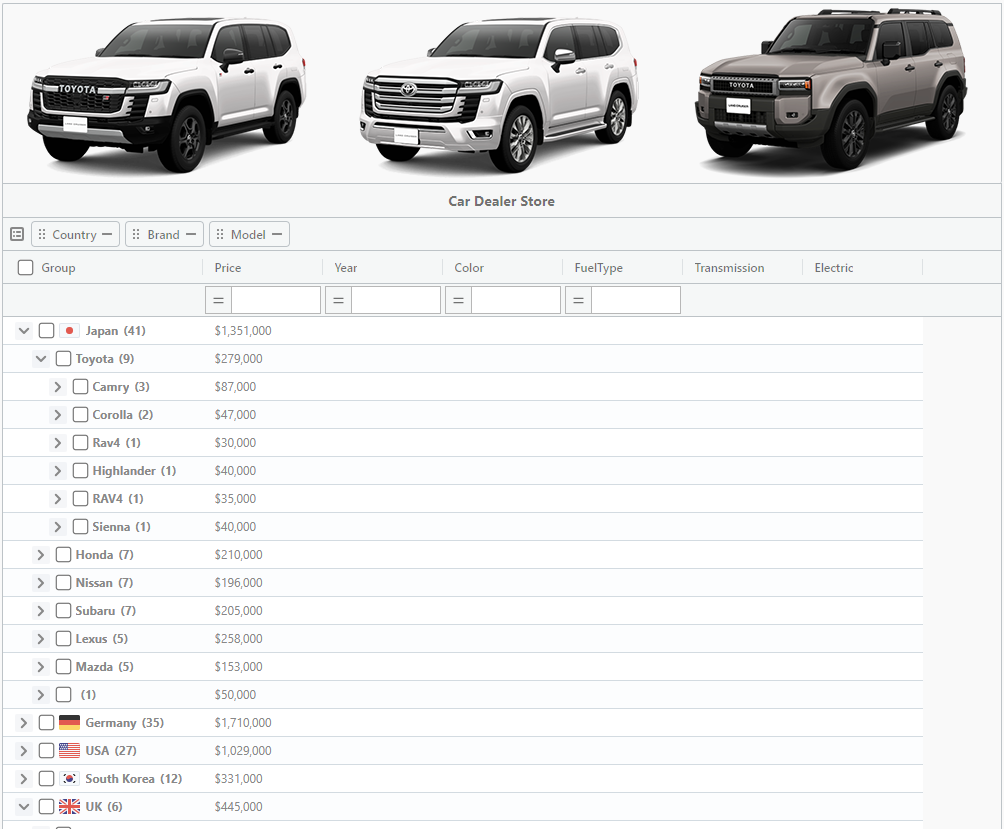
FG-Grid - Open source data grid library for building enterprise applications
## Install
#### *npm*
```
npm install fg-grid
```
### React
```
npm install fg-grid fg-grid-react-wrapper
```
#### *CDN*
```
https://cdn.jsdelivr.net/npm/fg-grid/styles/fg-grid.min.css
https://cdn.jsdelivr.net/npm/fg-grid/dist/fg-grid.min.js
```
## Quick Start
Include a reference to the FG-Grid library
```html
```
The `Grid` object is now accessible.
```html
document.addEventListener('DOMContentLoaded', () => {
new Grid({
renderTo: 'grid',
width: 300,
height: 200,
data: [
{ brand: 'Lexus', model: 'RX 350', price: 60000, year: 2021 },
{ brand: 'Toyota', model: 'Land Cruiser Prado', price: 70000, year: 2022 },
{ brand: 'Volkswagen', model: 'Tiguan', price: 38000, year: 2021 },
{ brand: 'Volkswagen', model: 'Teramont', price: 60000, year: 2023 },
{ brand: 'Mazda', model: 'CX-9', price: 45000, year: 2023 },
{ brand: 'Honda', model: 'Pilot', price: 45000, year: 2023 },
{ brand: 'Kia', model: 'Sorento', price: 40000, year: 2023 },
],
columns: [{
index: 'brand',
title: 'Brand',
type: 'string'
},{
index: 'model',
title: 'Model',
type: 'string'
},{
index: 'price',
title: 'Price',
type: 'currency'
},{
index: 'year',
title: 'Year',
type: 'number'
}]
});
});
```
## TypeScript
In this example, we will use Vite with TypeScript, without frameworks.
You only need to install `fg-grid`.
```html
```
```ts
import 'fg-grid/styles/fg-grid.css';
import { Grid } from 'fg-grid';
import type { Column } from 'fg-grid';
interface IRow {
brand: string;
model: string;
price: number;
year: number;
}
const data: IRow[] = [
{ brand: "Lexus", model: "RX 350", price: 60000, year: 2021 },
{ brand: "Lexus", model: "NX 300", price: 50000, year: 2023 },
{ brand: "Toyota", model: "Land Cruiser Prado", price: 70000, year: 2022 },
{ brand: "Toyota", model: "RAV4", price: 35000, year: 2023 },
{ brand: "Volkswagen", model: "Tiguan", price: 38000, year: 2021 },
{ brand: "Volkswagen", model: "Touareg", price: 75000, year: 2023 },
{ brand: "Volkswagen", model: "Teramont", price: 60000, year: 2023 },
{ brand: "Mazda", model: "CX-9", price: 45000, year: 2023 },
{ brand: "Honda", model: "Pilot", price: 45000, year: 2023 },
{ brand: "Nissan", model: "Pathfinder", price: 48000, year: 2022 },
{ brand: "Hyundai", model: "Palisade", price: 50000, year: 2023 },
{ brand: "Kia", model: "Sorento", price: 40000, year: 2023 },
{ brand: "Ford", model: "Edge", price: 42000, year: 2021 },
{ brand: "Chevrolet", model: "Traverse", price: 45000, year: 2023 }
]
const columns: Column[] = [{
index: 'brand',
title: 'Brand',
type: 'string',
agFn: 'avg',
},{
index: 'model',
title: 'Model',
type: 'string'
},{
index: 'price',
title: 'Price',
type: 'currency'
},{
index: 'year',
title: 'Year',
type: 'number'
}]
const grid = new Grid({
renderTo: 'container',
data: data,
defaults: {
width: 100,
sortable: true
},
columns: columns,
rowStyle: (params)=>{
if(Number(params.item.price) > 55000){
return {
'background-color': 'rgba(220, 107, 103, 0.2)'
}
}
}
})
```
## Support
If you need any assistance or would like to report any bugs found in FancyGrid, please contact us at support@fancygrid.com