https://github.com/faraplay/zundamahjong
Web-based mahjong game
https://github.com/faraplay/zundamahjong
game mahjong webgame
Last synced: about 1 month ago
JSON representation
Web-based mahjong game
- Host: GitHub
- URL: https://github.com/faraplay/zundamahjong
- Owner: faraplay
- License: mit
- Created: 2025-08-31T23:57:07.000Z (10 months ago)
- Default Branch: main
- Last Pushed: 2026-05-06T20:06:19.000Z (about 2 months ago)
- Last Synced: 2026-05-06T22:14:29.182Z (about 2 months ago)
- Topics: game, mahjong, webgame
- Language: Python
- Homepage:
- Size: 5.09 MB
- Stars: 2
- Watchers: 2
- Forks: 1
- Open Issues: 8
-
Metadata Files:
- Readme: README.md
- License: LICENSE
Awesome Lists containing this project
README
# zundamahjong
[](https://github.com/faraplay/zundamahjong/actions/workflows/build.yml)
[](https://pypi.org/project/zundamahjong)
[](https://github.com/faraplay/zundamahjong/blob/main/LICENSE)
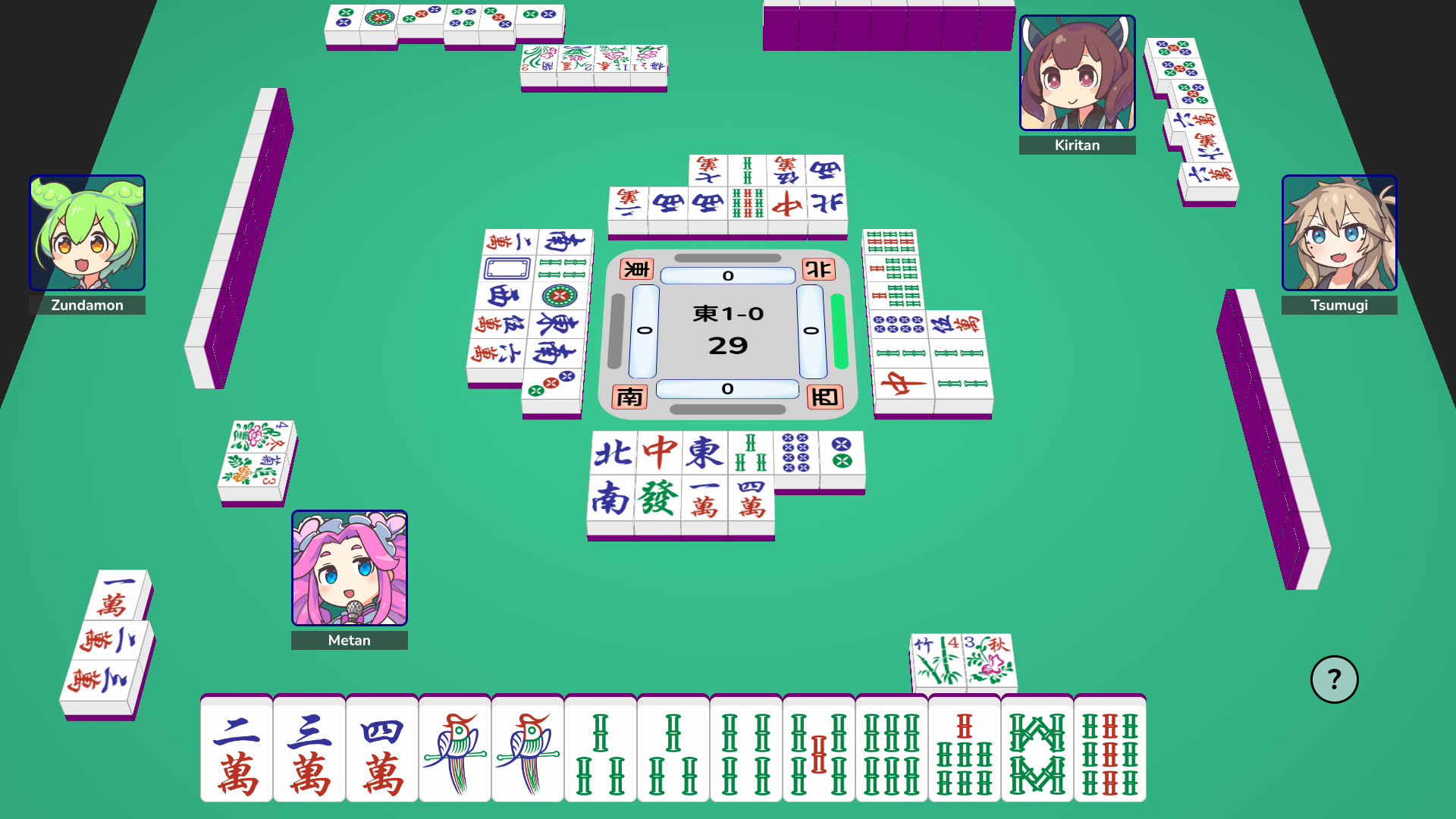
Web-based Mahjong game.
## Quick Start
Install `zundamahjong` into a Python virtual environment with
```sh
python -m venv .venv
source .venv/bin/activate
pip install zundamahjong
```
To start the bundled WSGI server, listening at the port `PORT`, run
```sh
zundamahjong [-p PORT] # defaults to 5000
```
> [!WARNING]
> The bundled WSGI server should not be used in production.
## Running in Production
Install Gunicorn (or some other [production WSGI server](https://flask.palletsprojects.com/en/stable/deploying/))
to your virtual environment with
```sh
pip install gunicorn
```
You'll need to generate a secret key for Flask to sign sessions. For example,
you can run
```python
>>> import secrets
>>> print(secrets.token_hex())
```
and pass the result to `zundamahjong` through the `FLASK_SECRET_KEY`
environment variable.
One way to go about this is with a `.env` file. Use `.env.example` as a
starting point.
Once you've figured out how to do that, tell Gunicorn to start `zundamahjong`
up by running
```sh
gunicorn --threads 100 --bind 127.0.0.1:5000 zundamahjong.server:app
```
> [!NOTE]
> It is recommended to run Gunicorn [behind a reverse proxy](https://docs.gunicorn.org/en/stable/deploy.html)
> such as nginx. But make sure to proxy [WebSocket requests](https://nginx.org/en/docs/http/websocket.html)
> to Gunicorn! If you don't, Socket.IO will fall back to using HTTP
> long-polling.
### Database configuration
By default, `zundamahjong` uses a SQLite database with filename `debug.db` in
the working directory.
To instead use a PostgreSQL database, you'll have to install the needed
optional dependencies with
```sh
pip install 'zundamahjong[postgresql]'
```
The database connection is configured using environment variables. Check the
`.env.example` file.
## Hacking on zundamahjong
Set up a Python virtual environment and the project's dependencies with
```sh
uv venv
source .venv/bin/activate
uv sync
```
To install the Node.js dependencies, navigate to the `client` folder and run
```sh
npm install
```
While you are still in the `client` folder, run an initial build of the client files
```sh
npm run build
```
Start the bundled Werkzeug server in debug mode by running
```sh
uv run zundamahjong --debug [--vite-port PORT] # defaults to 5173
```
This will take care of starting the [Vite](https://vite.dev/) debug server in
the background and proxy requests for static assets directly to it. You are
free to start it manually (before running the above!) by navigating to the
`client` folder and running
```sh
npm run dev
```
## Generating documentation with Sphinx
You'll need to make sure you install the docs dependencies as well with
```sh
uv venv
source .venv/bin/activate
uv sync --group docs
```
Then you can build the docs with
```sh
sphinx-build -M html docs/source/ docs/build/
```
If you're working on the docs and want the docs to be rebuilt every time
an edit is saved, you can run
```sh
sphinx-autobuild docs/source docs/build/html --watch src
```
## Generating password hashes
To reset a user's password if they have forgotten it, you can use
```python
>>> from getpass import getpass
>>> from werkzeug.security import generate_password_hash
>>> print(generate_password_hash(getpass()))
```
and then input the result manually into the application database.
## Credits
[Mahjong tile graphics](https://demching.itch.io/mahjong)
by [Cangjie6](https://commons.wikimedia.org/wiki/User:Cangjie6)
with modifications by [demching](https://itch.io/profile/demching),
licensed under [CC BY-SA 4.0](https://creativecommons.org/licenses/by-sa/4.0/).
Avatar graphics by [坂本アヒル](https://www.pixiv.net/en/users/12147115),
see [(ず・ω・きょ)](https://zunko.jp/guideline.html).