https://github.com/fauxpark/picsp
Raspberry Pi ICSP adapter for avrdude's linuxgpio programmer
https://github.com/fauxpark/picsp
avr avrdude raspberry-pi
Last synced: over 1 year ago
JSON representation
Raspberry Pi ICSP adapter for avrdude's linuxgpio programmer
- Host: GitHub
- URL: https://github.com/fauxpark/picsp
- Owner: fauxpark
- Created: 2017-10-19T08:11:46.000Z (over 8 years ago)
- Default Branch: main
- Last Pushed: 2021-05-01T12:08:50.000Z (about 5 years ago)
- Last Synced: 2025-01-30T04:15:31.498Z (over 1 year ago)
- Topics: avr, avrdude, raspberry-pi
- Size: 127 KB
- Stars: 1
- Watchers: 2
- Forks: 0
- Open Issues: 0
-
Metadata Files:
- Readme: README.md
Awesome Lists containing this project
README
# PiCSP
The PiCSP is a very simple adapter for the Raspberry Pi that allows you to use a standard 6- or 10-pin IDC cable to program your AVR project.
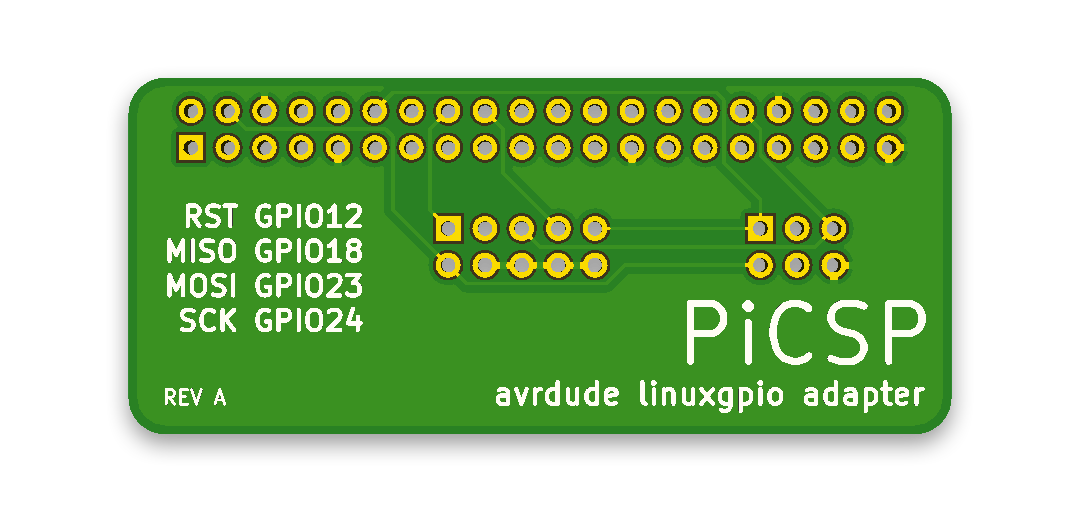
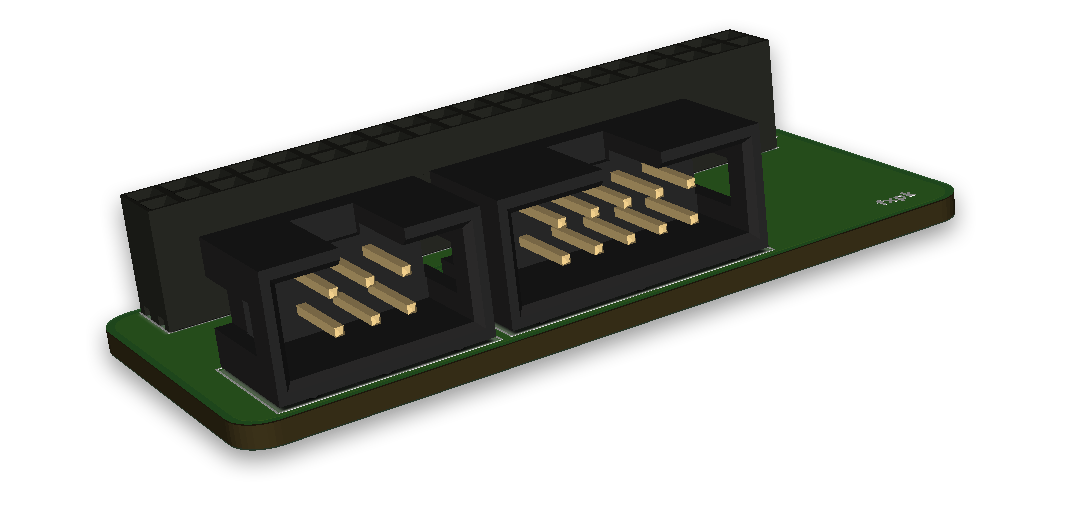
It should "just work" with the avrdude package offered by the stock Raspbian repositories -- it comes with the linuxgpio programmer enabled.
The Adafruit package will probably work also, but the pinout may not be the same.
The PiCSP has two ISP headers that are electrically connected to each other, so you cannot use both at once to program two AVRs.
If you do so, you may get unexpected behaviour from avrdude, your microcontroller or your Pi!
## Pinout
The PiCSP follows the default pinout in /usr/local/etc/avrdude.conf. Make sure the pinout looks like this in your config file under the linuxgpio programmer (you may need to uncomment it before use):
| Header Pin | GPIO |
| ----------:|:---- |
| RST | 12 |
| MISO | 18 |
| MOSI | 23 |
| SCK | 24 |
This information is also printed on the PCB silkscreen, just in case.
## Assembly
Aside from the PCB itself, you will only need a 2.54mm pitch 2x20 pin socket strip, 2x3 and 2x5 pin angled IDC headers, and matching IDC ribbon cables.