https://github.com/favourdaniel/deploying-a-static-website-on-aws
Hosting a static website on S3 and being able to access the cached website pages using CloudFront content delivery network( CDN).
https://github.com/favourdaniel/deploying-a-static-website-on-aws
Last synced: 6 months ago
JSON representation
Hosting a static website on S3 and being able to access the cached website pages using CloudFront content delivery network( CDN).
- Host: GitHub
- URL: https://github.com/favourdaniel/deploying-a-static-website-on-aws
- Owner: FavourDaniel
- Created: 2022-06-01T08:15:30.000Z (about 4 years ago)
- Default Branch: main
- Last Pushed: 2022-06-03T00:59:22.000Z (about 4 years ago)
- Last Synced: 2025-02-07T21:32:07.851Z (over 1 year ago)
- Language: HTML
- Homepage:
- Size: 7.81 KB
- Stars: 0
- Watchers: 1
- Forks: 0
- Open Issues: 0
-
Metadata Files:
- Readme: README.md
Awesome Lists containing this project
README
# Deploying-a-Static-Website-on-AWS
## Project Overview
This project focuses on:
1. Hosting a static website on S3
2. Accessing the cached website pages using CloudFront content delivery network (CDN) service. Keep in mind that CloudFront offers low latency and high transfer speeds during website rendering.
NB: This was one of my Udacity DevOps Nanodegree projects assigned to me.
**The steps I took to achieve this**:
- Creating a public S3 bucket and upload the website files to your bucket.
- Configuring the bucket for website hosting and secure it using IAM policies.
- Speeding up content delivery using AWS’s content distribution network service, CloudFront.
- Ensuring the website is accessible in a browser using the unique CloudFront endpoint.
### Prerequisites for this project are:
1. An AWS account
2. Website (any language)
## Detailed steps on how this was achieved
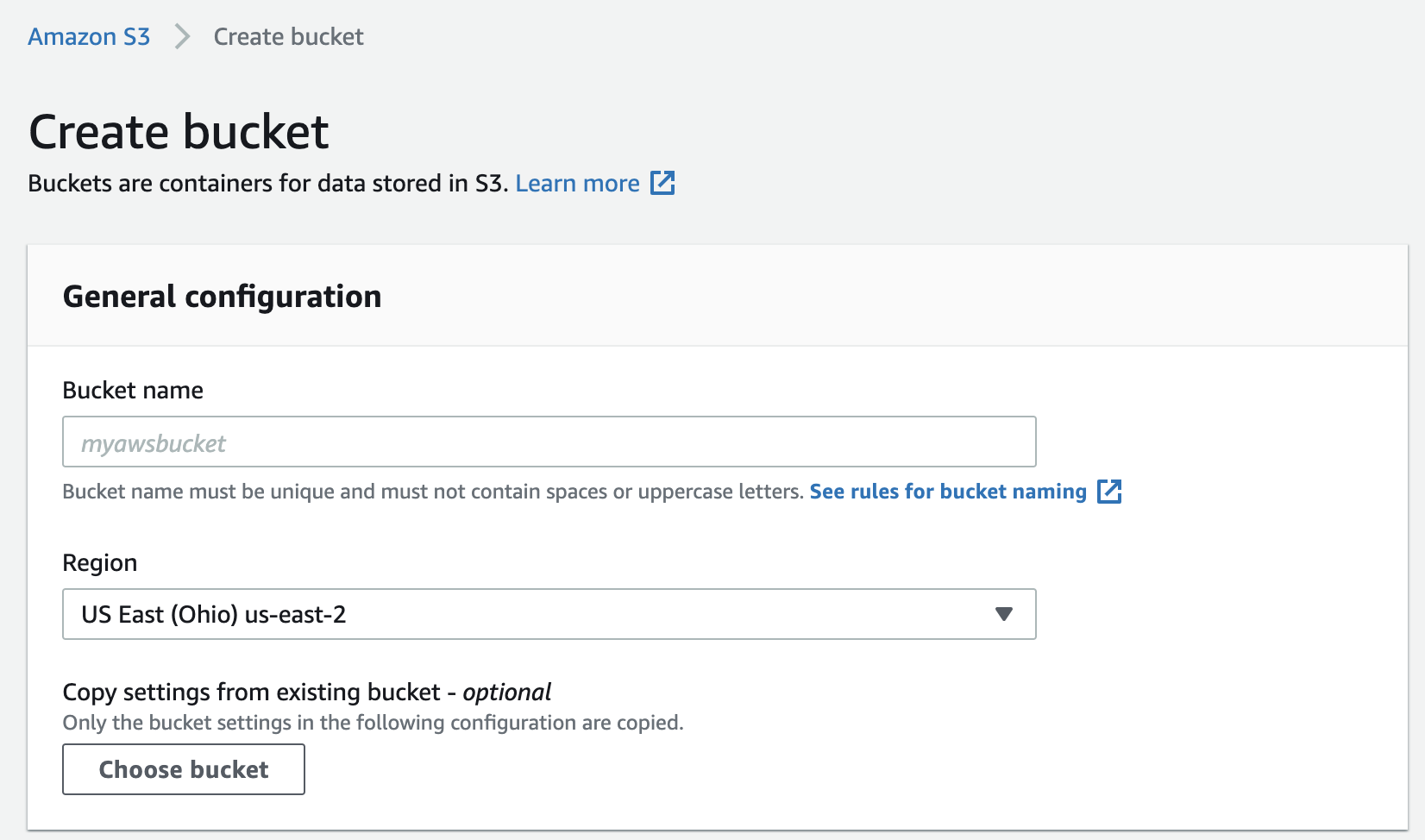
### Step 1: Creating an S3 bucket
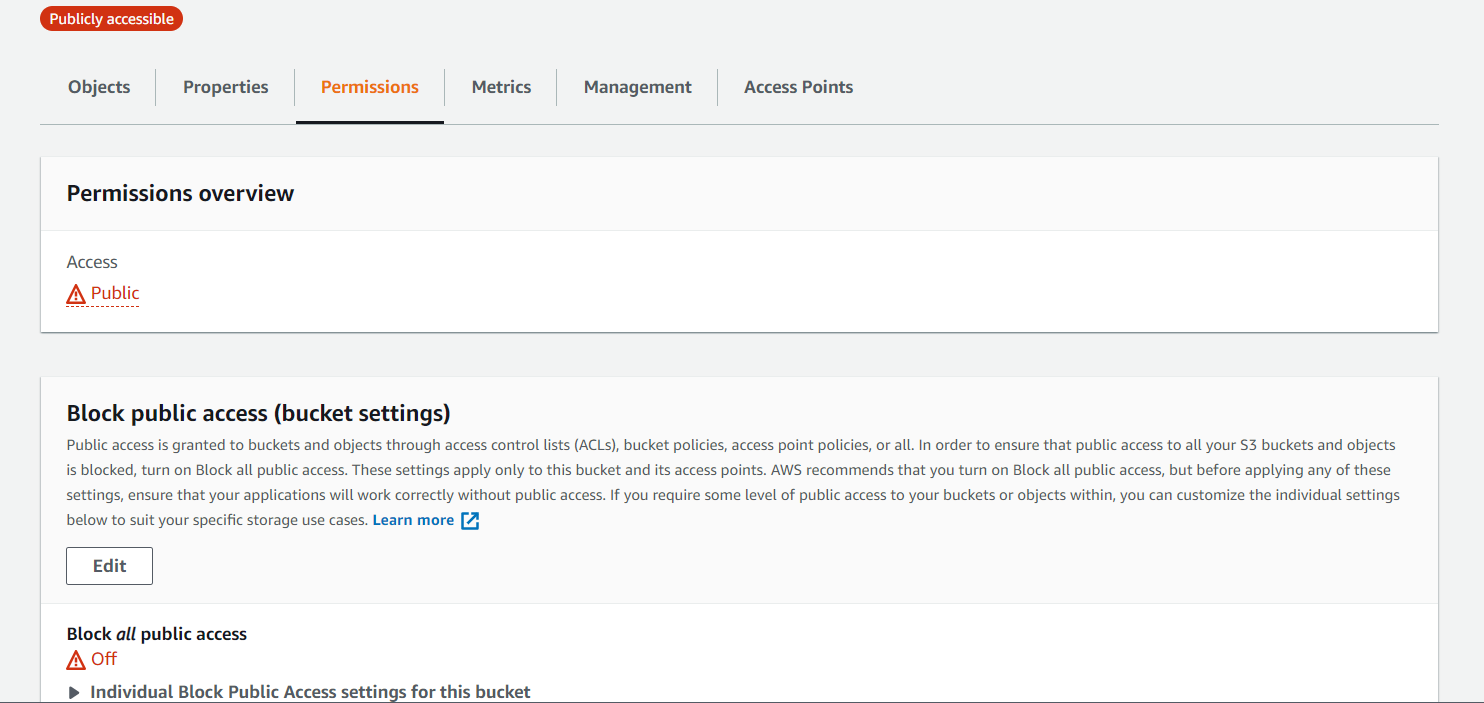
Navigating to Amazon S3 from the AWS management console, I created an s3 bucket to store my website files. I also allowed public access so that the website could be accessed from anywhere on the net.
### Step 2: Uploading website files
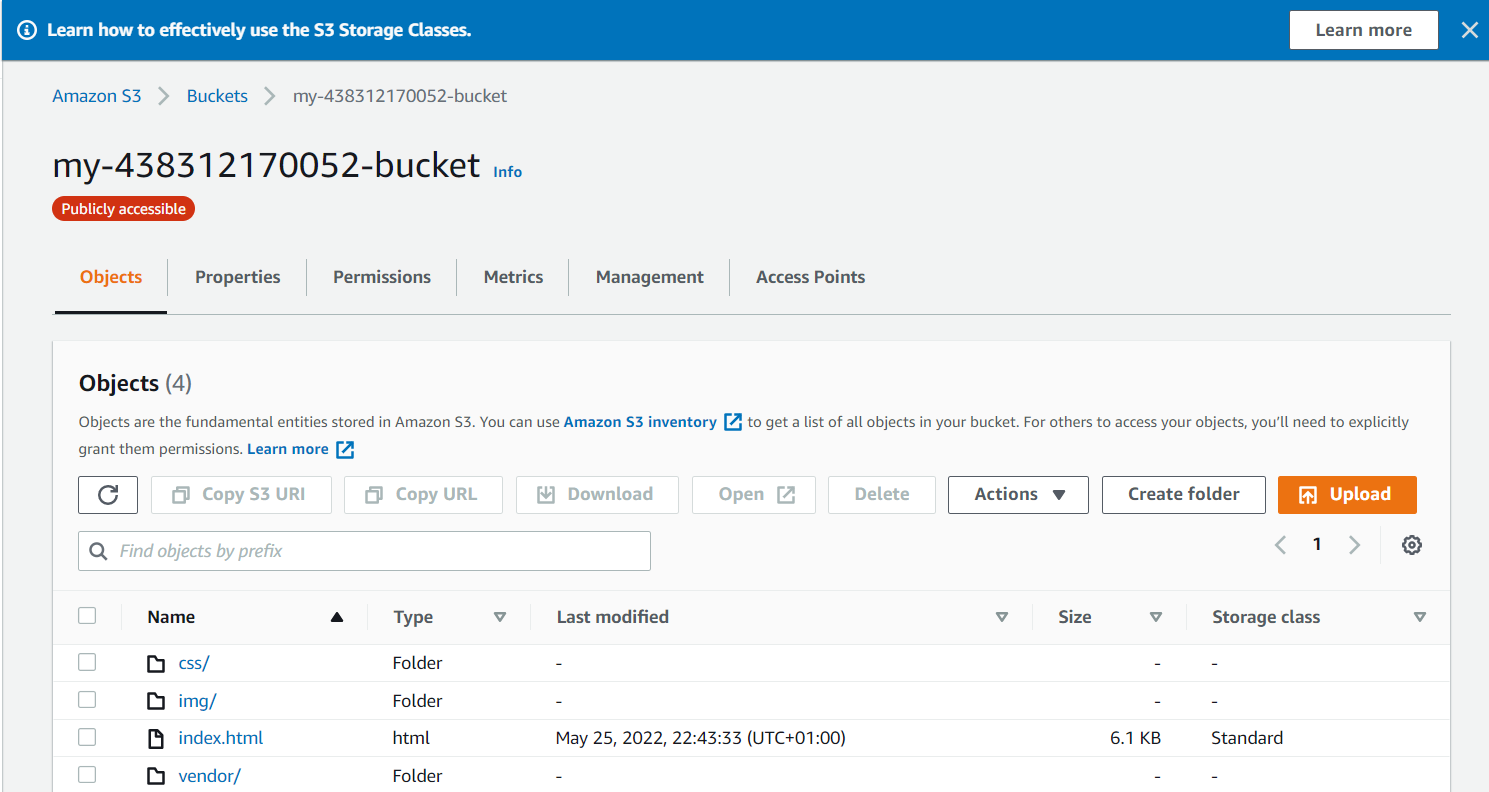
After creating the s3 bucket, I uploaded the website files into it.
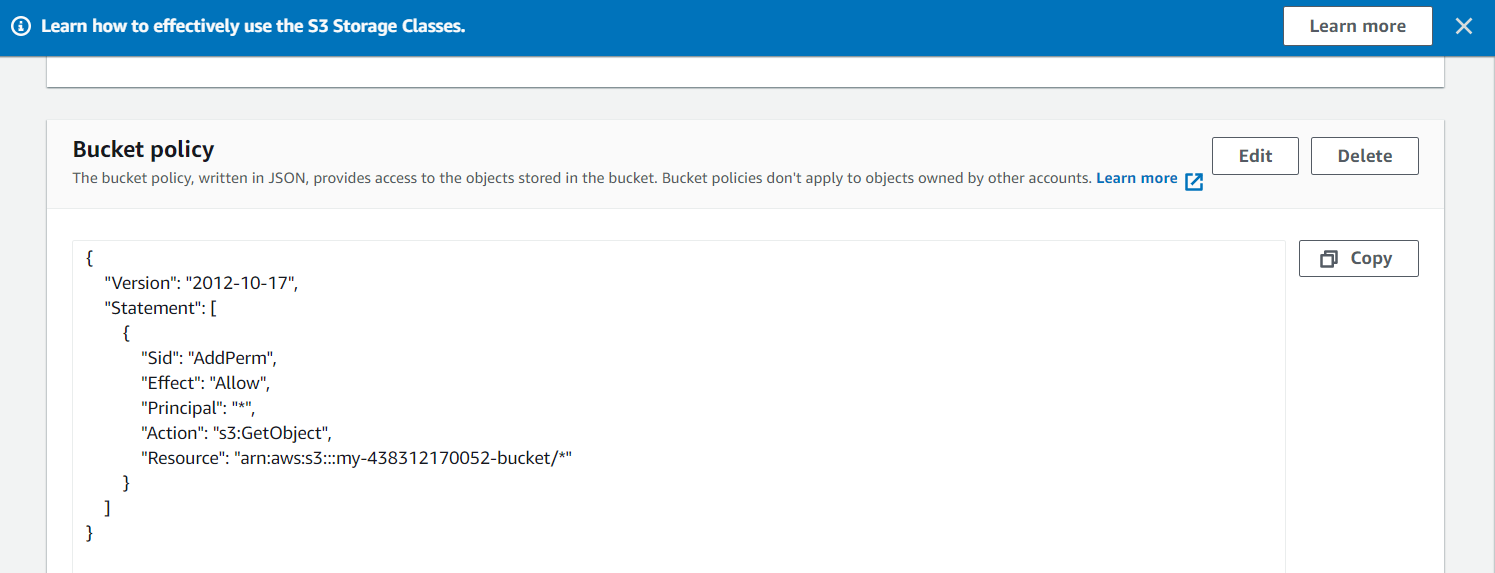
### Step 3: Securing bucket via IAM
For static website hosting, it is required to make buckets public
### Step 4: Configuring S3 bucket
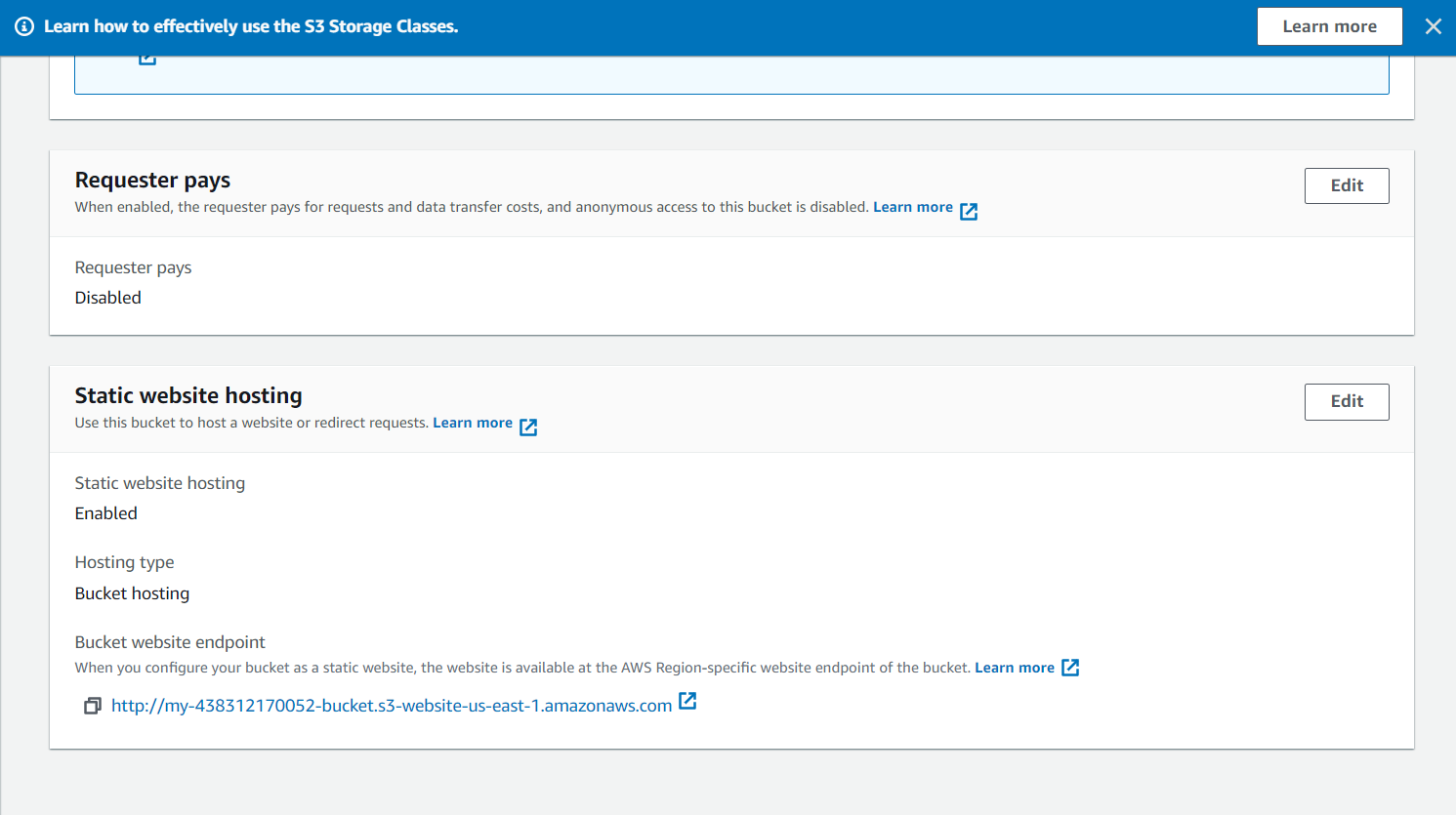
I enabled static website hosting and made the contents of the index.html file publicly readable so that it can be accessed at the website endpoint

### Step 5: Distributing Website via CloudFront
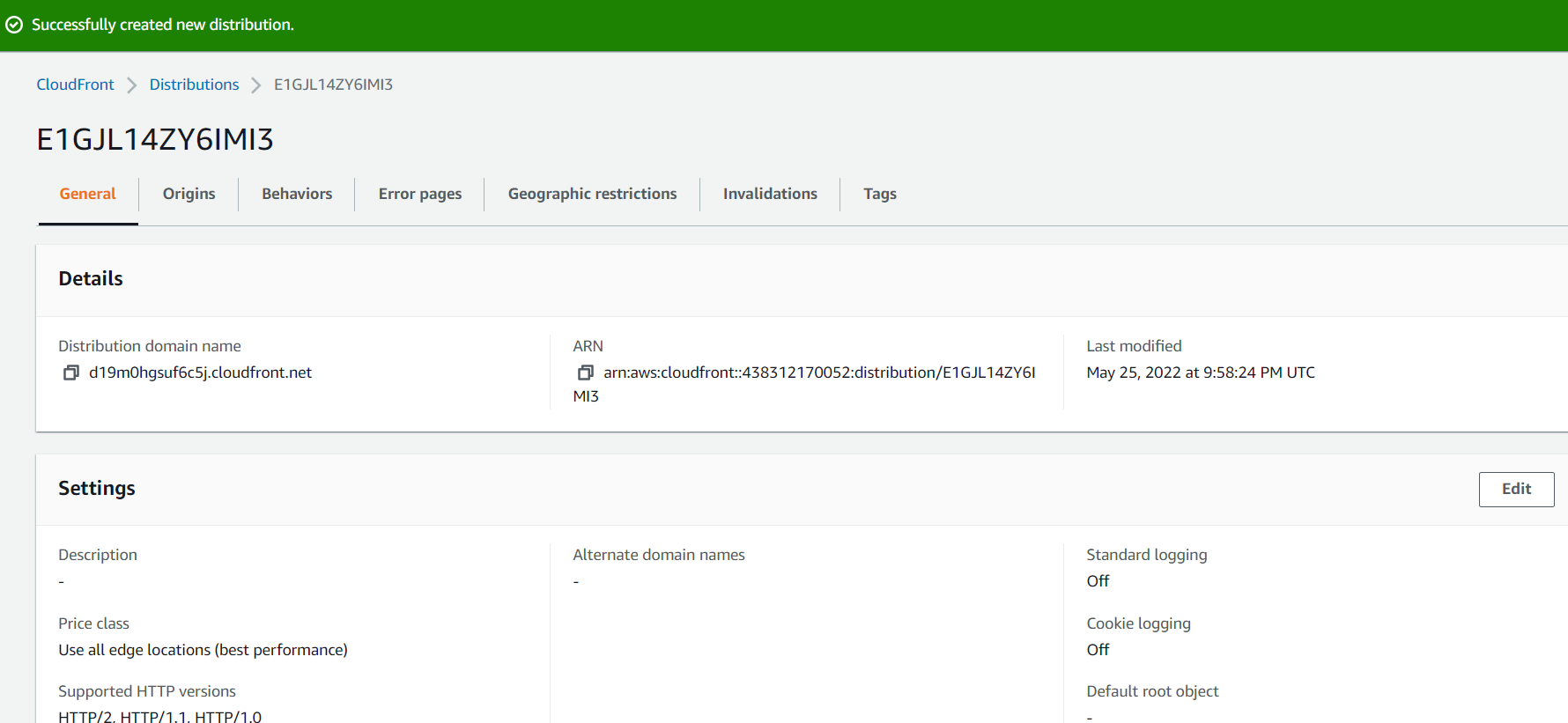
I created a CloudFront distribution which attached to the S3 and S3 caching pages

### Step 6: Accessing website in web browser
Pasting the CloudFront domain name in a web browser even without the index.html at the end displayed the content of the default home page

Also, the website can also be accessed through the website-endpoint and S3 object URL

NB: The bucket was made public because it is being hosted on S3, if it wasn't the bucket would have been made private and hosted on the CloudFront domain name which wouldn't allow the private content to be accessible through S3 object URL and website-endpoint.