https://github.com/favourdaniel/terraform-project
This project uses Terraform, an IAC tool to create an ec2 instance and deploys a web server on the instance with bashscript
https://github.com/favourdaniel/terraform-project
aws-ec2 bash-script hcl
Last synced: about 1 year ago
JSON representation
This project uses Terraform, an IAC tool to create an ec2 instance and deploys a web server on the instance with bashscript
- Host: GitHub
- URL: https://github.com/favourdaniel/terraform-project
- Owner: FavourDaniel
- Created: 2022-07-15T14:22:29.000Z (about 4 years ago)
- Default Branch: main
- Last Pushed: 2022-07-15T15:05:39.000Z (about 4 years ago)
- Last Synced: 2025-02-07T21:32:07.249Z (over 1 year ago)
- Topics: aws-ec2, bash-script, hcl
- Language: HCL
- Homepage:
- Size: 8.79 KB
- Stars: 0
- Watchers: 1
- Forks: 0
- Open Issues: 0
-
Metadata Files:
- Readme: README.md
Awesome Lists containing this project
README
# Terraform-Project
This project uses Terraform to create a virtual machine (ec2 instance) in AWS and deploys a web server when ran using bashscript.
### Steps taken to achieve this
- I created a new key pair in aws and moved it to my terraform folder. Created an iam user in AWS, copied my access key and secret key which was used to integrate Terraform with my AWS account.
- Created my Terraform files and resources
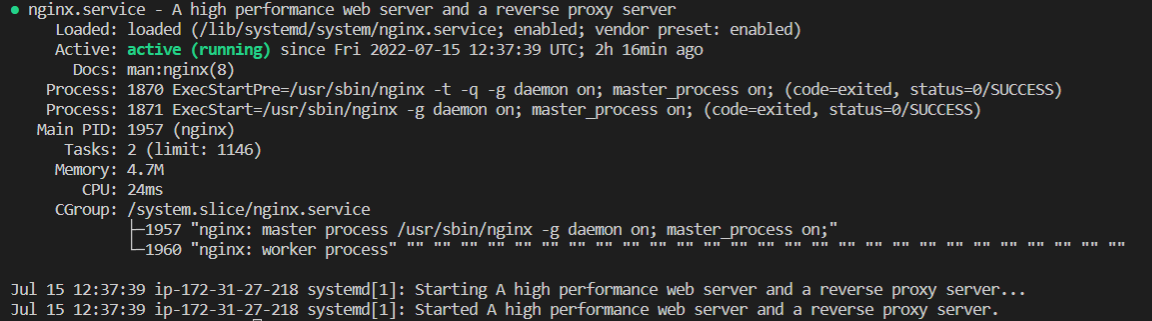
- Wrote a bash script in the "userdata.tlp" file I created which installs/deploys Nginx (a web server) on the ec2 instance created and echoes a "Hello Onyinye" message when the output url is loaded on a browser
The instance public ip address: 54.145.38.252
The url: http://ec2-54-145-38-252.compute-1.amazonaws.com/
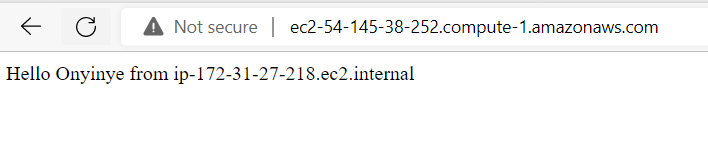
This confirms nginx is running on the instance