https://github.com/fedecalendino/vscode-fsdocs
This VSCode Extension will allow you decorate different items of your project's file structure with labels and descriptions to document their contents.
https://github.com/fedecalendino/vscode-fsdocs
documentation file-structure vscode
Last synced: 5 months ago
JSON representation
This VSCode Extension will allow you decorate different items of your project's file structure with labels and descriptions to document their contents.
- Host: GitHub
- URL: https://github.com/fedecalendino/vscode-fsdocs
- Owner: fedecalendino
- License: mit
- Created: 2022-07-07T22:06:12.000Z (almost 4 years ago)
- Default Branch: main
- Last Pushed: 2023-03-09T17:50:40.000Z (over 3 years ago)
- Last Synced: 2025-10-13T15:45:52.254Z (8 months ago)
- Topics: documentation, file-structure, vscode
- Language: TypeScript
- Homepage: https://marketplace.visualstudio.com/items?itemName=fedecalendino.fsdocs
- Size: 3.58 MB
- Stars: 3
- Watchers: 1
- Forks: 0
- Open Issues: 0
-
Metadata Files:
- Readme: README.md
- License: LICENSE
Awesome Lists containing this project
README
# File Structure Docs
This [VSCode](https://code.visualstudio.com/) [Extension](https://marketplace.visualstudio.com/VSCode) will
allow you decorate different items of your project's file structure with labels and descriptions to document their contents.
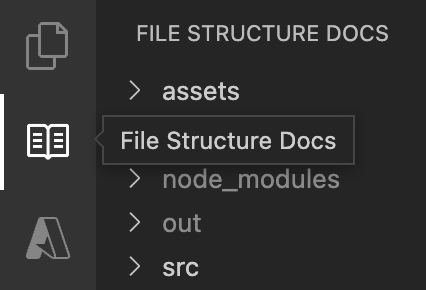
## usage
To work this extension needs a file name `fsdocs.config.json`, at the root of your project, with the following structure:
```json
{
"info" : {
"about": "This file is meant to be used with the FSDocs VSCode extension",
"url": "https://marketplace.visualstudio.com/items?itemName=fedecalendino.fsdocs"
},
"authors": [
"You "
],
"ignore": [
".git",
".vscode"
],
"environments": {
"dev": "🟢",
"prod": "🔴"
},
"types": {
"config-file": "📄️",
"package": "📦️",
"provider": "☁️️"
},
"items": {
"src": {
"__label__": "source code",
"59237813-c25f-44cb-942f-9c571214bfed": {
"__label__": "MAIN PROVIDER",
"__environment__": "dev",
"__type__": "provider",
"9eec0c6b-e0af-4c71-939a-15223a51e2a4": {
"__label__": "PKG 123",
"__description__": "Here is more info about this provider.",
"__type__": "package",
"__environment__": "dev"
}
},
"db509caa-57a2-4e46-b445-dd8555d66b63": {
"__label__": "PKG 456",
"__type__": "package",
"__environment__": "dev"
}
},
"old.py": {
"__label__": "oldie",
"__description__": "here is more documentation for you",
"__environment__": "prod"
}
}
}
```
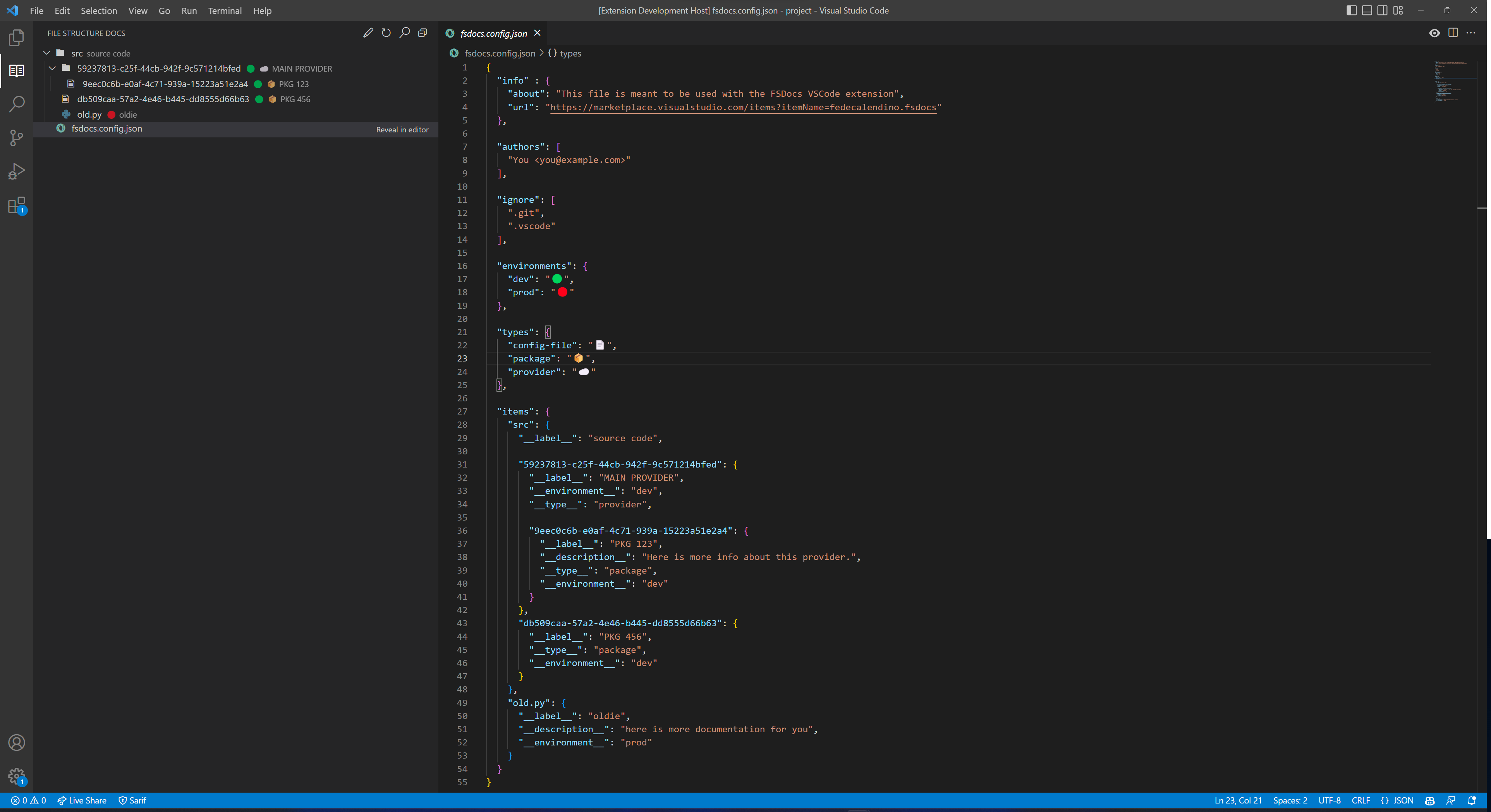
### info
Simple information about the file, so users can know about its use and the extenstion.
### authors
List of people that have made changes to the configuration file.
### ignore
List of files and folders that should not be analyzed by the extension.
### enviroments / types
These contain different indicators to show right next to the label of an item.
### items
Collection of identifiers to be used to match with the names of the files and folders in the project.
* **`__label__`**: label of the item associated with the identifier.
* **`__description__` (optional)**: description that will be shown in the tooltip of the item, to see it hover your mouse on top of it.
* **`__environment__` (optional)**: environment in which the item runs.
* it will look for an indicator within the **environments** section.
* **`__type__` (optional)**: type of the item.
* it will look for an indicator within the **types** section.
## actions
### Menu bar
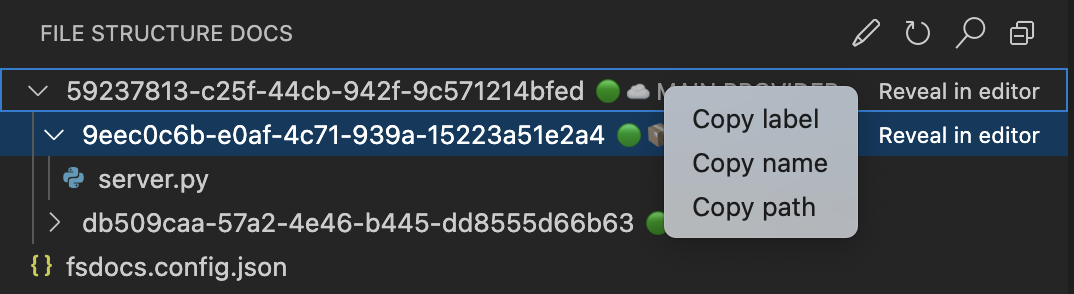
* **Open config file**: will open the config file, if it doesn't exist one from a template will be created.
* **Refresh**: will reload the tree.
* **Search (beta)**: allows you to locate an item by search for the input text in the label/descriptions provided in the config file.
* **Collapse all**: will collapse all folders in the tree.
### Context menu
* **Copy label**: will add the label of the item to the clipboard (if available).
* **Copy name**: will add the name of the item to the clipboard.
* **Copy path**: will add the absolute path of the item to the clipboard.
### Item actions
* **Reveal in editor**: will reveal the selected item in VSCode's default editor.