https://github.com/felippemauricio/vimrc
The ultimate Vim configuration: vimrc
https://github.com/felippemauricio/vimrc
ide linux osx terminal vim vimrc
Last synced: 2 months ago
JSON representation
The ultimate Vim configuration: vimrc
- Host: GitHub
- URL: https://github.com/felippemauricio/vimrc
- Owner: felippemauricio
- Created: 2018-11-18T16:46:45.000Z (over 7 years ago)
- Default Branch: master
- Last Pushed: 2022-10-05T01:39:54.000Z (almost 4 years ago)
- Last Synced: 2025-07-06T04:37:43.274Z (about 1 year ago)
- Topics: ide, linux, osx, terminal, vim, vimrc
- Language: Vim script
- Size: 464 KB
- Stars: 3
- Watchers: 0
- Forks: 0
- Open Issues: 0
-
Metadata Files:
- Readme: README.md
Awesome Lists containing this project
README
# .vimrc
[](https://github.com/felippemauricio/vimrc/pulls)
[](https://www.apple.com/lae/macos/mojave/)
[](https://github.com/Microsoft/vscode)
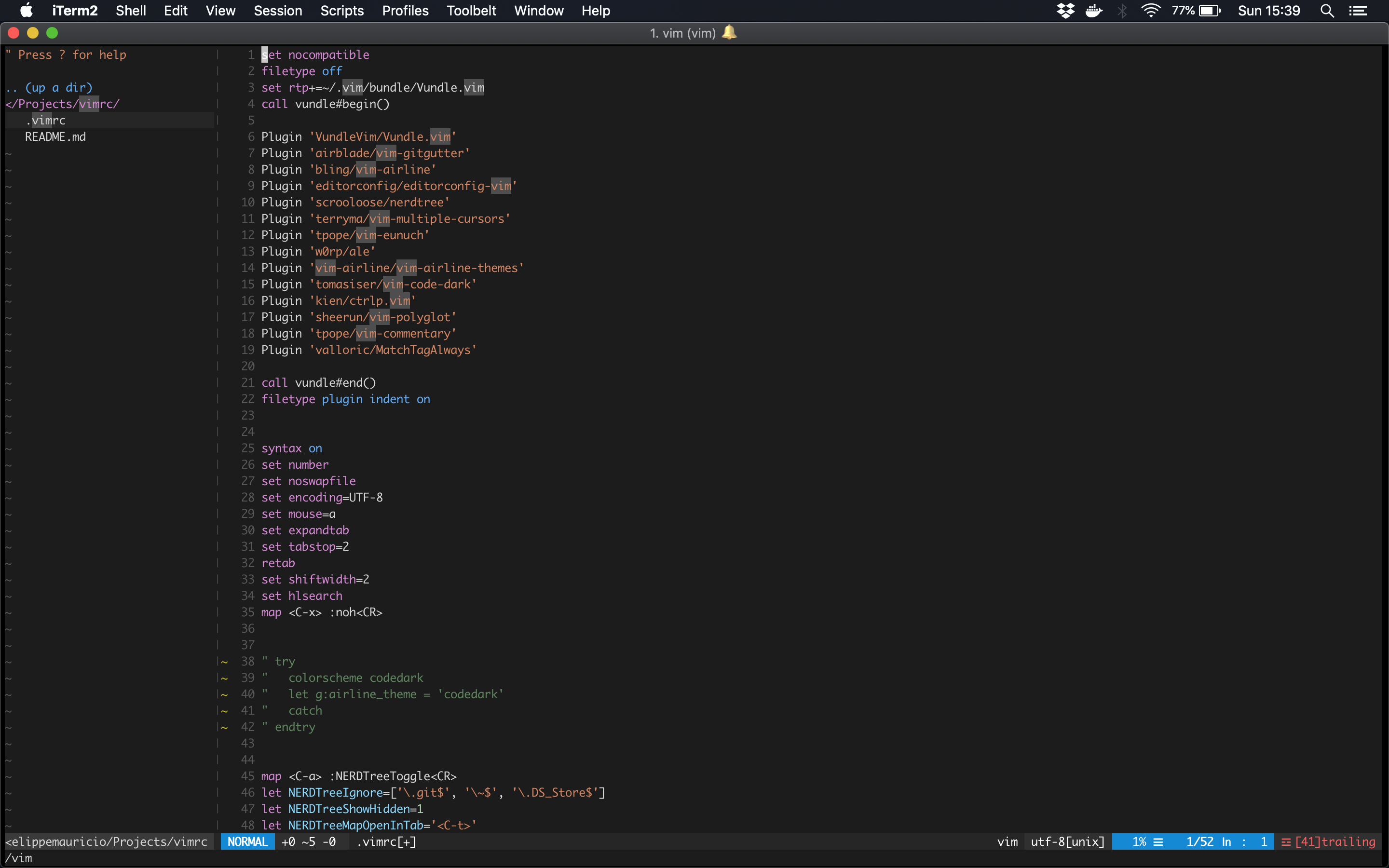
Over the last 2 year, I have used and tweaked Vim. This is my configuration, to save this file and learn more
## What do you need?
- git
## How to install?
Run the `install.sh` file.
```
./install.sh
```
## Vim Plugins at this project
- [ack](https://github.com/mileszs/ack.vim)
- [ale](https://github.com/w0rp/ale)
- [ctrlp.vim](https://github.com/kien/ctrlp.vim)
- [editorconfig-vim](https://github.com/editorconfig/editorconfig-vim)
- [MatchTagAlways](https://github.com/Valloric/MatchTagAlways)
- [nerdtree](https://github.com/scrooloose/nerdtree)
- [nerdtree-git-plugin](https://github.com/Xuyuanp/nerdtree-git-plugin)
- [vim-airline](https://github.com/vim-airline/vim-airline)
- [vim-airline-themes](https://github.com/vim-airline/vim-airline-themes)
- [vim-code-dark](https://github.com/tomasiser/vim-code-dark)
- [vim-commentary](https://github.com/tpope/vim-commentary)
- [vim-eunuch](https://github.com/tpope/vim-eunuch)
- [vim-fugitive](https://github.com/tpope/vim-fugitive)
- [vim-gitgutter](https://github.com/airblade/vim-gitgutter)
- [vim-multiple-cursors](https://github.com/terryma/vim-multiple-cursors)
- [vim-polyglot](https://github.com/sheerun/vim-polyglot)
- [vim-swaplines](https://github.com/skammer/vim-swaplines)
## Shortcuts
- `Control + a`: Open and close tree
- `Control + n`: Multiple cursors
- `Control + p`: Find files
- `Control + t`: Open file in new tab
- `Control + x`: Remove hypertext after search
- `Control + Shift + Arrow Up`: Move line to up
- `Control + Shift + Arrow Down`: Move line to down
- `gc`: Comment and discomment lines
- `m`: Create, Rename or delete files on Tree