https://github.com/fernandabitten/git-fav
🤩
https://github.com/fernandabitten/git-fav
css html js
Last synced: about 1 month ago
JSON representation
🤩
- Host: GitHub
- URL: https://github.com/fernandabitten/git-fav
- Owner: Fernandabitten
- Created: 2022-06-18T19:31:01.000Z (about 4 years ago)
- Default Branch: main
- Last Pushed: 2025-01-28T15:21:18.000Z (over 1 year ago)
- Last Synced: 2025-01-28T16:27:44.523Z (over 1 year ago)
- Topics: css, html, js
- Language: CSS
- Homepage: https://fernandabitten.github.io/git-fav/
- Size: 25.4 KB
- Stars: 0
- Watchers: 1
- Forks: 0
- Open Issues: 0
-
Metadata Files:
- Readme: README.md
Awesome Lists containing this project
README
# 
# What is it?
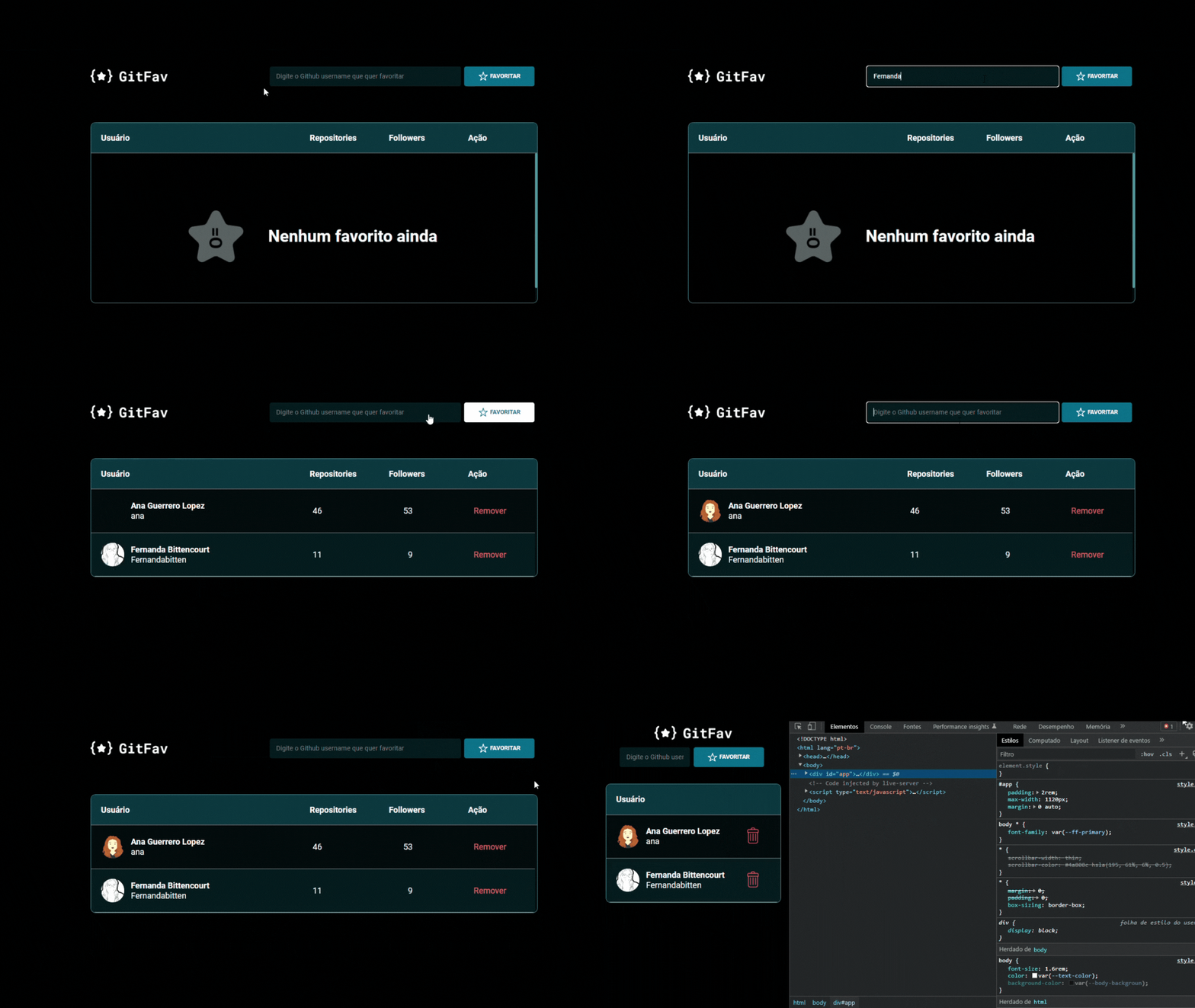
**Git Fav** is a simple web application that allows users to search for GitHub profiles and add them to a favorites list. It's a great tool for those who want to keep track of specific developers and projects.
## Features
- **Search:** Look up any GitHub user.
- **Favorite:** Add users to your favorites list.
- **Details:** View information such as name, login, number of repositories, and followers.
- **Remove:** Remove users from your favorites list at any time.
## How to Use
1. **Clone the repository:**
```bash
git clone https://github.com/Fernandabitten/git-fav.git
2. Open the application: Open the index.html file in your browser or use an extension like Live Server to view the app locally.
## Technologies Used
- **HTML:** Structure of the page.
- **CSS:** Styling of the interface.
- **JavaScript:** Application logic, including user interaction and GitHub API requests.
- **Local Storage:** Store favorite users locally in the browser.
## Contributions
Contributions are welcome! If you find any bugs or have suggestions for improvements, please open an issue or a pull request.
## Project Structure
- `index.html`: Main file of the application.
- `Favorites.js`: Class responsible for managing the favorites list and interacting with Local Storage.
- `FavoritesView.js`: Extension of the `Favorites` class, responsible for the user interface and events.
- `GithubUser.js`: Class for making requests to the GitHub API and retrieving user information.
- `main.js`: Main file where the application is initialized.
## Notes
- The favorites list is stored locally in the browser, which means it will be preserved even after you close and reopen the page.
- The application uses the GitHub API to fetch user information.
## Next Steps
- **Additional features:** Implement the ability to filter favorites by name, login, or number of followers.
- **Testing:** Add unit tests to ensure code quality.
[👉 Access Git Fav here!!](https://fernandabitten.github.io/git-fav/)