https://github.com/feross/cyberhobo
Offline `git push` and `npm publish` for cyberhobos
https://github.com/feross/cyberhobo
Last synced: 10 months ago
JSON representation
Offline `git push` and `npm publish` for cyberhobos
- Host: GitHub
- URL: https://github.com/feross/cyberhobo
- Owner: feross
- License: mit
- Created: 2014-04-15T09:26:11.000Z (about 12 years ago)
- Default Branch: master
- Last Pushed: 2020-10-27T21:09:00.000Z (over 5 years ago)
- Last Synced: 2025-01-03T03:00:19.005Z (over 1 year ago)
- Language: JavaScript
- Homepage:
- Size: 64.5 KB
- Stars: 113
- Watchers: 6
- Forks: 5
- Open Issues: 0
-
Metadata Files:
- Readme: README.md
- License: LICENSE
Awesome Lists containing this project
README
# cyberhobo [![travis][travis-image]][travis-url] [![npm][npm-image]][npm-url] [![downloads][downloads-image]][downloads-url] [![javascript style guide][standard-image]][standard-url]
[travis-image]: https://img.shields.io/travis/feross/cyberhobo/master.svg
[travis-url]: https://travis-ci.org/feross/cyberhobo
[npm-image]: https://img.shields.io/npm/v/cyberhobo.svg
[npm-url]: https://npmjs.org/package/cyberhobo
[downloads-image]: https://img.shields.io/npm/dm/cyberhobo.svg
[downloads-url]: https://npmjs.org/package/cyberhobo
[standard-image]: https://img.shields.io/badge/code_style-standard-brightgreen.svg
[standard-url]: https://standardjs.com
#### Offline `git push` and `npm publish` for cyberhobos
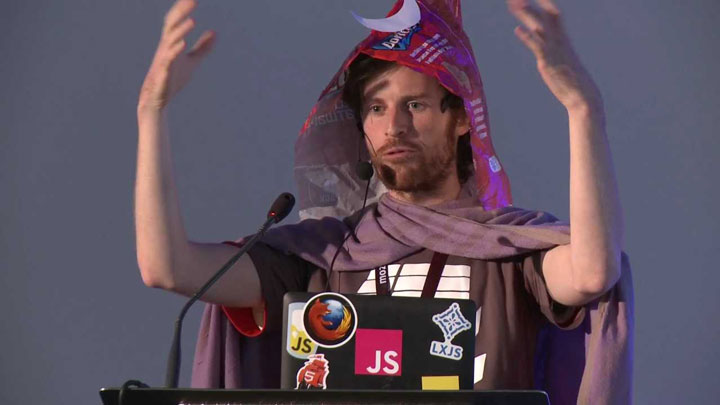
This module is gifted to cyberhobo extraordinaire, dominictarr.
### features
- Run `git push` and `npm publish` while you're offline!
- Next time you're online, all queued commands will run in order.
### usage
1. Install it globally.
```bash
npm install -g cyberhobo
```
2. Set up bash/zsh aliases for `npm` and `git` so `cyberhobo` will run first.
```bash
alias git='cyberhobo git'
alias npm='cyberhobo npm'
```
`cyberhobo` will detect if you're offline and intercept `git push` and `npm publish`
commands, **queueing them to run later** when you're back online. If you're online or
if you run a non `push`/`publish` command, then it will run normally.
#### when you're back online
If you're back in civilization and you have an internet connection, the next time you run
any `git` or `npm` command, `cyberhobo` will run all the commands that were queued up
while you were offline. They will run **in order**.
If any of them fails with a non-zero exit code then `cyberhobo` bails, printing out the remaining
commands so you can run them manually. (TODO)
### example
```bash
$ touch test.txt
$ git add test.txt
# oh no! lost internet connection now. keep working...
$ git commit -m "wrote some awesome code"
[master 4f5f136] wrote some awesome code
1 file changed, 0 insertions(+), 0 deletions(-)
create mode 100644 test.txt
$ git push
CYBER HOBO ACTIVATED! Command saved for later!
$ npm publish
CYBER HOBO ACTIVATED! Command saved for later!
# more commits, pushes, etc., ...
# later, we have internet again! Run any git/npm command to push queued commands!
$ git status
============================================================
HEY, YOU HAVE INTERNET NOW!
Time to re-run the commands you saved while you were offline
============================================================
==== Running "git push" in /Users/feross/code/cyberhobo ====
Counting objects: 3, done.
Delta compression using up to 8 threads.
Compressing objects: 100% (2/2), done.
Writing objects: 100% (2/2), 229 bytes | 0 bytes/s, done.
Total 2 (delta 1), reused 0 (delta 0)
To git@github.com:feross/cyberhobo.git
1174974..4f5f136 master -> master
==== Running "npm publish" in /Users/feross/code/cyberhobo ===
npm http PUT https://registry.npmjs.org/cyberhobo
npm http 201 https://registry.npmjs.org/cyberhobo
+ cyberhobo@0.1.0
CYBER HOBO MISSION COMPLETE: all up to date
On branch master
Your branch is up-to-date with 'origin/master'.
```
### warning
This may be a horrible idea. I don't know.
### license
MIT. Copyright [Feross Aboukhadijeh](https://www.twitter.com/feross).