https://github.com/ffxivapp/ffxivapp
Visit us on Discord! https://discord.gg/aCzSANp
https://github.com/ffxivapp/ffxivapp
addon-manager c-sharp ffxiv overlays plugin-manager wpf
Last synced: 9 months ago
JSON representation
Visit us on Discord! https://discord.gg/aCzSANp
- Host: GitHub
- URL: https://github.com/ffxivapp/ffxivapp
- Owner: FFXIVAPP
- License: mit
- Created: 2014-05-02T21:24:07.000Z (about 12 years ago)
- Default Branch: master
- Last Pushed: 2022-12-08T08:58:56.000Z (over 3 years ago)
- Last Synced: 2024-05-01T21:57:00.851Z (about 2 years ago)
- Topics: addon-manager, c-sharp, ffxiv, overlays, plugin-manager, wpf
- Language: C#
- Homepage: https://xivapp.com
- Size: 139 MB
- Stars: 88
- Watchers: 30
- Forks: 45
- Open Issues: 20
-
Metadata Files:
- Readme: README.md
- Changelog: CHANGELOG.md
- Funding: .github/FUNDING.yml
- License: LICENSE.md
Awesome Lists containing this project
README
# FFXIVAPP
Issue tracking, feature request and release repository.
[](https://gitter.im/Icehunter/ffxivapp?utm_source=badge&utm_medium=badge&utm_campaign=pr-badge&utm_content=badge)
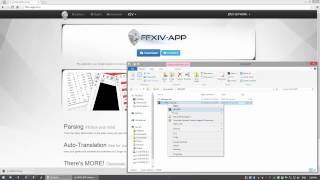
## Main Application Installation
## Recommended Format (Issues)
**Title**:
*brief description*
**Description**:
Detailed description including any log lines or screenshots to illustrate the issue.
## Recommended Format (Suggestions)
**Title**:
As a **** (I can/want to) **** (because/so I can) ****.
**Description**:
This is where you can provide examples of what you mean, provide illustrations to support the request (if needed or helpful) and to say if you want; what you ideas of "definition of done" would be.
## Formatting
Formatting can be achieved via example from the follow URL: [Markdown](http://daringfireball.net/projects/markdown/)
## Open-Source Plugins
* http://github.com/icehunter/ffxivapp-plugin-event
* http://github.com/icehunter/ffxivapp-plugin-informer
* http://github.com/icehunter/ffxivapp-plugin-log
* http://github.com/icehunter/ffxivapp-plugin-radar
* http://github.com/icehunter/ffxivapp-plugin-parse
* http://github.com/icehunter/ffxivapp-plugin-widgets
Directions on how-to install for FFXIVAPP are found on each repo. Thanks!
## Plugin Installation
Plugins are NOT included in this download. When you open the application go to the Update tab and install the plugins you want; or update one if an update is available.
If you are a developer and want to distribute your own plugins and have update availability then you must have them hosted online somewhere. You will need to make a VERSION.json file that can be added to a sources list in the application.
The format of the file is as follows:
``` javascript
{
"PluginInfo": {
"Name": "Plugin.Name.dll",
"Version": "3.0.5145.29167",
"Files": [
{
"Name": "Plugin.Name.dll",
"Location": ""
},
{
"Name": "Logo.png",
"Location": ""
},
{
"Name": "PluginInfo.xml",
"Location": ""
}
],
"SourceURI": "http://url/to/base/directory/of/download"
}
}
```
If you have other files they can be added into that structure. If they are in sub-directories the the location would be something like this:
``` javascript
{
"PluginInfo": {
"Name": "Plugin.Name.dll",
"Version": "3.0.5145.29167",
"Files": [
{
"Name": "Plugin.Name.dll",
"Location": ""
},
{
"Name": "Logo.png",
"Location": ""
},
{
"Name": "PluginInfo.xml",
"Location": ""
},
{
"Name": "Some.ext",
"Location": "path/to/sub/folder"
}
],
"SourceURI": "http://url/to/base/directory/of/download"
}
}
```
The location will not have a leading or trailing slash.