https://github.com/finos/morphir-dotnet
https://github.com/finos/morphir-dotnet
Last synced: 5 months ago
JSON representation
- Host: GitHub
- URL: https://github.com/finos/morphir-dotnet
- Owner: finos
- License: apache-2.0
- Created: 2020-03-30T18:33:40.000Z (almost 6 years ago)
- Default Branch: main
- Last Pushed: 2025-02-14T19:56:33.000Z (11 months ago)
- Last Synced: 2025-04-08T12:51:51.993Z (9 months ago)
- Language: F#
- Size: 1.42 MB
- Stars: 12
- Watchers: 7
- Forks: 9
- Open Issues: 50
-
Metadata Files:
- Readme: README.md
- Changelog: CHANGELOG.md
- Contributing: CONTRIBUTING.md
- License: LICENSE
- Code of conduct: CODE_OF_CONDUCT.md
Awesome Lists containing this project
README
# Morphir
[Enter useful description for Morphir]
---
## Builds
GitHub Actions |
:---: |
[](https://github.com/finos/Morphir/actions?query=branch%3Amaster) |
[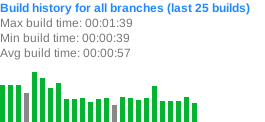](https://github.com/finos/Morphir/actions?query=branch%3Amaster) |
## NuGet
Package | Stable | Prerelease
--- | --- | ---
Morphir | [](https://www.nuget.org/packages/Morphir/) | [](https://www.nuget.org/packages/Morphir/)
---
### Developing
Make sure the following **requirements** are installed on your system:
- [dotnet SDK](https://www.microsoft.com/net/download/core) 3.0 or higher
- [Mono](http://www.mono-project.com/) if you're on Linux or macOS.
or
- [VSCode Dev Container](https://code.visualstudio.com/docs/remote/containers)
---
### Environment Variables
- `CONFIGURATION` will set the [configuration](https://docs.microsoft.com/en-us/dotnet/core/tools/dotnet-build?tabs=netcore2x#options) of the dotnet commands. If not set, it will default to Release.
- `CONFIGURATION=Debug ./build.sh` will result in `-c` additions to commands such as in `dotnet build -c Debug`
- `GITHUB_TOKEN` will be used to upload release notes and NuGet packages to GitHub.
- Be sure to set this before releasing
- `DISABLE_COVERAGE` Will disable running code coverage metrics. AltCover can have [severe performance degradation](https://github.com/SteveGilham/altcover/issues/57) so it's worth disabling when looking to do a quicker feedback loop.
- `DISABLE_COVERAGE=1 ./build.sh`
---
### Building
```sh
> build.cmd // on windows
$ ./build.sh // on unix
```
---
### Build Targets
- `Clean` - Cleans artifact and temp directories.
- `DotnetRestore` - Runs [dotnet restore](https://docs.microsoft.com/en-us/dotnet/core/tools/dotnet-restore?tabs=netcore2x) on the [solution file](https://docs.microsoft.com/en-us/visualstudio/extensibility/internals/solution-dot-sln-file?view=vs-2019).
- [`DotnetBuild`](#Building) - Runs [dotnet build](https://docs.microsoft.com/en-us/dotnet/core/tools/dotnet-build?tabs=netcore2x) on the [solution file](https://docs.microsoft.com/en-us/visualstudio/extensibility/internals/solution-dot-sln-file?view=vs-2019).
- `DotnetTest` - Runs [dotnet test](https://docs.microsoft.com/en-us/dotnet/core/tools/dotnet-test?tabs=netcore21) on the [solution file](https://docs.microsoft.com/en-us/visualstudio/extensibility/internals/solution-dot-sln-file?view=vs-2019.).
- `GenerateCoverageReport` - Code coverage is run during `DotnetTest` and this generates a report via [ReportGenerator](https://github.com/danielpalme/ReportGenerator).
- `WatchApp` - Runs [dotnet watch](https://docs.microsoft.com/en-us/aspnet/core/tutorials/dotnet-watch?view=aspnetcore-3.0) on the application. Useful for rapid feedback loops.
- `WatchTests` - Runs [dotnet watch](https://docs.microsoft.com/en-us/aspnet/core/tutorials/dotnet-watch?view=aspnetcore-3.0) with the test projects. Useful for rapid feedback loops.
- `GenerateAssemblyInfo` - Generates [AssemblyInfo](https://docs.microsoft.com/en-us/dotnet/api/microsoft.visualbasic.applicationservices.assemblyinfo?view=netframework-4.8) for libraries.
- `CreatePackages` - Runs the packaging task from [dotnet-packaging](https://github.com/qmfrederik/dotnet-packaging). This creates applications for `win-x64`, `osx-x64` and `linux-x64` - [Runtime Identifiers](https://docs.microsoft.com/en-us/dotnet/core/rid-catalog).
- Bundles the `win-x64` application in a .zip file.
- Bundles the `osx-x64` application in a .tar.gz file.
- Bundles the `linux-x64` application in a .tar.gz file.
- `GitRelease` - Creates a commit message with the [Release Notes](https://fake.build/apidocs/v5/fake-core-releasenotes.html) and a git tag via the version in the `Release Notes`.
- `GitHubRelease` - Publishes a [GitHub Release](https://help.github.com/en/articles/creating-releases) with the Release Notes and any NuGet packages.
- `FormatCode` - Runs [Fantomas](https://github.com/fsprojects/fantomas) on the solution file.
- [`Release`](#Releasing) - Task that runs all release type tasks such as `GitRelease` and `GitHubRelease`. Make sure to read [Releasing](#Releasing) to setup your environment correctly for releases.
---
### Releasing
- [Start a git repo with a remote](https://help.github.com/articles/adding-an-existing-project-to-github-using-the-command-line/)
```sh
git add .
git commit -m "Scaffold"
git remote add origin https://github.com/user/MyCoolNewApp.git
git push -u origin master
```
- [Create a GitHub OAuth Token](https://help.github.com/articles/creating-a-personal-access-token-for-the-command-line/)
- You can then set the `GITHUB_TOKEN` to upload release notes and artifacts to github
- Otherwise it will fallback to username/password
- Then update the `CHANGELOG.md` with an "Unreleased" section containing release notes for this version, in [KeepAChangelog](https://keepachangelog.com/en/1.1.0/) format.
NOTE: Its highly recommend to add a link to the Pull Request next to the release note that it affects. The reason for this is when the `RELEASE` target is run, it will add these new notes into the body of git commit. GitHub will notice the links and will update the Pull Request with what commit referenced it saying ["added a commit that referenced this pull request"](https://github.com/TheAngryByrd/MiniScaffold/pull/179#ref-commit-837ad59). Since the build script automates the commit message, it will say "Bump Version to x.y.z". The benefit of this is when users goto a Pull Request, it will be clear when and which version those code changes released. Also when reading the `CHANGELOG`, if someone is curious about how or why those changes were made, they can easily discover the work and discussions.
Here's an example of adding an "Unreleased" section to a `CHANGELOG.md` with a `0.1.0` section already released.
```markdown
## [Unreleased]
### Added
- Does cool stuff!
### Fixed
- Fixes that silly oversight
## [0.1.0] - 2017-03-17
First release
### Added
- This release already has lots of features
[Unreleased]: https://github.com/user/MyCoolNewApp.git/compare/v0.1.0...HEAD
[0.1.0]: https://github.com/user/MyCoolNewApp.git/releases/tag/v0.1.0
```
- You can then use the `Release` target, specifying the version number either in the `RELEASE_VERSION` environment
variable, or else as a parameter after the target name. This will:
- update `CHANGELOG.md`, moving changes from the `Unreleased` section into a new `0.2.0` section
- if there were any prerelease versions of 0.2.0 in the changelog, it will also collect their changes into the final 0.2.0 entry
- make a commit bumping the version: `Bump version to 0.2.0` and adds the new changelog section to the commit's body
- push a git tag
- create a GitHub release for that git tag
macOS/Linux Parameter:
```sh
./build.sh Release 0.2.0
```
macOS/Linux Environment Variable:
```sh
RELEASE_VERSION=0.2.0 ./build.sh Release
```