https://github.com/fire2a/on-boarding
https://github.com/fire2a/on-boarding
Last synced: 4 months ago
JSON representation
- Host: GitHub
- URL: https://github.com/fire2a/on-boarding
- Owner: fire2a
- Created: 2024-11-29T13:02:53.000Z (over 1 year ago)
- Default Branch: main
- Last Pushed: 2025-07-01T22:55:35.000Z (12 months ago)
- Last Synced: 2025-07-01T23:33:49.426Z (12 months ago)
- Language: Dockerfile
- Size: 19.5 KB
- Stars: 0
- Watchers: 1
- Forks: 5
- Open Issues: 7
-
Metadata Files:
- Readme: README.md
Awesome Lists containing this project
README
# fire2a-on-boarding
- Required 
- Intro to 
- Intro to 
## git

### main usage
```bash
git clone git@github.com:fire2a/C2F-W.git
cd C2F-W
# alternative A
git pull
# B
git fetch
git switch [-c] branch-name-is-at-least-a-half-sentence-explaining-the-feature/issue [main]
git diff
git add new_or_changed_text_file
git commit -m "sentence that explains the purpose of the change"
git push [--set-upstream origin my-feature-branch]
# contribute
firefox https://github.com/fire2a/C2F-W/compare/main...my-feature-branch
```
#### secondary
```bash
git status
git log
git branch -a
git remote -v
```
### A learning path
1. (what is git again?) watch any video introduction, or play the game: https://ohmygit.org/
2. (novice) [Get started with GitHub documentation](https://docs.github.com/en/get-started/)
3. _(do once)_ [SSH Authentication](https://docs.github.com/en/authentication/connecting-to-github-with-ssh/generating-a-new-ssh-key-and-adding-it-to-the-ssh-agent)
4. __(essential, must be understood)__ [Contributing to a project](https://docs.github.com/en/get-started/exploring-projects-on-github/contributing-to-a-project)
5. [official docs](https://git-scm.com/doc): really good cheat sheets and official manual
6. Learn how your IDE implements git (example: [VSCode](https://code.visualstudio.com/docs/sourcecontrol/overview) or [Unix is my IDE](https://blog.sanctum.geek.nz/series/unix-as-ide/)); to do interactive and/or visual diffs.
#### further research
- setup `.gitconfig`
- view differences: `diff` between branches, commits, tags...
- search into the whole tree `git log --grep [branches]`
- `merge`; branches, 2-3 way
- `cherry-pick`
- `git remote set-url origin git@...`
- never `git reset ...`
- search all code (all branches) `git grep -e 'your_search_string' $(git rev-list --all)`
### coding practices 0
- the best code/document is not the smartest one, but the most legible
- write/name everything as for your future self, when you'd forgotten about it & context
- avoid typing errors by typing as little as possible vs copy/paste
### our github organization
1. Every team member has write as default privileges. Be respectful of other people branches
2. When creating a new public repo (can't be done with private), create a protection rule for the main branch:
- requiring pull requests
- disallowing push

## Intro to command line interfaces
- https://blog.sanctum.geek.nz/series/unix-as-ide/
- https://www.geeksforgeeks.org/linux-tutorial/
## containers
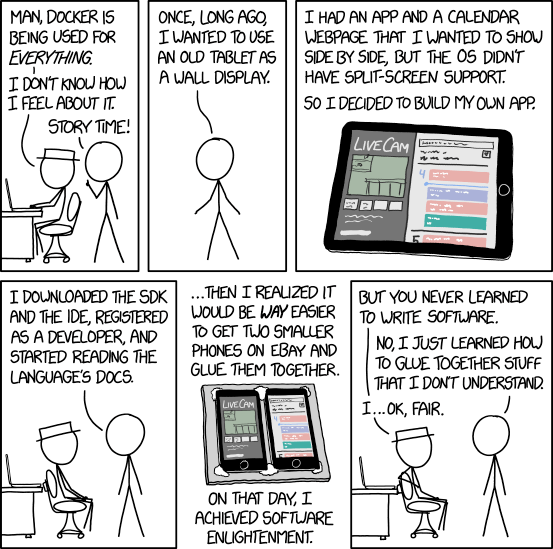
- How to get (administration) power without the responsability (of destroying everyones work/dependencies)?
- How to make truly portable code, without having to manage dependencies?
Basic learning path:
1. Create a fairly empty container, develop inside (fail and start over) until you get a list of working dependencies. Share the configuration with fire2a admin to make available at OS level.
2. Containerized developement allows you to divide responsabilities over services and take advantage of ready to use solutions
### Shortest tutorial
#### TL;DR
```bash
cd containers # wherever a Containerfile is located
podman build -t my_debian_image . # BUILD here
podman run -d -v $(pwd)/compartido:/root/. --name my_debian_container my_debian_image # START DETACHED (-D) CONTAINER, sharing $pwd/compartido folder (no symlink)
podman exec -it my_debian_container bash # CONNECT INTERACTIVELY
root@...$ apt install ... # now you can be root
```
#### tutorial
- `podman` is newer, free and doesn't require admin privileges like `docker`
- in every code that calls _ you can replace with _, and it will mostly work:
- `docker` to `podman`
- `Dockerfile` to `Containerfile`
- `docker-compose` to `podman-compose`
```bash
#
# IMAGES
#
podman images # list my images
podman pull debian:stable # DOWNLOAD (OR UPDATE) A BASE IMAGE
# most popular image site: https://hub.docker.com/search/
# sometimes you got to put the full path, examples
podman pull docker.io/library/pandoc/latex:latest
podman pull docker.io/3liz/qgis-map-server
podman rmi # remove image
# images being used in containers cannot be removed
# periodically remove unused images, the can take a lot of space
#
# CONTAINERS
#
podman build -t my_debian_image -f Containerfile # BUILD
# specifying name and context:
# -t --tag name to apply to the built image
# -f --file pathname or URL of a Dockerfile (can be skipped and ./Containerfile is used)
podman run -d --name my_debian_container my_debian_image # START DETACHED (-D) CONTAINER
# from my_debian_image, name it my_debian_container
podman ps -a # lists -a(all) running containers
podman start/stop/rm # start stop or remove container
podman exec -it my_debian_container bash # CONNECT INTERACTIVELY
# SHARING FILES
# 1. copy file from and to a running container
podman cp README.md my_debian_container:/root/.
# same syntax as scp, doesn't support recursive (-r) or glob (*)
# 2. mount at start
podman run -v $(pwd)/compartido:/root/. -d --name my_debian_container my_debian_image
# 3. if volume doesn't exist it get's created
podman run -v my_volume:/root/. -d --name my_debian_container2 my_debian_image
podman volume ls # list volumes
podman volume inspect # check properties
ls $(podman volume inspect my_volume --format "{{.Mountpoint}}") # check contents (read only or container crashes)
podman volume rm
```