https://github.com/flagbit/sw6-product-badge
A badge for the navigation and the product detail page.
https://github.com/flagbit/sw6-product-badge
Last synced: 5 months ago
JSON representation
A badge for the navigation and the product detail page.
- Host: GitHub
- URL: https://github.com/flagbit/sw6-product-badge
- Owner: flagbit
- Archived: true
- Fork: true (sschreier/SschreierBadgeNavigationProductDetailPage)
- Created: 2021-07-12T09:53:48.000Z (almost 5 years ago)
- Default Branch: main
- Last Pushed: 2022-01-20T12:33:44.000Z (over 4 years ago)
- Last Synced: 2024-12-13T19:25:40.431Z (over 1 year ago)
- Language: Twig
- Homepage:
- Size: 18.6 KB
- Stars: 1
- Watchers: 1
- Forks: 1
- Open Issues: 0
-
Metadata Files:
- Readme: README.md
Awesome Lists containing this project
README
# A extension for a badge for the navigation and the product detail page for Shopware 6
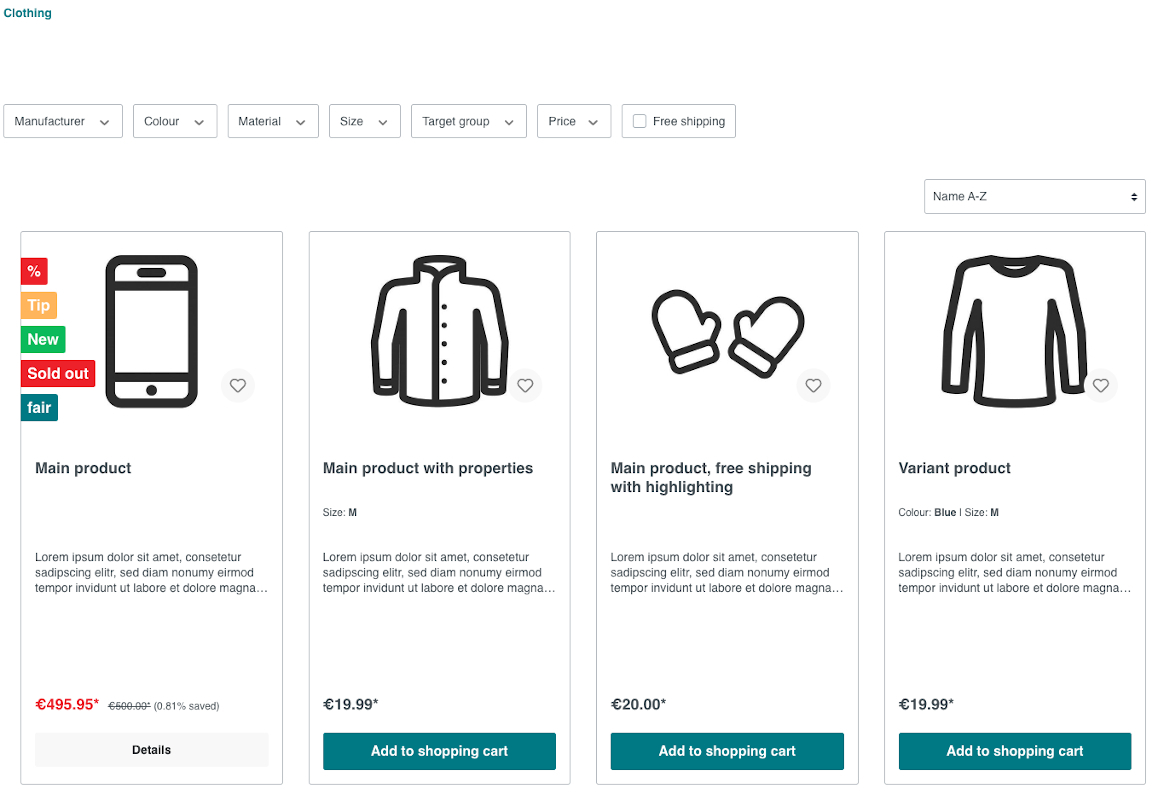
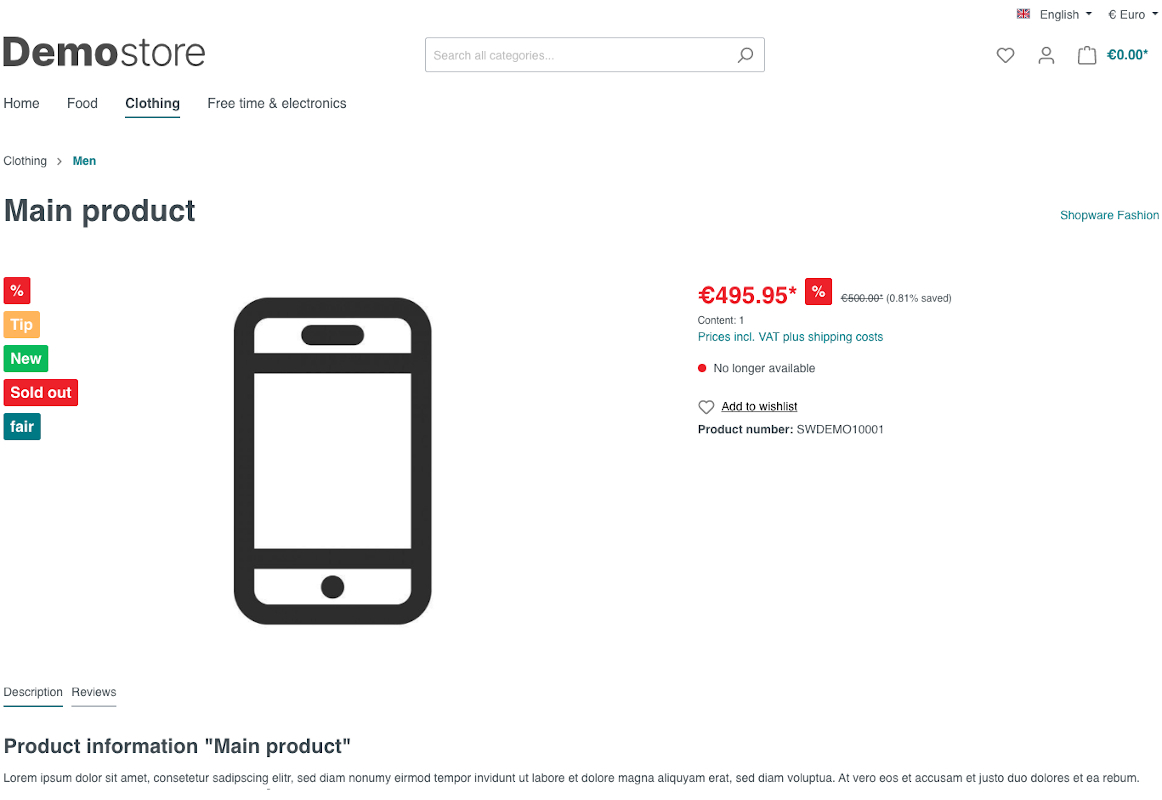
A extension for a _badge for the navigation and the product detail page_.
The text from the custom badge is set at the custom fields at the product.
The background color and the font color of the badge could be set over the
configuration or at the product. The custom badge is also displayed when
assigning a product page layout. When you increase the value from the constant
_NUMBER_BADGES_ in the file _SschreierProductBadge.php_ in the _src_-directory
before the installation, you can add so much badges as you like.
## Possible Badges
- Discount badge
- Top seller badge
- New badge
- Out of stock badge
- Custom badge
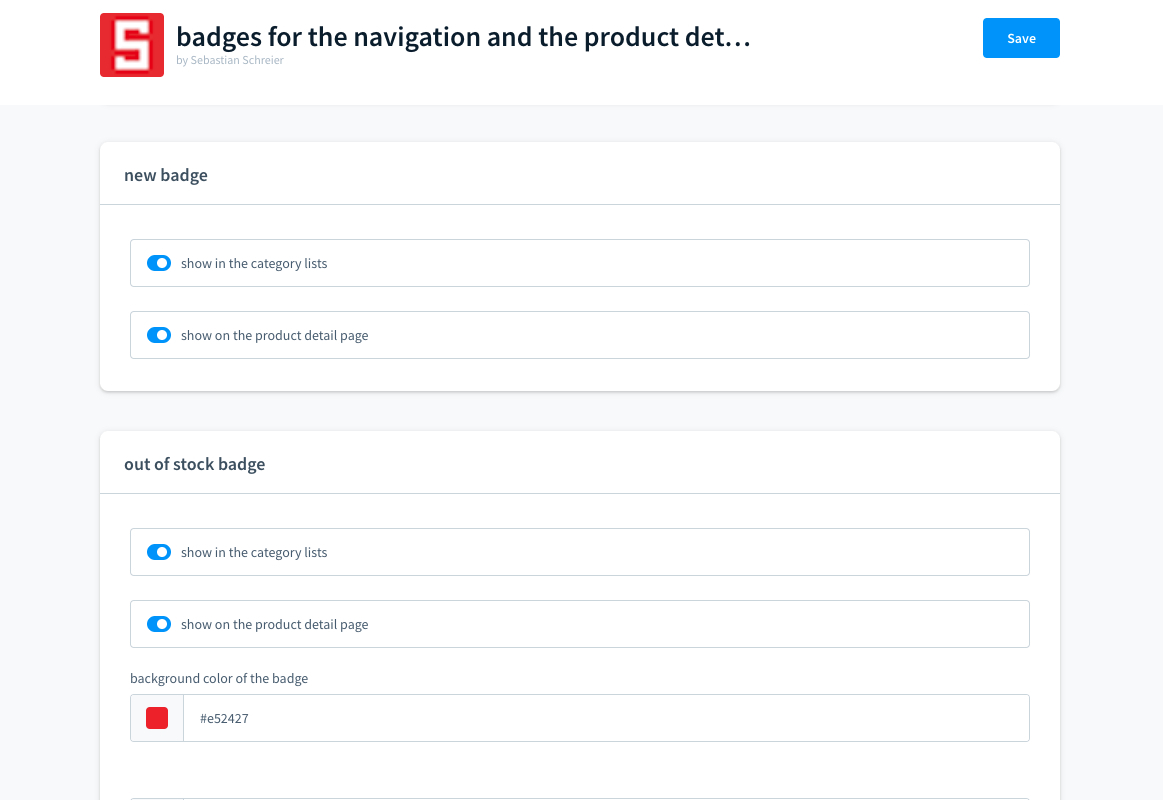
## Possible Configurations
- select, if any of the badges should be shown in the category lists
- select, if any of the badges should be shown on the product detail page
- select, if the colors of the custom or out-of-stock badge should be set via the configuration
- set the background color of the custom or out-of-stock badge
- set the font color of the custom or out-of-stock badge
## Available snippets
- badgeText
- boxLabelDiscount
## How to install the extension
### via composer (recommended)
1. Make sure that `"packagist.org": false` is NOT disabled in your project composer.json
2. Add the package via composer `composer require flagbit/shopware-6-product-badge`
3. Refresh plugins `bin/console plugin:refresh`
4. Install and activate `bin/console plugin:install --activate SschreierProductBadge`
### via download & console
1. Download the latest _SschreierProductBadge-main.zip_.
2. Unzip the zip file and rename the folder to _SschreierProductBadge_.
3. Move the folder to the project folder _custom/plugins/_ .
4. Connect to the console via ssh:
```
bin/console plugin:refresh
bin/console plugin:install --activate SschreierProductBadge
```
### via zip upload
1. Download the latest _SschreierProductBadge-main.zip_.
2. Unzip the zip file and rename the folder to _SschreierProductBadge_.
3. Zip the folder to _SschreierProductBadge.zip_.
4. Upload the zip in the Shopware Administration.
5. Install & Activate the extension.
## Images
### custom badge in navigation
### custom badge on product detail page
### extension configuration part 1

### extension configuration part 2
### custom badge in shopware administration
