https://github.com/flotwig/pilo
RPi-powered lights-out management for servers. Remotely control the keyboard, power, and see the screen of a server.
https://github.com/flotwig/pilo
Last synced: 6 months ago
JSON representation
RPi-powered lights-out management for servers. Remotely control the keyboard, power, and see the screen of a server.
- Host: GitHub
- URL: https://github.com/flotwig/pilo
- Owner: flotwig
- License: agpl-3.0
- Created: 2020-08-14T21:42:35.000Z (almost 6 years ago)
- Default Branch: master
- Last Pushed: 2020-08-20T19:09:56.000Z (almost 6 years ago)
- Last Synced: 2025-10-11T11:06:16.274Z (10 months ago)
- Language: TypeScript
- Size: 224 KB
- Stars: 39
- Watchers: 3
- Forks: 4
- Open Issues: 3
-
Metadata Files:
- Readme: README.md
- License: LICENSE.txt
Awesome Lists containing this project
README
pilo
====
RPi-powered lights-out management for servers. Remotely control the keyboard, power, and see the screen of a server.
|  |
| --- |
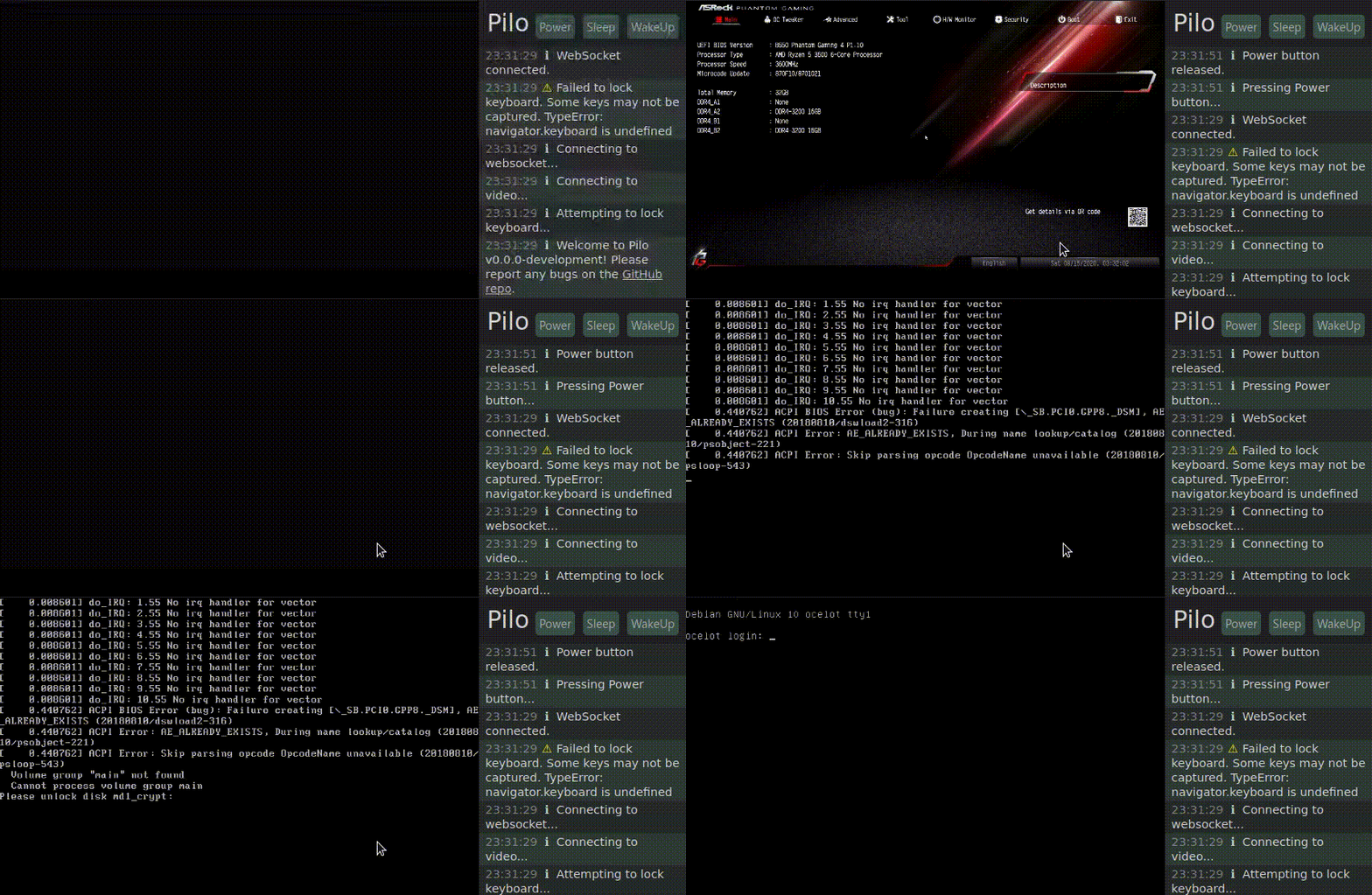
| GIF demo of Pilo's web interface, showing a user booting a system and accessing the BIOS and disk encryption passphrase screen via the web. |
## Production Setup
See [the Pilo blog post](https://zach.bloomqu.ist/blog/2020/08/pilo-raspberry-pi-lights-out-management.html) for detailed instructions on production hardware/software setup.
## Environment Variables
* `AUTH_SHA` (required) - SHA256 hash of the desired `username:password` string to log in to Pilo.
* `PORT` (default: `3000`) - port to listen for HTTP connections on
* `SERIAL_PATH` (default: `/dev/ttyUSB0`) - the path to the serial ioctl to use to communicate with the PS/2 controller
* `SERIAL_BAUD_RATE` (default: `9600`) - baud rate for PS/2 controller connection
* `MJPEG_URL` (default: `http://127.0.0.1:9000/stream/video.mjpeg`) - URL to reverse-proxy video requests to
## Development
### Install Dependencies
`pilo` uses `yarn` to manage workspaces. To install dependencies:
```
yarn
```
### Start server + frontend in development mode
The following command will run `yarn start` in the `frontend` and `server` packages, which will automatically begin watching code for changes and reloading the `frontend`/`server` as needed:
```
yarn start
```
It will probably complain about a missing `AUTH_SHA`, so pass one.
Alternatively, you can use the test server configuration, which has the default username and password `baruser:foopass`:
```
cd e2e
yarn start:test:server
```
### Run e2e tests
Assuming port 3000 is free, this command will start the test server and begin testing:
```
cd e2e
yarn test
```