https://github.com/flows-network/weather-lookup
https://github.com/flows-network/weather-lookup
Last synced: about 1 year ago
JSON representation
- Host: GitHub
- URL: https://github.com/flows-network/weather-lookup
- Owner: flows-network
- License: gpl-3.0
- Created: 2023-03-22T12:10:00.000Z (about 3 years ago)
- Default Branch: main
- Last Pushed: 2023-09-05T08:04:17.000Z (almost 3 years ago)
- Last Synced: 2024-11-07T03:41:46.501Z (over 1 year ago)
- Language: Rust
- Size: 22.5 KB
- Stars: 0
- Watchers: 2
- Forks: 3
- Open Issues: 0
-
Metadata Files:
- Readme: README.md
- License: LICENSE
Awesome Lists containing this project
README
# A weather lookup service
[Deploy this function on flows.network](#deploy-the-weather-lookup-app), and you will get a web service that using OpenWeatherMap to look weather.

This is a simple example to show how [Lambda](https://flows.network/integration/Lambda) works on flows.network.
## Deploy the weather lookup App
To install this weather lookup App, we will use [flows.network](https://flows.network/), a serverless platform that makes deploying your own app quick and easy in just three steps.
## Prerequisite
You will need an OpenWeatherMap API key. If you do not already have one, sign up [here](https://openweathermap.org/appid).
### Fork this repo and write your own code
Fork [this repo](https://github.com/flows-network/weather-lookup).
### Deploy the code on flow.network
1. Sign up for an account for deploying flows on [flows.network](https://flows.network/). It's free.
2. Click on the "Create a Flow" button to start deploying the web service.
3. Authenticate the [flows.network](https://flows.network/) to access the `wether-lookup` repo you just forked.
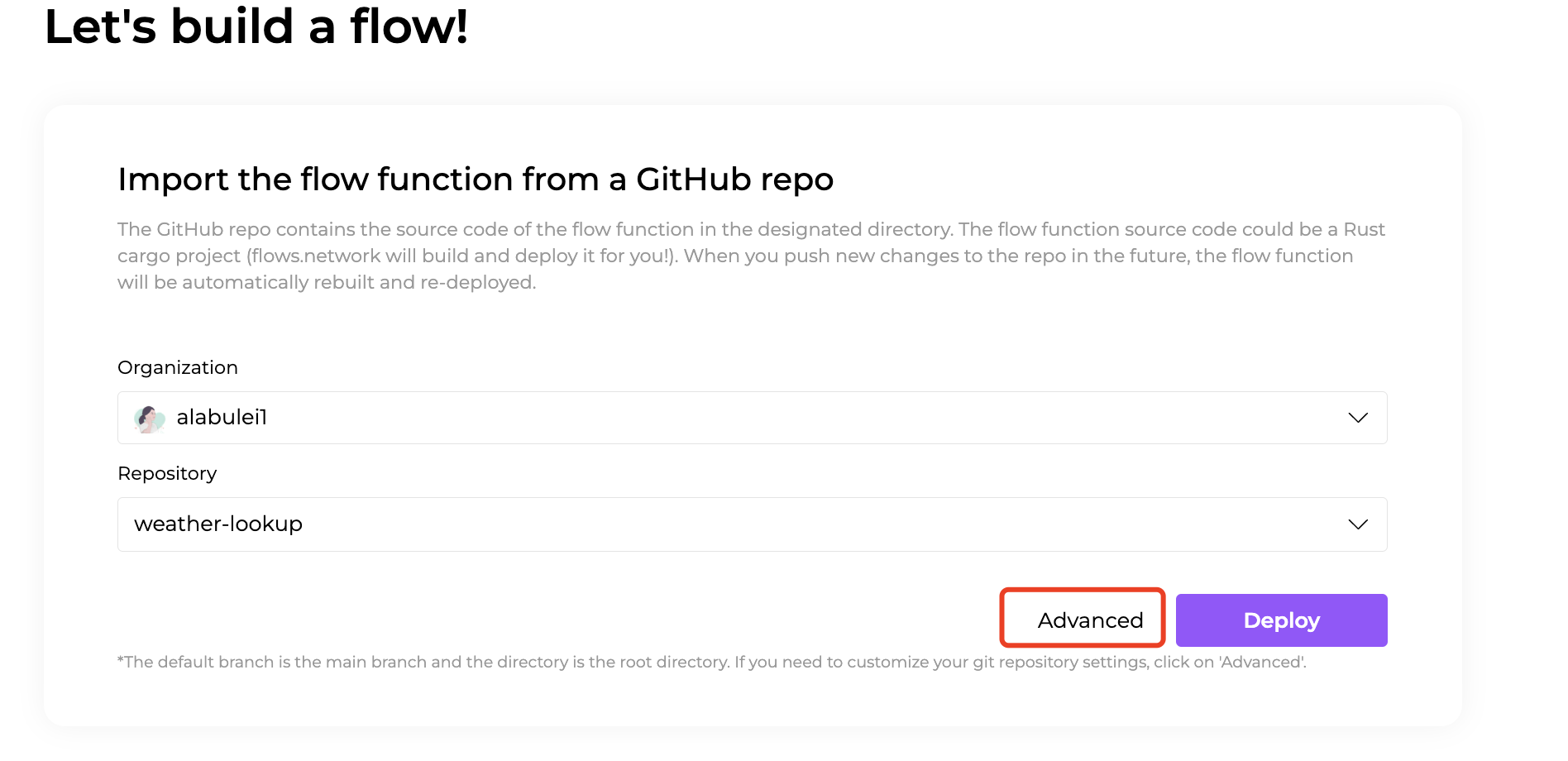
4. Click on the Advanced text and you will see more settings including branch and environment variables. In this example, we have one variable `API_KEY` to fill in, which is the OpenWeatherMap API key.
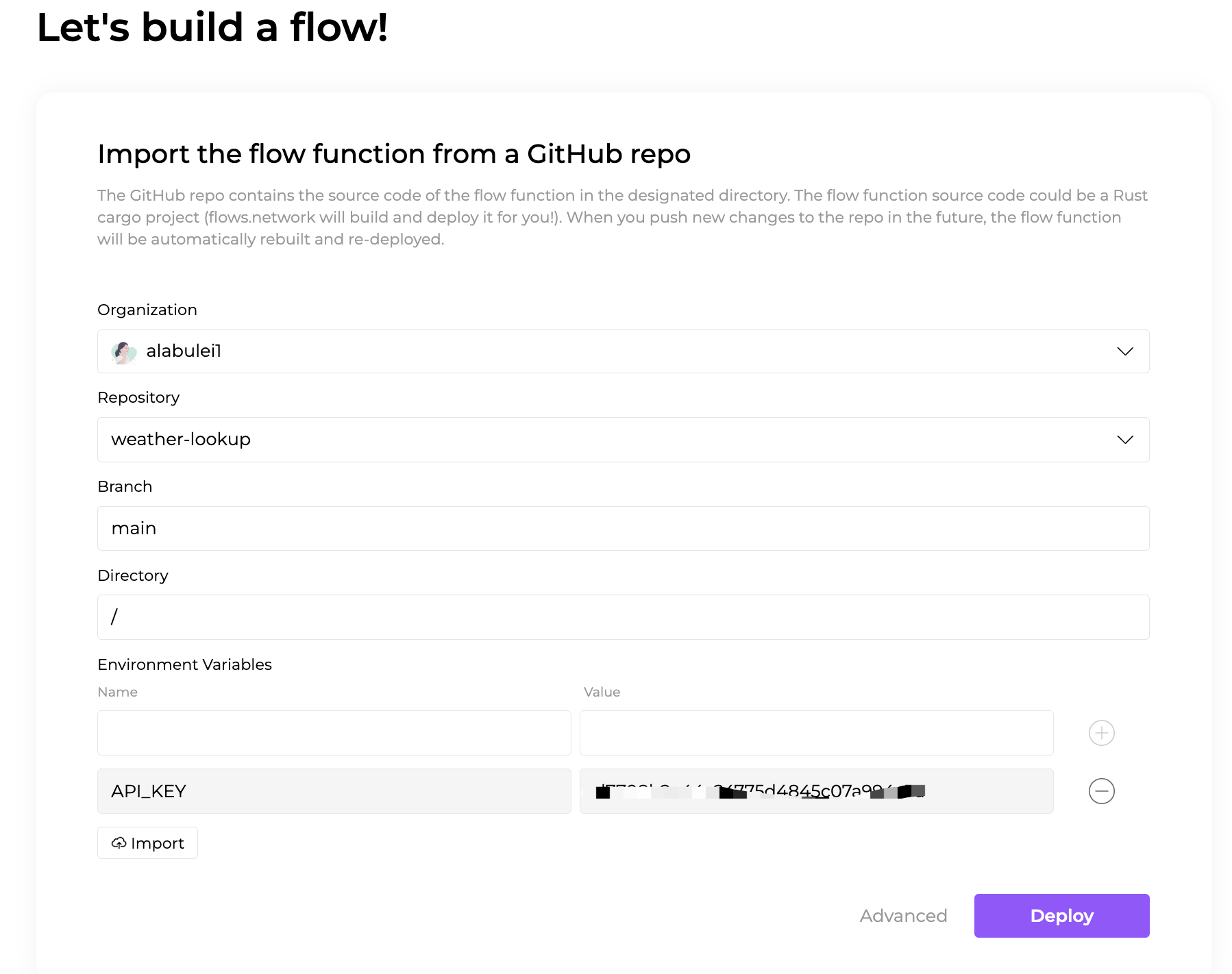
5. Click the Deploy button to deploy your function.
### Configure SaaS integrations
After that, the flows.network will direct you to configure the SaaS integration required by your flow. Here we can see: there is no SaaS needs to be connected since it's a lambda service. Just click the Check button to see your flow details.

## Try this demo
After the flow function's status becomes `ready`, you will see a link under the Lambda Endpoint. Copy and paste this url to your brower and add `?city=cityname` to look up the city weather you want to know.

> [flows.network](https://flows.network/) is still in its early stages. We would love to hear your feedback!
## Others
To build locally, make sure you have intsalled Rust and added `wasm32-wasi` target.
```
cargo build target wasm32-wasi --release
```