https://github.com/fluidinference/fluidtop
MacOS hardware performance monitoring CLI tool with a focus on AI Workloads
https://github.com/fluidinference/fluidtop
Last synced: 7 months ago
JSON representation
MacOS hardware performance monitoring CLI tool with a focus on AI Workloads
- Host: GitHub
- URL: https://github.com/fluidinference/fluidtop
- Owner: FluidInference
- License: mit
- Created: 2025-06-27T19:35:55.000Z (11 months ago)
- Default Branch: main
- Last Pushed: 2025-07-07T03:18:14.000Z (11 months ago)
- Last Synced: 2025-09-25T04:34:07.853Z (8 months ago)
- Language: Python
- Homepage:
- Size: 7.2 MB
- Stars: 7
- Watchers: 1
- Forks: 0
- Open Issues: 0
-
Metadata Files:
- Readme: README.md
- License: LICENSE
Awesome Lists containing this project
README
# FluidTop - MacOS Performance Monitor for Local AI
[](https://badge.fury.io/py/fluidtop)
[](https://www.python.org/downloads/)
[](https://www.apple.com/macos/)
[](https://www.apple.com/mac/)
[](https://opensource.org/licenses/MIT)
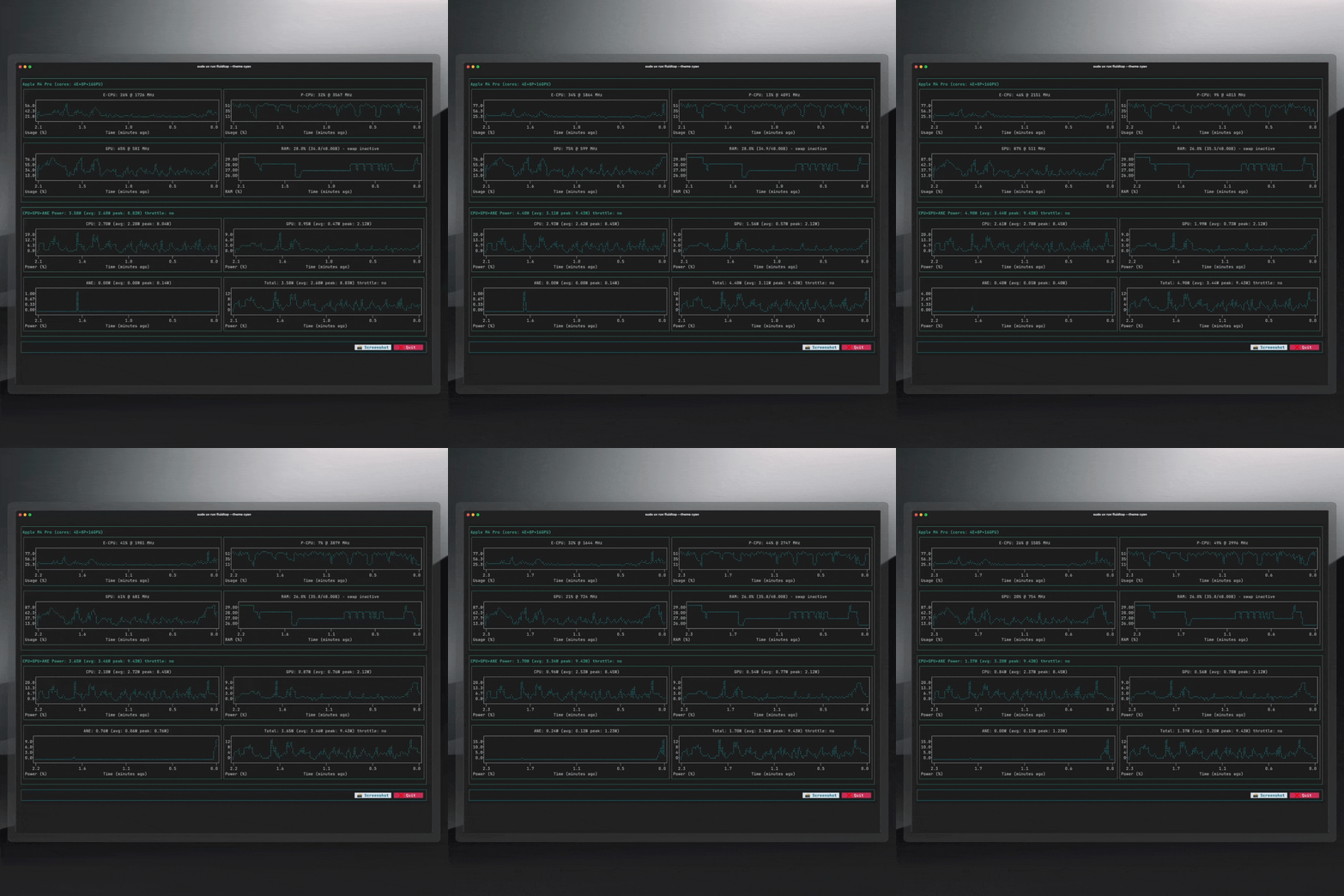
**Real-time macOS hardware performance monitoring CLI tool for Apple Silicon Macs (M1/M2/M3/M4+) with AI workload focus**
FluidTop is a Python-based `nvtop`-inspired command line tool specifically designed for Apple Silicon Macs. This enhanced and actively maintained fork of the original [asitop](https://github.com/tlkh/asitop) project provides comprehensive hardware monitoring with additional features, support for newer Apple Silicon chips, and optimizations for modern terminal emulators including Ghostty.
## 📦 Installation & Usage
### Quick Start with UV (Recommended)
```bash
# Install UV package manager (if not already installed)
curl -LsSf https://astral.sh/uv/install.sh | sh
```
```bash
# Run FluidTop directly without installation (one-time usage)
sudo uvx fluidtop
# Run with custom options
sudo uvx fluidtop --interval 2 --color 5 --avg 60
# Or install as a tool for regular usages
uv tool install fluidtop@latest -U
sudo uv tool run fluidtop
```
```bash
# to update fluidtop
uv tool install fluidtop@latest -U
```
```bash
# Run with custom options
sudo uvx fluidtop --interval 2 --color 5 --avg 60
```
### Install from PyPI
```bash
# Install with pip
pip install fluidtop
# Run after installation
sudo fluidtop
```
## 🚀 Key Features & Capabilities
### Hardware Monitoring
* **Real-time CPU monitoring** - Individual core utilization and frequency tracking
* **GPU performance tracking** - Apple GPU usage, memory, and power consumption
* **Neural Engine (ANE) monitoring** - AI/ML workload detection and utilization
* **Memory usage monitoring** - RAM and swap memory tracking
* **Power consumption analysis** - CPU/GPU power draw with thermal throttling detection
* **Temperature monitoring** - System thermal state and throttling alerts
### Apple Silicon Support
* **Complete Apple Silicon coverage** - M1, M2, M3, M4, and future chip support
* **Optimized for modern terminals** - Enhanced Ghostty compatibility and performance
* **Hardware-specific metrics** - TDP specifications for all variants
* **Individual core monitoring** - Detailed per-core performance and efficiency tracking
### AI & Machine Learning Focus
* **AI workload detection** - Specialized monitoring for machine learning tasks
* **Neural Engine utilization** - Track AI inference and training workloads
* **Memory usage optimization** - Critical for large model performance
* **Future ML framework integration** - Planned support for popular AI libraries
### Development Installation
```bash
# Clone repository
git clone https://github.com/FluidInference/fluidtop.git
cd fluidtop
# Install in development mode
uv sync
sudo uv run fluidtop
```
## 🎛️ Command Line Options & Configuration
```bash
fluidtop [OPTIONS]
Options:
--interval INTERVAL Display refresh rate in seconds (default: 1.0)
--color COLOR Color theme selection 0-8 (default: 2)
--avg AVG Power averaging window in seconds (default: 30)
--show_cores Enable individual CPU core monitoring
--max_count COUNT Restart powermetrics after N samples (stability)
-h, --help Show help message and exit
```
### Usage Examples
```bash
# Basic monitoring with 1-second refresh
sudo fluidtop
# High-frequency monitoring for AI workloads
sudo fluidtop --interval 0.5 --show_cores
# Long-term monitoring with 60-second power averaging
sudo fluidtop --avg 60 --max_count 1000
# Custom color theme
sudo fluidtop --color 5
```
## 🔧 How FluidTop Works
FluidTop leverages macOS's built-in [`powermetrics`](https://www.unix.com/man-page/osx/1/powermetrics/) utility to access hardware performance counters with minimal system impact. Root privileges are required due to `powermetrics` security requirements.
### Technical Architecture
* **CPU/GPU Utilization:** Active residency measurements via `powermetrics`
* **Power Consumption:** Hardware energy counters and thermal state monitoring
* **Memory Statistics:** [`psutil`](https://github.com/giampaolo/psutil) virtual memory and swap tracking
* **System Information:** `sysctl` CPU details and `system_profiler` GPU specifications
* **Hardware Database:** Built-in TDP specifications for all Apple Silicon variants
**Note**: Bandwidth monitoring was removed as macOS 13 deprecated bandwidth support in powermetrics.
### System Requirements
* **Hardware:** Apple Silicon Mac (M1, M2, M3, M4, or newer)
* **Operating System:** macOS Monterey (12.0) or later
* **Python:** Python 3.8+ (automatically managed with UV)
* **Privileges:** Root access required for `powermetrics`
### Why Fork asitop?
The original `asitop` provided excellent Apple Silicon monitoring but lacked:
- **Modern hardware support** - M3, M4+ compatibility
- **Terminal compatibility** - Ghostty and modern terminal optimization
- **AI workload focus** - Machine learning specific monitoring
- **Active maintenance** - Regular updates and bug fixes
### Migration from asitop
FluidTop is a drop-in replacement for asitop with identical command-line interface:
```bash
# Replace this:
sudo asitop
# With this:
sudo fluidtop
```
## 📚 Documentation
For detailed information, troubleshooting, and frequently asked questions, see our comprehensive [FAQ](docs/FAQ.md) which covers:
- **Apple Silicon Architecture**: Understanding E-CPU vs P-CPU cores
- **System Requirements**: Supported chips and compatibility
- **Monitoring Details**: Power accuracy, Neural Engine tracking, and more
- **Troubleshooting**: Common issues and solutions
- **Migration Guide**: Differences from asitop and compatibility
## 🗺️ Roadmap & Development
### Completed Features
- ✅ Enhanced hardware support (M1-M4+)
- ✅ Ghostty terminal optimization
- ✅ Improved documentation and user experience
- ✅ PyPI publishing and UV integration
### In Development
- 🔄 monitor a specific process/application
- 🔄 GUI-less monitoring and data collection
- 🔄 Performance data export capabilities (CSV, JSON)
- API interface for other Python services
## 🛠️ Development & Publishing
### Automated Release Process
FluidTop uses GitHub Actions to automate the entire release process. No manual steps required!
#### 🧪 Development Workflow
```bash
# Setup development environment
git clone https://github.com/FluidInference/fluidtop.git
cd fluidtop
uv sync
# Make changes to code
# Test changes locally
sudo uv run fluidtop
# Run with development options
sudo uv run fluidtop --interval 0.5 --show_cores
# Test build (optional)
uv build
sudo uv run fluidtop --help # Verify build works
```
## 🐛 Known Issues & Contributing
### Current Issues
- Chart height doesn't adapt to terminal height (width works correctly)
- Plot colors don't always respect theme selection
- Long-running sessions may require periodic restart
### Contributing
- Report bugs and request features via [GitHub Issues](https://github.com/FluidInference/fluidtop/issues)
- Submit pull requests for bug fixes and improvements
- Improve documentation and examples
- Test on different Apple Silicon variants
## 📄 License
MIT License - maintaining compatibility with the original asitop project.
## 🙏 Acknowledgments
This project builds upon the excellent foundation created by [Timothy Liu](https://github.com/tlkh) with the original [asitop](https://github.com/tlkh/asitop) project. We extend our gratitude for creating the groundwork for Apple Silicon performance monitoring.
---
**Keywords:** Apple Silicon monitoring, M1 M2 M3 M4 performance, macOS system monitor, AI workload tracking, Neural Engine monitoring, GPU utilization, real-time hardware stats, terminal performance tool, powermetrics CLI, asitop alternative