https://github.com/fnando/minitest-utils
Some utilities for your Minitest day-to-day usage.
https://github.com/fnando/minitest-utils
Last synced: 5 months ago
JSON representation
Some utilities for your Minitest day-to-day usage.
- Host: GitHub
- URL: https://github.com/fnando/minitest-utils
- Owner: fnando
- License: mit
- Created: 2015-04-30T02:25:12.000Z (over 11 years ago)
- Default Branch: main
- Last Pushed: 2025-03-28T16:52:00.000Z (over 1 year ago)
- Last Synced: 2025-03-28T17:04:30.445Z (over 1 year ago)
- Language: Ruby
- Homepage:
- Size: 4.44 MB
- Stars: 52
- Watchers: 2
- Forks: 5
- Open Issues: 1
-
Metadata Files:
- Readme: README.md
- Funding: .github/FUNDING.yml
- License: LICENSE.txt
Awesome Lists containing this project
README
# Minitest::Utils
Some utilities for your Minitest day-to-day usage.
Includes:
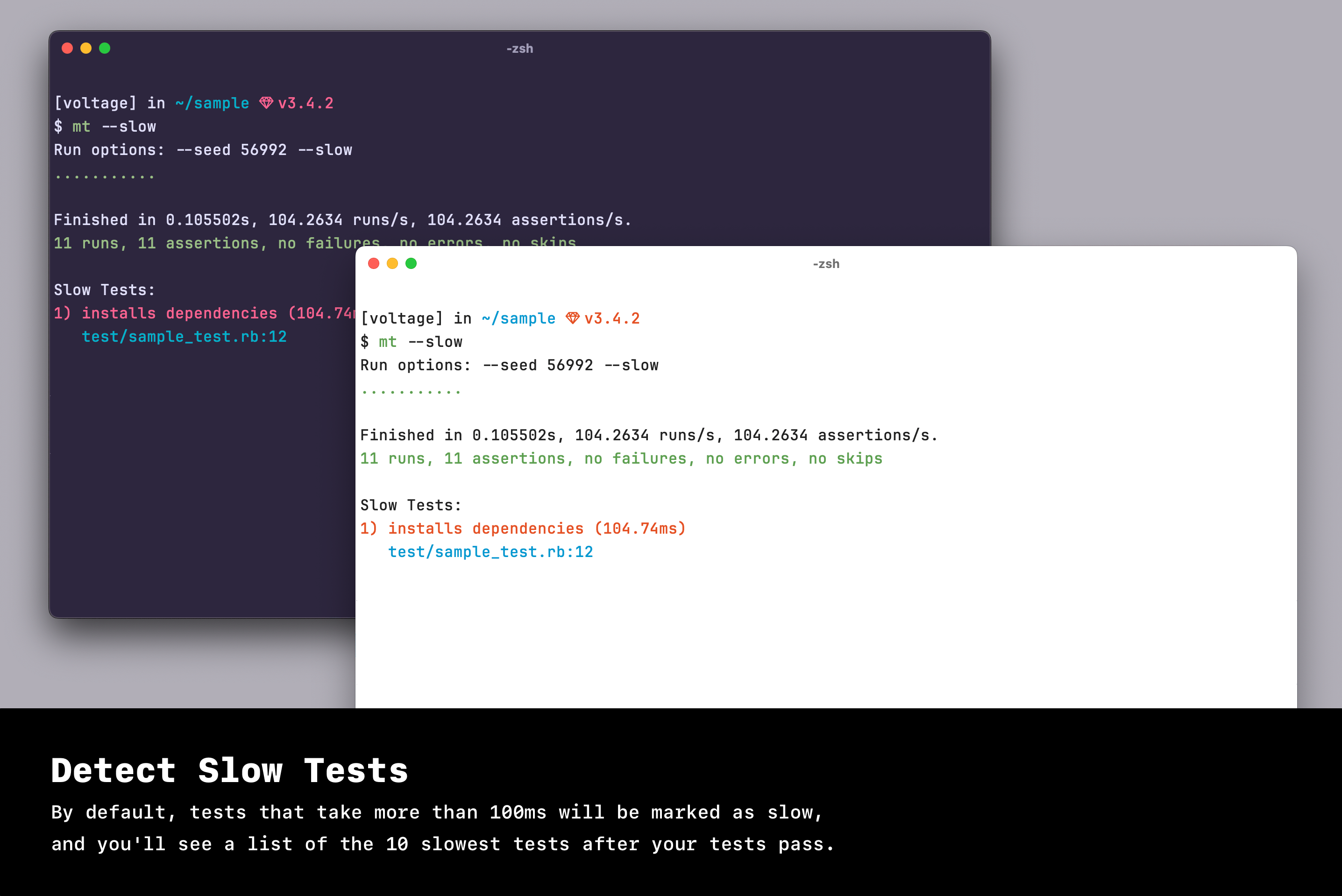
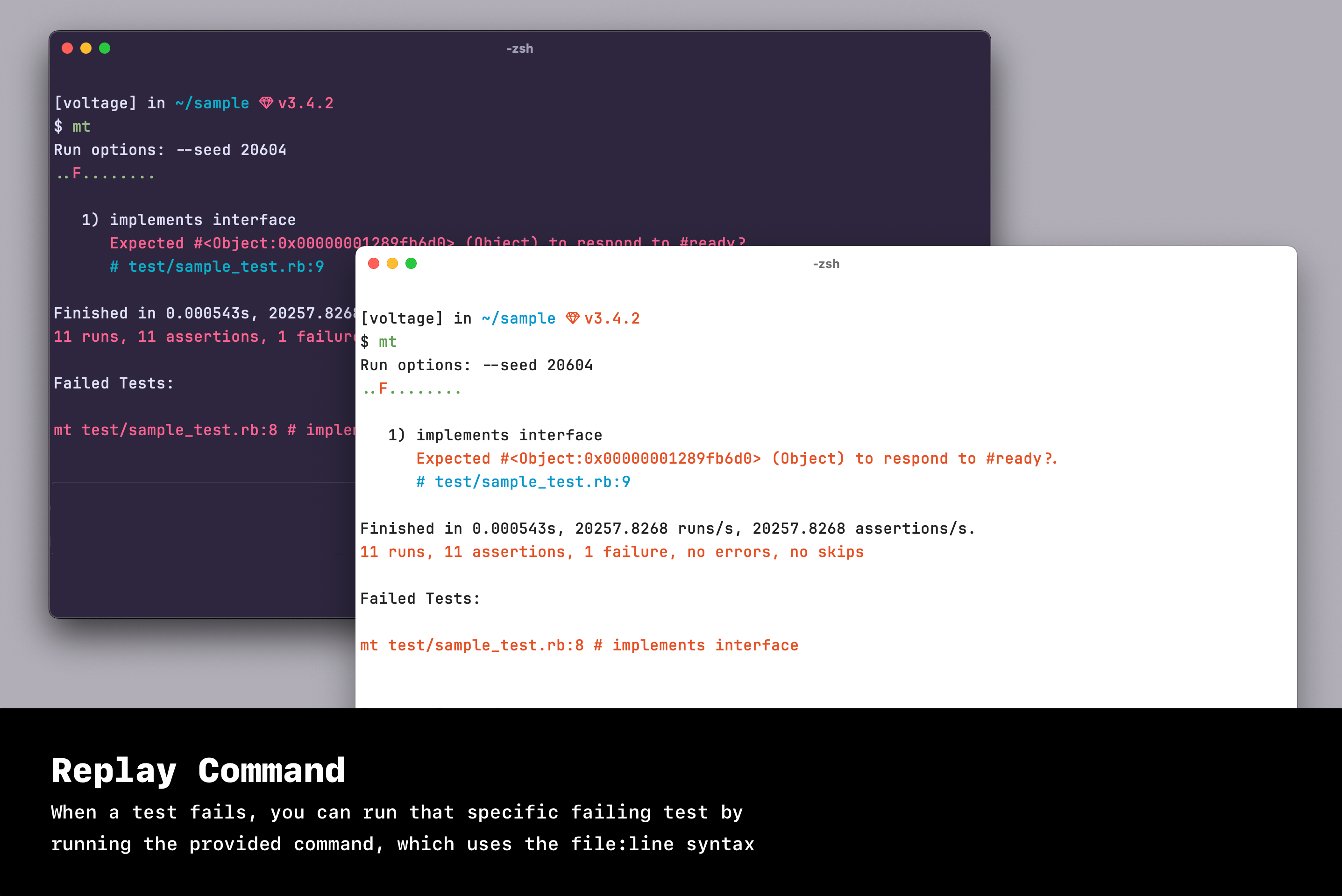
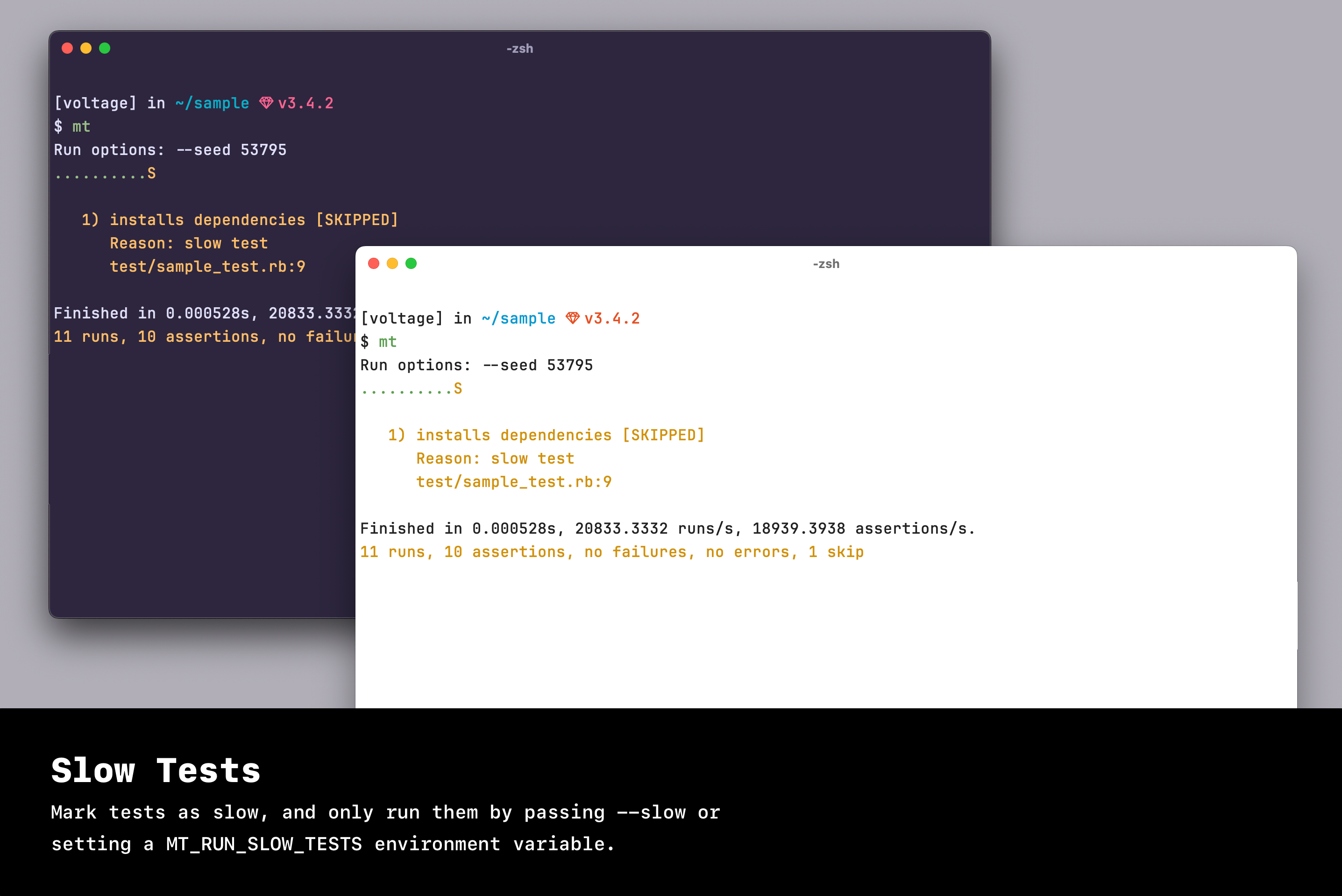
- A better reporter (see screenshot below)
- A [TestNotifier](http://github.com/fnando/test_notifier) reporter
- Some Rails niceties (set up FactoryBot, WebMock and Capybara)
- Add a `t` and `l` methods (i18n)
## Installation
Add this line to your application's Gemfile:
```ruby
gem 'minitest-utils'
```
And then execute:
$ bundle
Or install it yourself as:
$ gem install minitest-utils
## Defining tests
This gem adds the `Minitest::Test.test` method, so you can easy define your
methods like the following:
```ruby
class SampleTest < Minitest::Test
test "useless test" do
assert true
end
end
```
This is equivalent to defining a method named `test_useless_test`. You can also
skip the block, which will define a
[flunk](https://github.com/seattlerb/minitest/blob/77120c5b2511c4665610cda06c8058c801b28e7f/lib/minitest/assertions.rb#L477-L480)
call.
You can also define `setup` and `teardown` steps.
```ruby
class SampleTest < Minitest::Test
setup do
DB.connect
end
teardown do
DB.disconnect
end
test "useless test" do
assert true
end
end
```
If you want to skip slow tests, you can use the `slow_test` method, which only
runs the test when `MT_RUN_SLOW_TESTS` environment variable is set.
```ruby
# Only run slow tests in CI. You can bypass it locally by using
# something like `MT_RUN_SLOW_TESTS=1 rake`.
ENV["MT_RUN_SLOW_TESTS"] ||= ENV["CI"]
class SampleTest < Minitest::Test
test "useless test" do
slow_test
sleep 1
assert true
end
end
```
You can change the default threshold by setting `Minitest::Test.slow_threshold`.
The default value is `0.1` (100ms).
```ruby
Minitest::Test.slow_threshold = 0.1
```
This config can also be changed per class:
```ruby
class SampleTest < Minitest::Test
self.slow_threshold = 0.1
test "useless test" do
slow_test
sleep 1
assert true
end
end
```
Finally, you can also use `let`.
```ruby
class SampleTest < Minitest::Test
let(:token) { "secret" }
test "set token" do
assert_equal "secret", token
end
end
```
## Running tests
`minitest-utils` comes with a runner: `mt` or `minitest`.
> [!WARNING]
>
> When using this test runner, you must change your test helper and replace
> `require "minitest/autorun"` with
> `require "minitest/autorun" unless ENV["MT_RUNNER"]`. This way you can use
> both the runner and rake.
You can run specific files by using `file:number`.
```console
$ mt test/models/user_test.rb:42
```
You can also run files by the test name (caveat: you need to underscore the
name):
```console
$ mt test/models/user_test.rb --name /validations/
```
You can also run specific directories:
```console
$ mt test/models
```
To exclude tests by name, use --exclude:
```console
$ mt test/models --exclude /validations/
```
It supports `.minitestignore`, which only matches file names partially. Comments
starting with `#` are ignored.
```
# Ignore all tests in test/fixtures
test/fixtures
```
> [!NOTE]
>
> This command is also available as the long form `minitest`, for linux users.
> Linux has a `mt` command for managing magnetic tapes.
## Screenshots
## Rails extensions
minitest-utils sets up some things for your Rails application.
- [Capybara](https://github.com/jnicklas/capybara): includes `Capybara::DSL`,
sets default driver before every test, resets session and creates a helper
method for setting JavaScript driver. If you have
[poltergeist](https://github.com/teampoltergeist/poltergeist) installed, it
will be used as the default JavaScript driver.
- [FactoryBot](https://github.com/thoughtbot/factory_bot): adds methods to
`ActiveSupport::TestCase`.
- [WebMock](https://github.com/bblimke/webmock): disables external requests
(except for codeclimate) and tracks all requests on `WebMock.requests`.
- locale routes: sets `Rails.application.routes.default_url_options[:locale]`
with your current locale.
- [DatabaseCleaner](https://github.com/DatabaseCleaner/database_cleaner):
configure database before running each test. You can configure the strategy by
settings `DatabaseCleaner.strategy = :truncation`, for instance. It defaults
to `:deletion`.
- Other: `t` and `l` alias to I18n.
```ruby
class SignupTest < ActionDispatch::IntegrationTtest
use_javascript! #=> enables JavaScript driver
end
```
Also, if you're using routes like `:locale` scope, you can load this file to
automatically set your route's `:locale` param.
```ruby
require 'minitest/utils/rails/locale'
```
## Development
After checking out the repo, run `bin/setup` to install dependencies. Then, run
`bin/console` for an interactive prompt that will allow you to experiment.
To install this gem onto your local machine, run `bundle exec rake install`. To
release a new version, update the version number in `version.rb`, and then run
`bundle exec rake release` to create a git tag for the version, push git commits
and tags, and push the `.gem` file to [rubygems.org](https://rubygems.org).
## Contributing
1. Fork it ( https://github.com/fnando/minitest-utils/fork )
2. Create your feature branch (`git checkout -b my-new-feature`)
3. Commit your changes (`git commit -am 'Add some feature'`)
4. Push to the branch (`git push origin my-new-feature`)
5. Create a new Pull Request