https://github.com/fockus/skill-memory-bank
Universal long-term project memory + dev toolkit for Claude Code, Cursor, Windsurf, Cline, Kilo, OpenCode, Pi Code, Codex
https://github.com/fockus/skill-memory-bank
agent-skill ai-agents ai-coding-assistant anthropic claude claude-code claude-skill clean-architecture cline codex cursor developer-tools memory-bank opencode project-memory skill tdd windsurf
Last synced: 28 days ago
JSON representation
Universal long-term project memory + dev toolkit for Claude Code, Cursor, Windsurf, Cline, Kilo, OpenCode, Pi Code, Codex
- Host: GitHub
- URL: https://github.com/fockus/skill-memory-bank
- Owner: fockus
- License: mit
- Created: 2026-04-20T01:33:59.000Z (3 months ago)
- Default Branch: main
- Last Pushed: 2026-06-09T18:22:32.000Z (29 days ago)
- Last Synced: 2026-06-09T20:11:57.599Z (29 days ago)
- Topics: agent-skill, ai-agents, ai-coding-assistant, anthropic, claude, claude-code, claude-skill, clean-architecture, cline, codex, cursor, developer-tools, memory-bank, opencode, project-memory, skill, tdd, windsurf
- Language: Shell
- Homepage: https://fockus.github.io/skill-memory-bank/
- Size: 2.2 MB
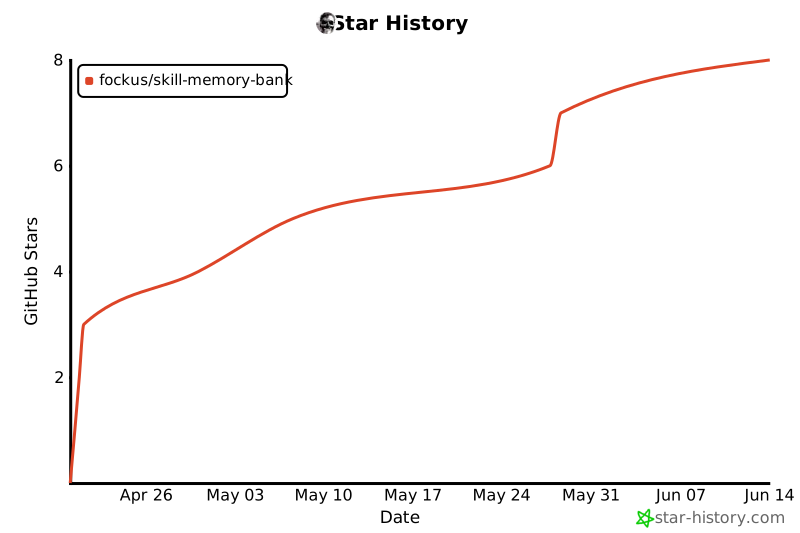
- Stars: 7
- Watchers: 0
- Forks: 0
- Open Issues: 1
-
Metadata Files:
- Readme: README.md
- Changelog: CHANGELOG.md
- Contributing: CONTRIBUTING.md
- License: LICENSE
- Security: SECURITY.md
Awesome Lists containing this project
README
# memory-bank-skill
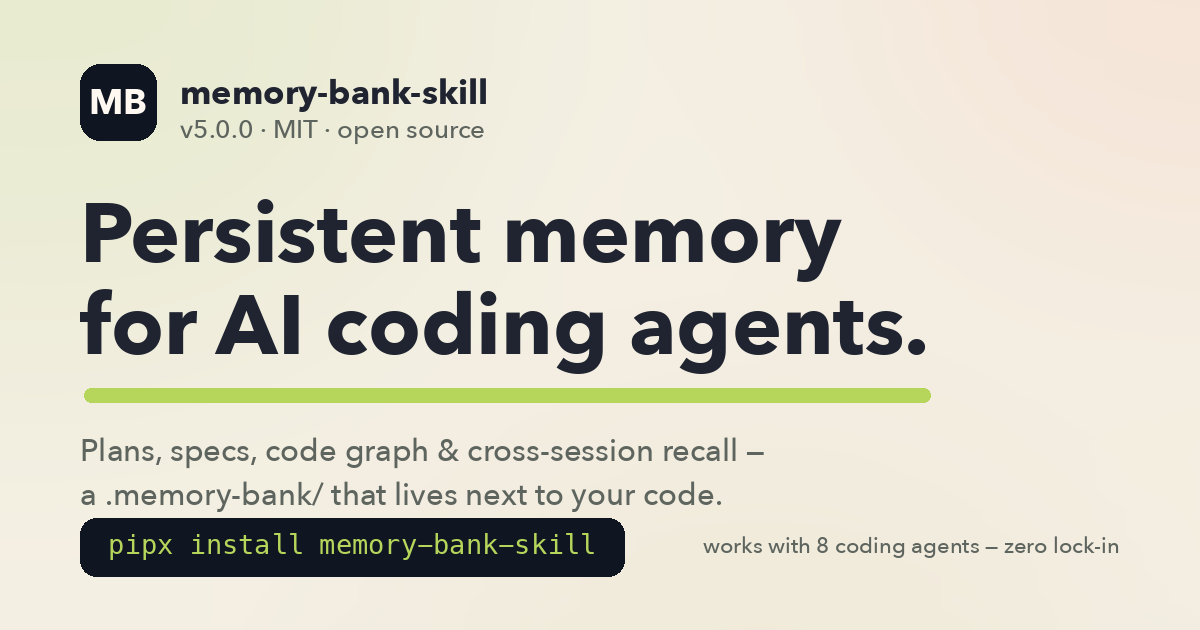
**Persistent project memory + dev toolkit for AI coding agents.**
Your AI remembers the project between sessions, follows the same engineering rules,
and picks up exactly where you left off.
Claude Code · Cursor · Windsurf · Cline · Kilo · OpenCode · Codex · Pi Code
[](https://github.com/fockus/skill-memory-bank/actions/workflows/test.yml)
[](https://pypi.org/project/memory-bank-skill/)
[](https://github.com/fockus/skill-memory-bank/releases/latest)
[](https://pypi.org/project/memory-bank-skill/)
[](https://github.com/fockus/homebrew-tap)
[](https://pypi.org/project/memory-bank-skill/)
[](LICENSE)
[](https://github.com/fockus/skill-memory-bank/stargazers)
[Install](#install) · [Quick start](#5-minute-quick-start) · [What you get](#what-you-get) · [Code graph](#the-code-graph) · [Commands](#3-dev-workflow-commands) · [Cross-agent](#4-cross-agent-portability) · [FAQ](#faq) · [Docs](#documentation) · [Website](https://fockus.github.io/skill-memory-bank/)
> **New in v5.0** — the `/mb work` pipeline is now composable: the default flow is a lean `implement → verify → done`, with review and judge as opt-in stages (`--review`, `--judge`, `--workflow full`). [CHANGELOG](CHANGELOG.md) · [v4 → v5 migration](docs/MIGRATION-v4-v5.md)
```bash
pipx install memory-bank-skill && memory-bank install
```
```text
# then, inside your agent:
/mb init # once per project
/mb start # every session — full context restored
```
| Slash commands | `/mb` sub-commands | Subagents | AI clients | Automated tests |
|:--------------:|:------------------:|:---------:|:----------:|:---------------:|
| 25 | 25+ | 29 | 8 | 1,900+ |
---
## The problem it solves
Every new AI coding session is amnesia: you re-explain the project, re-state the plan, re-list what's done — and context compaction erases whatever the agent finally learned. **memory-bank-skill** makes project memory a first-class citizen: a `.memory-bank/` directory next to your code that the agent reads at session start and updates as it works.
```
.memory-bank/
├── status.md ← where we are, what's next
├── checklist.md ← current tasks (✅ / ⬜)
├── roadmap.md ← priorities, direction
├── research.md ← hypotheses log (H-NNN) + current experiment
├── backlog.md ← parking lot for ideas + ADRs
├── progress.md ← work log (append-only)
├── lessons.md ← mistakes not to repeat
├── notes/ ← knowledge (5-15 line snippets)
├── plans/ ← detailed plans per feature/fix
├── reports/ ← analysis, post-mortems
├── experiments/ ← EXP-NNN experiment artifacts
└── codebase/ ← stack / architecture / conventions map (`/mb map`)
```
This directory lives alongside your code (commit it, share it with your team, or `.gitignore` it — your call).
---
## Install
Pick one:
### Option 0: skills.sh CLI (fastest one-shot install)
```bash
npx skills add fockus/skill-memory-bank
```
Copies the skill bundle (SKILL.md + scripts + commands + agents) into your local skills directory. Use this for a quick single-host try-out (Claude Code, Cursor, or any host that reads `~/.claude/skills/` or `~/.cursor/skills/`). For cross-agent setup (Codex / Windsurf / OpenCode hooks, managed blocks in `AGENTS.md`, `memory-bank` CLI, hooks, slash commands globally installed), use Option 1 or 2 below.
### Option 1: pipx (recommended, cross-platform)
```bash
pipx install memory-bank-skill # stable
# or, for the latest release candidate:
pipx install --pip-args='--pre' memory-bank-skill
# pipx only installs the CLI. Run this once to wire agents, rules, commands, and Pi prompts:
memory-bank install # global install for Claude Code + Cursor + Codex + OpenCode + Pi
# optional: pick installed rule language explicitly
memory-bank install --language ru
```
**Requires:** Python 3.11+, `pipx`, `jq`.
### Option 2: Homebrew (macOS / Linuxbrew)
```bash
brew tap fockus/tap
brew install memory-bank
memory-bank install
```
### Option 3: git clone (developers)
```bash
git clone https://github.com/fockus/skill-memory-bank.git ~/.claude/skills/skill-memory-bank
cd ~/.claude/skills/skill-memory-bank
./install.sh
```
### Add cross-agent support (Cursor, Windsurf, OpenCode, etc.)
Three ways — pick whichever matches your workflow:
**A. Interactive menu** (from any terminal — recommended if you're unsure which clients you want):
```bash
cd your-project/
memory-bank install # multi-select prompt for all 8 clients
# in TTY mode it will also ask which language to use for installed rules
```
**B. CLI flags** (scripts / CI / one-liner):
```bash
cd your-project/
memory-bank install --clients claude-code,cursor,windsurf
memory-bank install --clients claude-code,cursor --language en
```
**C. From inside an agent with command surface** (Claude Code / OpenCode):
```
/mb install # interactive picker
/mb install cursor,windsurf # direct
/mb install all # every client
```
Claude Code/OpenCode can front this through `/mb install`, then run `memory-bank install --clients ` for the current project. In Codex use the CLI directly; Codex gets global skill discovery plus `~/.codex/AGENTS.md` hints, not a native `/mb` command surface.
Supported client names: `claude-code`, `cursor`, `windsurf`, `cline`, `kilo`, `opencode`, `pi`, `codex`.
Supported rule languages: `en` (default), `ru` (full translation), `es`/`zh` (scaffolds — community PRs welcome, see [docs/i18n.md](docs/i18n.md)). You can also set `MB_LANGUAGE=en|ru|es|zh`.
Full per-client details: [docs/cross-agent-setup.md](docs/cross-agent-setup.md).
---
## 5-minute quick start
1. **Install** (see above).
2. **Open your project** in your AI agent (Claude Code, Cursor, etc.) and run:
```
/mb init
```
This creates `.memory-bank/` with all the files above, detects your stack, and generates a `CLAUDE.md` (or equivalent) pointing the agent at the memory bank.
3. **Every session starts with:**
```
/mb start
```
The agent loads `status.md`, `checklist.md`, `roadmap.md`, `research.md` — it knows exactly what you were working on and what comes next.
4. **As you work:** the agent updates `checklist.md` (⬜ → ✅) whenever tasks finish.
5. **Every session ends with:**
```
/mb done
```
This appends a session entry to `progress.md`, updates `status.md` if needed, writes a knowledge note if something interesting was learned.
That's it. Rinse and repeat.
### Storage modes
Memory Bank supports three ways to store your bank — pick the one that fits your workflow:
**Local mode (default)**
```bash
/mb init # same as /mb init --storage=local
```
The bank lives in the repo at `.memory-bank/`. Commit it to share with your team, or add it to `.gitignore` for solo use. This is the default and recommended mode for team projects.
**Global mode (opt-in personal storage)**
```bash
/mb init --storage=global --agent=claude-code # for Claude Code
/mb init --storage=global --agent=cursor # for Cursor
/mb init --storage=global --agent=codex # for Codex
```
The bank lives outside the repo under `~/./memory-bank/projects//.memory-bank`. It is personal storage and must **not** be committed to the project repo. Use this when you want persistent memory across sessions but don't want to touch the repository.
**Rules-only mode (no init required)**
You can intentionally skip `/mb init` entirely. In this state:
- The agent prints `[MEMORY BANK: ABSENT]` — Memory Bank lifecycle commands (`/mb start`, `/mb done`, etc.) stay inactive.
- **All engineering rules still apply**: TDD, SOLID, Clean Architecture, DRY/KISS/YAGNI, Testing Trophy, protected files, no placeholders. The installed global rules (`~/.claude/CLAUDE.md`, `~/.codex/AGENTS.md`, etc.) are always-on.
- Run `/mb init` at any point to activate Memory Bank without losing any code.
Existing local bank users can stay on local mode — there is no forced migration.
### Rule profiles & stack presets
Personalize the configurable rules layer without weakening the immutable safety baseline (TDD, no placeholders, protected files, destructive-confirm, fail-fast, DRY/KISS/YAGNI, verification before completion — these cannot be disabled by any profile).
```bash
# User-global profile (works even without a project Memory Bank):
mb-profile.sh init --scope=user --role=backend --stack=go --architecture=microservices --delivery=contract-first
# Project profile (stored in .memory-bank/ or global bank):
mb-profile.sh init --scope=project --role=frontend --stack=typescript --architecture=fsd --delivery=sdd
```
Supported role presets: **backend**, **frontend**, **mobile**.
Supported stack presets: **go**, **python**, **javascript**, **typescript**, **java**, **generic**.
Supported architecture presets: clean, hexagonal, modular-monolith, microservices, ddd, fsd, mobile-udf, event-driven.
Supported delivery presets: tdd, contract-first, api-first, sdd, legacy-safe, exploratory.
Rules-only mode personalization: a user-global profile (`~//memory-bank/rules-profile.json`) applies Go/backend/microservices presets even when no project Memory Bank exists. No project files are written. Use `/mb profile init --scope=user ...` or `mb-profile.sh init --scope=user ...`.
Canonical machine format is **JSON**. YAML examples appear in documentation only and must be converted before storage. For full guidance see [docs/rule-profiles.md](docs/rule-profiles.md).
---
## What you get
### 1. Persistent project memory
Across sessions, compaction events, and even across AI agents — the project state survives. Switch from Claude Code to Cursor mid-project and the new agent catches up by reading `.memory-bank/`.
### 2. Engineering rules applied automatically
Installs `~/.claude/RULES.md`, `~/.claude/CLAUDE.md`, canonical skill registration in
`~/.claude/skills/skill-memory-bank`, compatibility aliases in `~/.claude/skills/memory-bank`,
`~/.codex/skills/memory-bank`, and `~/.cursor/skills/memory-bank`, plus full Cursor global
surface (`~/.cursor/hooks.json` + `~/.cursor/hooks/*.sh` + `~/.cursor/commands/*.md`
+ `~/.cursor/AGENTS.md` managed section + `~/.cursor/memory-bank-user-rules.md`
paste-file for Settings → Rules → User Rules), plus native OpenCode global files
(`~/.config/opencode/AGENTS.md` + `~/.config/opencode/commands/`) with:
- **TDD** — tests before implementation
- **Clean Architecture** (backend) — Infrastructure → Application → Domain, never the reverse
- **Feature-Sliced Design** (frontend) — `app → pages → widgets → features → entities → shared`
- **Mobile** (iOS/Android) — UDF + Clean layers, SwiftUI+Observation / Compose+StateFlow
- **SOLID** — SRP (≤300 LOC / class), ISP (≤5 methods / interface), DIP (constructor injection)
- **Testing Trophy** — integration > unit > e2e; mock only external services
- **Coverage** targets — 85% overall, 95% core, 70% infrastructure
The agent reads these rules at session start and follows them without you having to remind it.
### 3. Dev-workflow commands
**25 top-level slash-commands** (live in `commands/`):
| Command | Purpose |
|---------|---------|
| `/mb ` | Memory Bank hub (20+ sub-commands — see table below) |
| `/start` | Lightweight session start (loads STATUS/checklist only) |
| `/done` | Lightweight session close (no full actualize) |
| `/plan` | Implementation plan generator with DoD/TDD scaffolding (Phase / Sprint / Stage) |
| `/discuss` | 5-phase requirements-elicitation interview → `context/.md` (EARS-validated) |
| `/sdd` | Kiro-style spec triple → `specs//{requirements,design,tasks}.md` |
| `/work` | Execute plan/spec stages with role-agents; composable pipeline (`--review`/`--judge`/`--stages`, review **off by default**) |
| `/config` | Manage `pipeline.yaml` engine config (init / show / validate / path) |
| `/profile` | Manage rule profiles and stack presets (init / show / validate / set / path) |
| `/commit` | Conventional-commit message with MB context |
| `/pr` | Create pull request with structured description |
| `/review` | Full code review (correctness + security + perf + style) |
| `/test` | Run tests + coverage analysis + gap report |
| `/refactor` | Guided refactoring (Strangler Fig, staged diffs) |
| `/doc` | Generate / refresh documentation from code |
| `/changelog` | Update CHANGELOG.md from recent commits |
| `/catchup` | Summarize recent changes since last session |
| `/adr` | Architecture Decision Record template writer |
| `/contract` | Contract-first workflow (Protocol/ABC → tests → impl) |
| `/security-review` | OWASP-focused security audit pass |
| `/api-contract` | API contract validation + breaking-change detection |
| `/db-migration` | Safe DB migration planning (rollback, backfill) |
| `/observability` | Logging / metrics / tracing audit for a module |
| `/roadmap-sync` | Regenerate `roadmap.md` autosync block from plan frontmatter |
| `/traceability-gen` | Regenerate REQ → Plan → Test traceability matrix |
**Key `/mb` sub-commands** (full list lives in `commands/mb.md`):
| Sub-command | Purpose |
|-------------|---------|
| `/mb` / `/mb context` | Collect project context (status, checklist, active plan) |
| `/mb start` | Extended session start — full context + active plan body |
| `/mb done` | Close session — actualize + note + progress |
| `/mb update` | Refresh core files with live metrics (no note) |
| `/mb verify` | Verify implementation matches the active plan (CRITICAL before `/mb done`) |
| `/mb doctor` | Find & fix inconsistencies inside the memory bank |
| `/mb plan ` | Create detailed plan (feature / fix / refactor / experiment) |
| `/mb search ` | Keyword search across the memory bank |
| `/mb note ` | Quick knowledge note (5-15 lines) |
| `/mb tasks` | Show pending tasks from checklist |
| `/mb index` | Registry of all entries (core + notes/plans/experiments/reports) |
| `/mb map [focus]` | Scan codebase, write MD docs to `.memory-bank/codebase/` (stack/arch/quality/concerns/all) |
| `/mb graph [--apply]` | Multi-language code graph (Python `ast` + Go/JS/TS/Rust/Java tree-sitter); opt-in `--questions` / `--cochange` / `--docs`. See [code-graph docs](docs/concepts/code-graph.md) |
| `/mb wiki [--dry-run]` | LLM per-community codebase wiki + surprising-connection edges (Haiku/Sonnet subagents, no API key) |
| `/mb recall ` | Cross-session recall over past chats (`session/` + `notes/`). See [session-memory docs](docs/concepts/session-memory.md) |
| `/mb reindex [--full]` | Build/refresh the local semantic index for `/mb recall` (fastembed, $0; degrades to lexical) |
| `/mb compact [--apply]` | Status-based decay — archive old done plans + low-importance notes |
| `/mb import --project ` | Bootstrap MB from Claude Code JSONL transcripts |
| `/mb tags [--apply]` | Normalize frontmatter tags (Levenshtein-based synonym merge) |
| `/mb upgrade` | Update skill from GitHub (git pull + re-install) |
| `/mb init [--minimal\|--full]` | Initialize `.memory-bank/` in a new project |
| `/mb install []` | Install Memory Bank + cross-agent adapters interactively or via client list |
| `/mb deps [--install-hints]` | Dependency check (python3, jq, git + optional tree-sitter) |
| `/mb help [subcommand]` | Show sub-command reference inline |
**Run `/mb help` inside any agent** to see this table live; `/mb help ` for full detail of one sub-command.
### 4. Cross-agent portability
One `.memory-bank/` directory, 8 AI clients:
| Client | Native hooks | Adapter output |
|--------|--------------|----------------|
| **Claude Code** | Full lifecycle | `~/.claude/settings.json` + `hooks/` |
| **Cursor 1.7+** | ✅ (Claude-Code-compatible format) | **Global (auto):** `~/.cursor/{skills,hooks,commands,AGENTS.md,hooks.json,memory-bank-user-rules.md}` · **Project (optional `--clients cursor`):** `.cursor/rules/*.mdc` + `.cursor/hooks.json` |
| **Windsurf** | ✅ Cascade Hooks | `.windsurf/rules/*.md` + `.windsurf/hooks.json` |
| **Cline** | ✅ `.clinerules/hooks/*.sh` | `.clinerules/memory-bank.md` + `hooks/` |
| **Kilo** | ❌ (fallback to git hooks) | `.kilocode/rules/` + `.git/hooks/` |
| **OpenCode** | ✅ TypeScript plugins + native commands | `~/.config/opencode/{AGENTS.md,commands/}` + project `AGENTS.md` + `opencode.json` + TS plugin |
| **Codex** (OpenAI) | ✅ Conservative global support + experimental project hooks | `~/.codex/skills/memory-bank` + `~/.codex/AGENTS.md` + project `AGENTS.md` + `.codex/config.toml` + `.codex/hooks.json` |
| **Pi Code** | Global skill + global prompts + `AGENTS.md` | `~/.pi/agent/skills/memory-bank`, `~/.pi/agent/prompts/*.md`, `~/.pi/agent/AGENTS.md` + optional project `AGENTS.md` |
`AGENTS.md` is shared across OpenCode, Codex, Pi — ownership is refcount-tracked, so uninstalling one client doesn't break the others.
---
## The code graph
`grep -rn` burns tokens and lies — it matches strings, comments, and shadowed names. `/mb graph` builds a **deterministic, queryable map of your codebase** instead, with three different ways to ask it questions.
```bash
/mb graph --apply # → .memory-bank/codebase/graph.json + god-nodes.md
```
- **Languages:** Python via stdlib `ast` (zero extra deps) + Go, JavaScript, TypeScript, Rust, Java via tree-sitter (`pip install 'memory-bank-skill[codegraph]'`).
- **`graph.json`** — JSON Lines: one node (module / function / class) or edge (import / call / inherit) per line. Greppable, `jq`-queryable, diffable, committable.
- **`god-nodes.md`** — refactoring hotspots: top symbols and modules by degree, **bridge files** by betweenness centrality, Louvain module communities.
- **Incremental:** SHA256 per-file cache — the first build takes minutes on a 1000-file repo, rebuilds take seconds.
### Three ways to use it
| Mode | Tool | Question it answers | Cost |
|------|------|---------------------|------|
| **1. Structural queries** | `mb-graph-query.py` (`neighbors` / `impact` / `tests`) or raw `jq` | "Who calls X?" · "What breaks if I change X?" · "Which tests cover X?" | $0, <1 s |
| **2. Semantic search** | `mb-semantic-search.py` — BM25 by default, local embeddings opt-in | "Where is the rate-limiting logic?" — concept queries, tolerant to naming | $0, fully local |
| **3. LLM wiki** | `/mb wiki` — Haiku writes one article per module community, Sonnet hunts cross-community "surprising connections" | "Give me the map" · "What non-obvious links exist?" | your agent's own subagents — **no extra API key** |
```bash
# 1 — impact analysis before a refactor: deterministic, zero tokens
python3 scripts/mb-graph-query.py impact --graph .memory-bank/codebase/graph.json --symbol WriteFile
jq -r 'select(.type=="edge" and .kind=="call" and .dst=="WriteFile") | .src' \
.memory-bank/codebase/graph.json
# 2 — find code by meaning, not by name
python3 scripts/mb-semantic-search.py "how does auth token refresh work" --source-only
# 3 — a written wiki of your architecture + semantic edges with confidence + rationale
/mb wiki
```
**Opt-in layers** (without them the base output stays byte-identical):
- `--cochange` — git-history co-change edges: files that change together *without importing each other* (test ↔ subject, config ↔ reader). Coupling no AST can see.
- `--questions` — deterministic suggested questions appended to `god-nodes.md` ("what should I look at first?").
- `--docs` — signatures + docstrings on nodes, so semantic search matches intent, not just identifiers.
The dev-role subagents are wired to the graph automatically (`graph_neighbors` / `graph_impact` / `graph_tests` routing): before editing they check the blast radius instead of guessing, and fall back to plain `grep` when the graph is missing or stale — the graph never blocks work.
### How it compares
| | memory-bank-skill | Aider repo-map | Serena MCP | Cursor indexing | Cline |
|---|:---:|:---:|:---:|:---:|:---:|
| Persistent queryable graph on disk | ✅ JSONL | ❌ ranked text per request | ❌ live LSP | ❌ server-side vectors | ❌ no index |
| Structural queries ("who calls X?") | ✅ jq / CLI | ❌ | ✅ LSP-precise | ❌ similarity only | ❌ |
| Works offline, $0, no server process | ✅ | ✅ | ⚠️ local server | ❌ cloud embeddings | ✅ |
| Git co-change edges | ✅ opt-in | ❌ | ❌ | ❌ | ❌ |
| LLM codebase wiki + semantic edges | ✅ no extra API key | ❌ | ❌ | ❌ | ❌ |
| Lives next to project memory (plans / ADRs / sessions) | ✅ | ❌ | ❌ | ❌ | ❌ |
Honest trade-offs: language coverage is 6 vs Aider's 130+; call resolution is name-based (no LSP / type-checker precision — Serena wins there); and there is no PageRank-ranked automatic context packing like Aider's repo-map. We trade those for a persistent, $0, locally queryable artifact that lives next to the rest of your project memory.
Full reference: [code-graph concepts](docs/concepts/code-graph.md) · [jq cookbook](references/code-graph.md).
---
## Usage examples
### Starting a new feature
```
You: /mb plan feature user-auth
Agent: [creates .memory-bank/plans/2026-04-20_feature_user-auth.md with DoD,
test plan, stage breakdown, dependencies]
You: Now implement stage 1.
Agent: [reads plan, writes failing tests first (TDD), then implementation,
runs tests, updates checklist ⬜ → ✅]
You: /mb verify
Agent: [plan-verifier agent checks that implementation matches plan DoD]
You: /mb done
Agent: [appends session summary to progress.md, updates status.md if needed]
```
### Jumping into an existing project
```bash
cd some-legacy-project/
memory-bank install # global install for all supported clients
# # (Claude + Cursor + Codex + OpenCode, auto)
memory-bank install --clients cursor # OPTIONAL: also wire .cursor/ project adapter
# # — global parity already active without this flag
# In Cursor:
/mb init --full # auto-detect stack, generate CLAUDE.md
/mb start # load everything
```
### Cursor-only quick start
```bash
# Step 1. Install (no --clients flag needed for Cursor global parity)
memory-bank install
# Step 2 (one-time, per machine). Cursor User Rules panel is UI-only —
# paste the generated bundle into Settings → Rules → User Rules:
pbcopy < ~/.cursor/memory-bank-user-rules.md # macOS
xclip -selection clipboard < ~/.cursor/memory-bank-user-rules.md # Linux
# The file is wrapped in / markers.
# Step 3. Open any project in Cursor and run:
/mb init # one-time per project
/mb start # every session
```
### Sharing state with your team
`.memory-bank/` is just markdown. Commit it. Your colleague clones the repo, runs `/mb start`, and has the full project context without asking you a single question.
---
## CLI reference
After `pipx install memory-bank-skill`:
```bash
memory-bank install [--clients ] [--language ] [--project-root ] [--non-interactive]
memory-bank uninstall [-y|--non-interactive]
memory-bank init # prints /mb init hint
memory-bank version
memory-bank self-update # prints `pipx upgrade ...`
memory-bank doctor # resolves bundle, platform info, checks bash
memory-bank --help
```
Flags:
- `--clients ` — comma-separated. Valid: `claude-code, cursor, windsurf, cline, kilo, opencode, pi, codex`. If omitted and running in a TTY → interactive menu. Non-TTY default: `claude-code` only.
- `--project-root ` — where to place client-specific adapters. Default: current directory.
- `--non-interactive` — never prompt; use defaults when `--clients` not specified. Use in CI / scripted installs.
- `-y` / `--non-interactive` on `uninstall` — skip the confirmation prompt. Use in CI / scripted cleanup.
---
## Environment variables
| Variable | Purpose | Default |
|----------|---------|---------|
| `MB_AUTO_CAPTURE` | SessionEnd auto-capture mode: `auto` / `strict` / `off` | `auto` |
| `MB_REDACT_SECRETS` | Redact API keys/tokens (sk-…, ghp\_…, AKIA…, JWT, `*_API_KEY=` values…) from session capture and the semantic index before they reach disk | `on` |
| `MB_COMPACT_REMIND` | Weekly `/mb compact` reminder: `auto` / `off` | `auto` |
| `MB_ALLOW_METRICS_OVERRIDE` | Allow executing project-local `.memory-bank/metrics.sh` overrides | `0` |
| `MB_PI_MODE` | Pi project adapter mode. Supported: `agents-md` (project `AGENTS.md`) or `skill` (`~/.pi/agent/skills/memory-bank`; leaves existing global symlink unchanged) | `agents-md` |
| `MB_SKILL_BUNDLE` | Override bundle path (dev / testing) | auto-detected |
| `MB_SKIP_DEPS_CHECK` | Skip preflight dep check in `install.sh` | `0` |
---
## Platform support
| OS | Status |
|----|--------|
| macOS | ✅ Native |
| Linux | ✅ Native |
| Windows (Git Bash) | ✅ Via Git for Windows — install works, CLI auto-detects `bash.exe` |
| Windows (WSL) | ✅ Full native POSIX path |
| Windows (native PowerShell, no bash) | ⚠️ Fails with install hint |
**Windows quick start:**
```powershell
# Either:
winget install Git.Git # → supplies bash.exe at C:\Program Files\Git\bin\bash.exe
# or:
wsl --install # → full Linux env
pip install memory-bank-skill # inside WSL or with Git Bash on PATH
memory-bank doctor # verifies bash discovery
memory-bank install # works once bash is resolvable
```
`memory-bank doctor` on Windows reports the detected bash path (or an install hint if none found).
---
## FAQ
**Q: Do I need to commit `.memory-bank/` to git?**
A: Recommended if working in a team — that's how state is shared. Solo project: optional. Either way works.
**Q: Does this replace Claude Code's built-in memory?**
A: No — complementary. Native memory is per-user, cross-project (preferences, style). `.memory-bank/` is per-project, team-shared (status, plans, decisions). Both load simultaneously.
**Q: Will it work on private repositories?**
A: Yes. Everything is local. No data sent anywhere unless your AI agent itself calls external APIs (that's unchanged).
**Q: What if my team uses different AI agents?**
A: That's the whole point. Install per-client: `memory-bank install --clients cursor,windsurf,claude-code`. One memory bank, everyone reads it.
**Q: Cursor hooks are experimental / Codex hooks are experimental — is that a problem?**
A: Partial — where native hooks don't exist or aren't stable, we ship graceful fallbacks or conservative integration. Cursor global install wires 10 hooks including `sessionStart`, matcher-aware `preToolUse`, and matcher-aware `postToolUse`. For Codex, global support means skill discovery + `~/.codex/AGENTS.md` hints; hook/config integration is still primarily project-level via `.codex/`. See [docs/cross-agent-setup.md](docs/cross-agent-setup.md) for specifics.
**Q: My existing `AGENTS.md` / `.cursor/hooks.json` — will this overwrite them?**
A: No. Adapters use a marker pattern (`` for MD files, `_mb_owned: true` for JSON hooks) and merge idempotently. User content is preserved; uninstall only removes MB-owned sections.
**Q: How do I upgrade?**
A: `pipx upgrade memory-bank-skill` or `brew upgrade memory-bank`. Git-clone install: `cd ~/.claude/skills/skill-memory-bank && git pull && ./install.sh`.
**Q: Does reinstalling create `.pre-mb-backup.*` files every time?**
A: No. Since `3.0.0`, `install.sh` is byte-level idempotent: each target is compared via `cmp -s` to the expected post-install content (including localization) and backup is created only if content actually differs. Repeat installs on an up-to-date tree produce zero backups. Language swap (`--language en` → `--language ru`) backs up exactly the localize-target files (`RULES.md`, `memory-bank-user-rules.md`) and nothing else.
**Q: I want to remove everything.**
A: `memory-bank uninstall -y` removes global install without a prompt. Per-project adapters: `adapters/.sh uninstall `.
**Q: Can a project-local `.memory-bank/metrics.sh` run arbitrary commands during install or doctor flows?**
A: Not by default. Project-local metrics overrides are disabled unless you explicitly opt in with `MB_ALLOW_METRICS_OVERRIDE=1`. Without that env var, the shipped stack detection stays on the safe built-in path.
**Q: Does Pi need a separate setup step?**
A: `memory-bank install` now writes Pi global artifacts automatically: `~/.pi/agent/AGENTS.md`, `~/.pi/agent/skills/memory-bank`, and slash prompt templates in `~/.pi/agent/prompts/`. In an existing Pi session, run `/reload` after install. For a project-level shared `AGENTS.md`, additionally run `memory-bank install --clients pi --project-root `. Existing local Pi skill directories are backed up outside `~/.pi/agent/skills/` so Pi does not discover backup copies as duplicate skills.
**Q: Is this production-ready?**
A: Yes. Current stable line is **v5.0.0** (released 2026-06-10). Daily used on real projects — including on this repository itself (the skill maintains its own `.memory-bank/`). Full test envelope green: 1,900+ automated tests (pytest + bats) on Python 3.11/3.12 × Ubuntu and macOS. Stable API.
---
## Documentation
**Get started** *(learning)*
- **[5-minute quick start](#5-minute-quick-start)** — install → `/mb init` → `/mb start` → work → `/mb done`
- **[Your first feature, end to end](docs/first-feature.md)** — a worked example: plan → TDD → verify → done
- **[Install guide](docs/install.md)** — pipx / Homebrew / git-clone with troubleshooting
- **[Overview](docs/concepts/overview.md)** — the mental model in one page
**Concepts** *(understanding)*
- **[Composable `/mb work` pipeline](commands/work.md)** — review off by default; `--review`/`--judge`/`--stages` + the `full` preset
- **[Code graph & semantic search](docs/concepts/code-graph.md)** — `/mb map`, `/mb graph` (+`--questions`/`--cochange`/`--docs`), `mb-semantic-search.py`, `/mb wiki`
- **[Cross-session memory](docs/concepts/session-memory.md)** — `/mb recall`, session hooks, the local semantic index
- **[Rule profiles & presets](docs/rule-profiles.md)** — tune the rules to your role/stack without weakening the safety baseline
**How-to** *(tasks)*
- **[Cross-agent setup](docs/cross-agent-setup.md)** — per-client cheatsheet + hook capability matrix
- **[Troubleshooting](docs/troubleshooting.md)** — common issues and fixes
- **[v4 → v5 migration](docs/MIGRATION-v4-v5.md)** — review now off by default; composable `/mb work` pipeline
- **[v3.0 → v3.1 migration](docs/MIGRATION-v3-v3.1.md)** · **[v1 → v2 migration](docs/MIGRATION-v1-v2.md)** — older structural upgrades
- **[Repository migration](docs/repo-migration.md)** — for users upgrading from `claude-skill-memory-bank`
**Reference**
- **[Agents reference](docs/agents-reference.md)** — all 29 subagents and when each one is invoked
- **[Release process](docs/release-process.md)** — PyPI OIDC setup + tag workflow
- **[CHANGELOG](CHANGELOG.md)** — version history
- **[Security policy](SECURITY.md)** — reporting, scope, design decisions
---
## Contributing
1. Fork & clone.
2. `./install.sh && /mb init` in the repo itself (this skill uses itself — meta but works).
3. Write tests first (TDD). `bats tests/bats/ tests/e2e/` + `python3 -m pytest tests/pytest/`.
4. Follow the rules in `rules/RULES.md` (the same ones the skill enforces on users).
5. Open a PR. CI runs on Python 3.11 + 3.12 × ubuntu + macos.
## License
MIT. See [LICENSE](LICENSE).
## Links
- **Website:** https://fockus.github.io/skill-memory-bank/
- **Repo:** https://github.com/fockus/skill-memory-bank
- **PyPI:** https://pypi.org/project/memory-bank-skill/
- **Homebrew tap:** https://github.com/fockus/homebrew-tap
- **Issues:** https://github.com/fockus/skill-memory-bank/issues
---
**Your agent is already smart. memory-bank-skill makes it remember.**