https://github.com/foliant-docs/foliantcontrib.aglio
Aglio backend for Foliant
https://github.com/foliant-docs/foliantcontrib.aglio
Last synced: 2 months ago
JSON representation
Aglio backend for Foliant
- Host: GitHub
- URL: https://github.com/foliant-docs/foliantcontrib.aglio
- Owner: foliant-docs
- License: mit
- Created: 2019-10-28T13:37:00.000Z (over 6 years ago)
- Default Branch: master
- Last Pushed: 2020-06-09T08:46:13.000Z (about 6 years ago)
- Last Synced: 2026-03-11T12:23:44.984Z (3 months ago)
- Language: Python
- Size: 285 KB
- Stars: 0
- Watchers: 1
- Forks: 0
- Open Issues: 0
-
Metadata Files:
- Readme: README.md
- Changelog: changelog.md
- License: LICENSE
Awesome Lists containing this project
README
[](https://pypi.org/project/foliantcontrib.aglio/) [](https://github.com/foliant-docs/foliantcontrib.aglio)
# Aglio Backend for Foliant
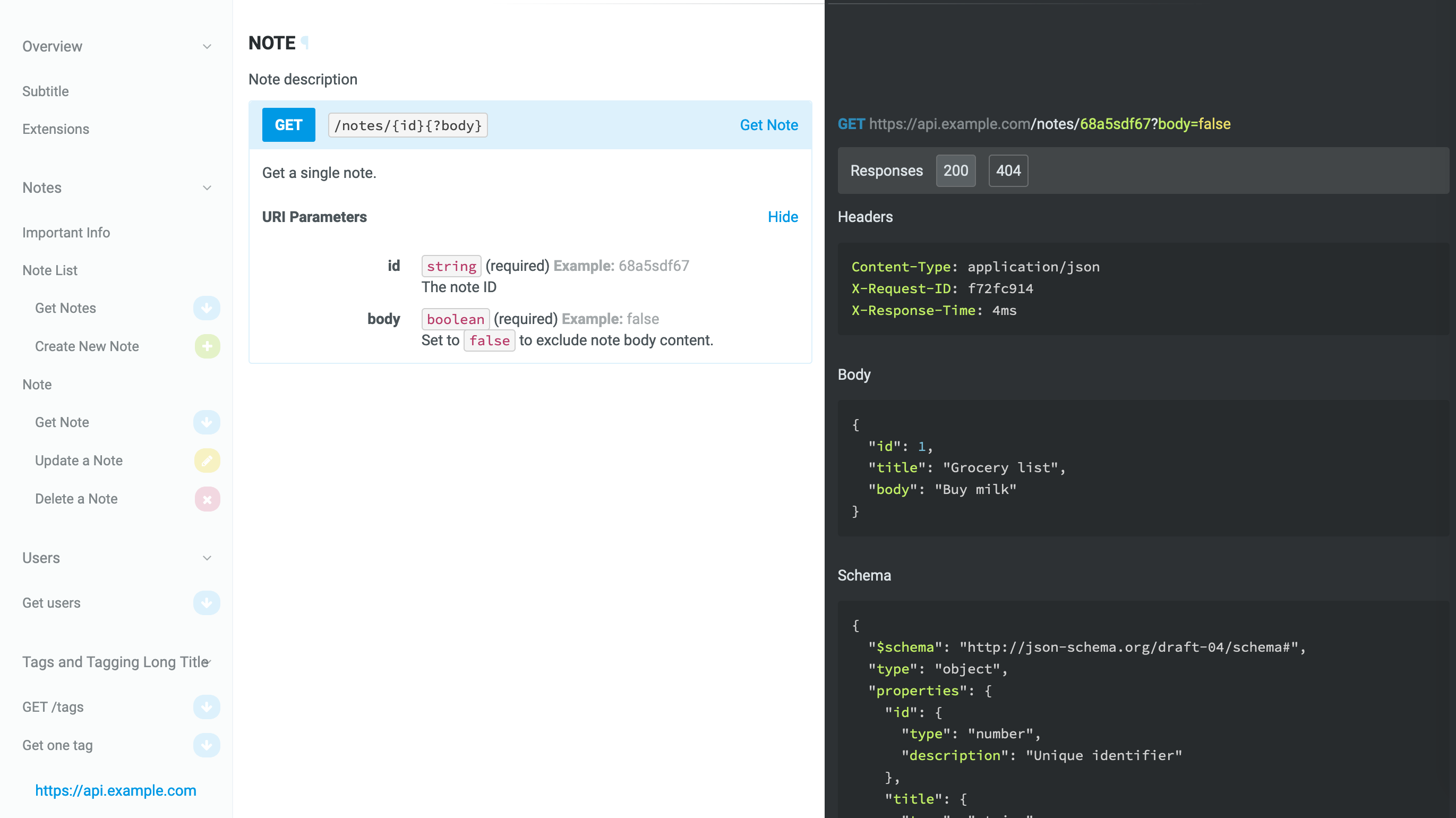
Aglio backend generates API documentation from [API Blueprint](https://apiblueprint.org/) using [aglio renderer](https://github.com/danielgtaylor/aglio).
This backend operates the `site` target.
> Note, that aglio is designed to render API Blueprint documents. Blueprint syntax is very close to that of Markdown and you may be tempted to use this backend as a general purpose static site generator. It may work in some cases, but is not guaranteed to work in all of them.
## Installation
```bash
$ pip install foliantcontrib.aglio
```
To use this backend [Aglio should be installed](https://github.com/danielgtaylor/aglio#installation--usage) on your system:
```bash
$ npm install -g aglio
```
To test if you've installed aglio properly run the `aglio -h` command, which should return you a list of options.
## Usage
To generate a static website from your Foliant project run the following command:
```bash
$ foliant make site --with aglio
Parsing config... Done
Applying preprocessor flatten... Done
Applying preprocessor _unescape... Done
Making site... Done
────────────────────
Result: My_Awesome_Project.aglio
```
## Config
You don't have to put anything in the config to use aglio backend. If it's installed, Foliant detects it.
To customize the output, use options in `backend_config.aglio` section:
```yaml
backend_config:
aglio:
aglio_path: aglio
params:
theme-variables: flatly
fullWidth: True
```
`aglio_path`
: Path to the aglio binary. Default: `aglio`
`params`
: Parameters which will be supplied to the `aglio` command. To get the list of possible parameters, run `aglio -h` or check the [official docs](https://github.com/danielgtaylor/aglio#installation--usage).
## Customizing output
### Templates
You can customize the appearance of the static website build by aglio with [Jade](http://jade-lang.com/) templates. Aglio has two built-in templates:
* `default` — two-column web-page;
* `triple` — three-column web-page.
To add your own template, follow [the instructions](https://github.com/danielgtaylor/aglio#customizing-layout-templates) in the official docs.
To specify the template add the `theme-template` field to the `params` option:
```yaml
backend_config:
aglio:
params:
theme-template: triple
```
### Color scheme
You can customize the color scheme of the website by specifying the color scheme name in `theme-variables` param.
Available built-in color schemes:
* `default`,
* `cyborg`,
* `flatly`,
* `slate`,
* `streak`.
You can also specify your own scheme in a LESS or CSS file.
```yaml
backend_config:
aglio:
params:
theme-variables: flatly
```
### Stylesheets
Finally, you can provide custom stylesheets in a LESS or CSS file in `theme-style` param:
```yaml
backend_config:
aglio:
params:
theme-style: !path my-style.less
```