https://github.com/foolment/winslate
A windows switcher on Windows platform.
https://github.com/foolment/winslate
autohotkey-script windows-switcher
Last synced: 4 months ago
JSON representation
A windows switcher on Windows platform.
- Host: GitHub
- URL: https://github.com/foolment/winslate
- Owner: Foolment
- License: mit
- Created: 2018-03-09T04:54:35.000Z (over 8 years ago)
- Default Branch: master
- Last Pushed: 2018-03-17T15:31:52.000Z (over 8 years ago)
- Last Synced: 2025-10-14T19:40:02.790Z (8 months ago)
- Topics: autohotkey-script, windows-switcher
- Language: AutoHotkey
- Size: 1.51 MB
- Stars: 6
- Watchers: 2
- Forks: 0
- Open Issues: 0
-
Metadata Files:
- Readme: README.md
- License: LICENSE
Awesome Lists containing this project
README
# Winslate
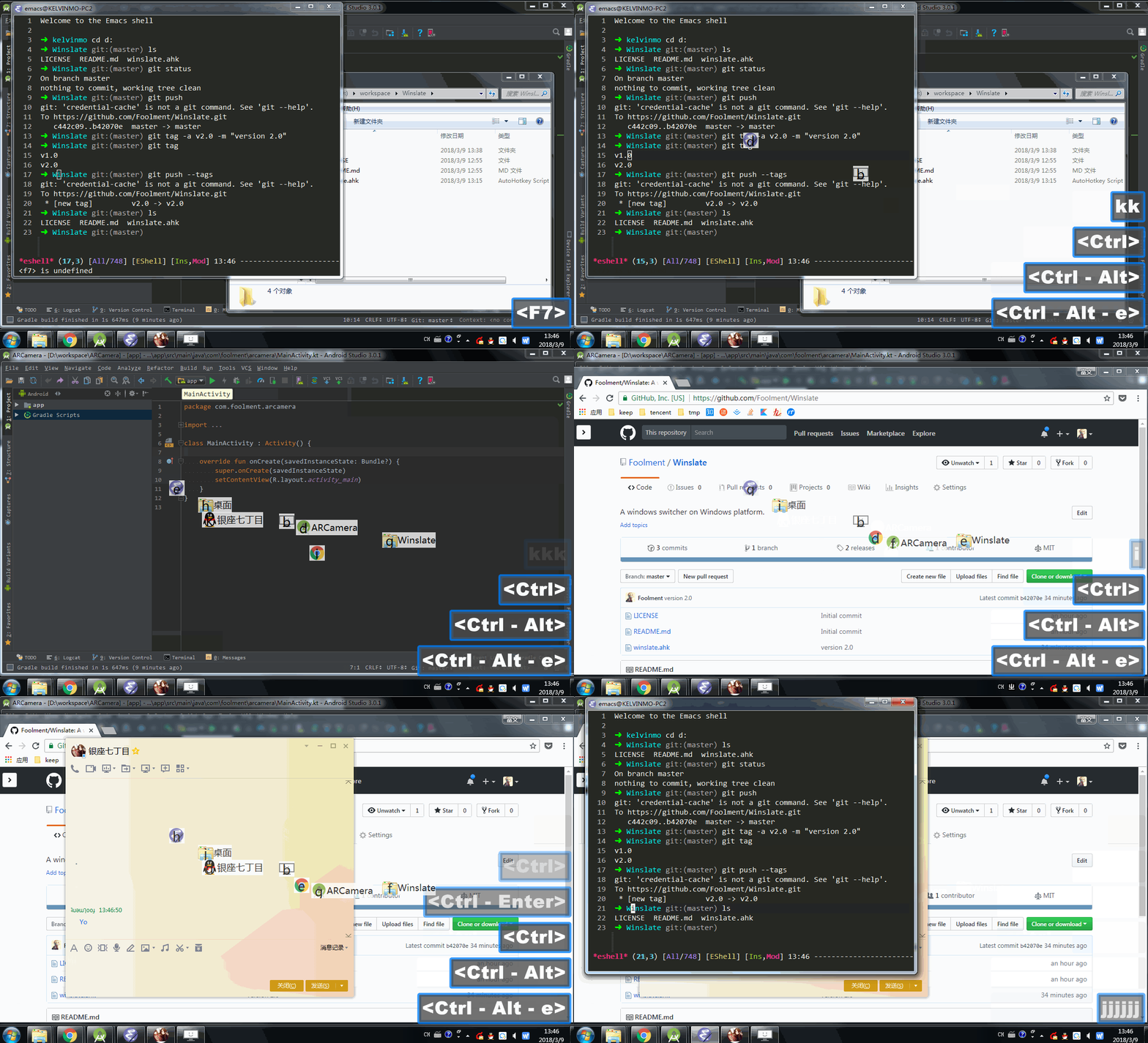
A lightweight windows switcher on Windows platform written by [AutoHotKey](https://autohotkey.com/).
It's inspired by [slate](https://github.com/jigish/slate) which is a window management application working on Mas OS. I'm attracted to the Windows Hints function, so I build a little Windows version.
> As [slate](https://github.com/jigish/slate) project is stopped maintain many years I recommend [Hammerspoon](http://www.hammerspoon.org/) as alternatives. Hammerspoon is an powerful and awesome tools for automation.
## Version
2.0
## Usage
1. Run `winslate.exe`
2. Press Ctrl+Alt+E and you can see the windows hints on your screen.
3. Press the letter on hint to switch to specific window.
You can change hotkey to your favorite by modify line 5 on `winslate.ahk`:
```
; Keymap: Control+Alt+E
^!e::
```
> Please reference [Hotkeys](https://autohotkey.com/docs/Hotkeys.htm).
## Development
1. Modify `winslate.ahk`
2. Run `Ahk2Exe.exe /in winslate.ahk /icon icon.ico`(You need to install AutoHotKey first, download [here](https://autohotkey.com/download/)).