https://github.com/forattini-dev/tuiuiu.js
https://github.com/forattini-dev/tuiuiu.js
Last synced: 3 months ago
JSON representation
- Host: GitHub
- URL: https://github.com/forattini-dev/tuiuiu.js
- Owner: forattini-dev
- License: mit
- Created: 2025-12-19T15:39:39.000Z (6 months ago)
- Default Branch: main
- Last Pushed: 2026-03-11T11:13:17.000Z (3 months ago)
- Last Synced: 2026-03-11T12:54:22.068Z (3 months ago)
- Language: TypeScript
- Homepage: https://forattini-dev.github.io/tuiuiu.js/
- Size: 140 MB
- Stars: 6
- Watchers: 0
- Forks: 0
- Open Issues: 4
-
Metadata Files:
- Readme: README.md
- Funding: .github/FUNDING.yml
- License: LICENSE
Awesome Lists containing this project
README
# 🐦 Tuiuiu
### Terminal UI Framework for the Modern Era
Build beautiful, reactive terminal apps with a Modern Component API.
**Zero dependencies** • **Signals-based** • **Flexbox layout** • **Full mouse support** • **MCP Ready**
50+ components. Pure Node.js. No C++ bindings. AI-powered development.
[](https://www.npmjs.com/package/tuiuiu.js)
[](https://www.npmjs.com/package/tuiuiu.js)
[](https://www.typescriptlang.org/)
[](https://nodejs.org/)
[](https://github.com/forattini-dev/tuiuiu.js/blob/main/LICENSE)
[](https://www.npmjs.com/package/tuiuiu.js)
[📖 Documentation](https://forattini-dev.github.io/tuiuiu.js) · [🚀 Quick Start](#quick-start) · [🎨 Storybook](#storybook) · [🤖 MCP Server](#mcp-server)
---
## Quick Start
```bash
npm install tuiuiu.js
```
```typescript
import { render, Box, Text, useState, useInput, useApp, setTheme, darkTheme } from 'tuiuiu.js';
// ⚠️ IMPORTANT: Set theme BEFORE render() for proper input handling!
setTheme(darkTheme);
function Counter() {
// useState persists across re-renders (it's a hook!)
const [count, setCount] = useState(0);
const { exit } = useApp();
useInput((char, key) => {
if (key.upArrow) setCount(c => c + 1);
if (key.downArrow) setCount(c => c - 1);
if (key.escape) exit();
});
return Box({ flexDirection: 'column', padding: 1, borderStyle: 'round' },
Text({ color: 'cyan', bold: true }, '🐦 Tuiuiu Counter'),
Text({ color: 'yellow', marginTop: 1 }, `Count: ${count()}`),
Text({ color: 'gray', dim: true }, '↑/↓: change • Esc: exit')
);
}
const { waitUntilExit } = render(Counter);
await waitUntilExit();
```
> ⚠️ **Critical**: Always call `setTheme()` before `render()` for proper input handling!
## Terminal Images
`tuiuiu.js` can render raster images directly inside compatible terminals such as Kitty, WezTerm, iTerm2, and Sixel terminals. The `TerminalImage` component negotiates the best backend available and falls back to colored half-blocks when protocol graphics are unavailable.
```typescript
import { Panel, TerminalImage, loadImageFile, render } from 'tuiuiu.js';
const image = await loadImageFile('./tests/tuiuiu.png');
render(() =>
Panel({ title: 'Preview', width: 40, height: 14 },
TerminalImage({
source: image,
width: 'fill',
height: 'fill',
fit: 'contain',
})
)
);
```
`loadImageFile()` uses `ffprobe` and `ffmpeg` when available, so the core package stays zero-deps while still giving you a practical path from `PNG/JPEG/WebP` into RGBA.
## What's Inside
| Category | Features |
|:---------|:---------|
| **Core** | Signal-based reactivity, Flexbox layout engine, Focus management, Event system |
| **Primitives** | Box, Text, Spacer, Newline, Fragment, Divider, Canvas |
| **Atoms** | Button, TextInput, Switch, Slider, Spinner, ProgressBar, Timer, Tooltip |
| **Molecules** | Select, MultiSelect, RadioGroup, Autocomplete, Table, Tabs, Tree, Calendar, CodeBlock, Markdown |
| **Organisms** | Modal, CommandPalette, DataTable, FileManager, SplitPanel, ScrollArea, Grid, OverlayStack |
| **Templates** | AppShell, Page, Header, StatusBar, VStack, HStack, Center, FullScreen |
| **Data Viz** | BarChart, LineChart, Sparkline, Heatmap, Gauge, BigText, Digits |
| **DevTools** | Layout Inspector, Event Logger, Performance Metrics, Component Storybook |
## Real-World Examples
Build terminal apps that feel native. These examples recreate familiar CLI tools entirely in Tuiuiu:
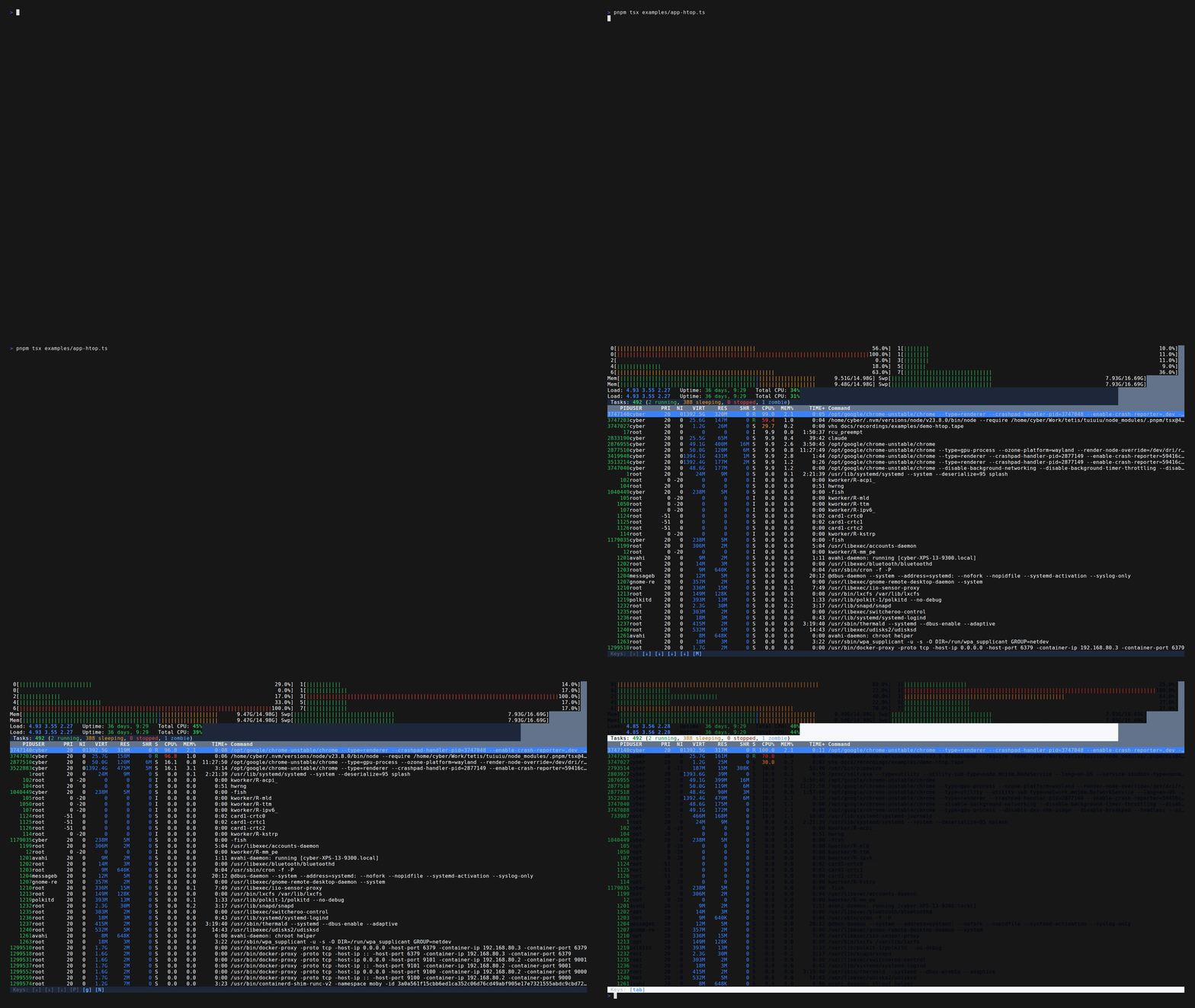
📊 htop
Process Monitor
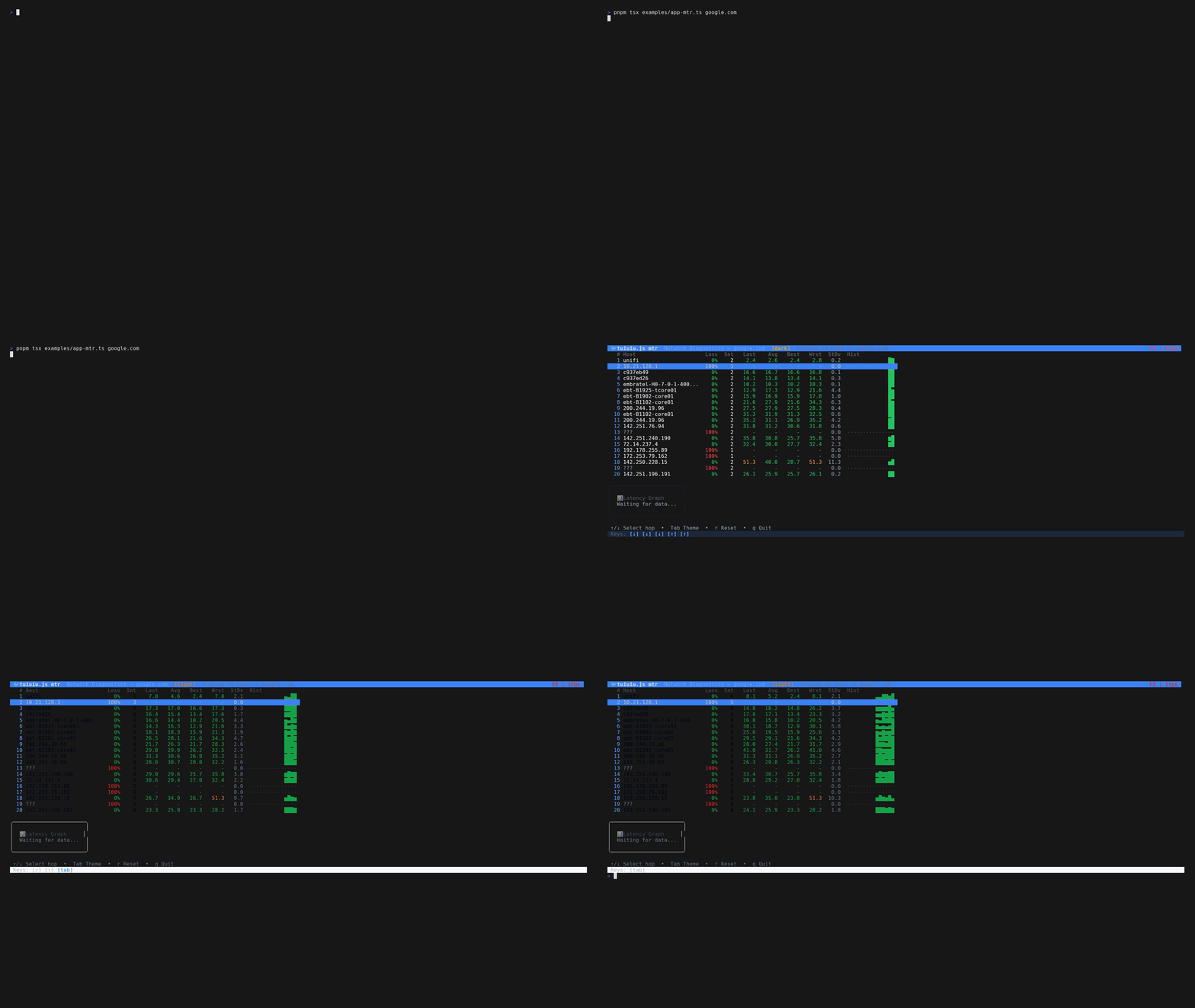
🌐 mtr
Network Diagnostics
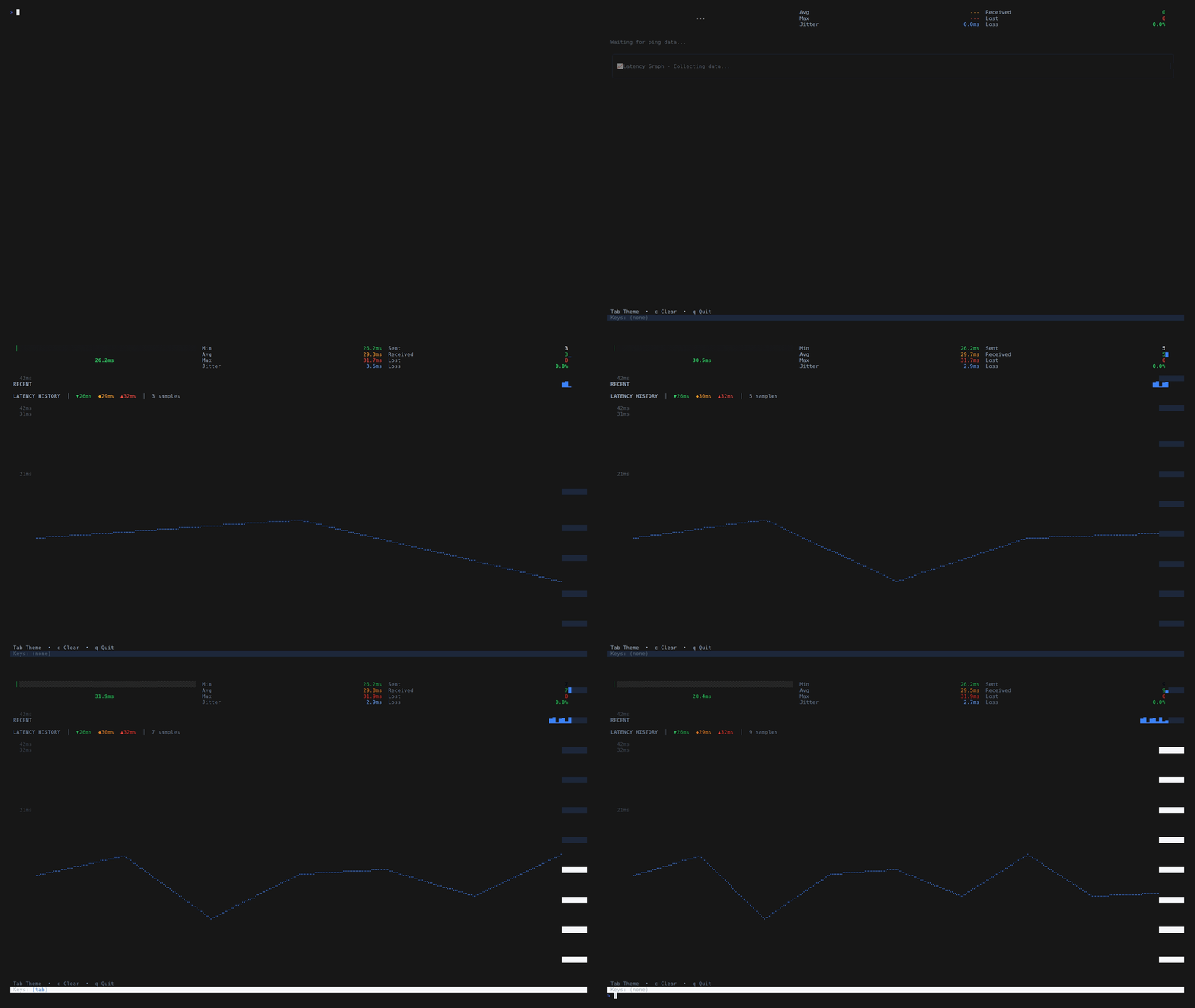
📡 ping
Network Latency
```bash
# Try them yourself
pnpm tsx examples/app-htop.ts # Process monitor with live updates
pnpm tsx examples/app-mtr.ts # Network route tracer
pnpm tsx examples/app-ping.ts # Network latency monitor
pnpm example tuiuiu-invaders # Literal ASCII Space Invaders
pnpm example tuiuiu-meteor # Asteroids-style meteor splitter
pnpm example tuiuiu-sideblaster # Horizontal shoot'em up
```
## Gallery
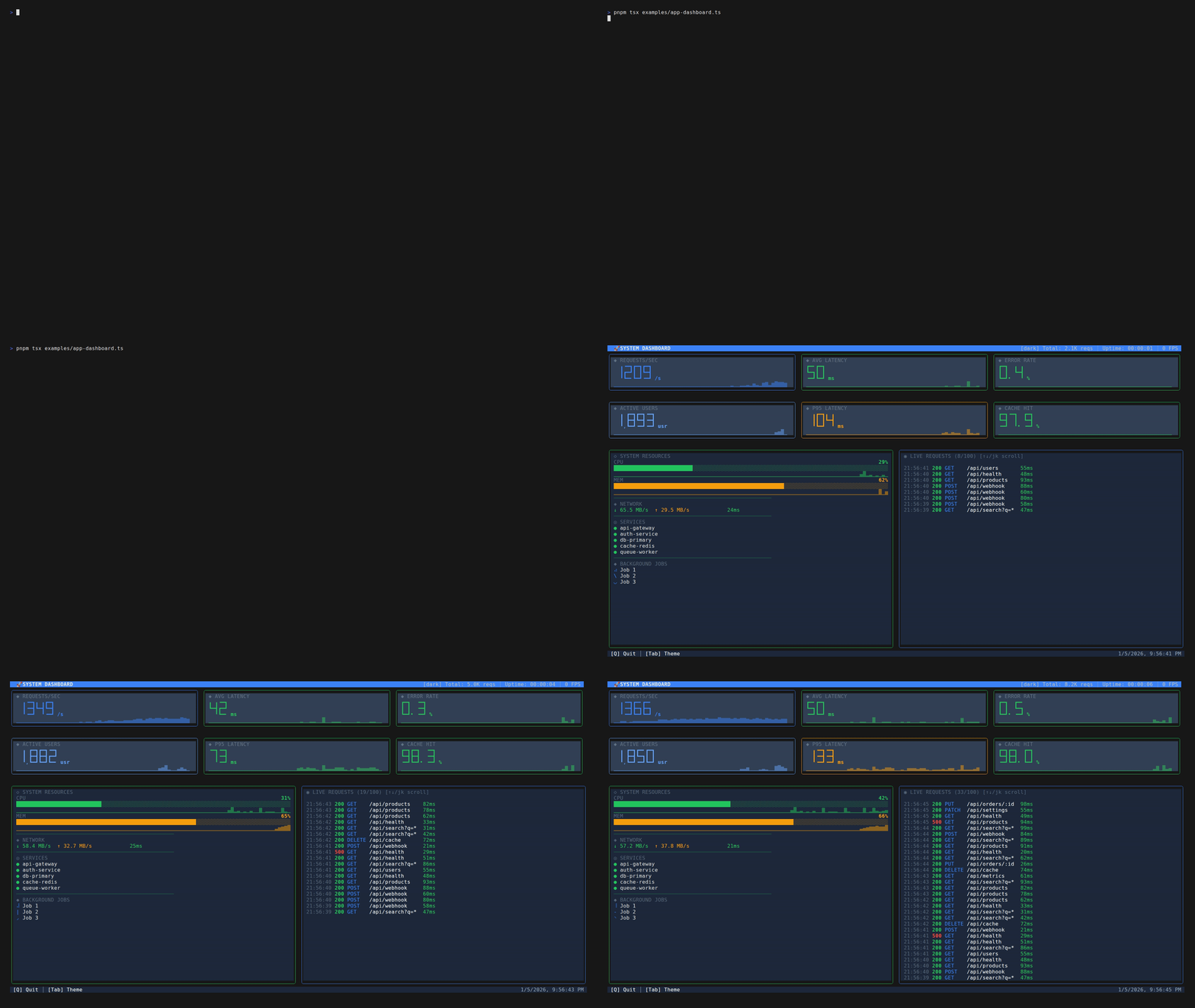
📊 Real-time Dashboard
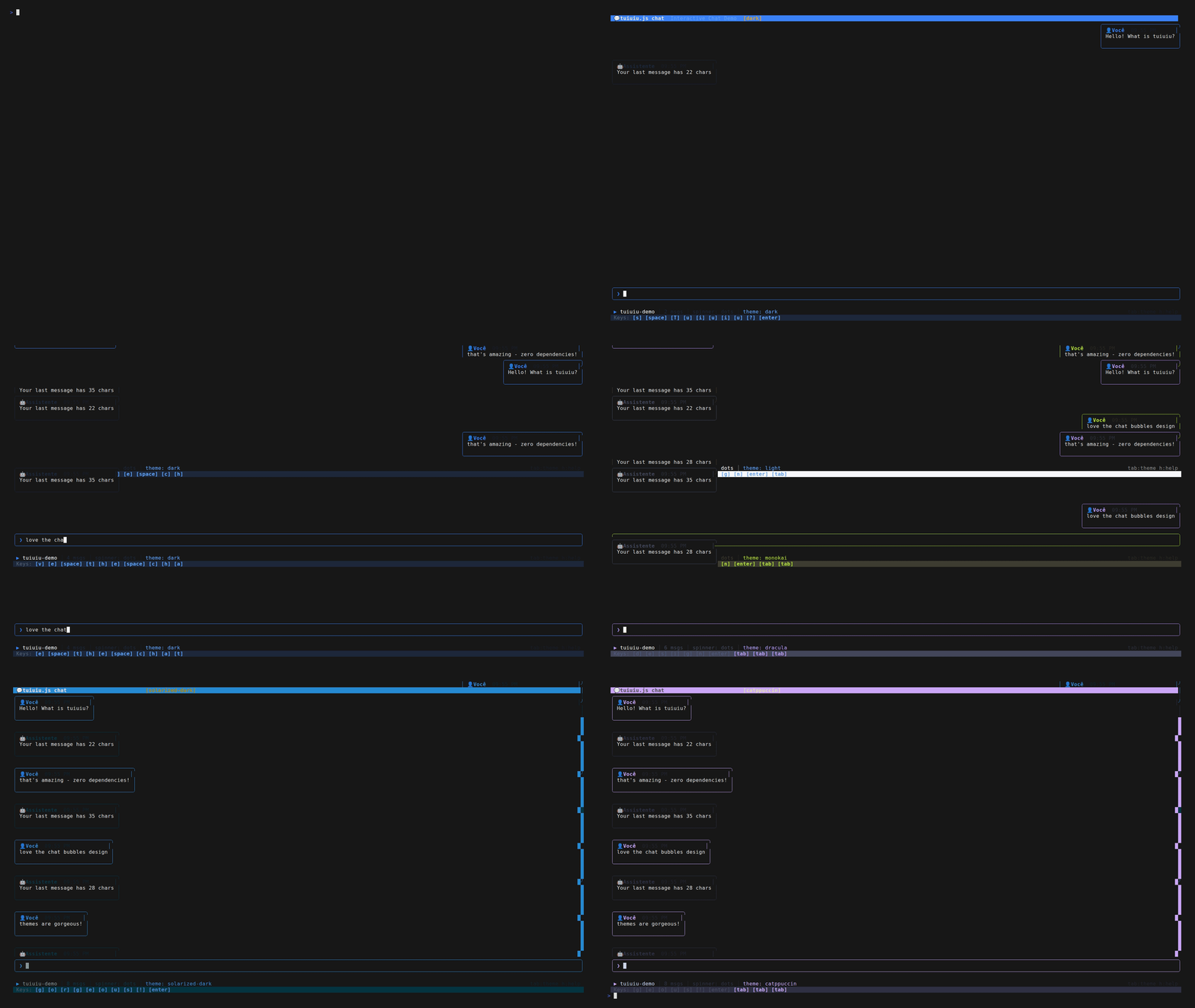
💬 Chat Application
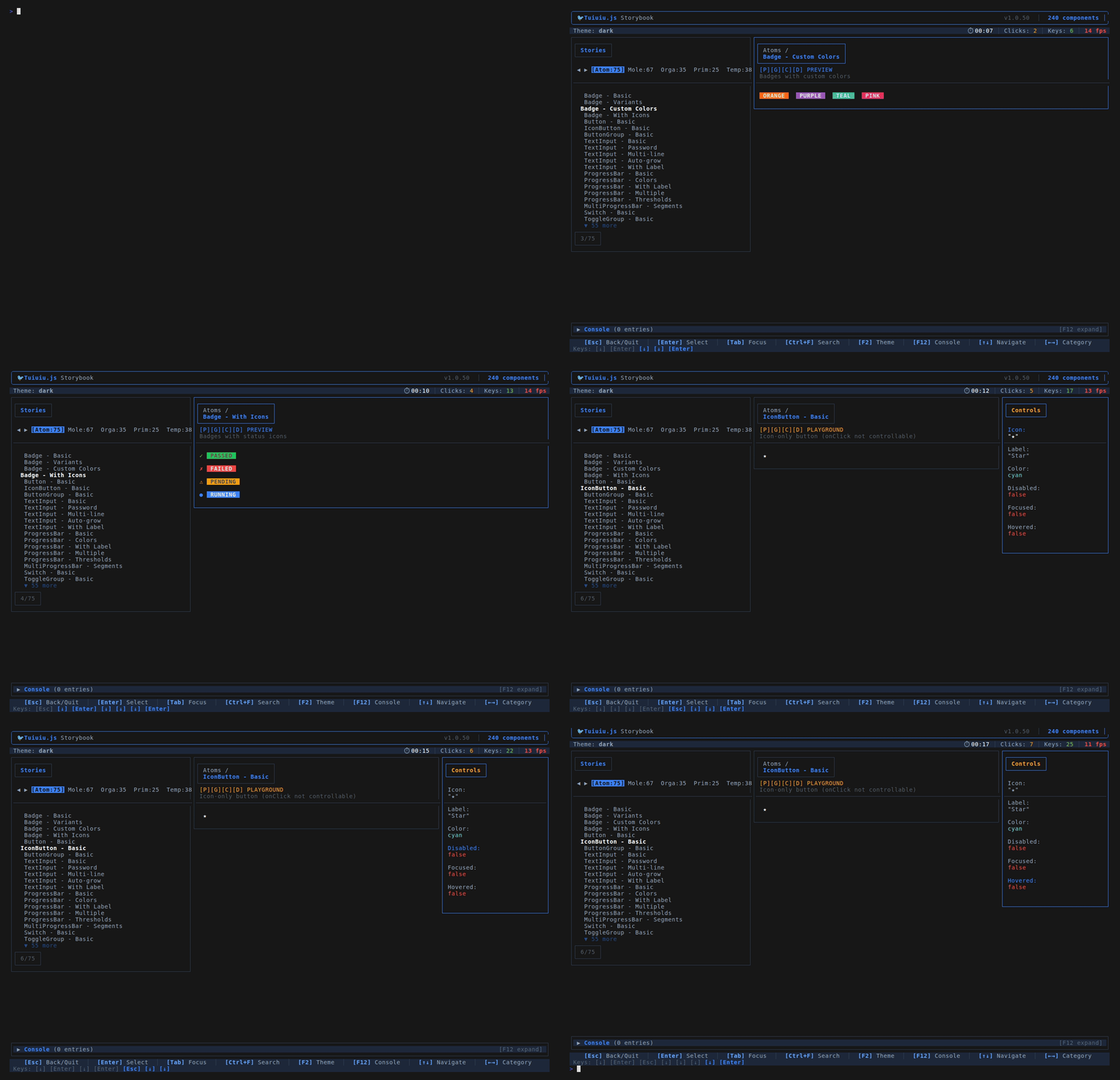
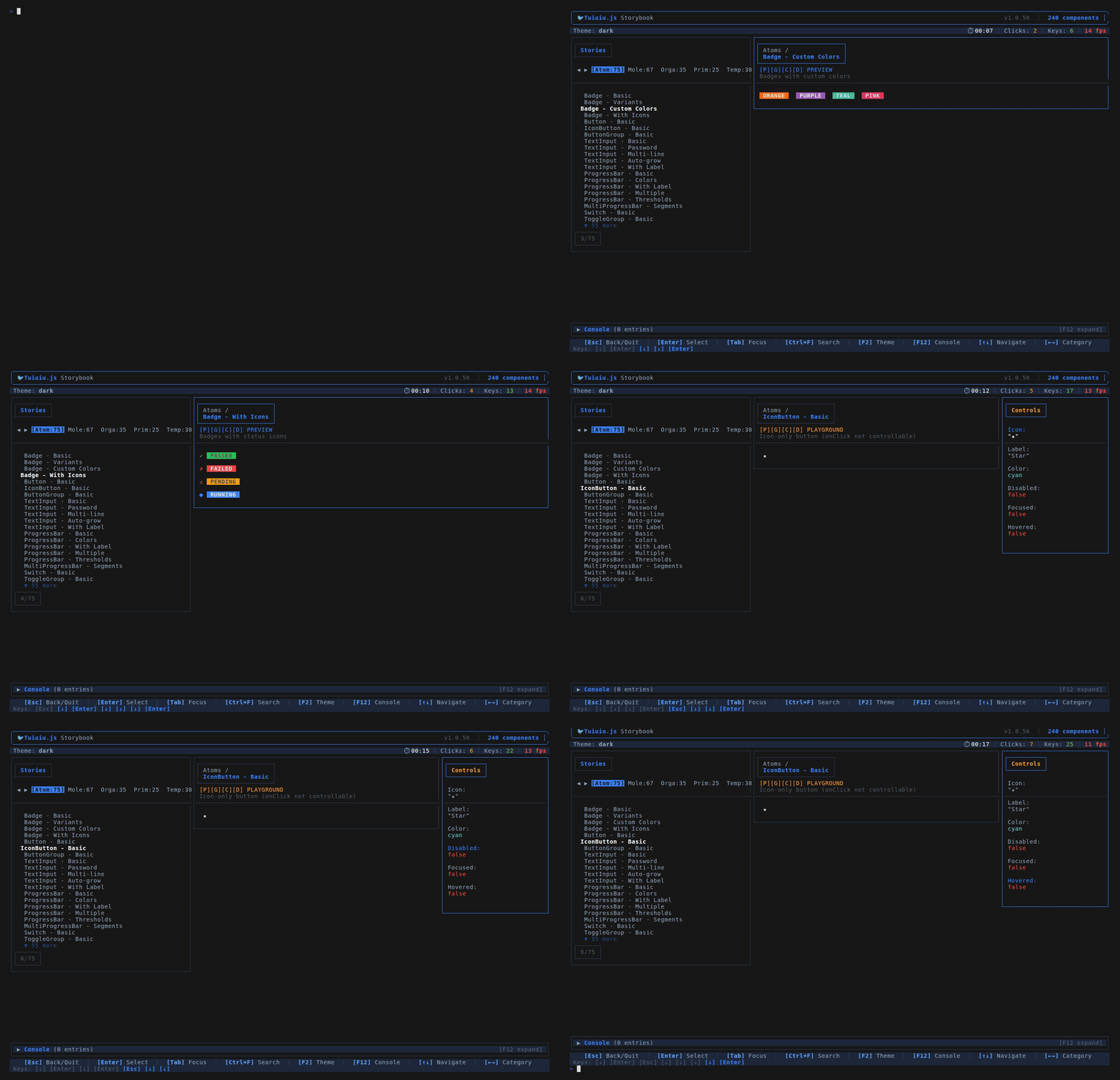
🎨 Component Storybook
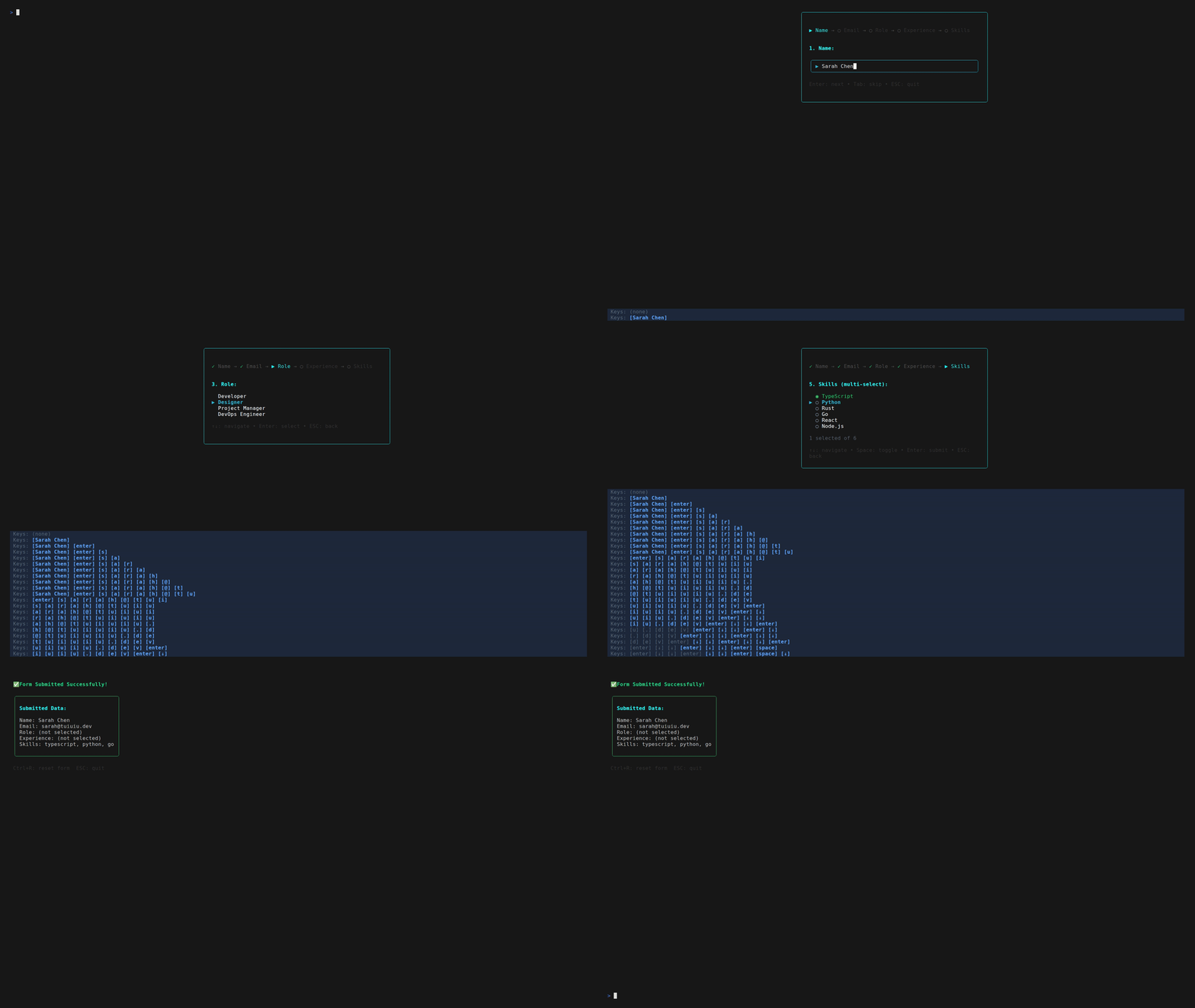
📝 Interactive Forms
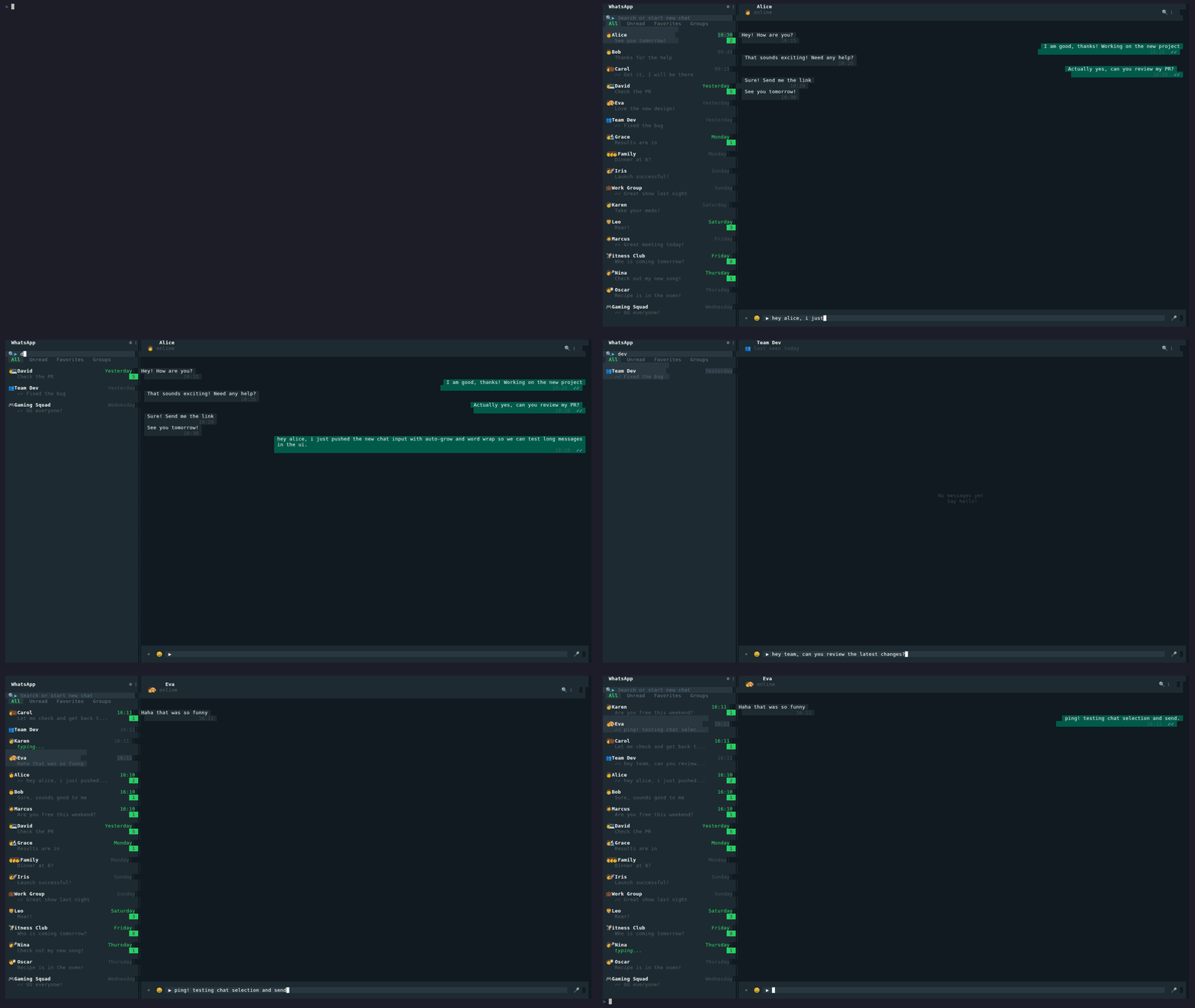
💚 WhatsApp Clone
🖌️ Drawing Canvas

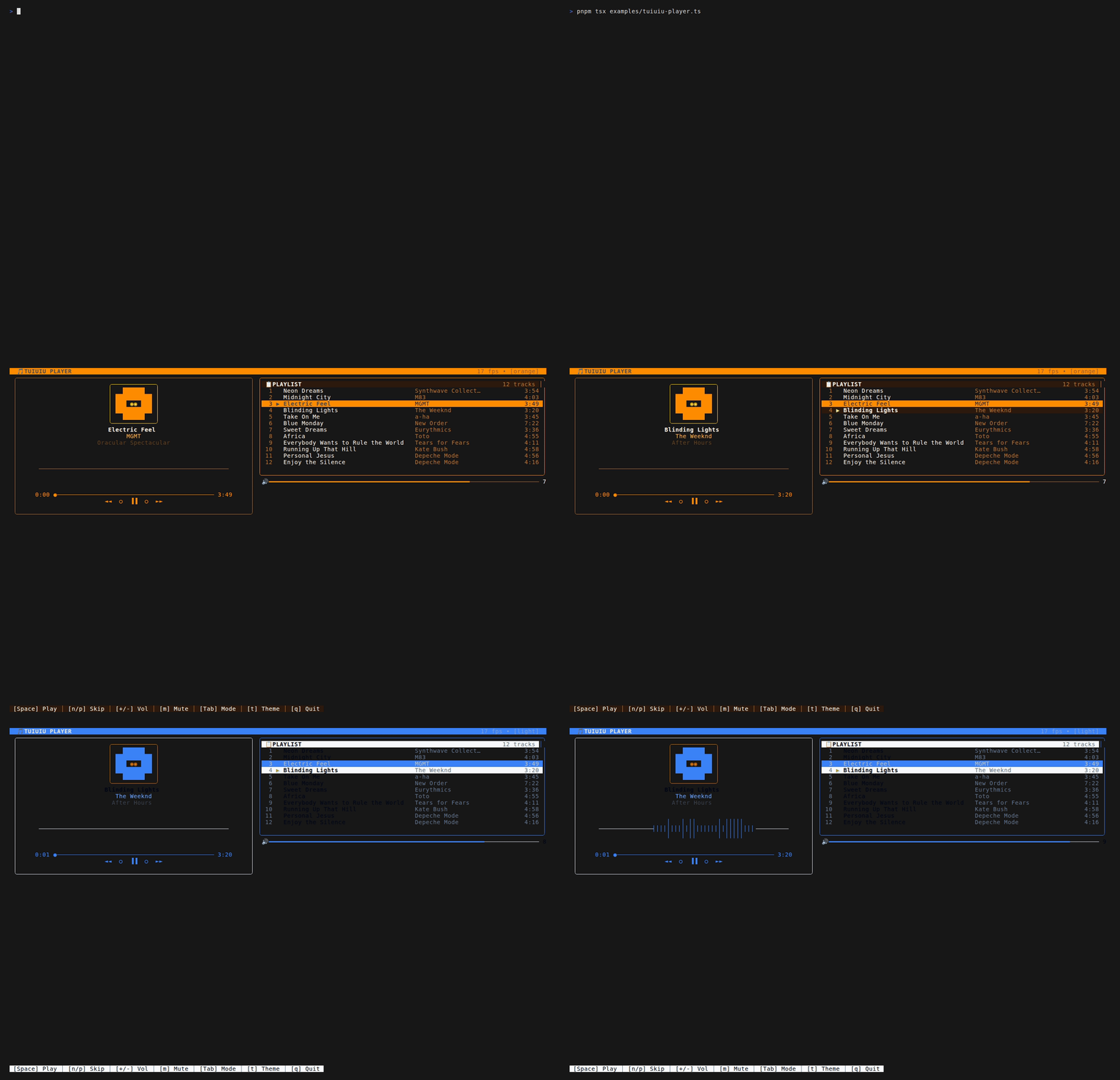
🎵 Music Player
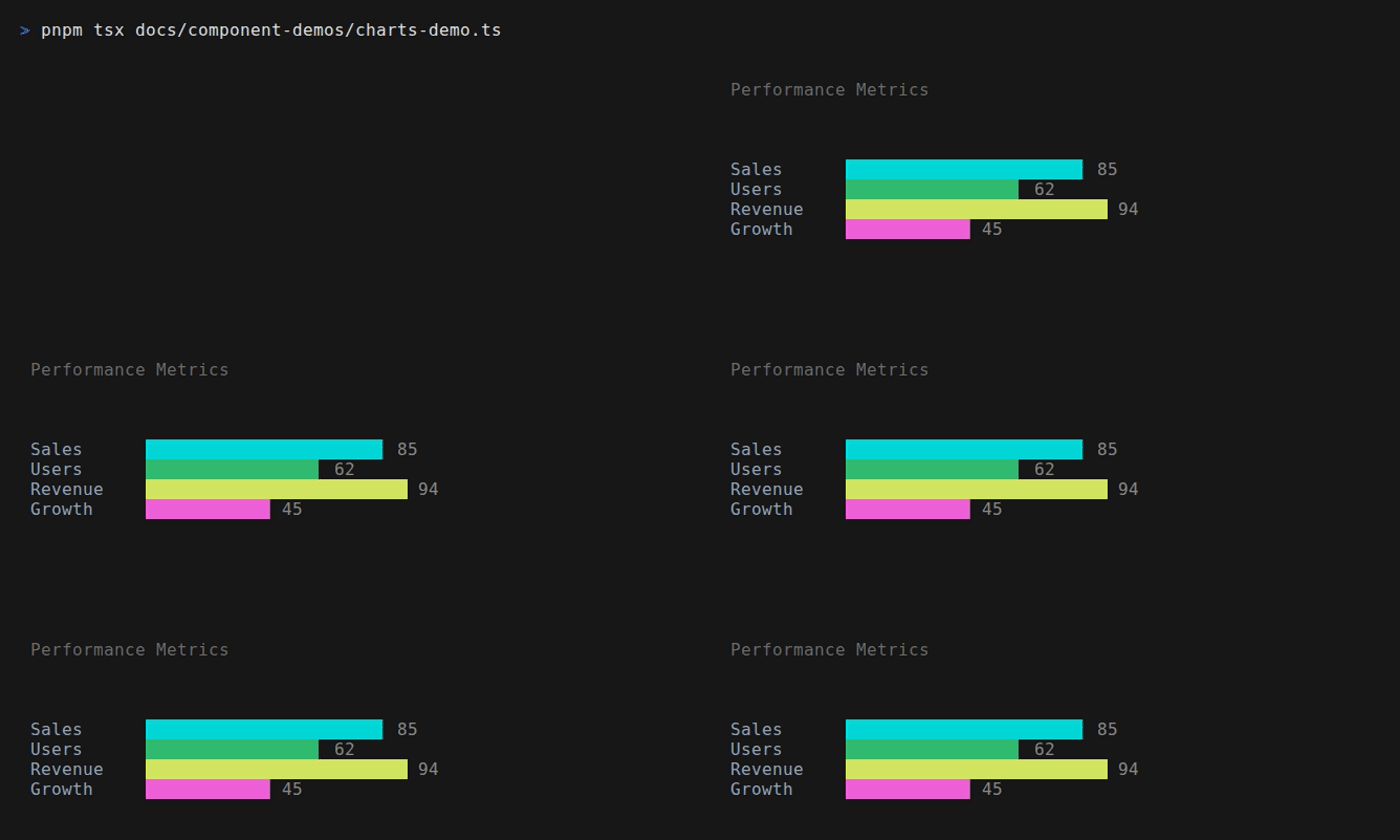
📊 Data Visualization
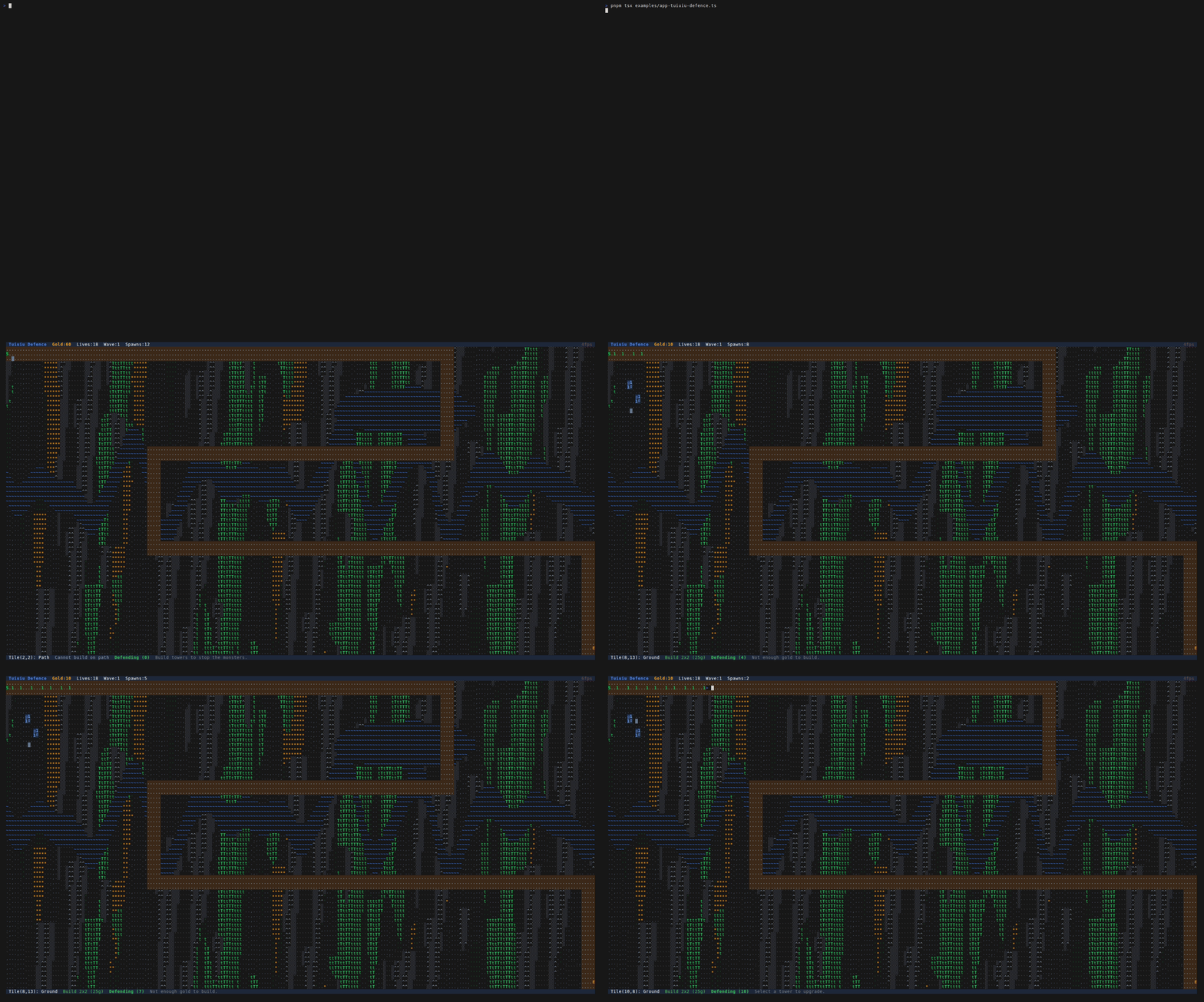
🏰 Tuiuiu Defence
Tower Defense Game
👾 Tuiuiu Invaders
Literal Space Invaders Clone
pnpm example tuiuiu-invaders
☄️ Tuiuiu Meteor
Asteroids-style Meteor Splitter
pnpm example tuiuiu-meteor
🚀 Tuiuiu Sideblaster
Horizontal Shoot'em Up Showcase
pnpm example tuiuiu-sideblaster
## Highlights
### ⚡ Signal-based Reactivity
Fine-grained reactivity without Virtual DOM overhead. Only what changes gets updated.
```typescript
import { createSignal, createEffect } from 'tuiuiu.js';
// createSignal at module level = shared/global state
const [count, setCount] = createSignal(0);
const doubled = () => count() * 2;
createEffect(() => console.log(`Count: ${count()}, Doubled: ${doubled()}`));
setCount(5); // → "Count: 5, Doubled: 10"
```
> **Note:** Use `useState()` for component-local state, `createSignal()` at module level for shared state. Never use `createSignal()` inside components — it will be recreated on every render!
### 📦 Flexbox Layout
Build complex layouts with the CSS Flexbox model you already know.
```typescript
Box({
flexDirection: 'row',
justifyContent: 'space-between',
alignItems: 'center',
gap: 2,
padding: 1
},
Text({ color: 'blue' }, 'Left'),
Box({ flexGrow: 1 }),
Text({ color: 'red' }, 'Right')
)
```
### 🎨 50+ Ready-to-Use Components
From simple buttons to complex data tables, everything is included.
```typescript
import { Select, Modal, DataTable, CommandPalette } from 'tuiuiu.js';
// Dropdown select
Select({
items: [
{ label: 'Option A', value: 'a' },
{ label: 'Option B', value: 'b' },
],
onSelect: (item) => console.log(item)
});
// Command palette (⌘K style)
CommandPalette({
commands: [
{ id: 'new', label: 'New File', shortcut: 'Ctrl+N' },
{ id: 'open', label: 'Open File', shortcut: 'Ctrl+O' },
],
onSelect: (cmd) => handleCommand(cmd)
});
```
### 🖱️ Full Mouse Support
Click, hover, scroll, drag — all mouse events work out of the box.
```typescript
Box({
borderStyle: 'round',
onClick: () => console.log('Clicked!'),
onMouseEnter: () => setHover(true),
onMouseLeave: () => setHover(false),
onScroll: (delta) => scrollBy(delta),
},
Text({}, hover() ? '🔥 Hovering!' : 'Hover me')
)
```
### 📊 Data Visualization
Render charts and graphs directly in the terminal.
```typescript
import { BarChart, Sparkline, Gauge } from 'tuiuiu.js';
BarChart({
data: [
{ label: 'Mon', value: 10 },
{ label: 'Tue', value: 25 },
{ label: 'Wed', value: 15 },
],
color: 'cyan',
showValues: true
});
Sparkline({ data: [1, 5, 2, 8, 3, 9], width: 20, style: 'braille' });
Gauge({ value: 75, max: 100, label: 'CPU', color: 'green' });
```
### 🎨 Terminal Colors API (Standalone)
Zero-dependency ANSI colors for CLI tools. Use it without the full UI framework.
```typescript
import { red, bold, compose, c, tpl } from 'tuiuiu.js/colors';
// Simple functions
console.log(red('Error!'));
console.log(bold('Important'));
// Composition
const errorStyle = compose(red, bold);
console.log(errorStyle('Critical failure!'));
// Chainable API
console.log(c.red.bold('Critical!'));
console.log(c.bgBlue.white('Info'));
console.log(c.hex('#ff6600')('Orange'));
// Template literal
console.log(tpl`{red Error:} Something went wrong`);
// Theme-aware colors
import { theme, tw } from 'tuiuiu.js/colors';
console.log(theme.primary('Action'));
console.log(tw.blue[500]('Tailwind Blue'));
```
### 🏗️ Atomic Design + Tree Shaking
Components organized in a clear hierarchy. Import only what you need — unused code is automatically removed from your bundle.
```typescript
// Import everything (convenient for development)
import { Box, Button, Modal } from 'tuiuiu.js';
// Import by layer (optimized bundles)
import { Box, Text } from 'tuiuiu.js/primitives';
import { Button, Spinner } from 'tuiuiu.js/atoms';
import { Select, Table } from 'tuiuiu.js/molecules';
import { Modal, DataTable } from 'tuiuiu.js/organisms';
import { AppShell, Page } from 'tuiuiu.js/templates';
// Core systems
import { createSignal, createEffect } from 'tuiuiu.js/core';
import { useState, useInput, useMouse } from 'tuiuiu.js/hooks';
import { render, renderOnce } from 'tuiuiu.js/app';
// Utilities & extras
import { measureText, getVisibleWidth } from 'tuiuiu.js/utils';
import { BarChart, Gauge } from 'tuiuiu.js/design-system';
```
All subpath imports
| Import | Contents |
|:-------|:---------|
| `tuiuiu.js` | Everything (main entry) |
| `tuiuiu.js/primitives` | Box, Text, Spacer, Fragment, Divider, Canvas |
| `tuiuiu.js/atoms` | Button, TextInput, Switch, Slider, Spinner, ProgressBar, Timer |
| `tuiuiu.js/molecules` | Select, MultiSelect, Table, Tabs, Tree, Calendar, CodeBlock |
| `tuiuiu.js/organisms` | Modal, CommandPalette, DataTable, FileManager, SplitPanel |
| `tuiuiu.js/templates` | AppShell, Page, VStack, HStack, StatusBar |
| `tuiuiu.js/core` | createSignal, createEffect, batch, calculateLayout |
| `tuiuiu.js/hooks` | useState, useEffect, useInput, useMouse, useFocus |
| `tuiuiu.js/app` | render, renderOnce, useApp |
| `tuiuiu.js/utils` | Text measurement, ANSI utilities |
| `tuiuiu.js/colors` | Terminal ANSI colors (standalone, zero dependencies) |
| `tuiuiu.js/design-system` | Full design system (charts, forms, navigation) |
| `tuiuiu.js/storybook` | Component explorer utilities |
### 🔄 Centralized Store
Built-in state management for complex applications.
```typescript
import { createStore } from 'tuiuiu.js';
const reducer = (state = { count: 0 }, action) => {
switch (action.type) {
case 'INCREMENT': return { count: state.count + 1 };
case 'DECREMENT': return { count: state.count - 1 };
default: return state;
}
};
const store = createStore(reducer, { count: 0 });
store.subscribe(() => console.log(store.state()));
store.dispatch({ type: 'INCREMENT' });
```
## MCP Server
> **Build terminal UIs with AI.** Tuiuiu includes a native [Model Context Protocol](https://modelcontextprotocol.io) server that lets Claude and other AI assistants help you build terminal applications.
```bash
# Start the MCP server
npx tuiuiu.js@latest mcp
```
Add to your `.mcp.json` for Claude Code integration:
```json
{
"mcpServers": {
"tuiuiu": {
"command": "npx",
"args": ["tuiuiu", "mcp"]
}
}
}
```
Now Claude has full access to Tuiuiu's 50+ components, hooks, themes, and examples. Ask it to build dashboards, forms, file browsers, or any terminal UI — it knows the API.
**Available tools:** `tuiuiu_list_components`, `tuiuiu_get_component`, `tuiuiu_get_hook`, `tuiuiu_search`, `tuiuiu_list_themes`, `tuiuiu_create_theme`, `tuiuiu_getting_started`, `tuiuiu_quickstart`, `tuiuiu_version`, `tuiuiu_api_patterns`
### Debug with MCP Inspector
Test and explore the MCP server interactively using the official [MCP Inspector](https://github.com/modelcontextprotocol/inspector):
```bash
npx @modelcontextprotocol/inspector npx tuiuiu.js@latest mcp
```
This opens a web UI where you can browse tools, test resources, and inspect the full MCP capabilities.
[→ Full MCP Documentation](https://forattini-dev.github.io/tuiuiu.js/#/core/mcp)
## Storybook
Tuiuiu includes a built-in component storybook for exploring all components:
```bash
# Run the storybook
npx tuiuiu storybook
```
Navigate through categories, see live previews, and copy code examples.
## Examples
```bash
# Clone and explore
git clone https://github.com/forattini-dev/tuiuiu.js
cd tuiuiu.js
pnpm install
# Real-world apps (featured)
pnpm tsx examples/app-htop.ts # Process monitor (htop clone)
pnpm tsx examples/app-mtr.ts # Network tracer (mtr clone)
pnpm tsx examples/app-ping.ts # Latency monitor (ping clone)
pnpm tsx examples/app-dashboard.ts # Real-time dashboard
pnpm tsx examples/app-chat.ts # Chat application
pnpm tsx examples/tuiuiu-player.ts # Music player with waveform
```
## Documentation
| Topic | Link |
|:------|:-----|
| Quick Start | [→ Getting Started](https://forattini-dev.github.io/tuiuiu.js/#/getting-started/quick-start) |
| Components | [→ Component Reference](https://forattini-dev.github.io/tuiuiu.js/#/components/overview) |
| Hooks | [→ Hooks API](https://forattini-dev.github.io/tuiuiu.js/#/hooks/use-input) |
| Signals | [→ Reactive State](https://forattini-dev.github.io/tuiuiu.js/#/core/signals) |
| Layout | [→ Flexbox Guide](https://forattini-dev.github.io/tuiuiu.js/#/core/layout) |
| Theming | [→ Theme System](https://forattini-dev.github.io/tuiuiu.js/#/core/theming) |
| Storybook | [→ Component Explorer](https://forattini-dev.github.io/tuiuiu.js/#/core/storybook) |
| MCP Server | [→ AI Integration](https://forattini-dev.github.io/tuiuiu.js/#/core/mcp) |
## Why "Tuiuiu"?
The [Tuiuiu](https://en.wikipedia.org/wiki/Jabiru) (Jabiru mycteria) is a majestic Brazilian bird — the tallest flying bird in South America. Just like this bird stands out in its environment, Tuiuiu stands out in the terminal UI landscape: elegant, powerful, and distinctly Brazilian.
## License
MIT © [Forattini](https://forattini.dev)