https://github.com/forecho/pacountdown
https://github.com/forecho/pacountdown
Last synced: 11 months ago
JSON representation
- Host: GitHub
- URL: https://github.com/forecho/pacountdown
- Owner: forecho
- Created: 2025-06-16T18:50:03.000Z (about 1 year ago)
- Default Branch: main
- Last Pushed: 2025-06-29T02:44:05.000Z (about 1 year ago)
- Last Synced: 2025-08-10T13:55:14.869Z (12 months ago)
- Language: Swift
- Size: 4.59 MB
- Stars: 5
- Watchers: 0
- Forks: 2
- Open Issues: 0
-
Metadata Files:
- Readme: README.md
Awesome Lists containing this project
README
# PACountdown
A 5-minute candlestick countdown timer for stock traders, built for macOS.
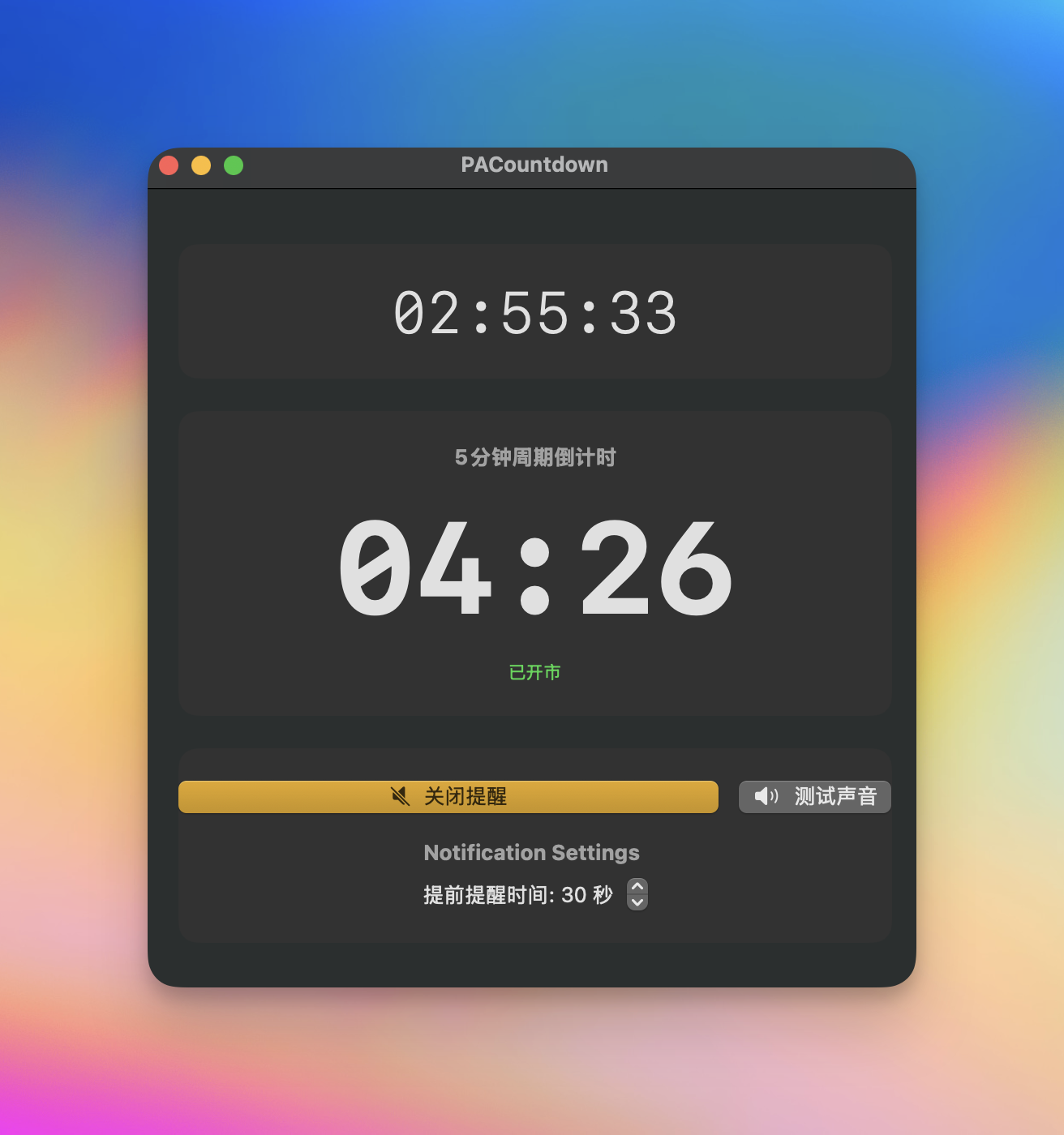
This app provides a simple, clean interface to help traders track 5-minute intervals, synchronized with real-world market time.
## Features
- **Automatic 5-Minute Countdown**: Automatically syncs to the 5-minute intervals of the clock (e.g., xx:00, xx:05, xx:10). When launched, it calculates the remaining time in the current interval.
- **Market Hours Awareness**: The timer automatically runs only during US stock market hours (Mon-Fri, 9:30 AM - 4:00 PM ET).
- **Sound Alerts**: Get an audible notification in the final seconds before a 5-minute interval ends.
- The pre-notification time is adjustable (default: 10 seconds).
- Sound alerts can be muted/unmuted anytime without stopping the timer.
- **Status Display**:
- Shows whether the market is currently "Open" or "Closed".
- Displays the current system time.
## How to Use
1. **Download**: Go to the [Releases](https://github.com/forecho/PACountdown/releases) page and download the latest version.
2. **Install**: Unzip the file and move `PACountdown.app` to your Applications folder.
3. **Run**: Since the app is not from the App Store, you may need to right-click the app icon and select "Open" the first time you run it.
## For Developers
1. Clone the repository:
```bash
git clone https://github.com/forecho/PACountdown.git
```
2. Open `PACountdown.xcodeproj` in Xcode.
3. Make sure your build target is set to "My Mac".
4. Run the project.
## Technologies Used
- SwiftUI
- Combine Framework