https://github.com/frameworkcomputer/steam-drive-mounter
Label, auto-mount your dedicated Steam library drive/partition.
https://github.com/frameworkcomputer/steam-drive-mounter
Last synced: 9 months ago
JSON representation
Label, auto-mount your dedicated Steam library drive/partition.
- Host: GitHub
- URL: https://github.com/frameworkcomputer/steam-drive-mounter
- Owner: FrameworkComputer
- License: gpl-2.0
- Created: 2024-05-18T21:42:02.000Z (about 2 years ago)
- Default Branch: main
- Last Pushed: 2025-01-23T14:47:41.000Z (over 1 year ago)
- Last Synced: 2025-09-25T02:05:10.134Z (9 months ago)
- Language: Python
- Size: 1.06 MB
- Stars: 7
- Watchers: 2
- Forks: 2
- Open Issues: 0
-
Metadata Files:
- Readme: README.md
- License: LICENSE
Awesome Lists containing this project
README
# steam-drive-mounter
## Label, auto-mount your dedicated Steam library drive/partition on a second NVMe.
(A helper script for setting up your **secondary** NMVe drive on Framework Laptop 16 [to use with Steam](https://github.com/FrameworkComputer/dri_prime1-detection/blob/main/README.md#beginner-method-for-ubuntu-lts))
### Features:
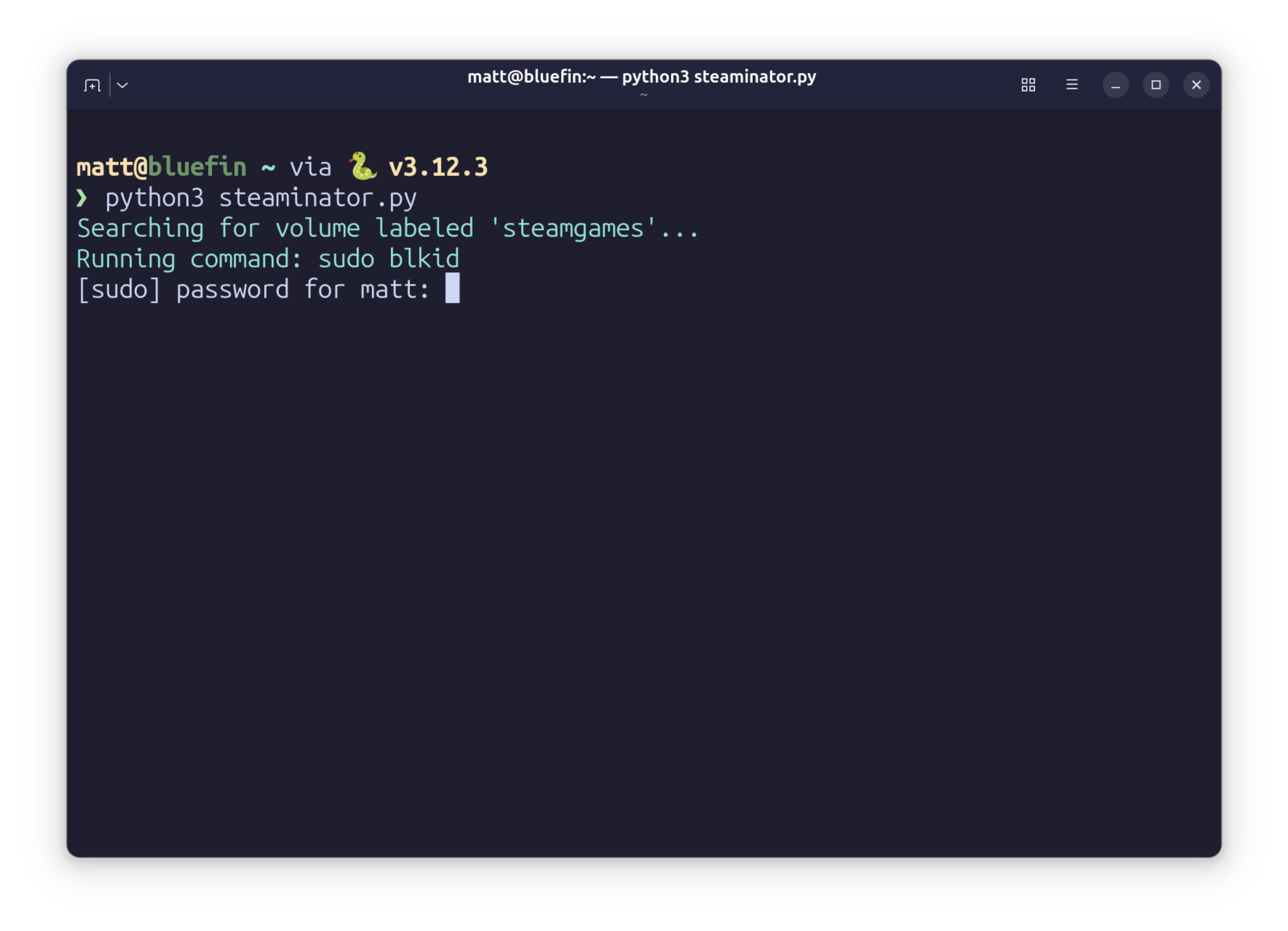
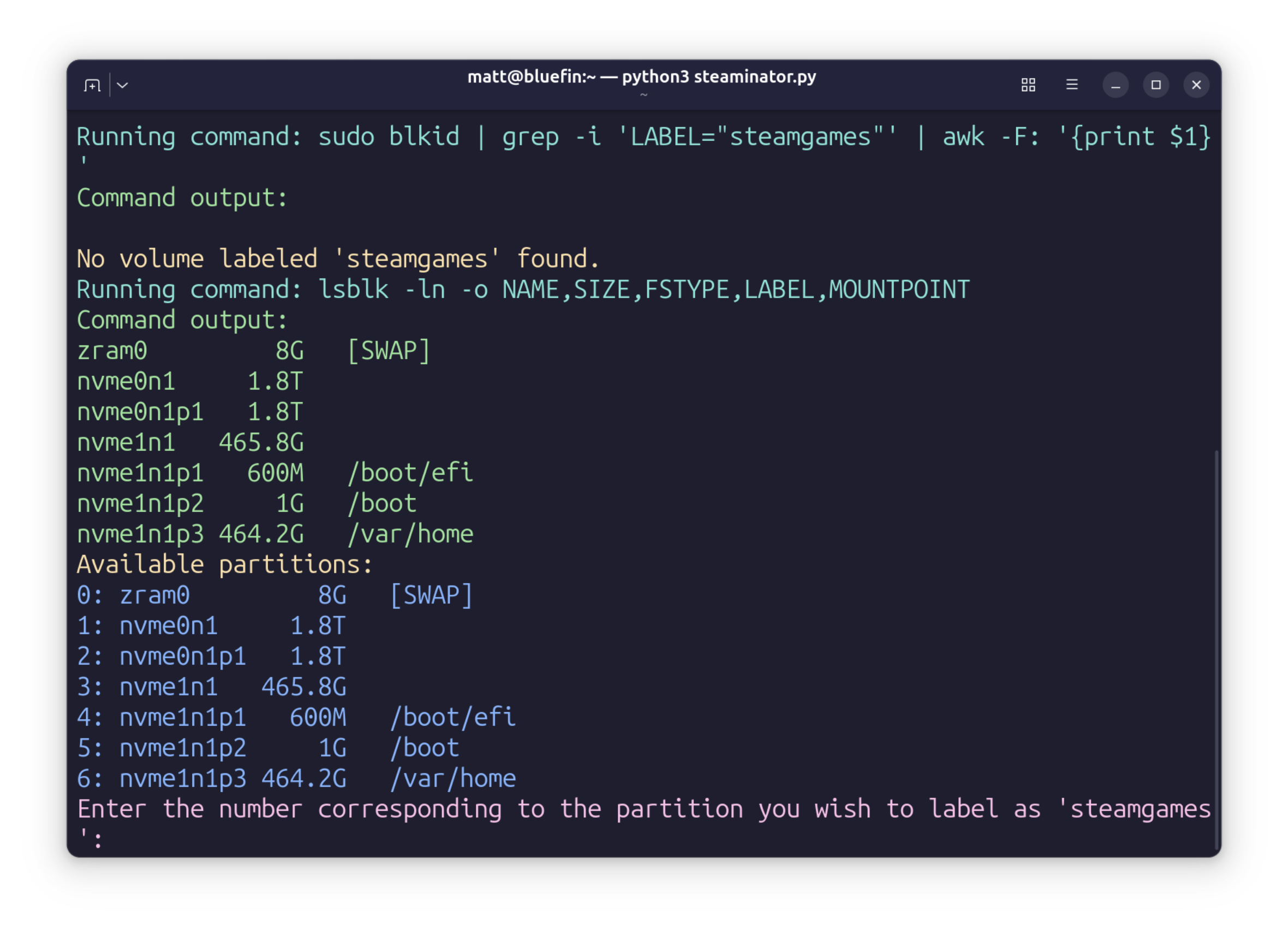
- Detects all drives and partitions available.
- Provides a CLI prompt to select your desired games partition to be used.
- Labels said partition as steamgames (only if selected and only if not already labeled as such).
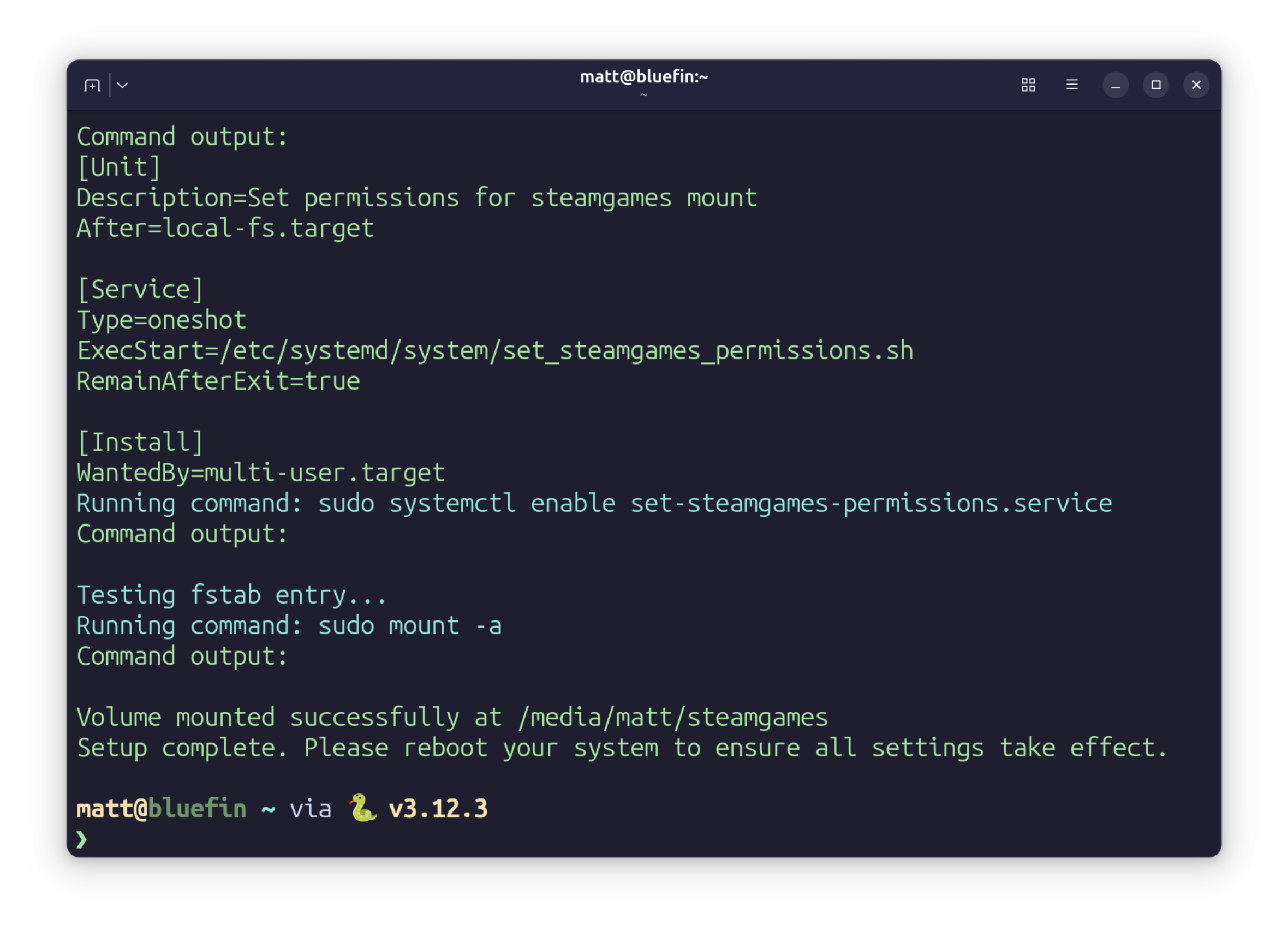
- Handles permissions and ownership automatically, plus provides the auto-mount entry in fstab.
- Creates a systemd service that checks the ownership/permissions at each boot - extreme, but it's a failsafe.
- chown $USER:$USER /media/$USER/steamgames
- chmod 700 /media/$USER/steamgames
- Seperate python script to remove the systemd service and related permission file.
### Requirements:
- Python3
- Tested on Bluefin, but should work on Fedora Workstation and Ubuntu just fine.
- Drive or partition that is formatted as ext4, ready to be used for Steam games.
### To install:
~~~
curl -s https://raw.githubusercontent.com/FrameworkComputer/steam-drive-mounter/main/steaminator.py -o steaminator.py && python3 steaminator.py
~~~
### To run it again later on without downloading again:
~~~
python3 steaminator.py
~~~
- [Back to configuring Steam Fedora.](https://github.com/FrameworkComputer/dri_prime1-detection/tree/main#configure-steam-3)
- [Back to configuring Steam Ubuntu.](https://github.com/FrameworkComputer/dri_prime1-detection/tree/main#configure-steam-1)
### To remove the install:
~~~
wget https://raw.githubusercontent.com/FrameworkComputer/steam-drive-mounter/main/mount-removal.py && chmod +x mount-removal.py
~~~
### To run removal
~~~
python3 mount-removal.py
~~~