https://github.com/franckferman/audio_splitter
🎶 A simple yet powerful tool to split audio files using FFmpeg. CLI-based audio segmentation made easy.
https://github.com/franckferman/audio_splitter
audio audio-procesing-tool audio-processing audio-processing-tools audio-processor audio-split audio-splitter ffmpeg ffmpeg-py ffmpeg-python ffmpeg-split ffmpeg-splitter ffmpeg-wrapper mp3-cutter python python3 split split-audio splitter splitter-audio
Last synced: 5 months ago
JSON representation
🎶 A simple yet powerful tool to split audio files using FFmpeg. CLI-based audio segmentation made easy.
- Host: GitHub
- URL: https://github.com/franckferman/audio_splitter
- Owner: franckferman
- License: agpl-3.0
- Created: 2024-11-09T02:33:46.000Z (over 1 year ago)
- Default Branch: stable
- Last Pushed: 2025-03-15T13:24:34.000Z (over 1 year ago)
- Last Synced: 2025-04-09T02:41:36.845Z (over 1 year ago)
- Topics: audio, audio-procesing-tool, audio-processing, audio-processing-tools, audio-processor, audio-split, audio-splitter, ffmpeg, ffmpeg-py, ffmpeg-python, ffmpeg-split, ffmpeg-splitter, ffmpeg-wrapper, mp3-cutter, python, python3, split, split-audio, splitter, splitter-audio
- Language: Python
- Homepage: https://github.com/franckferman/audio_splitter
- Size: 21.5 KB
- Stars: 3
- Watchers: 1
- Forks: 0
- Open Issues: 0
-
Metadata Files:
- Readme: README.md
- License: LICENSE
Awesome Lists containing this project
README
[![Contributors][contributors-shield]](https://github.com/franckferman/audio_splitter/graphs/contributors)
[![Forks][forks-shield]](https://github.com/franckferman/audio_splitter/network/members)
[![Stargazers][stars-shield]](https://github.com/franckferman/audio_splitter/stargazers)
[![License][license-shield]](https://github.com/franckferman/audio_splitter/blob/stable/LICENSE)
🎶 audio_splitter
A simple yet powerful tool to split audio files using FFmpeg.
CLI-based audio segmentation made easy.
## 📜 Table of Contents
Click to collapse/expand
## 📖 About
`audio_splitter` is a lightweight CLI tool built to split audio files (and automatically extract audio from video files) into smaller, fixed-duration segments using FFmpeg and the Python library ffmpeg-python.
I initially developed `audio_splitter` to complement my other project, [Whisper_Transcriber](https://github.com/franckferman/Whisper_Transcriber), enhancing the workflow for transcribing audio files via OpenAI's Whisper API. Two main motivations drove the creation of this utility:
- Whisper's API Duration Limit: Whisper API strictly limits the maximum audio duration per transcription request, necessitating prior audio segmentation.
- Clearer Cost Monitoring & Control: Splitting audio into shorter segments allows for precise monitoring of transcription costs per request, enabling better budget management and visibility into Whisper API credit usage.
`audio_splitter` seamlessly handles multiple audio formats (MP3, WAV, M4A, FLAC, etc.) and extracts audio from popular video formats (MP4, AVI, MKV, MOV), converting them automatically into MP3 segments. It thus provides a practical solution for audio management and transcription tasks.
> The primary goal of audio_splitter is to streamline and simplify audio preprocessing, offering a straightforward and effective solution to quickly segment lengthy audio and video recordings—especially when used in conjunction with tools like `Whisper_Transcriber`.
⚙️ Features of _audio_splitter_
- ✅ Quickly splits audio and video files into customizable-duration segments.
- ✅ Supports major audio formats (MP3, WAV, M4A, FLAC, and others).
- ✅ Automatically extracts and converts audio tracks from videos (MP4, AVI, MKV, MOV).
- ✅ Fast and accurate segmentation powered by FFmpeg and the Python package ffmpeg-python.
- ✅ Built-in utility for cleaning temporary files (e.g., .pyc, cache, logs).
- ✅ Intuitive and user-friendly CLI, with optional detailed logging and debug mode.
## 🚀 Installation
Before getting started, make sure you meet the following prerequisites.
### Prerequisites
1. **Python 3**: Ensure Python 3 is installed on your system.
> ⚠️ Note: audio_splitter has been tested on Python 3.11.10 under Linux. While it might work on other versions or operating systems, compatibility is officially guaranteed only for this specific setup.
2. **Dependencies**: Install the required Python dependencies using pip:
```bash
pip install -r requirements.txt
```
> ffmpeg-python requires FFmpeg to be installed on your system. Please ensure that FFmpeg is installed and accessible via your system's PATH.
### Installation Methods
1. **Clone the repository via Git**:
```bash
git clone https://github.com/franckferman/audio_splitter.git
```
### 2. **Direct Download** from GitHub
1. Go to GitHub repo.
2. Click `<> Code` → `Download ZIP`.
3. Extract the archive to your desired location.
## 🎮 Usage
Below you'll find common commands and usage examples for `audio_splitter`.
### 🚦 Quick Start
To quickly view all available commands and options:
```bash
python3 src/audio_splitter.py --help
```
### 📖 Available Commands
- split: Splits audio files into segments of customizable duration.
- clean: Cleans temporary and unwanted files from the project.
#### 🎧 Splitting Audio Files
Use the split command to split audio files into smaller segments.
##### Basic Splitting Example
Split an audio file into segments of 10 minutes (600 seconds) each:
```bash
python3 src/audio_splitter.py split ./audio/example.mp3 ./output/ --duration 600
```
##### Options Explained
| Argument | Description | Example |
| --- | --- | --- |
| `input_file` | Path to the input audio/video file | `./my_audio.mp3` |
| `output_folder` | Directory where split segments will be saved | `./output` |
| `-d, --duration` | Duration in seconds of each segment (default: 600) | `-d 300` (5-minute segments) |
| `--debug` | Enable verbose debug logging | `--debug` |
#### 🧙♂️ Advanced Example
Split a video file (e.g., MP4) by extracting audio automatically and creating 5-minute segments with debug enabled:
```bash
python3 src/audio_splitter.py split ./videos/lecture.mp4 ./segments/ --duration 300 --debug
```
#### 🧹 Cleaning Temporary Files
Use the clean command to remove temporary files from your project.
##### Basic Cleanup Example
To clean temporary files (like .pyc, __pycache__) from your current directory:
```bash
python3 src/audio_splitter.py clean
```
## 🤝 Contributing
We truly appreciate and welcome community involvement. Your contributions, feedback, and suggestions play a crucial role in improving the project for everyone. If you're interested in contributing or have ideas for enhancements, please feel free to open an issue or submit a pull request on our GitHub repository. Every contribution, no matter how big or small, is highly valued and greatly appreciated!
## 🌠 Star Evolution
Explore the star history of this project and see how it has evolved over time:
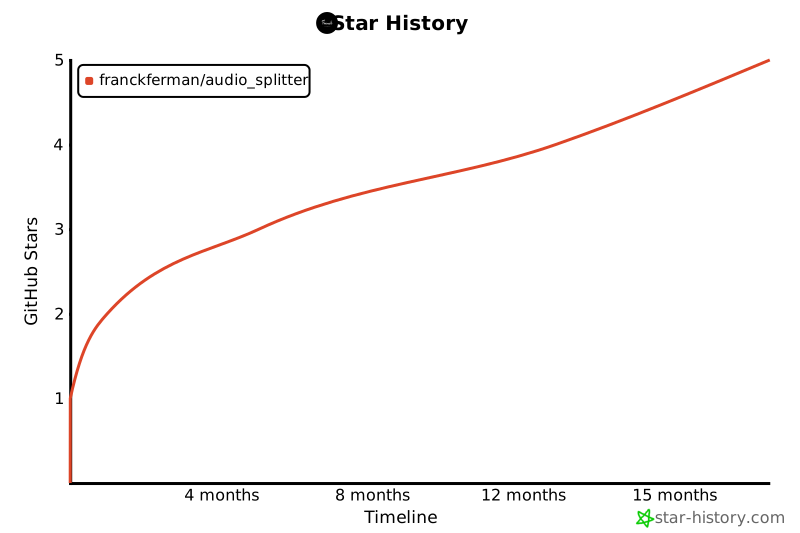
Your support is greatly appreciated. We're grateful for every star! Your backing fuels our passion. ✨
## 📚 License
This project is licensed under the GNU Affero General Public License, Version 3.0. For more details, please refer to the LICENSE file in the repository: [Read the license on GitHub](https://github.com/franckferman/audio_splitter/blob/stable/LICENSE)
## 📞 Contact
[![ProtonMail][protonmail-shield]](mailto:contact@franckferman.fr)
[![LinkedIn][linkedin-shield]](https://www.linkedin.com/in/franckferman)
[![Twitter][twitter-shield]](https://www.twitter.com/franckferman)
[contributors-shield]: https://img.shields.io/github/contributors/franckferman/audio_splitter.svg?style=for-the-badge
[contributors-url]: https://github.com/franckferman/audio_splitter/graphs/contributors
[forks-shield]: https://img.shields.io/github/forks/franckferman/audio_splitter.svg?style=for-the-badge
[forks-url]: https://github.com/franckferman/audio_splitter/network/members
[stars-shield]: https://img.shields.io/github/stars/franckferman/audio_splitter.svg?style=for-the-badge
[stars-url]: https://github.com/franckferman/audio_splitter/stargazers
[license-shield]: https://img.shields.io/github/license/franckferman/audio_splitter.svg?style=for-the-badge
[license-url]: https://github.com/franckferman/audio_splitter/blob/stable/LICENSE
[protonmail-shield]: https://img.shields.io/badge/ProtonMail-8B89CC?style=for-the-badge&logo=protonmail&logoColor=blueviolet
[linkedin-shield]: https://img.shields.io/badge/-LinkedIn-black.svg?style=for-the-badge&logo=linkedin&colorB=blue
[twitter-shield]: https://img.shields.io/badge/-Twitter-black.svg?style=for-the-badge&logo=twitter&colorB=blue