https://github.com/francozanardi/pictex
A Python library for efficient image generation using CSS Flexbox
https://github.com/francozanardi/pictex
flexbox flexbox-css gradient graphics image-generation python shadow skia taffy text-rendering text-to-image typography
Last synced: 3 months ago
JSON representation
A Python library for efficient image generation using CSS Flexbox
- Host: GitHub
- URL: https://github.com/francozanardi/pictex
- Owner: francozanardi
- License: mit
- Created: 2025-07-09T17:17:27.000Z (about 1 year ago)
- Default Branch: main
- Last Pushed: 2026-03-23T23:33:29.000Z (4 months ago)
- Last Synced: 2026-03-24T13:14:21.292Z (4 months ago)
- Topics: flexbox, flexbox-css, gradient, graphics, image-generation, python, shadow, skia, taffy, text-rendering, text-to-image, typography
- Language: Python
- Homepage: https://pictex.readthedocs.io/
- Size: 16.9 MB
- Stars: 197
- Watchers: 2
- Forks: 5
- Open Issues: 6
-
Metadata Files:
- Readme: README.md
- Changelog: CHANGELOG.md
- License: LICENSE
Awesome Lists containing this project
README
# PicTex
[](https://pypi.org/project/pictex/)
[](https://github.com/francozanardi/pictex/actions/workflows/ci.yml)
[](https://codecov.io/gh/francozanardi/pictex)
[](https://opensource.org/licenses/MIT)
Programmatically generate high-quality images using standard CSS Flexbox layouts. Powered by Skia, Taffy and HarfBuzz.

A Python library for efficient image generation using CSS Flexbox. Build complex layouts using familiar web standards, such as `justify-content`, `align-items`, `flex-grow`, then render them as high-quality PNG, JPEG, WebP, or SVG. Perfect for Open Graph, social media graphics, video thumbnails, data visualizations, and automated report generation. Browser-grade layouts without the browser overhead
## Features
- **CSS Flexbox Layout**: Built on industry-standard CSS Flexbox principles with near-complete property support. If you know CSS, you know PicTex. See the [CSS Flexbox Compliance](#css-flexbox-compliance) table below. Powered by **Taffy** layout engine (via `stretchable`).
- **Component-Based Design**: Compose complex visuals by nesting powerful layout primitives like `Row`, `Column`, and `Image`.
- **Rich Styling**: Gradients, multiple shadows, borders with rounded corners, and text decorations.
- **Advanced Typography**: Custom fonts, variable fonts, line height, alignment, and professional text shaping using **HarfBuzz** for kerning, ligatures, and complex scripts.
- **Automatic Font Fallback**: Seamlessly render emojis and multilingual text.
- **Bidirectional Text (BiDi)**: Automatic Unicode BiDi algorithm for proper LTR/RTL mixed text rendering.
- **Flexible Output**:
- **Raster**: Save as PNG/JPEG/WebP, or convert to NumPy/Pillow.
- **Vector**: Export to a clean, scalable SVG file with font embedding.
- **High-Quality Rendering**: Powered by Google's **Skia** graphics engine (via `skia-python`).
> [!IMPORTANT]
> **Upgrading from v1.x?** PicTex v2.0 introduces significant changes to the layout and positioning system. Please read the [Migration Guide](docs/MIGRATION.md) to update your code.
## Installation
It is highly recommended to install PicTex in a virtual environment to avoid conflicts with system-wide packages and potential permission issues on certain operating systems like Windows.
```bash
# 1. Create and activate a virtual environment
python -m venv .venv
# On Windows:
.\.venv\Scripts\activate
# On macOS/Linux:
# source .venv/bin/activate
# 2. Install PicTex into the active environment
pip install pictex
```
## Quickstart
### Styled text image
Creating a stylized text image is as simple as building a `Canvas` and calling `.render()`.
```python
from pictex import Canvas, Shadow, LinearGradient
# 1. Create a style template using the fluent API
canvas = (
Canvas()
.font_family("Poppins-Bold.ttf")
.font_size(60)
.color("white")
.padding(20)
.background_color(LinearGradient(["#2C3E50", "#FD746C"]))
.border_radius(10)
.text_shadows(Shadow(offset=(2, 2), blur_radius=3, color="black"))
)
# 2. Render some text using the template
image = canvas.render("Hello, World! 🎨✨")
# 3. Save or show the result
image.save("hello.png")
```

### Composed elements
Compose elements like `Row`, `Column`, and `Text` to build complex visuals. PicTex's fluent API makes styling declarative and intuitive.
```python
from pictex import *
# 1. Build your visual components
avatar = (
Image("avatar.png")
.border_radius("50%")
.background_color("silver")
.border(3, "white")
.box_shadows(Shadow(offset=(2, 2), blur_radius=5, color="black"))
)
user_info = Column(
Text("Alex Doe").font_size(24).font_weight(700).color("#184e77"),
Text("Graphic Designer").color("#edf6f9").text_shadows(Shadow(offset=(1, 1), blur_radius=1, color="black")),
).align_items("center").gap(4)
# 2. Compose them in a layout container
card = (
Column(avatar, user_info)
.background_color(LinearGradient(["#d9ed92", "#52b69a"]))
.border_radius(20)
.padding(30)
.align_items("center")
.gap(20)
)
# 3. Render and save the final image
canvas = Canvas().font_family("NataSans.ttf")
image = canvas.render(card)
image.save("profile_card.png")
```

## More Examples
| Preview | Description |
|:-------------------------------------------------------------|:-------------------------------------------------------------------------------------------------------------------------------------------------------------------------------------------------------------------------------|
| 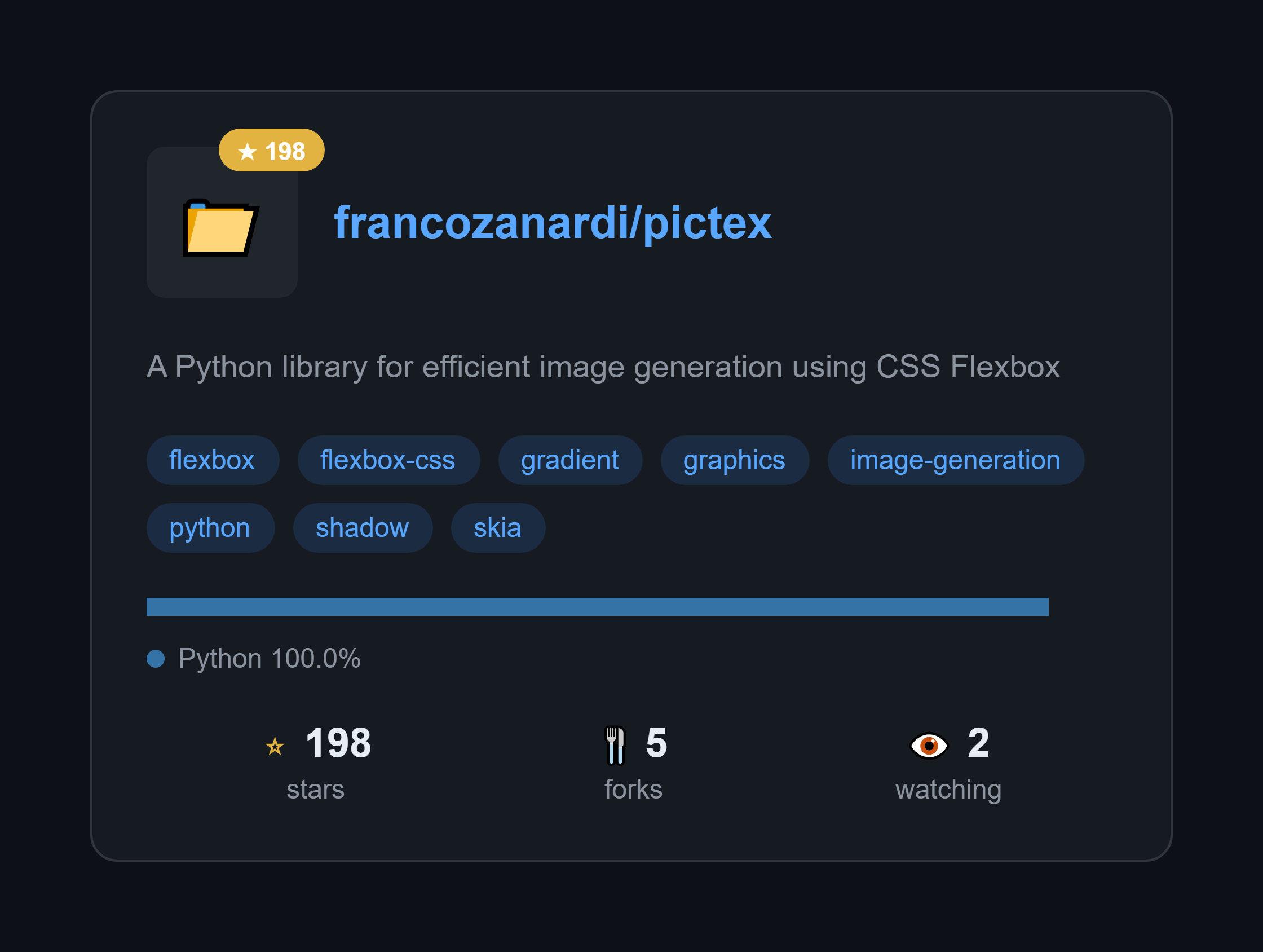 | **GitHub Repository Card**
Generate beautiful cards for any GitHub repo. Just change the repo name and it fetches real data from the API.
**[View Code »](https://github.com/francozanardi/pictex/blob/main/examples/github_card/github_card.py)** |
| 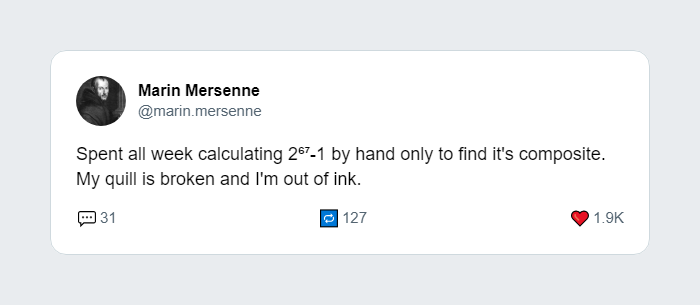 | **Tweet to Image**
Recreate the look and feel of a tweet, perfect for sharing on other social platforms.
**[View Code »](https://github.com/francozanardi/pictex/blob/main/examples/tweet_card/tweet_card.py)** |
| 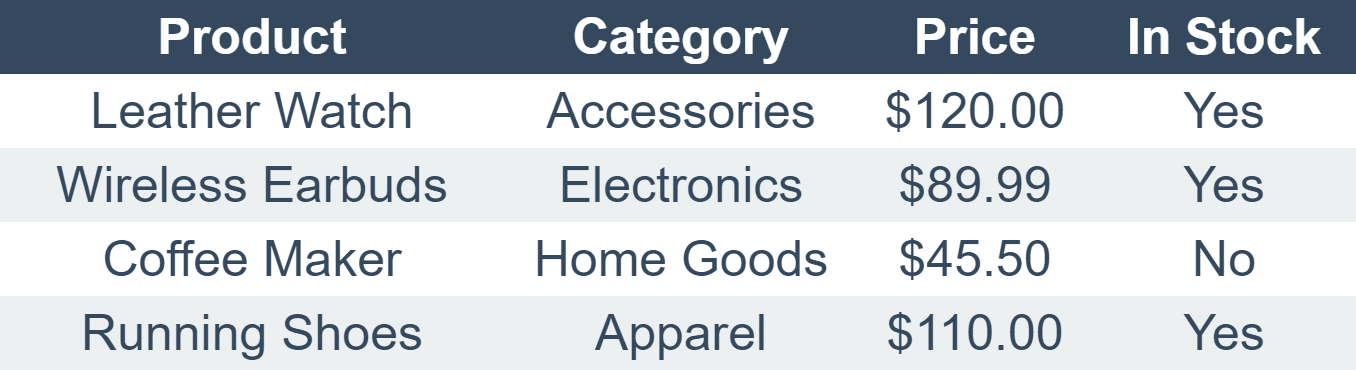 | **Data Table**
Generate a clean, styled table from a 2D list. Includes headers, zebra-striping, and shadows.
**[View Code »](https://github.com/francozanardi/pictex/blob/main/examples/table/table.py)** |
| 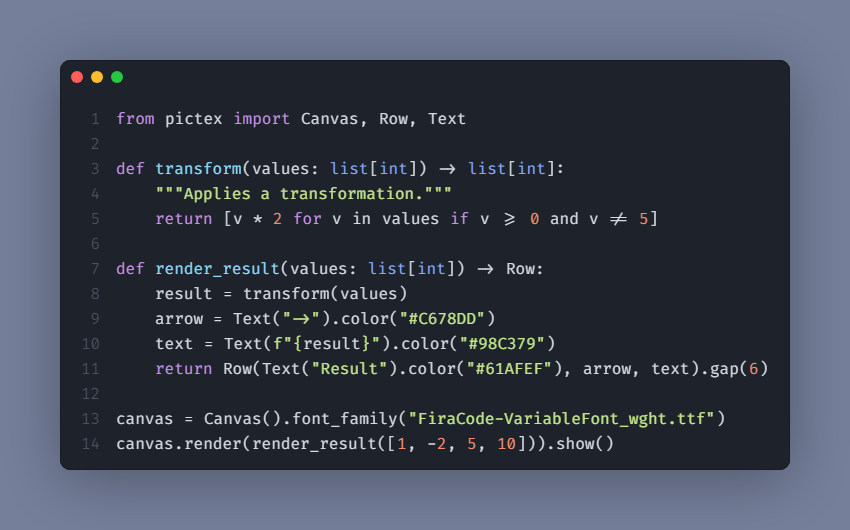 | **Code Snippet**
Create beautifully syntax-highlighted images of your code snippets for tutorials or social media.
**[View Code »](https://github.com/francozanardi/pictex/blob/main/examples/code_to_image/code_to_image.py)** |
Check out the full [examples](https://github.com/francozanardi/pictex/tree/main/examples) directory for more!
## CSS Flexbox Compliance
PicTex v2.0 implements CSS Flexbox layout with high fidelity. If you're familiar with CSS, you'll feel right at home. Here's our compliance status:
### Container Properties
| CSS Property | Status | PicTex Method | Notes |
|--------------|--------|---------------|-------|
| `display: flex` | ✅ | `Row()` / `Column()` | Implicit in layout containers |
| `flex-direction` | ✅ | `Row()` / `Column()` | `Row` = row, `Column` = column |
| `flex-wrap` | ✅ | `.flex_wrap()` | `nowrap`, `wrap`, `wrap-reverse` |
| `flex-flow` | ⚠️ | N/A | Shorthand for flex-direction + flex-wrap |
| `justify-content` | ✅ | `.justify_content()` | All standard values supported |
| `align-items` | ✅ | `.align_items()` | All standard values supported |
| `align-content` | ⚠️ | Not yet | Planned for multi-line flex containers |
| `gap` | ✅ | `.gap()` | Unified gap (not split into row-gap/column-gap) |
| `direction` | ✅ | `.direction()` | Supports `ltr` and `rtl` with inheritance |
### Item Properties
| CSS Property | Status | PicTex Method | Notes |
|--------------|--------|---------------|-------|
| `flex` | ⚠️ | N/A | Shorthand for flex-grow + flex-shrink + flex-basis |
| `flex-grow` | ✅ | `.flex_grow()` | Control growth behavior |
| `flex-shrink` | ✅ | `.flex_shrink()` | Control shrink behavior |
| `flex-basis` | ⚠️ | Not yet | Can use `.size()` as alternative |
| `align-self` | ✅ | `.align_self()` | Override container alignment |
| `order` | ❌ | Not planned | Less relevant for static image generation |
### Positioning & Sizing
| CSS Property | Status | PicTex Method | Notes |
|--------------|--------|---------------|-------|
| `position` | ✅ | `.absolute_position()` / `.relative_position()` | Full CSS positioning support |
| `top` / `right` / `bottom` / `left` | ✅ | `.absolute_position(top=, right=, ...)` | CSS insets |
| `width` / `height` | ✅ | `.size()` | Pixels, percentages, auto, fit-content |
| `min-width` / `max-width` | ✅ | `.min_width()` / `.max_width()` | Prevent collapse/overflow |
| `min-height` / `max-height` | ✅ | `.min_height()` / `.max_height()` | Prevent collapse/overflow |
| `aspect-ratio` | ✅ | `.aspect_ratio()` | Maintain proportions |
| `transform: translate()` | ✅ | `.translate()` | Post-layout transforms |
**Legend**: ✅ Fully supported | ⚠️ Planned | ❌ Not planned
This compliance makes PicTex an excellent choice for developers who want to apply their CSS knowledge to generate images programmatically.
## 📚 Dive Deeper
For a complete guide on all features, from layout and the box model to advanced styling, check out our full documentation:
- [**Getting Started**](https://pictex.readthedocs.io/en/latest/getting_started/)
- [**Core Concepts**](https://pictex.readthedocs.io/en/latest/core_concepts/)
- [**Styling Guide: The Box Model**](https://pictex.readthedocs.io/en/latest/box_model/)
- [**Styling Guide: Colors & Gradients**](https://pictex.readthedocs.io/en/latest/colors/)
- [**Styling Guide: Text & Fonts**](https://pictex.readthedocs.io/en/latest/text/)
## Troubleshooting
### Text rendering issues on Windows (missing ligatures, incorrect text shaping)
**Symptom:** You may notice that advanced typography features, such as font ligatures or complex scripts, do not render correctly on Windows.
**Cause:** This is typically caused by an incomplete installation of the `skia-python` dependency, where a crucial data file (`icudtl.dat`) required for advanced text shaping is missing. This often happens when `pip` installs the package in a user-level directory without administrator privileges.
**Solutions:**
1. **(Recommended) Reinstall in a Virtual Environment:** This is the safest and most reliable method to ensure a correct installation. A virtual environment does not require administrator rights and provides a clean slate.
```bash
# If already installed, uninstall first
pip uninstall pictex skia-python
# Create and activate a new virtual environment (see installation section)
python -m venv .venv
.\.venv\Scripts\activate
# Install PicTex again
pip install pictex
```
2. **Reinstall with Administrator Privileges:** If you cannot use a virtual environment, running the installation from a terminal with administrator rights will allow `pip` to install the package correctly.
```bash
# Open PowerShell or Command Prompt as an Administrator
pip install --force-reinstall pictex
```
## Contributing
Contributions, issues, and feature requests are welcome! Feel free to check the [issues page](https://github.com/francozanardi/pictex/issues).
## Running tests locally (matching CI environment)
```bash
docker build -f Dockerfile.test -t pictex-test .
docker run --rm -v "$(pwd):/app" pictex-test pytest
```
## License
This project is licensed under the MIT License - see the [LICENSE](https://github.com/francozanardi/pictex/LICENSE) file for details.