https://github.com/freddie-nelson/vue3-slider
A modern, customizable slider built entirely in Vue.js 3 and TypeScript.
https://github.com/freddie-nelson/vue3-slider
circular-sliders no-dependencies range range-slider slider typescript vue vue3
Last synced: 11 months ago
JSON representation
A modern, customizable slider built entirely in Vue.js 3 and TypeScript.
- Host: GitHub
- URL: https://github.com/freddie-nelson/vue3-slider
- Owner: freddie-nelson
- Created: 2020-11-04T16:06:19.000Z (over 5 years ago)
- Default Branch: main
- Last Pushed: 2024-10-04T23:28:47.000Z (almost 2 years ago)
- Last Synced: 2025-07-30T23:27:35.126Z (11 months ago)
- Topics: circular-sliders, no-dependencies, range, range-slider, slider, typescript, vue, vue3
- Language: Vue
- Homepage: https://freddie-nelson.github.io/vue3-slider/
- Size: 1.81 MB
- Stars: 48
- Watchers: 2
- Forks: 11
- Open Issues: 0
-
Metadata Files:
- Readme: README.md
Awesome Lists containing this project
README
🔥 Vue 3 Slider 🔥
Become a Stargazer
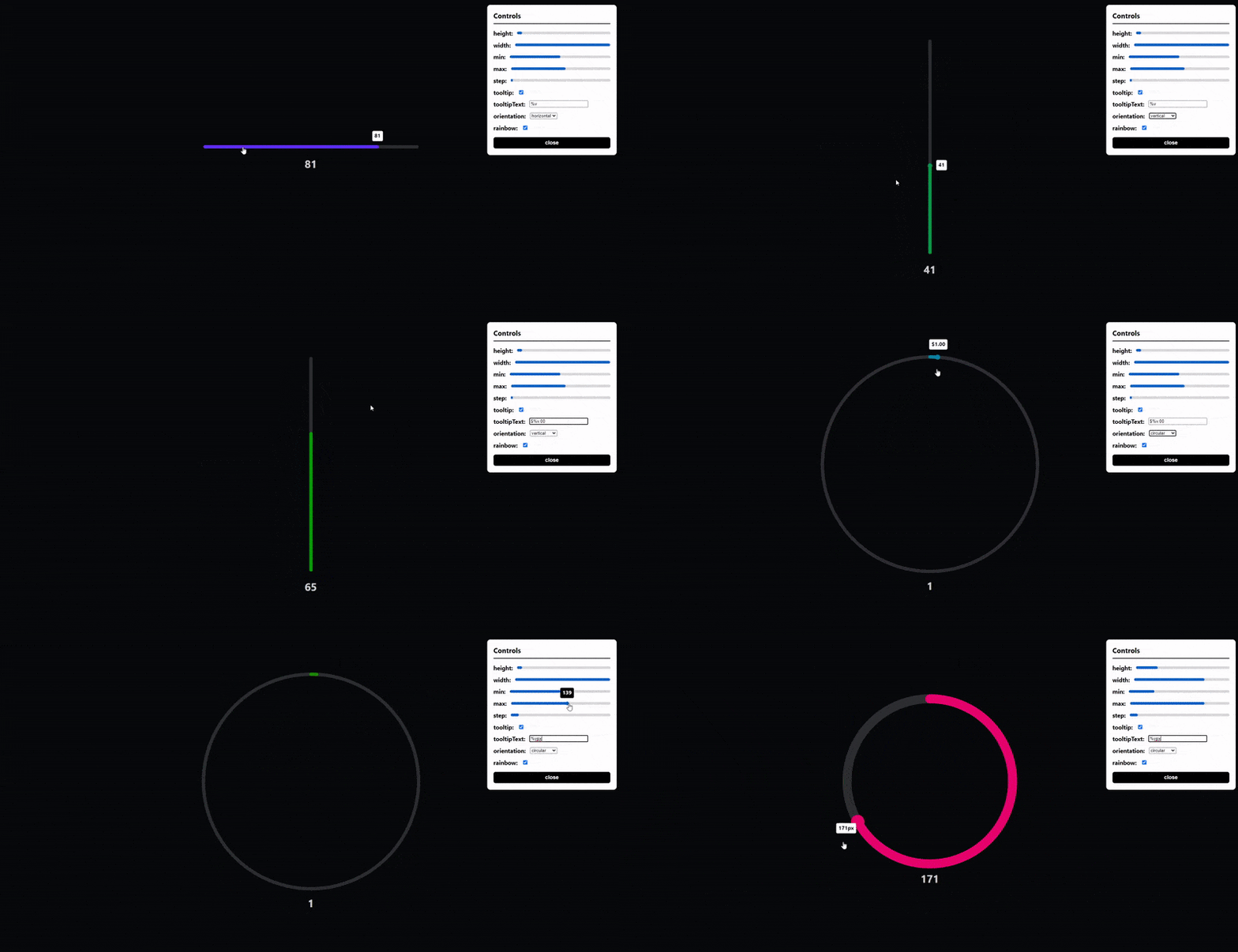
**Horizontal, vertical and circular sliders!**
**Fully responsive, touch screen and keyboard control support!**
## Table of Contents 📰
- [Demo](#demo)
- [Installation](#installation)
- [Getting Started](#getting-started)
- [Import Component](#import-component)
- [How to use](#how-to-use)
- [License](#license)
- [Contact](#contact)
## Demo [(Live Demo)](https://freddie-nelson.github.io/vue3-slider/)
## Installation
```bash
# with npm
npm install vue3-slider
```
```bash
# with yarn
yarn add vue3-slider
```
## Getting Started 👍
### Import component
```js
import slider from "vue3-slider"
export default {
...
components: {
"vue3-slider": slider
}
...
}
```
### How to use
```html
```
## Props
| Name | Type | Required | Default | Rules |
| ----------------- | -------- | -------- | ---------- | ------------------------------------------------------------- |
| v-model | Number | ✔️ | | |
| width | String | | 100% | must be valid css length |
| height | Number | | 6 | |
| handleScale | Number | | 1.35 | |
| handleColor | String | | | When empty this will take the value of color |
| alwaysShowHandle | Boolean | | false | |
| color | String | | #FB2727 | must be a valid hex, rgb, rgba or html color value |
| trackColor | String | | #F1F6F8 | ^^^ |
| max | Number | | 100 | cannot be less than min |
| min | Number | | 0 | cannot be greater than max |
| limit | Number | | | |
| step | Number | | 1 | |
| customSliderSteps | Number[] | | undefined | |
| tooltip | Boolean | | false | |
| tooltipText | String | | "%v" | must contain %v (%v is replaced with slider's value) |
| tooltipColor | String | | #FFFFFF | must be a valid hex, rgb, rgba or html color value |
| tooltipTextColor | String | | #000000 | ^^^ |
| formatTooltip | Function | | null | function must take one parameter (number) and return a string |
| flipTooltip | Boolean | | false | |
| tooltipStyles | Object | | | Should be a valid vue style object |
| orientation | String | | horizontal | restricted choice (horizontal, vertical, circular) |
| repeat | Boolean | | false | |
| sticky | Boolean | | false | |
| flip | Boolean | | false | |
| circleOffset | Number | | 0 | must be between 0 and 360 (inclusive) |
| circleGap | Number | | 0 | must be between 0 and 360 |
**NOTE: When using the circular slider width is the diameter of the circle and height is the stroke width**
**NOTE: When using the circular slider it is advised to use absolute units for width to avoid issues**
**NOTE: circleOffset is calculated in degrees clockwise from the top of the circle (anti-clockwise with flip set to true)**
## Events
#### change
- Arguments: `(value: number)`
- Usage: The event is fired when the slider value changes
#### drag-start
- Arguments: `(value: number, event: MouseEvent | TouchEvent)`
- Usage: The event is fired when the user presses the slider
#### drag-end
- Arguments: `(value: number, event: MouseEvent | TouchEvent)`
- Usage: The event is fired when the user releases the slider
#### dragging
- Arguments: `(value: number, event: MouseEvent | TouchEvent)`
- Usage: The event is fired when the user drags the slider
## Contributing
### Prerequisites
- node (latest version)
- yarn (1.^22.10)
### Setup
```bash
# clone repo
git clone https://github.com/freddie-nelson/vue3-slider
cd vue3-slider
# install deps
npm i
# with yarn
yarn
# start dev server
npm run serve
# with yarn
yarn serve
```
## License
[MIT](https://opensource.org/licenses/MIT)
Copyright © 2020 - Present, Freddie Nelson
## Contact
- [Send me an email 📧](mailto:freddie@freddienelson.co.uk)
- [Contact me through my website](https://freddienelson.co.uk)