https://github.com/freecode911/anoupload
AnoUpload: Anonymous File Uploader Using GitHub Cloud Storage
https://github.com/freecode911/anoupload
anoupload cloud file-uploader free github githubcloud storage upload
Last synced: about 1 year ago
JSON representation
AnoUpload: Anonymous File Uploader Using GitHub Cloud Storage
- Host: GitHub
- URL: https://github.com/freecode911/anoupload
- Owner: FreeCode911
- License: gpl-3.0
- Created: 2024-07-19T03:10:06.000Z (about 2 years ago)
- Default Branch: main
- Last Pushed: 2025-02-26T00:57:12.000Z (over 1 year ago)
- Last Synced: 2025-04-23T21:51:33.051Z (about 1 year ago)
- Topics: anoupload, cloud, file-uploader, free, github, githubcloud, storage, upload
- Language: HTML
- Homepage:
- Size: 9.15 MB
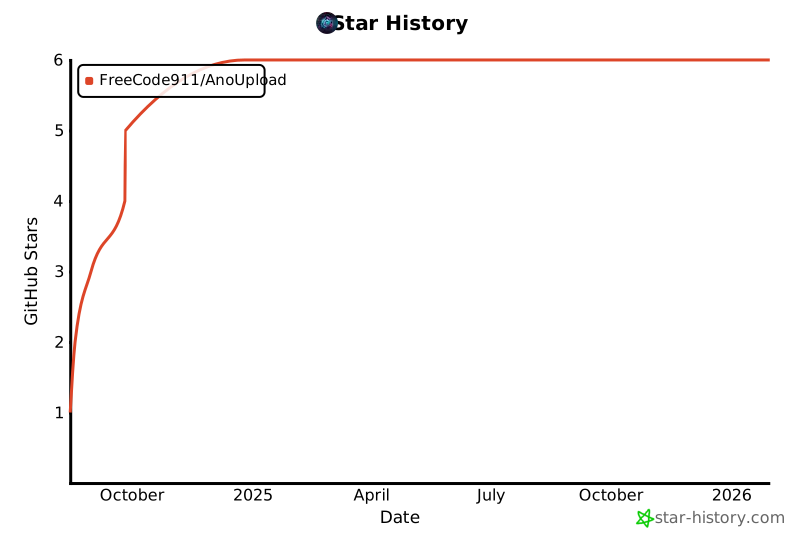
- Stars: 6
- Watchers: 1
- Forks: 5
- Open Issues: 3
-
Metadata Files:
- Readme: README.md
- License: LICENSE
Awesome Lists containing this project
README
# AnoUpload 🚀
AnoUpload is a sleek and user-friendly file hosting service that allows you to upload files with ease while keeping your identity safe and secure. Built with the powerful combination of Node.js, Express, and Multer, AnoUpload makes file sharing and storage a breeze!, Anonymous File Uploader Using GitHub Cloud Storage
## 🌟 Features
- **🔓 Free and Unlimited File Hosting:** Upload as many files as you want without any size limitations.
- **🕵️♂️ Anonymous Uploads:** No need to register or create an account—your identity stays hidden.
- **🔒 Secure File Sharing:** Files are stored securely and can be accessed via unique URLs.
- **🔗 Automatic GitHub Integration:** Files are seamlessly uploaded to a GitHub repository for long-term storage.
- **📩 Discord Notifications:** Get real-time notifications whenever a new file is uploaded.
## 🚀 Getting Started
[](https://repl.it/github/FreeCode911/AnoUpload)
- **▶️Tutorial** : https://youtu.be/ES_41VHT-t0
1. **🍴 Fork this Repo:** Click the "Fork" button at the top right of this Repl.
2. **⚙️ Set up Environment Variables:**
- Create a `.env` file in the root directory of your forked Repl.
- Add the following environment variables with your values:
- `UPLOAD_FOLDER`: The directory where uploaded files will be stored (e.g., "uploads").
- `MAX_CONTENT_LENGTH`: The maximum allowed file size in bytes (e.g., 1073741824 for 1GB).
- `GITHUB_TOKEN`: A GitHub personal access token with the `repo` scope. Generate one [here](https://github.com/settings/tokens).
- `GITHUB_REPO`: Your GitHub repository name in the format `owner/repo` (e.g., `FreeCode911/AnoUpload`).
- `WEBSITE_URL`: The URL of your deployed Repl (e.g., `https://your-name.com`).
- `DISCORD_WEBHOOK_URL`: The URL of your discord server channel webhook for notification if you donot need just leave it like `DISCORD_WEBHOOK_URL=none`
3. **▶️ Run the AnoUpload:** `npm start`
4. **🌐 Access the Website:** Open the link provided in the console output to access your AnoUpload instance.
## NPM Package
**AnoUploader** is a straightforward NPM package for anonymous file uploads.
## Installation
To install the package, run:
```bash
npm install anoupload
```
## Usage
1. **Require the package** in your Node.js file:
```javascript
const AnoUploader = require('anoupload');
```
2. **Run your script**:
Simply execute your `index.js` file or any other file where you've required `anoupload`. The package will start working automatically.
## Star History
## 📜 License
This project is licensed under the GPL-3.0 license. For more details, see the `LICENSE` file.