https://github.com/friendofsvelte/toggle
Dark mode toggle for Svelte and SvelteKit
https://github.com/friendofsvelte/toggle
dark-theme svelte svelte5 sveltekit tailwindcss toggle
Last synced: 9 months ago
JSON representation
Dark mode toggle for Svelte and SvelteKit
- Host: GitHub
- URL: https://github.com/friendofsvelte/toggle
- Owner: friendofsvelte
- Created: 2023-12-11T12:51:39.000Z (over 2 years ago)
- Default Branch: main
- Last Pushed: 2025-02-11T10:51:09.000Z (about 1 year ago)
- Last Synced: 2025-05-08T20:51:30.106Z (11 months ago)
- Topics: dark-theme, svelte, svelte5, sveltekit, tailwindcss, toggle
- Language: Svelte
- Homepage: https://www.npmjs.com/package/@friendofsvelte/toggle
- Size: 288 KB
- Stars: 7
- Watchers: 0
- Forks: 0
- Open Issues: 1
-
Metadata Files:
- Readme: README.md
Awesome Lists containing this project
README
# Svelte Dark Mode Toggle
A simple dark mode toggle for Svelte and SvelteKit app.
## Features
- In-app toggle between light and dark mode
- System toggle between light and dark mode
- Persist user preference in cookies
- Server-side rendering supported
- No dependencies
## Installation
```bash
npm i @friendofsvelte/toggle
```
## Usage
In your `src/+layout.svelte` (recommended) or `+page.svelte` file, add the following code:
```svelte
import {ThemeToggle, appearance} from "@friendofsvelte/toggle";
import "@friendofsvelte/toggle/styles/Toggle.css";
Is dark mode: {appearance.dark}
```
In your `src/hooks.server.ts` file, add the following code:
```ts
import {sequence} from "@sveltejs/kit/hooks";
import {handleAppearance} from "@friendofsvelte/toggle";
export const handle = sequence(
handleAppearance
);
```
Add `class="%appearanceMode%"` in your `app.html` file:
```html
```
Done 🎉, you can now toggle between light and dark mode.
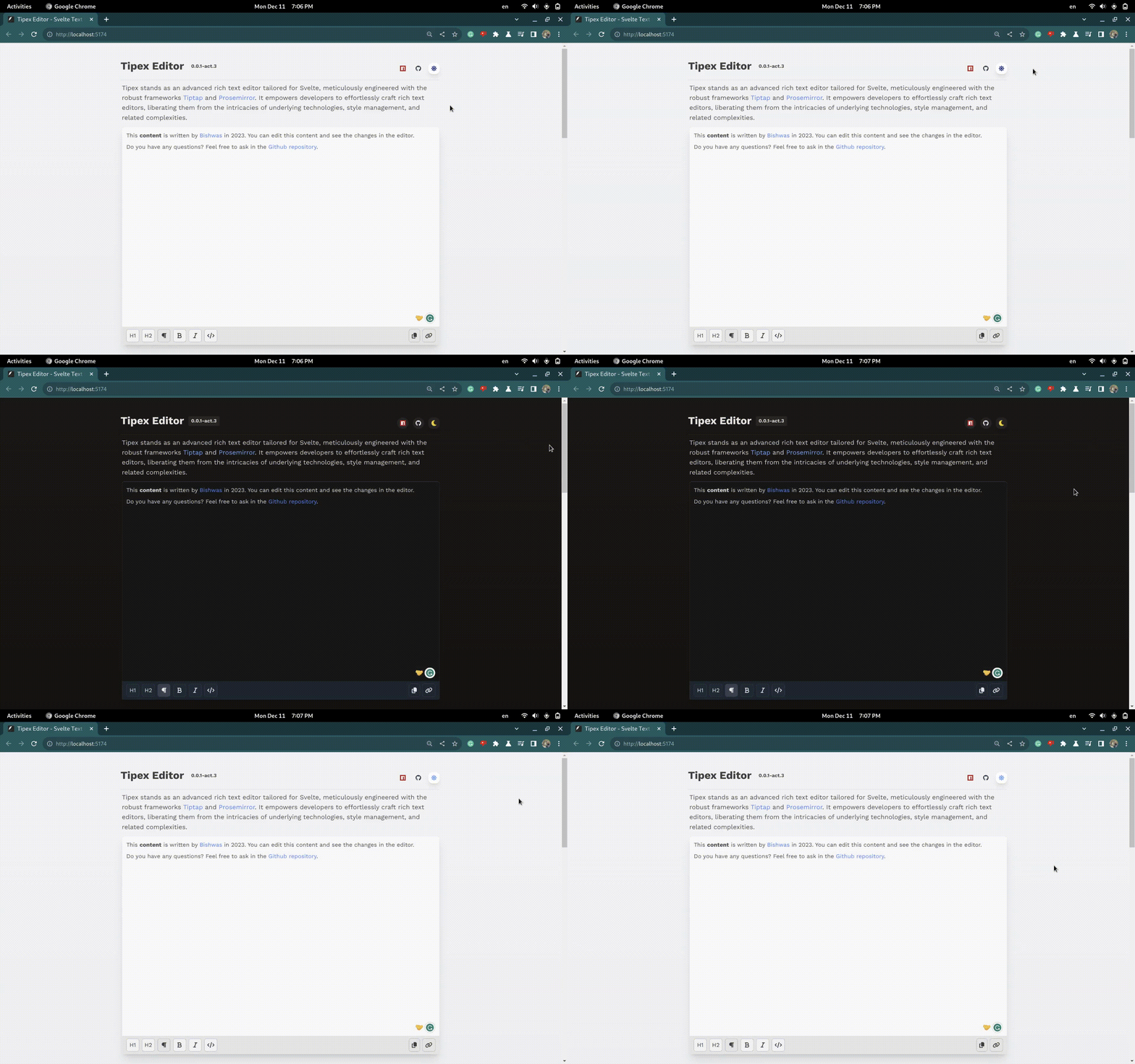
## Previews
**System toggle**

**In-app toggle**
## Custom action
You can also use the `toggle` action to toggle the theme programmatically. Use
the follow utility function to achieve this:
```ts
import {
apperance
} from "@friendofsvelte/toggle";
````
- `appearance` is a class object that stores `dark` boolean state on it.
- setting `appearance.dark = false` with automatically update the UI to light mode.
- `ThemeToggle` is the default component that uses `appearance` to toggle the theme.
```svelte
import {scale} from "svelte/transition";
import Moon from "$lib/toggle/icons/Moon.svelte";
import Sun from "$lib/toggle/icons/Sun.svelte";
import { appearance } from "@friendofsvelte/toggle";
import TrackAppearance from '@friendofsvelte/toggle';
let {class: className = ''} = $props();
{#if appearance.dark !== null}
appearance.dark=!appearance.dark}>
{#if appearance.dark}
{:else}
{/if}
{:else}
{/if}
```
Now, add the following code in your tailwind `app.css`:
```css
@variant dark (&:where(.dark, .dark *));
```
this works for Tailwind V4 users.
# About Friend Of Svelte
----------------------

[Friend Of Svelte](https://github.com/friendofsvelte) is a community driven project to help Svelte developers to find
and
develop awesome Svelte resources.
If you like this project, you can be one of the friend by contributing to the project. Memberships are open for
everyone.