https://github.com/frizbee/china_media_icons
Chinese media icons
https://github.com/frizbee/china_media_icons
Last synced: over 1 year ago
JSON representation
Chinese media icons
- Host: GitHub
- URL: https://github.com/frizbee/china_media_icons
- Owner: frizbee
- License: gpl-2.0
- Created: 2016-06-21T08:06:22.000Z (about 10 years ago)
- Default Branch: master
- Last Pushed: 2016-08-01T03:32:39.000Z (almost 10 years ago)
- Last Synced: 2025-01-25T17:33:08.374Z (over 1 year ago)
- Language: HTML
- Homepage:
- Size: 557 KB
- Stars: 0
- Watchers: 1
- Forks: 0
- Open Issues: 0
-
Metadata Files:
- Readme: README.md
- License: LICENSE.md
Awesome Lists containing this project
README
# Chinese Media Icons
## Icon Font Cloud
### HOW TO INSERT ICONS INTO YOUR WEBSITE?
First, link your HTML page to the icon fonts and CSS files.
Insert the icon class name into any HTML tag to add the icon. The default CSS class prefix is 'icon-' ~> class="icon-baidu":
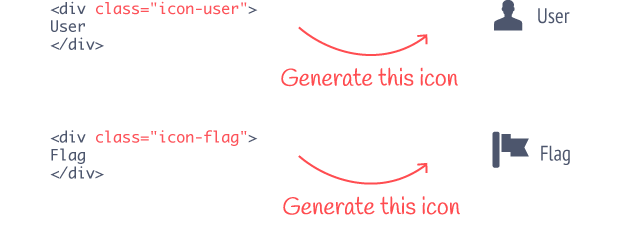
Then, add the CSS class, from the Icons Reference above, to any HTML tag.
## SVG Sprite Icon Cloud
### HOW TO INSERT ICONS INTO YOUR WEBSITE?
Let's assume that you already clicked the "Publish" button and copied the script tag into your HTML page header. There are two more steps left to see your icons on it.
1 - Go to "Icons Reference" and choose an icon that you want to have on your HTML page. Then click and copy its markup to your HTML page. For instance, the markup for a twitter icon could look like this:
```
```
2 - Add the code below to the CSS file that you use for your html page:
```
[class^="icon-"], [class*=" icon-"] {
height: 32px;
width: 32px;
display: inline-block;
fill: currentColor;
}
```
You can use `height` and `width` properties to control icon size. To define icon color use `fill` property. Note: `currentColor` keyword inherits the color value of a parent element.
### Brand colors
```
TaoBao HEX:#ff4400 RGB(255, 68, 0)
Weibo HEX:#E51C34 RGB(229, 28, 52)
Tencent Weibo HEX:#3FA1D8 RGB(63, 161, 216)
QQ HEX:#60A5E4 RGB(96, 165, 228)
WeChat HEX:#7CB139 RGB(124, 177, 57)
Baidu HEX:#2319dc RGB(35, 25, 220)
(Tencent) Friend Circle? ???
Dou Ban HEX:#007722 RGB(0,119,34)
Ren Ren HEX:#227DC5 RGB(34,125,197)
Qzone HEX:#FFD302 RGB(255,211,2)
Kaixin HEX:#EE4C56 RGB(238,76,86)
(Xiaomi) Miliao HEX:#3DCE56 RGB(61,206,86)
```
## Credits
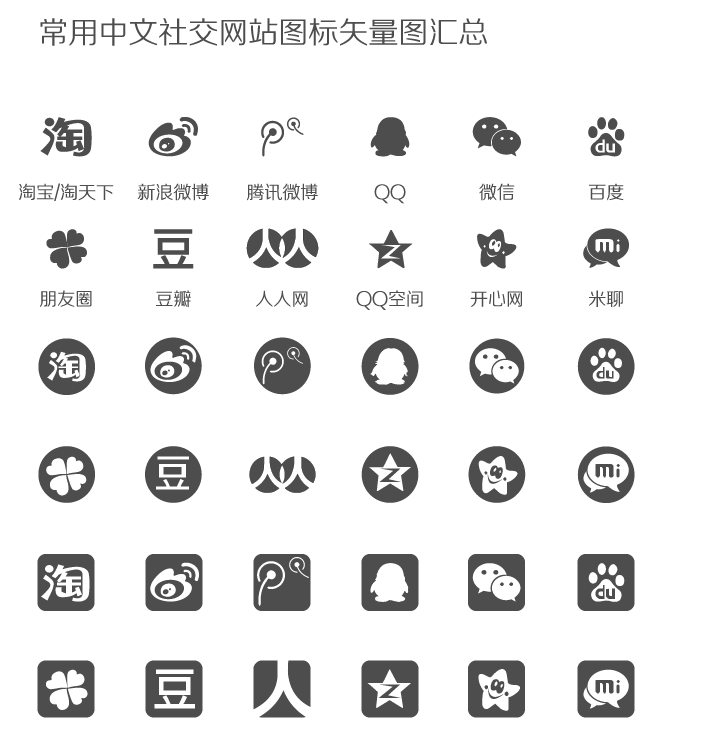
This set was made by me, using ready made icon set of *`zcool.com.cn`* and genereted using *`fontastic.me`* for the needs of the company. The company adapts to the tourism market and at this moment the largest number of tour flow comes from China.
*Adobe Illustrator icon set Author `zcool.com.cn`*
*Icons generated using `fontastic.me`*