https://github.com/fstab50/branchdiff
Git version control utility, Illustrates differences between current working branch and master branch
https://github.com/fstab50/branchdiff
code-tools command-line command-line-tool developer-tools diff git linux merge utilities version-control
Last synced: 2 months ago
JSON representation
Git version control utility, Illustrates differences between current working branch and master branch
- Host: GitHub
- URL: https://github.com/fstab50/branchdiff
- Owner: fstab50
- License: mit
- Created: 2018-10-27T15:22:19.000Z (over 7 years ago)
- Default Branch: master
- Last Pushed: 2024-05-11T23:46:56.000Z (about 2 years ago)
- Last Synced: 2025-01-22T01:36:44.436Z (over 1 year ago)
- Topics: code-tools, command-line, command-line-tool, developer-tools, diff, git, linux, merge, utilities, version-control
- Language: Shell
- Size: 39.9 MB
- Stars: 1
- Watchers: 1
- Forks: 1
- Open Issues: 5
-
Metadata Files:
- Readme: README.md
- License: LICENSE
Awesome Lists containing this project
README
## About this repository
* Purpose: Access advanced git functionality without commands for instant visibility into the status of your working branch
* Version: 1.1.12
* Repo: https://github.com/fstab50/branchdiff
* * *
## Contents
* [**SUMMARY**](#summary)
* [**SUPPORTED LINUX DISTRIBUTIONS**](#supported-linux-distributions)
* [**INSTALLATION**](#installation)
* [Ubuntu, Linux Mint, Debian-based Distributions](#installation)
* [Redhat, CentOS, Fedora, Amazon Linux](#redhat-distro-install)
* [**UPGRADING**](#upgrading)
* [**OPTIONS**](#options)
* [**SCREENSHOTS**](#screenshots)
* [Working Branch Status](#screenshots)
* [Working Branch Status (Extended)](#screenshots1)
* [Commit Log History (--commit-log history)](#screenshots2)
* [Comit Log Detail (--commit-log detail)](#screenshots3)
* [Code Diff (--code)](#screenshots4)
* [Code Diff (--code )](#screenshots5)
* [**AUTHOR & COPYRIGHT**](#authorcopyright)
* [**LICENSE**](#license)
* [**DISCLAIMER**](#disclaimer)
--
[back to the top](#top)
* * *
## Summary
[branchdiff](https://github.com/fstab50/branchdiff) is a utility for use with git version control. The program:
* Instantly see differences between current working branch and any other branch
* Access advanced git functionality without any code or typing syntax
* Graphical view of when commits were made to the current branch, by whom
* Graphical merge maps
[](http://images.awspros.world/branchdiff/intro_lg.png)
[back to the top](#top)
* * *
## Supported Linux Distributions
* Ubuntu 18.04, 20.04, 20.10, 22.04
* Linux Mint 18, 19, 20, 21
* Debian variants of Ubuntu / Linux Mint distributions above
* Redhat 7,8+
* CentOS 7, 8+
[back to the top](#top)
* * *
## Installation
* * *
### Ubuntu, Linux Mint, Debian variants
The easiest way to install **branchdiff** is via the Debian-tools repository:
1. Download the public key:
```
$ wget -qO - http://awscloud.center/keys/public.key | sudo apt-key add -
```
2. Install the repository:
```
$ sudo echo "deb [arch=amd64] http://deb.awscloud.center main" > \
/etc/apt/sources.list.d/debian-tools.list
```
**Where:** `` is one of the following:
- `trusty`: Ubuntu 14.04, Ubuntu 14.04 based Linux distributions
- `xenial`: Ubuntu 16.04, 16.04 based Linux distributions
- `bionic`: Ubuntu 18.04, 18.04 based Linux distributions ([Linux Mint 19](https://www.linuxmint.com/download.php), etc)
- `cosmic`: Ubuntu 18.10, 18.10 based Linux distributions
3. Verify **debian-tools** repository installation
```
$ grep ^ /etc/apt/sources.list /etc/apt/sources.list.d/*
```
[](http://images.awspros.world/branchdiff/repo-install-verify.png)
4. Update and install the package:
```
$ sudo apt update && sudo apt install branchdiff
```
5. Verify Installation. To verify a Debian (.deb) package installation:
```
$ apt show branchdiff
```

[back to the top](#top)
* * *
### Redhat, CentOS, Fedora, Amazon Linux
The easiest way to install **branchdiff** on redhat-based Linux distributions is via the developer-tools package repository:
1. Download and install the repo definition file
```
$ sudo yum install wget
```
[](http://images.awspros.world/branchdiff/rpm-install-1.png)
```
$ wget http://awscloud.center/rpm/developer-tools.repo
```
```
$ sudo mv developer-tools.repo /etc/yum.repos.d/ && sudo chown 0:0 developer-tools.repo
```
2. Update local repository cache
```
$ sudo yum update -y
```
3. Install **branchdiff** os package
```
$ sudo yum install branchdiff
```
[](http://images.awspros.world/branchdiff/rpm-install-2.png)
Answer "y":
[](http://images.awspros.world/branchdiff/rpm-install-3.png)
4. Verify Installation
```
$ yum info branchdiff
```
[](http://images.awspros.world/branchdiff/rpm-install-4.png)
[back to the top](#top)
* * *
## Upgrading
* * *
1. See if an upgrade is available, update your distribution's package repositories:
```
$ sudo apt update
```
2. Issue a list command to see upgrades. Alternatively, you may issue ```$ sudo apt upgrade``` command.
```
$ apt list branchdiff -a
```

3. Upgrade
```
$ sudo apt upgrade
```
[back to the top](#top)
* * *
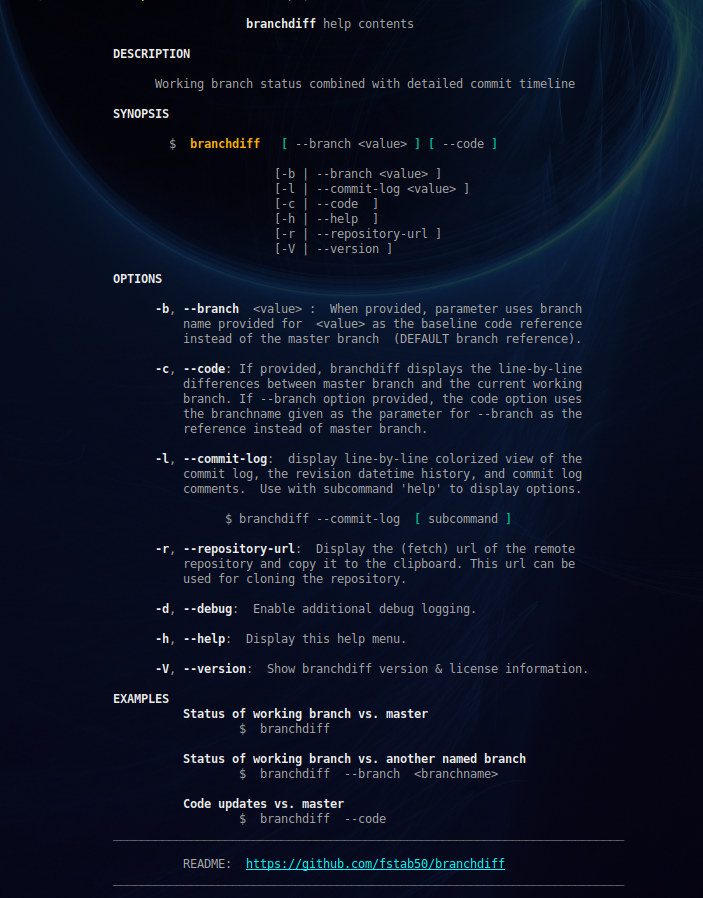
## Options
To display the help menu:
```bash
$ branchdiff --help
```
[back to the top](#top)
* * *
## Screenshots
* * *
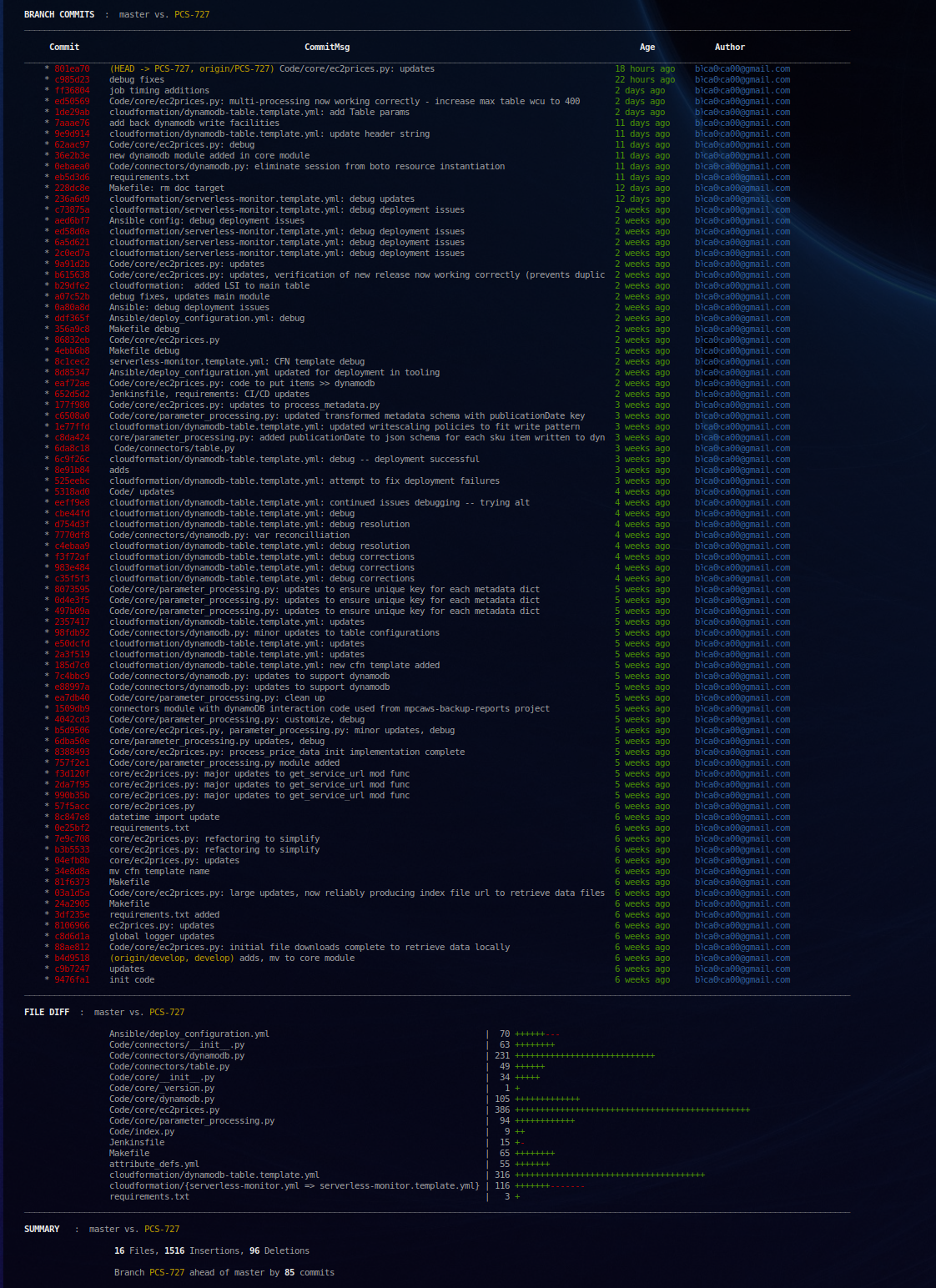
#### [Screenshots](#screenshots) / Working Branch Status
[branchdiff](https://github.com/fstab50/branchdiff) provides the status of working branch of the current git repository in which the cursor is located:
```bash
$ cd
```
```bash
$ branchdiff
```
[back to the top](#top)
* * *
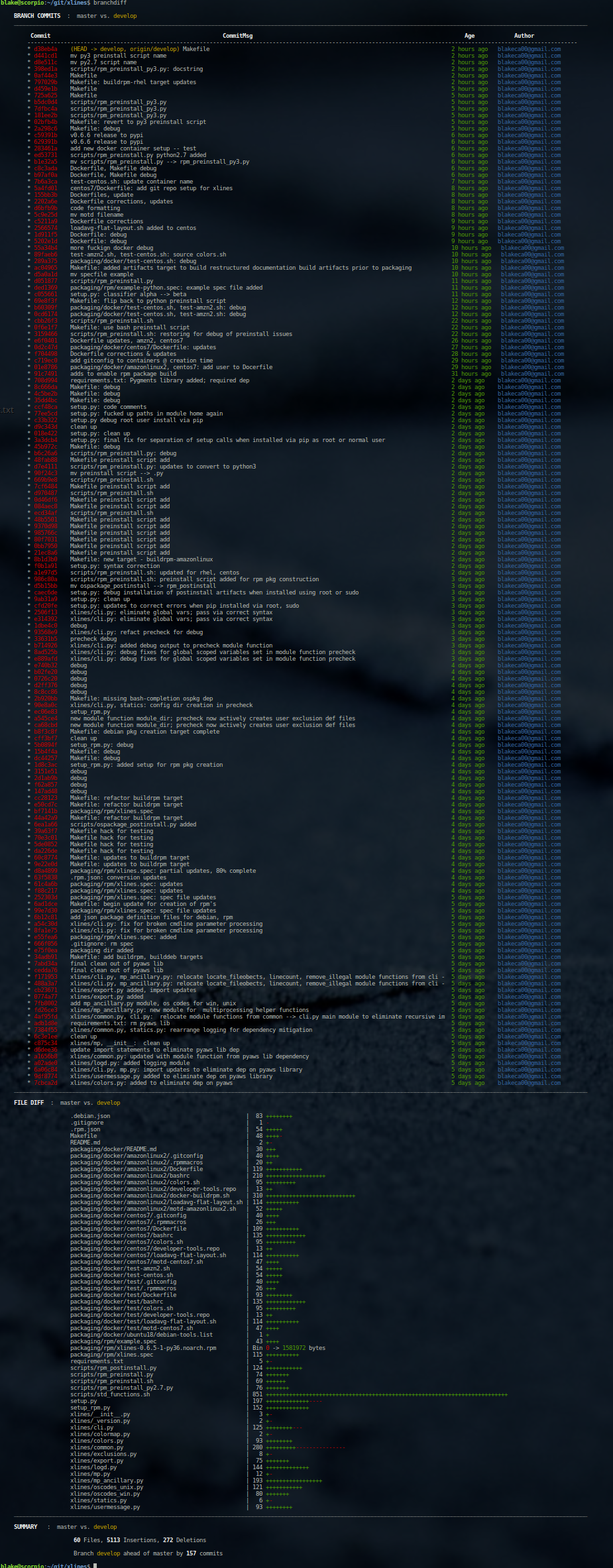
#### [Screenshots](#screenshots) / Extended commit history
```bash
~/xlines$ branchdiff
```
[back to the top](#top)
* * *
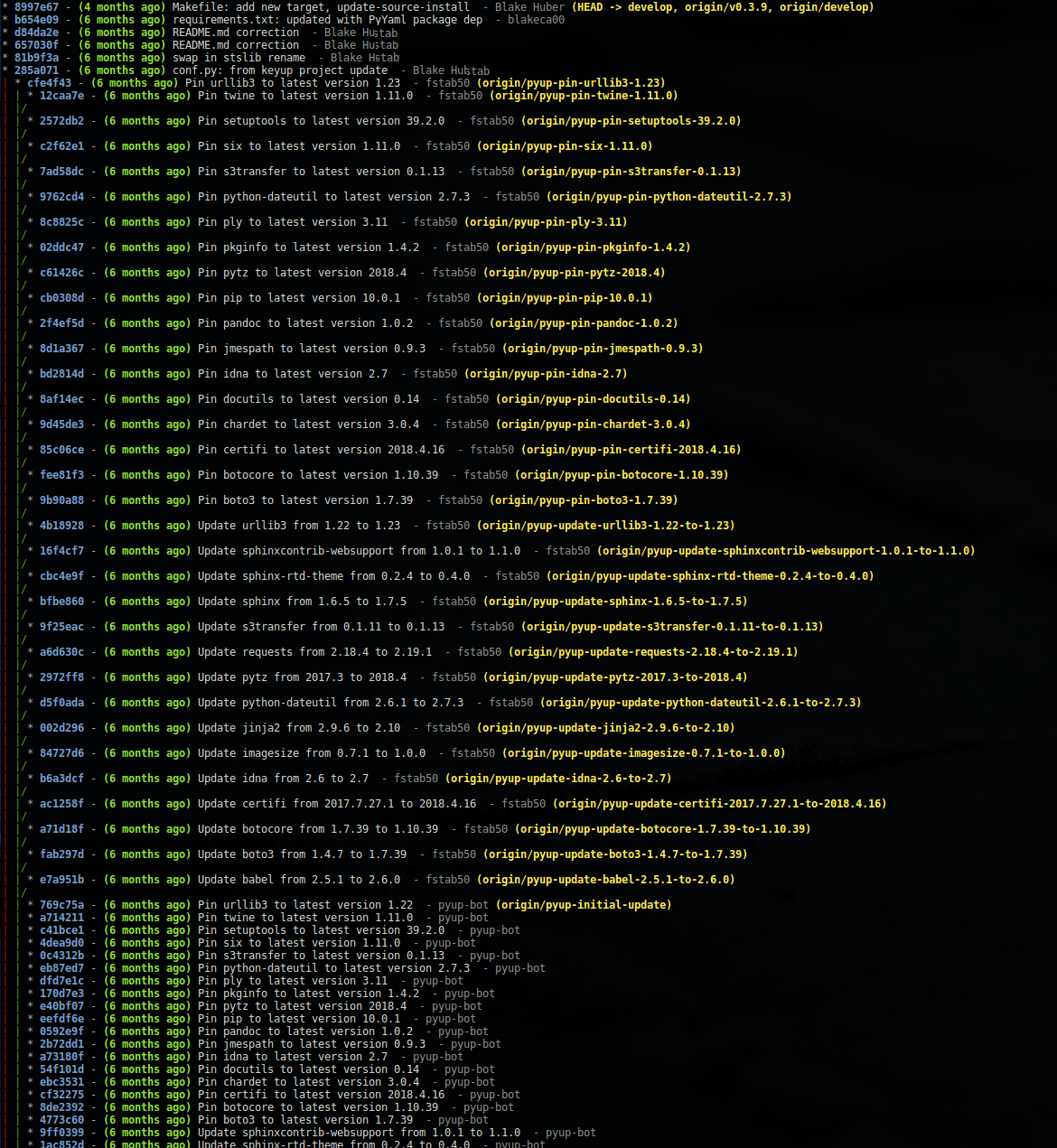
#### [Screenshots](#screenshots) / Commit Log / history
[branchdiff](https://github.com/fstab50/branchdiff) accurately provides the commit age of the working branch where the cursor is located:
```bash
$ branchdiff --commit-log history
```
[back to the top](#top)
* * *
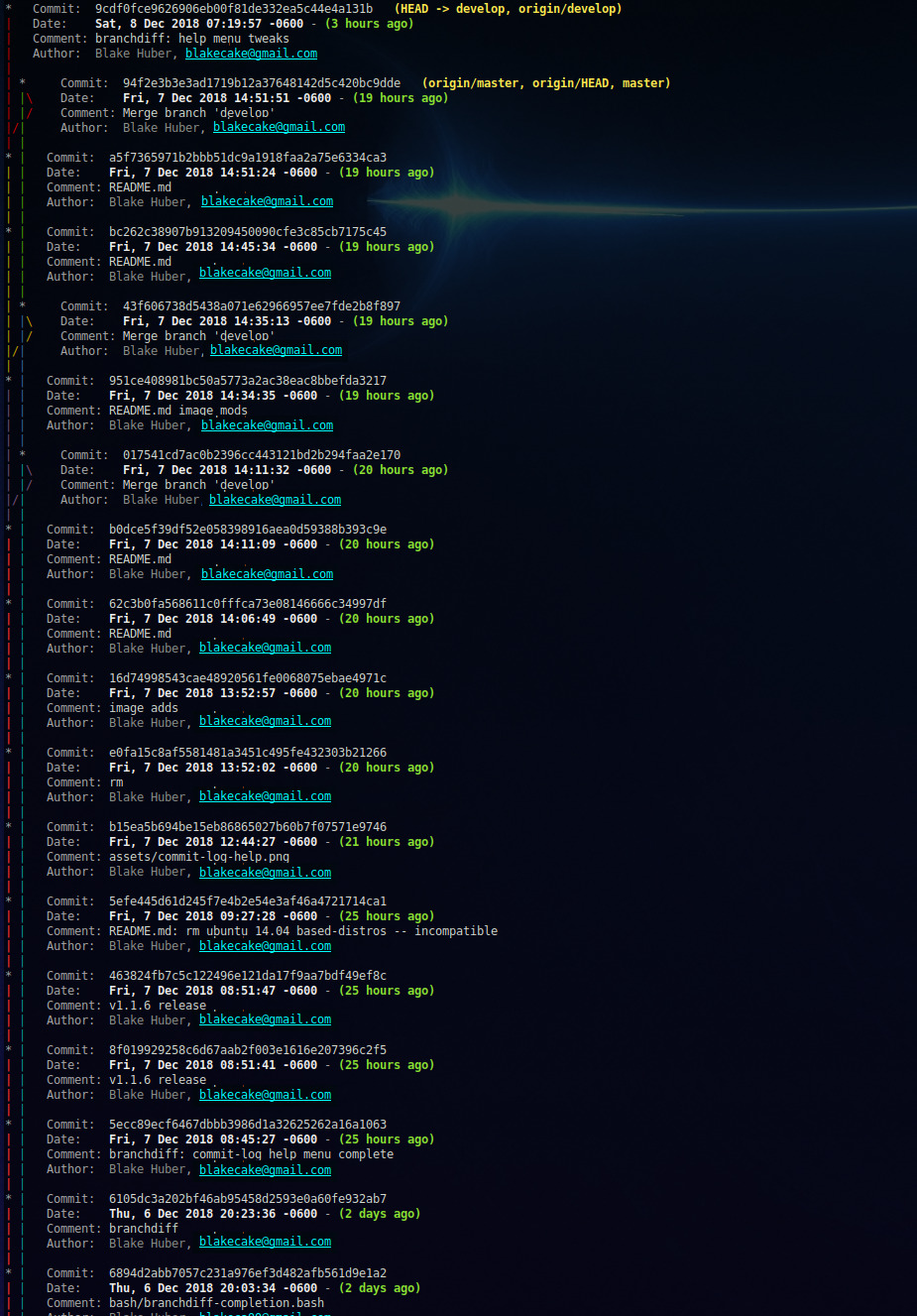
#### [Screenshots](#screenshots) / [Commit Log](screenshots3) / detail
[branchdiff](https://github.com/fstab50/branchdiff) accurately provides the commit age of the working branch where the cursor is located:
Simple repository with minimal branches and merges:
```bash
$ branchdiff --commit-log detail
```
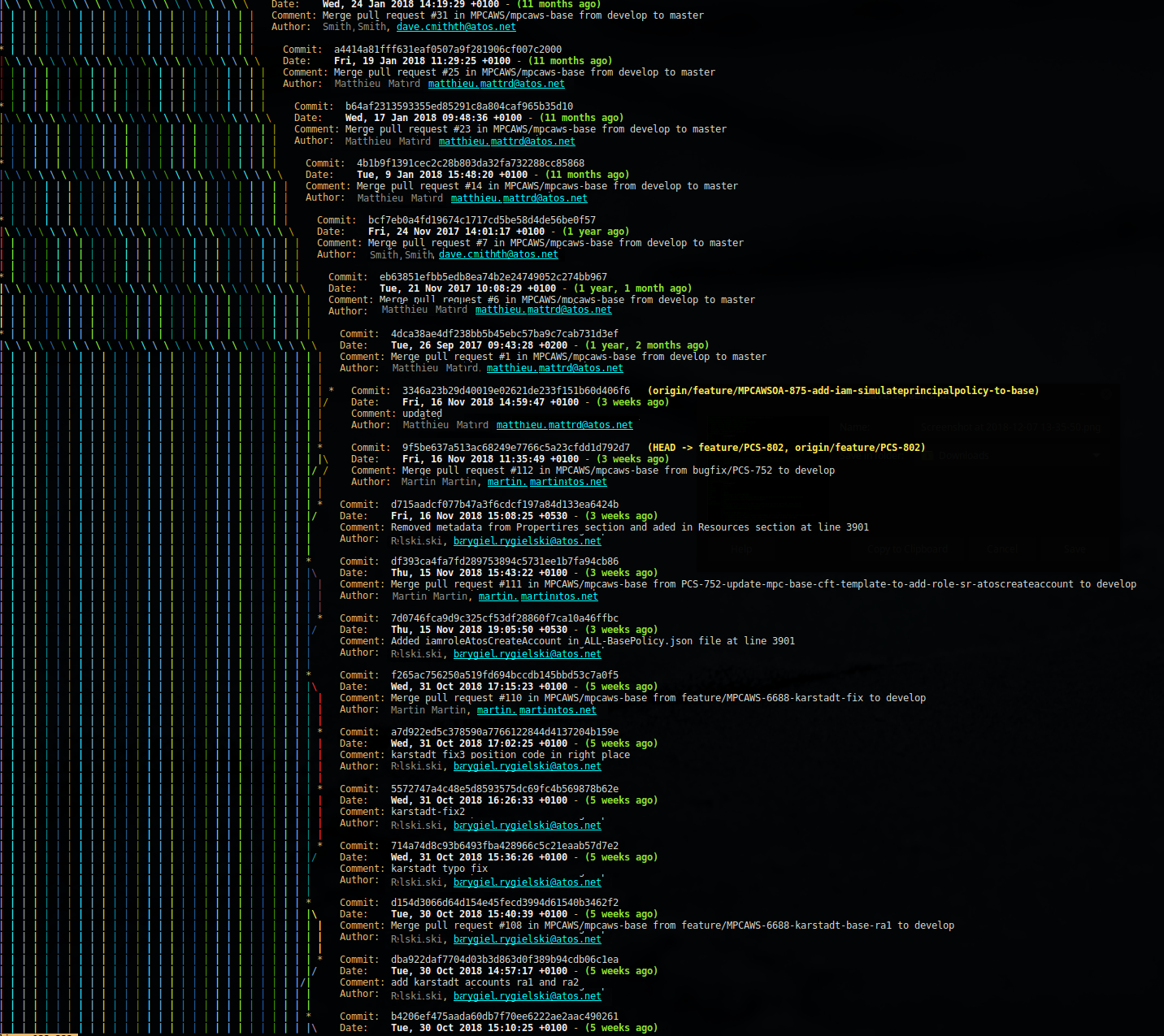
Git repository with many working branches and complex merge cadence:
```bash
$ branchdiff --commit-log detail
```
[back to the top](#top)
* * *
#### [Screenshots](#screenshots) / Code Diff
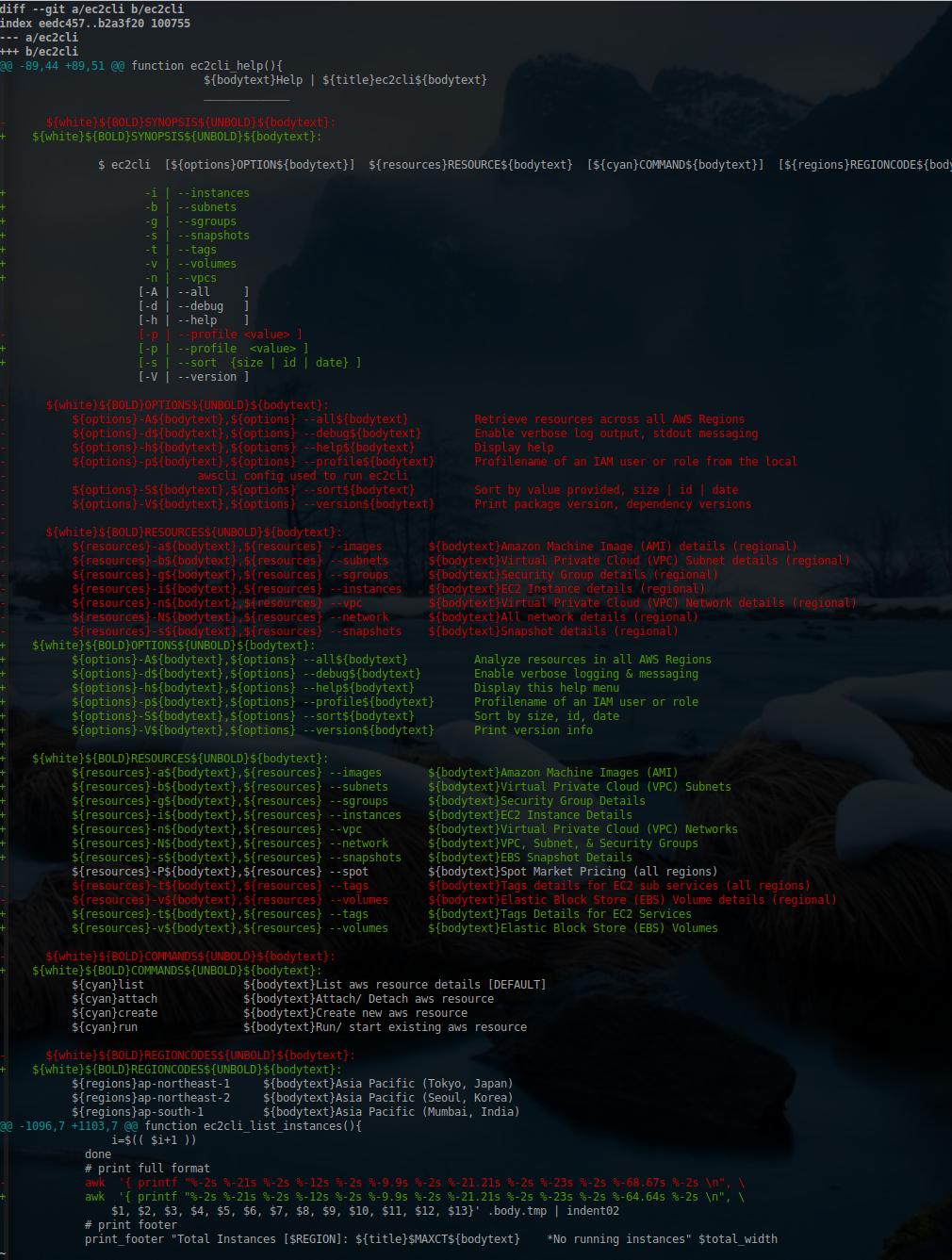
When used without a subcommand, the code option (--code) triggers [branchdiff](https://github.com/fstab50/branchdiff) to show the lines changed in all files updated in the current working branch compared to the master branch.
```bash
$ branchdiff --code
```
[back to the top](#top)
* * *
#### [Screenshots](#screenshots) / Code Diff \
Pressing the tab key twice autocompletes the names of all files that received updates in the current working branch.
```bash
$ branchdiff --code
Ansible/deploy_configuration.yml Code/core/ec2prices.py
attribute_defs.yml Code/core/__init__.py
cloudformation/dynamodb-table.template.yml Code/core/parameter_processing.py
cloudformation/serverless-monitor.template.yml Code/core/_version.py
Code/connectors/dynamodb.py Code/index.py
Code/connectors/__init__.py Jenkinsfile
Code/connectors/table.py Makefile
Code/core/dynamodb.py requirements.txt
```
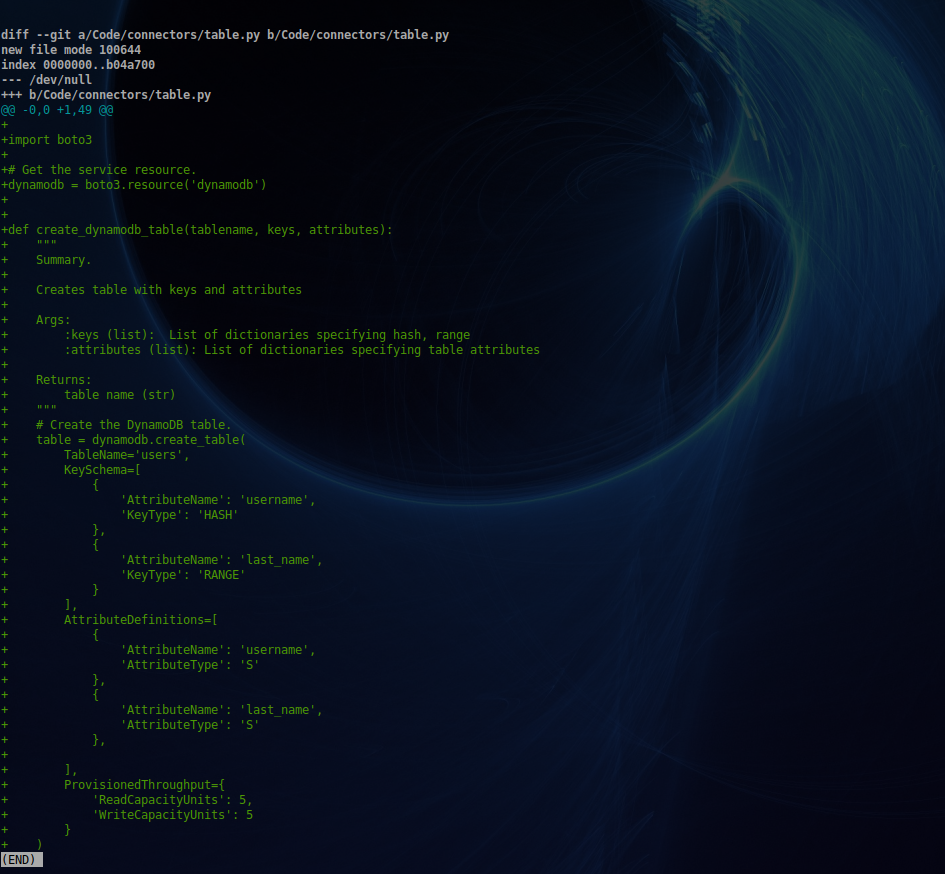
A filename can be selected by typing the first few characters:
```bash
$ branchdiff --code Code/con...
```
```bash
$ branchdiff --code Code/connectors/table.py
```
[back to the top](#top)
All works contained herein copyrighted via below author unless work is explicitly noted by an alternate author.
* Copyright Blake Huber, All Rights Reserved.
[back to the top](#top)
* * *
## License
* Software contained in this repository is licensed under the [MIT License](https://opensource.org/licenses/MIT). A copy of the license agreement is included with this repository [here](./LICENSE).
[back to the top](#top)
* * *
## Disclaimer
The following code is provided in accordance with the strict legal disclaimer below:
*Code is provided "as is". No liability is assumed by either the code's originating author nor this repo's owner for their use at AWS or any other facility. Furthermore, running function code at AWS may incur monetary charges; in some cases, charges may be substantial. Charges are the sole responsibility of the account holder executing code obtained from this library.*
Additional terms may be found in the complete [License Agreement](https://github.com/fstab50/branchdiff/blob/master/LICENSE).
[back to the top](#top)
* * *