https://github.com/fullstackcodingguy/reactnative-boilerplate
Boilerplate code for cross platform mobile application.
https://github.com/fullstackcodingguy/reactnative-boilerplate
boilerplate-application react-native
Last synced: about 1 year ago
JSON representation
Boilerplate code for cross platform mobile application.
- Host: GitHub
- URL: https://github.com/fullstackcodingguy/reactnative-boilerplate
- Owner: FullstackCodingGuy
- License: mit
- Created: 2025-03-22T06:46:48.000Z (about 1 year ago)
- Default Branch: non-expo-variant
- Last Pushed: 2025-03-31T02:43:05.000Z (about 1 year ago)
- Last Synced: 2025-03-31T03:23:31.450Z (about 1 year ago)
- Topics: boilerplate-application, react-native
- Language: TypeScript
- Homepage:
- Size: 528 KB
- Stars: 0
- Watchers: 1
- Forks: 0
- Open Issues: 0
-
Metadata Files:
- Readme: README.md
- License: LICENSE
Awesome Lists containing this project
README
# ReactNative-Boilerplate
A boilerplate for building cross-platform mobile applications using React Native and Expo. This project is designed to help you quickly set up a robust and scalable mobile app with modern tools and best practices.
## Features
- **Expo Router**: Simplified navigation and routing.
- **NativeWind**: Tailwind CSS for styling React Native components.
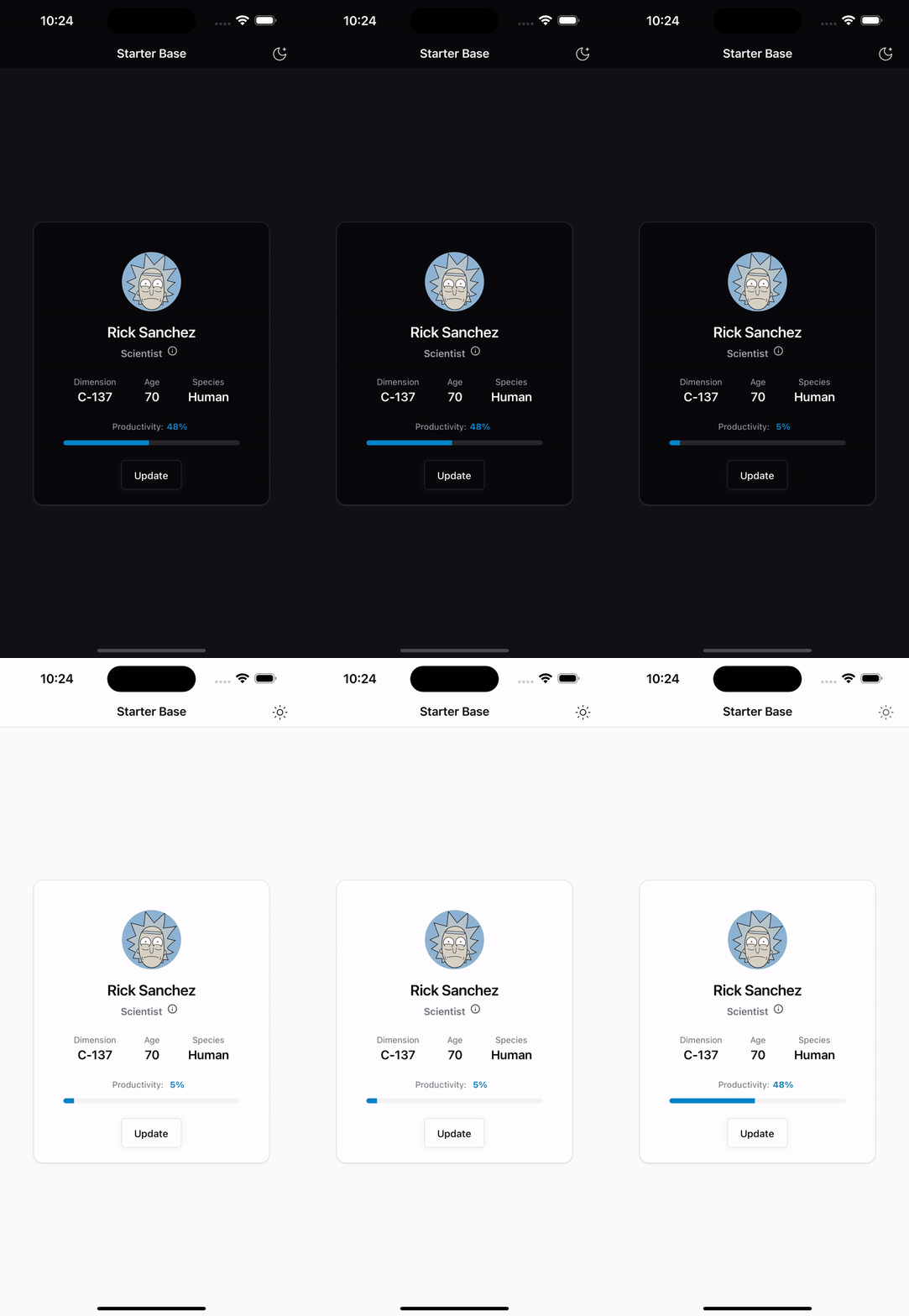
- **Dark and Light Mode**: Seamless theme switching with persistent mode support.
- **Reusable Components**: Includes common UI components like `ThemeToggle`, `Avatar`, `Button`, `Card`, `Progress`, `Text`, and `Tooltip`.
- **Android Navigation Bar**: Matches the current theme.
- **State Management**: Powered by Zustand for simple and scalable state management.
## Prerequisites
1. Make sure you have a [Supabase](https://supabase.com/) account and have created a new project.
2. Install [Node.js](https://nodejs.org/) and [Expo CLI](https://docs.expo.dev/get-started/installation/).
## Getting Started
[Get Started Without a Framework](https://reactnative.dev/docs/getting-started-without-a-framework)
1. Clone the repository:
```bash
git clone https://github.com/your-username/ReactNative-Boilerplate.git
cd ReactNative-Boilerplate/src
```
2. Install dependencies:
```bash
npm install
```
3. Fill out your `.env` file with the required environment variables.
4. Run database migrations (if applicable):
```bash
bun migrate:local
```
5. Start the development server:
```bash
npm run dev
```
For specific platforms:
- Android: `npm run dev:android`
- iOS: `npm run dev:ios`
- Web: `npm run dev:web`
## Scripts
- `npm run dev`: Start the Expo development server.
- `npm run clean`: Clean up `.expo` and `node_modules` directories.
- `npm run postinstall`: Generate Tailwind CSS styles.
## Folder Structure
```
src/
├── app/ # Application screens and layouts
├── components/ # Reusable UI components
├── lib/ # Utility functions and hooks
├── assets/ # Static assets like images
├── global.css # Tailwind CSS configuration
├── package.json # Project dependencies and scripts
```
## License
This project is licensed under the [MIT License](LICENSE).
## Contributing
Contributions are welcome! Feel free to open an issue or submit a pull request.
## Screenshots
https://github.com/0xRowdy/react-native-reusables/
```
Make sure you have a Supabase account and have created a new project.
After filling out your .env file, run 'bun migrate:local' to create your database tables.
To start the API and web development servers, run 'bun api' and 'bun web' in separate terminal tabs.
```