https://github.com/furkanunsalan/travelmap
📍Interactive map for tracking and visualizing travel destinations
https://github.com/furkanunsalan/travelmap
axios context firebase maptiler open-source react single-page-applications traveling vitejs
Last synced: 5 months ago
JSON representation
📍Interactive map for tracking and visualizing travel destinations
- Host: GitHub
- URL: https://github.com/furkanunsalan/travelmap
- Owner: furkanunsalan
- License: mit
- Created: 2024-06-19T11:26:40.000Z (about 2 years ago)
- Default Branch: prod
- Last Pushed: 2025-02-23T18:19:16.000Z (over 1 year ago)
- Last Synced: 2025-08-09T12:43:41.356Z (11 months ago)
- Topics: axios, context, firebase, maptiler, open-source, react, single-page-applications, traveling, vitejs
- Language: JavaScript
- Homepage: https://map.furkanunsalan.dev
- Size: 105 MB
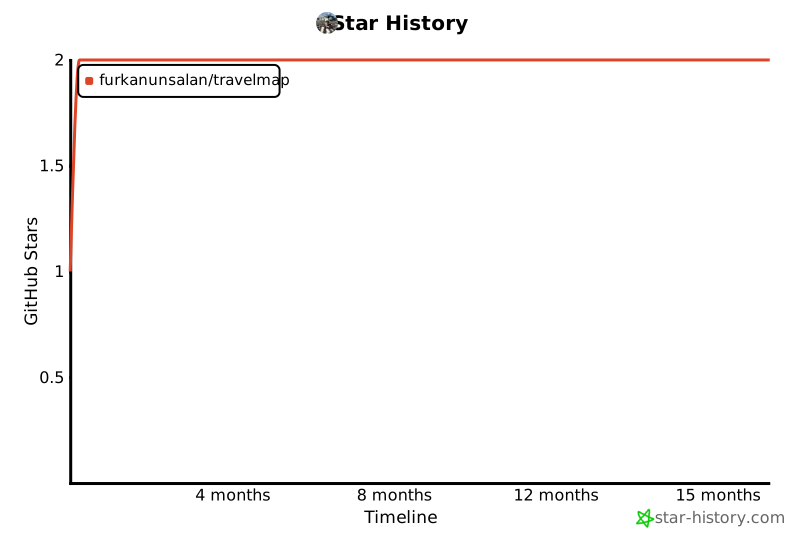
- Stars: 2
- Watchers: 1
- Forks: 0
- Open Issues: 8
-
Metadata Files:
- Readme: README.md
- License: LICENSE
Awesome Lists containing this project
README

# Travel Map
[](https://github.com/chetanraj/awesome-github-badges) [](https://opensource.org/licenses/MIT) [](https://GitHub.com/furkanunsalan/TravelMap/pulls/) [](https://GitHub.com/furkanunsalan/TravelMap/issues/)
Table of Contents
- [Overview](#overview)
- [Features](#features)
- [Technologies Used](#technologies-used)
- [Setup Instructions](#setup-instructions)
- [Prerequisites](#prerequisites)
- [Installation](#installation)
- [Usage](#usage)
- [Adding Places](#adding-places)
- [Viewing Places on the Map](#viewing-places-on-the-map)
- [Database Structure](#database-structure)
- [Firestore Database Structure](#firestore-database-structure)
- [Storage Bucket Structure](#storage-bucket-structure)
- [Contributing](#contributing)
- [License](#license)
- [Contact](#contact)
## Overview
This project is a personal tool to track and visualize travel destinations and places of interest on a map. It allows you to manage and view a list of places you plan to visit, as well as places you want to relax in. The application integrates with the MapTiler API to display interactive maps and custom markers.
## Features
- **Interactive Map:** Visualize locations of your landmarks on an interactive map using the MapTiler API.
- **Custom Markers:** Add markers to the map for different landmarks with customizable popups.

- **Dynamic Tabs:** Switch between and organize different lists of landmarks using tabs.

- **Detail Pages:** Dynamic detail pages for your landmarks.

- **Submission Page:** Add your new favorite landmarks easily.

- **Rating System:** View and manage places with a rating system displayed in the popups.
- **Responsive Design:** The interface adapts to different screen sizes for better usability on mobile devices.
## Technologies Used
- **React:** For building the user interface.
- **Axios:** For sending API requests.
- **Context:** For Global State Management
- **Tailwind CSS:** For styling and responsive design.
- **MapTiler SDK:** For map rendering and interaction.
- **Vite:** For development and build tooling.
- **Vercel:** For deployment.
- **Firebase:** Database for storing place data and images.
- **Framer:** For component and page animations.
## Setup Instructions
### Prerequisites
- Node.js (v16 or later)
- NPM
- Vercel CLI (Required for the backend to work properly.)
### Installation
1. **Clone the Repository**
```bash
git clone https://github.com/furkanunsalan/TravelMap.git
cd TravelMap
```
2. **Install Dependencies**
```bash
npm install
```
3. **Set Up Environment Variables**
Create a `.env` file in the root of the project and add your MapTiler API key:
```env
VITE_API_KEY=your_maptiler_api_key
FIREBASE_SERVICE_ACCOUNT=firebase_service_account_credential
AUTH_EMAIL=email_for_submit_page_admin
AUTH_PASSWORD=password_for_submit_page_admin
MAIL_PASS=your-smtp-mail-password
```
4. **Run the Development Server**
```bash
vercel dev
```
5. **Open the Application in Your Browser**
App will compile on `http://localhost:3000` in your browser.
## Usage
### Adding Places
- **Food:** list of food related places that I love visiting.
- **Chill:** List of places to hangout with friends and family.
- **Travel:** List of places to see around the world.
- **Library:** List of libraries to sit and study.
### Viewing Places on the Map
1. Click on a marker on the map to view details in a popup.
2. The popup will display information such as name, address, the latest visit date, and a rating with stars.
## Database Structure
The project uses **Firebase Firestore** to store information about each place and **Firebase Storage** for images. Below is the structure for both of the services.
### Firestore Database Structure
```
/places
└──1EyeJjFgzMS33jogOG2W
├── address: "Sinanpaşa, Ihlamurdere Cd. No:25A, 34022 Beşiktaş/İstanbul"
├── date: "10-07-2024"
├── description: ""
├── id: "1EyeJjFgzMS33jogOG2W"
├── latitude: "41.044224"
├── longitude: "29.003012211640893"
├── name: "Balta Burger"
├── rating: 4
├── site: ""
├── slug: "balta-burger"
├── status: "Gone"
└── tag: "Food"
```
### Storage Bucket Structure
```
/images
└── /balta-burger
├── cover.png
└── /additional
└── 1.jpg
```
## Contributing
After running the project by applying the steps in [setup instructions](#setup-instructions), you can make changes, fix errors and send feature requests by the following guide:
1. **Create a New Branch**
```bash
git checkout -b feature/your-feature
# or
git git checkout -b fix/your-fix
```
2. **Make Your Changes**
3. **Commit Your Changes**
```bash
git add .
git commit -m "feat: Add a descriptive commit message"
# or
git commit -m "fix: Add a descriptive commit message"
```
4. **Push to Remote**
```bash
git push origin feature/your-feature
```
5. **Open a Pull Request**
Open a PR on GitHub from your fork to contribute into the main branch.
[](https://star-history.com/#furkanunsalan/TravelMap)
## License
This project is licensed under the MIT License. See the [LICENSE](LICENSE) file for details.
## Contact
For any questions or feedback, please reach out to:
- **Furkan Ünsalan** - [hi@furkanunsalan.dev](mailto:hi@furkanunsalan.dev)