https://github.com/fusion-energy/model_benchmark_zoo
A collection of neutronics models for comparing neutronics simulations in both CAD and CSG formats.
https://github.com/fusion-energy/model_benchmark_zoo
benchmark cad comparison constructive-solid-geometries geometry neutronics simulation validation
Last synced: 6 months ago
JSON representation
A collection of neutronics models for comparing neutronics simulations in both CAD and CSG formats.
- Host: GitHub
- URL: https://github.com/fusion-energy/model_benchmark_zoo
- Owner: fusion-energy
- License: mit
- Created: 2022-09-26T12:51:18.000Z (almost 4 years ago)
- Default Branch: main
- Last Pushed: 2026-01-13T21:36:46.000Z (6 months ago)
- Last Synced: 2026-01-13T21:42:30.263Z (6 months ago)
- Topics: benchmark, cad, comparison, constructive-solid-geometries, geometry, neutronics, simulation, validation
- Language: Python
- Homepage:
- Size: 499 KB
- Stars: 10
- Watchers: 2
- Forks: 6
- Open Issues: 2
-
Metadata Files:
- Readme: README.md
- License: LICENSE
Awesome Lists containing this project
README
[](https://github.com/fusion-energy/model_benchmark_zoo/actions/workflows/ci_cad_to_dagmc.yml)
[](https://github.com/fusion-energy/model_benchmark_zoo/actions/workflows/ci_cad_to_openmc.yml)
# A collection of parametric CAD and equivalent Constructive Solid Geometry
Models available both in Constructive Solid Geomtry (CSG) and CAD format for comparing neutronics simulations with both geometry types.
| Model | Description |
|---|---|
|

| Cube |
| 
| Sphere |
| 
| Nested sphere |
| 
| Boxes in contact|
| 
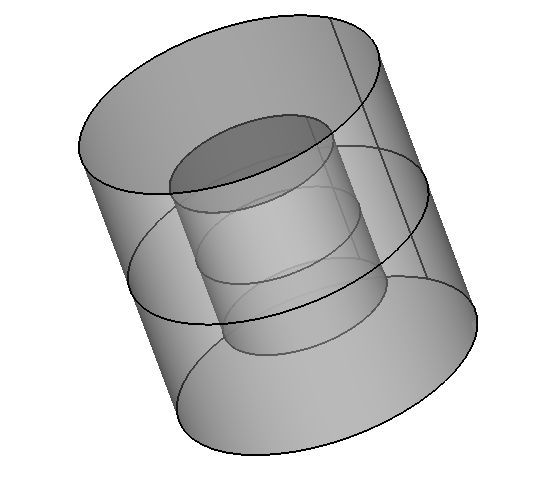
| Cylinder|
| 
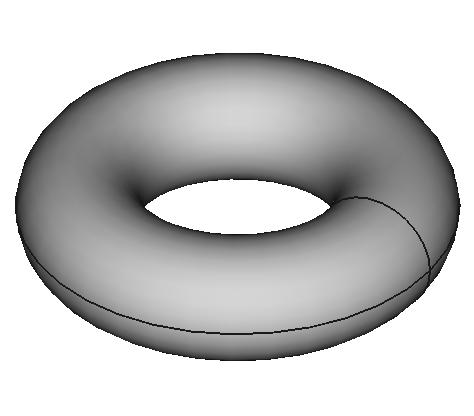
| Nested cylinders |
| 
| Torus |
| 
| Nested tori |
| 
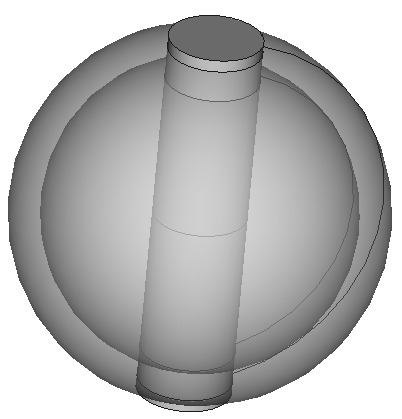
| Elliptical torus |
| 
| Simplified tokamak |
| 
| Oktavian shere|
| 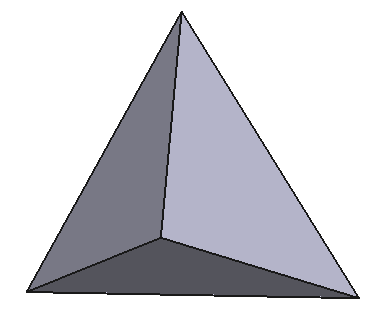 | Tetrahedrons |
|

| Tetrahedron in contact |
## Installation prerequisite
In principle, any Conda/Mamba distribution will work. A few Conda/Mamba options are:
- [Miniforge](https://github.com/conda-forge/miniforge#miniforge-pypy3) (recommended as it includes mamba)
- [Anaconda](https://www.anaconda.com/download)
- [Miniconda](https://docs.conda.io/en/latest/miniconda.html)
## Install using Mamba and pip
This example assumes you have installed the MiniForge option or separately
installed Mamba with ```conda install -c conda-forge mamba -y```
Create a new conda environment, I've chosen Python 3.10 here but newer versions should also work.
```bash
mamba create --name new_env python=3.10 -y
```
Activate the environment
```bash
mamba activate new_env
```
Install the dependencies, if this fails to solve the environment you could also try [installing OpenMC from source](https://docs.openmc.org/en/stable/quickinstall.html) which might be preferred.
```bash
mamba install -y -c conda-forge gmsh python-gmsh "openmc=dagmc*nompi*"
```
CadQuery should then be installed, here is the mamba command and the pip command.
```bash
mamba install -y -c conda-forge ocp cadquery
```
If the mamba command fails to solve the environment then try this pip command.
```bash
python -m pip install cadquery-ocp cadquery
```
Then you can install whichever convertor you want to test. The cad_to_dagmc and the CAD_to_OpenMC packages can both be installed with ```pip``` or ```conda```. **Warning** these should be installed in separate environments as they require a different version of Open Cascade.
```bash
python -m pip install cad_to_dagmc
```
or
```bash
python -m pip install CAD_to_OpenMC
```
Then you can install the model benchmark zoo with ```pip```
```bash
python -m pip install git+git://github.com/fusion-energy/model_benchmark_zoo.git
```
## Usage
Example scripts that make CSG and DAGMC geometry can be found in [the examples folder](https://github.com/fusion-energy/model_benchmark_zoo/tree/main/examples)