https://github.com/futurecore/parallella-devenv
Repeatable development environment for the Adapteva Parallella board
https://github.com/futurecore/parallella-devenv
Last synced: 6 months ago
JSON representation
Repeatable development environment for the Adapteva Parallella board
- Host: GitHub
- URL: https://github.com/futurecore/parallella-devenv
- Owner: futurecore
- License: gpl-3.0
- Created: 2014-11-02T17:05:30.000Z (almost 12 years ago)
- Default Branch: master
- Last Pushed: 2016-06-21T23:40:49.000Z (about 10 years ago)
- Last Synced: 2023-08-10T06:02:26.806Z (about 3 years ago)
- Size: 2.17 MB
- Stars: 5
- Watchers: 3
- Forks: 9
- Open Issues: 0
-
Metadata Files:
- Readme: README.md
- License: LICENSE
Awesome Lists containing this project
README
parallella-devenv [](https://registry.hub.docker.com/u/snim2/parallella-devenv/)
=================
Development environment for the [Adapteva Parallella board](http://www.parallella.org/).
Installing and running
----------------------
Start by [installing docker](https://docs.docker.com/installation/#installation) for your platform.
The rest of this guide is based on a Ubuntu environment, but any other environment should be similar.
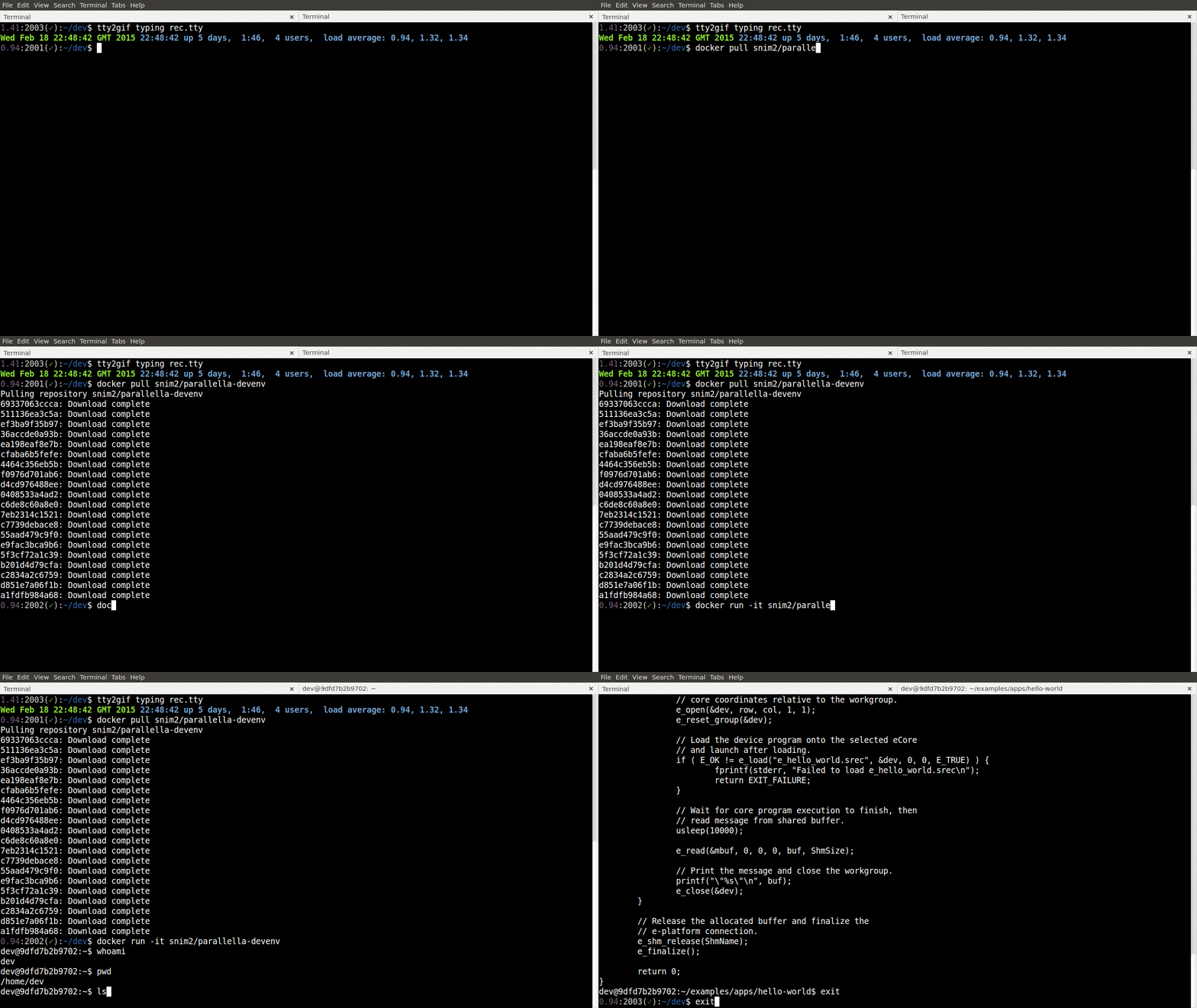
This container is based on a Ubuntu 14.04 image. You can start the container from the command line:
```bash
$ docker run -t -i snim2/parallella-devenv /bin/bash
```
This will create a BASH shell in the `$HOME` directory which is located at `/home/dev/`.
There are two directories you need to know about:
* `/opt/adapteva/esdk` - which contains an installed version of the Epiphany SDK and toolchain. Relevant environment variables (such as `$PATH`, `$LD_LIBRARY_PATH` and `$MANPATH`) have been set. The path `/opt/adapteva/` is readable and writeable by the default user `dev`.
* `/home/dev/examples` - a clone of the official [Epiphany examples](https://github.com/adapteva/epiphany-examples) repository.
Compiling code for the Parallella board
------------------------------------------------------
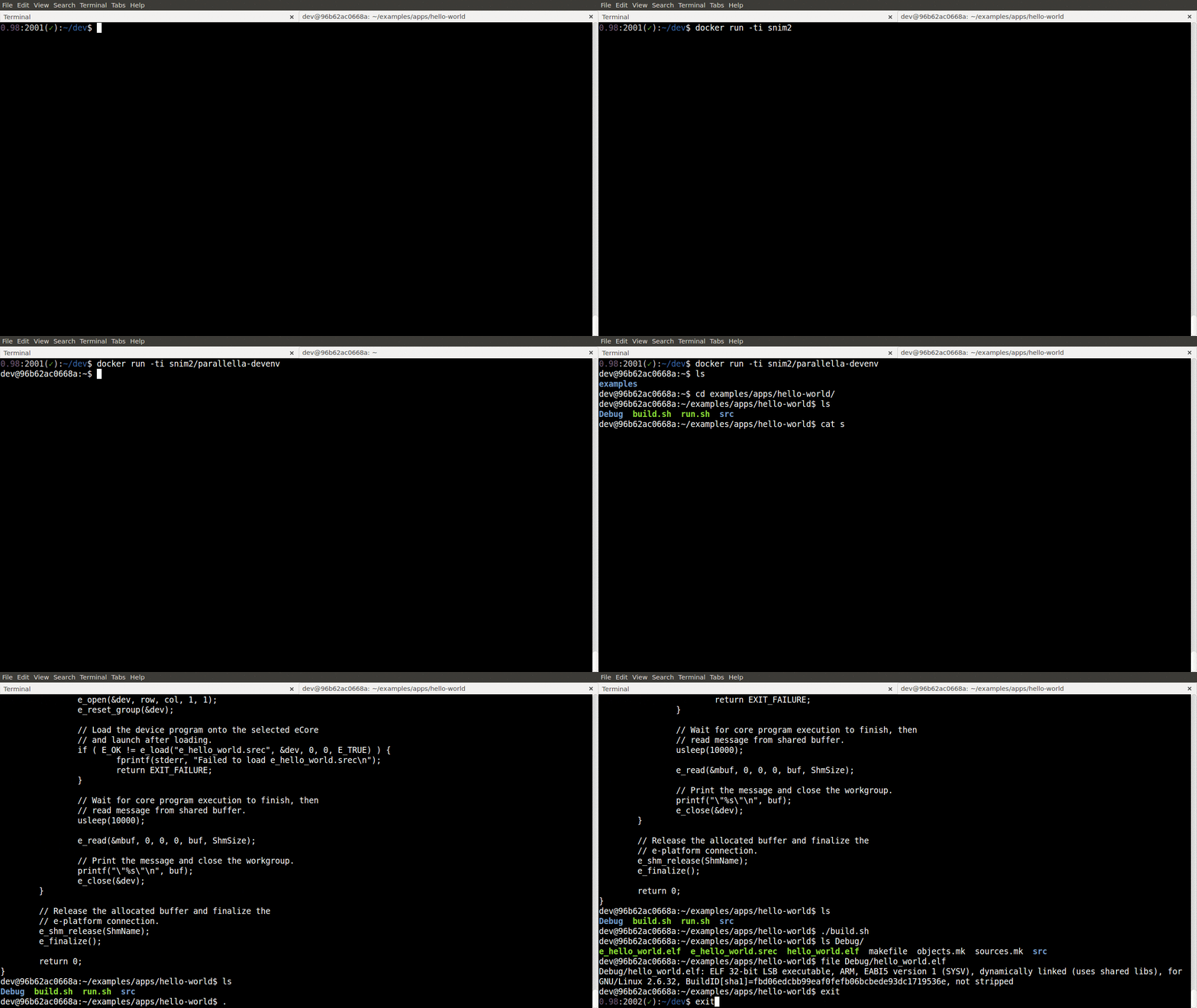
To compile and simulate the `hello-world` example from the [Epiphany examples](https://github.com/adapteva/epiphany-examples) repository, first change directory:
```bash
$ cd ~/examples/apps/hello-world
```
then run the build script to with:
```bash
$ ./build.sh
```
This will build all the relevant binary files and place them in the `Debug` directory.
Contributing
------------
Contributions to this repository are very welcome.
To contribute, please fork this repository on GitHub and send a pull request with a clear description of your changes. If appropriate, please ensure that the user documentation in this README is updated.
If you have submitted a PR and not received any feedback for a while, feel free to [ping me on Twitter](http://twitter.com/snim2)
TODO
----
Add documentation on how to connect to `e-server`.
---------------------------------------
© Sarah Mount, University of Wolverhampton, 2015.