https://github.com/fuzzygrim/yamtrack
A self hosted media tracker.
https://github.com/fuzzygrim/yamtrack
django docker docker-compose media-tracker postgresql self-hosted sqlite tailwindcss
Last synced: 7 months ago
JSON representation
A self hosted media tracker.
- Host: GitHub
- URL: https://github.com/fuzzygrim/yamtrack
- Owner: FuzzyGrim
- License: agpl-3.0
- Created: 2022-12-09T22:58:21.000Z (over 3 years ago)
- Default Branch: dev
- Last Pushed: 2025-10-14T21:44:01.000Z (9 months ago)
- Last Synced: 2025-10-14T23:58:37.853Z (9 months ago)
- Topics: django, docker, docker-compose, media-tracker, postgresql, self-hosted, sqlite, tailwindcss
- Language: Python
- Homepage:
- Size: 6.08 MB
- Stars: 1,374
- Watchers: 7
- Forks: 66
- Open Issues: 195
-
Metadata Files:
- Readme: README.md
- License: LICENSE
Awesome Lists containing this project
README
# Yamtrack





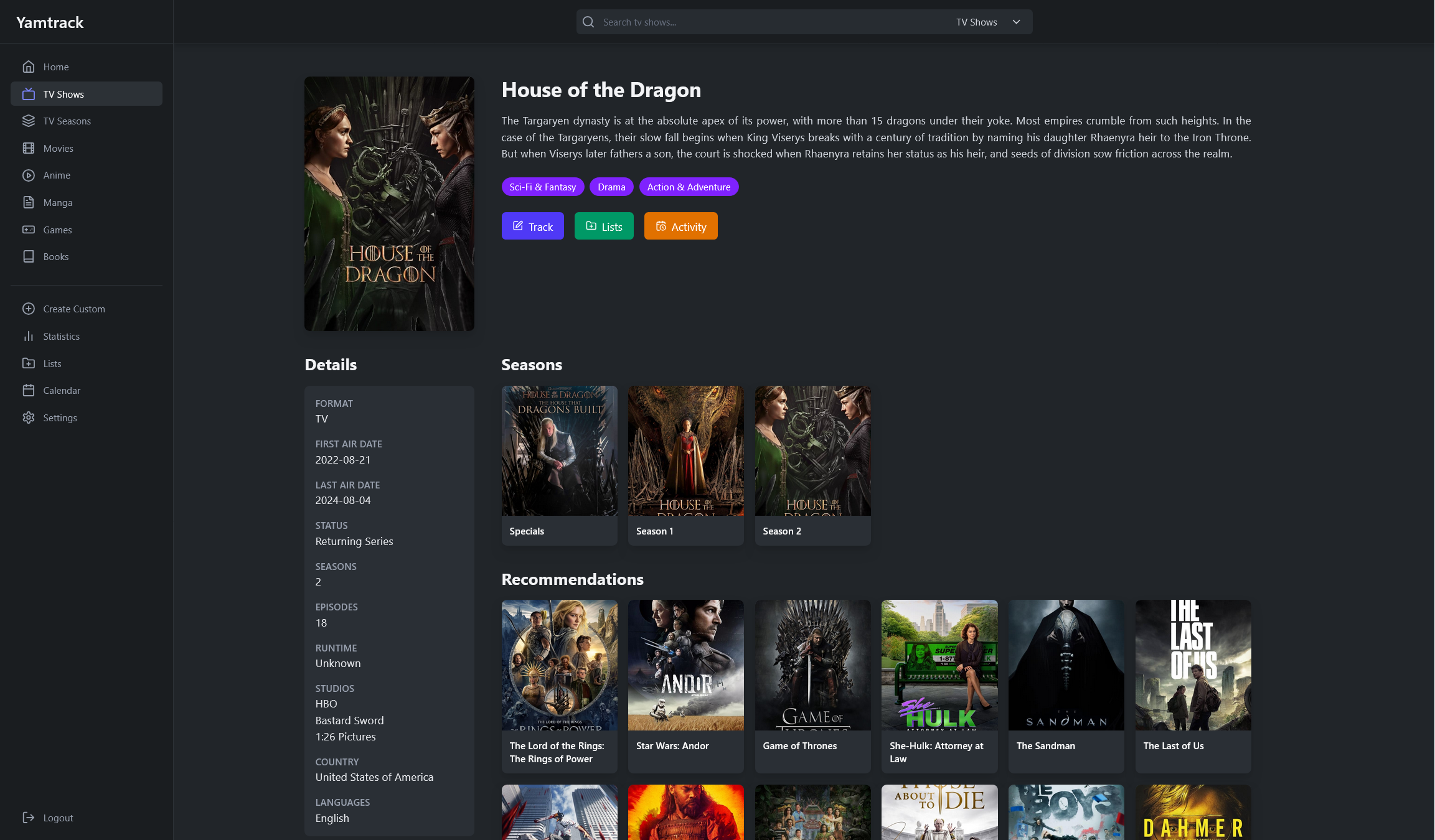
Yamtrack is a self hosted media tracker for movies, tv shows, anime, manga, video games and books.
## 🚀 Demo
You can try the app at [yamtrack.fuzzygrim.com](https://yamtrack.fuzzygrim.com) using the username `demo` and password `demo`.
## ✨ Features
- 🎬 Track movies, tv shows, anime, manga, games, books and comics.
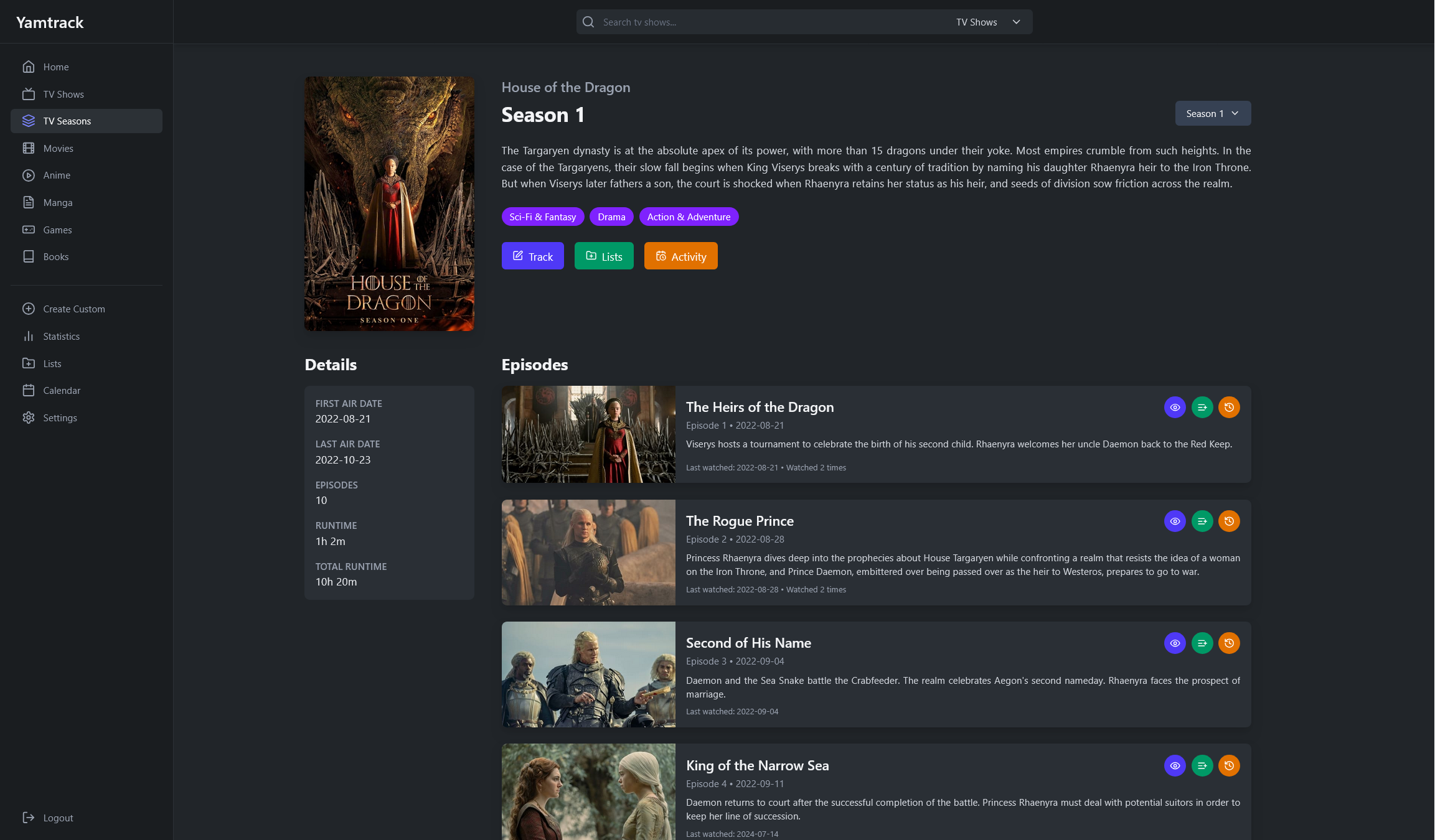
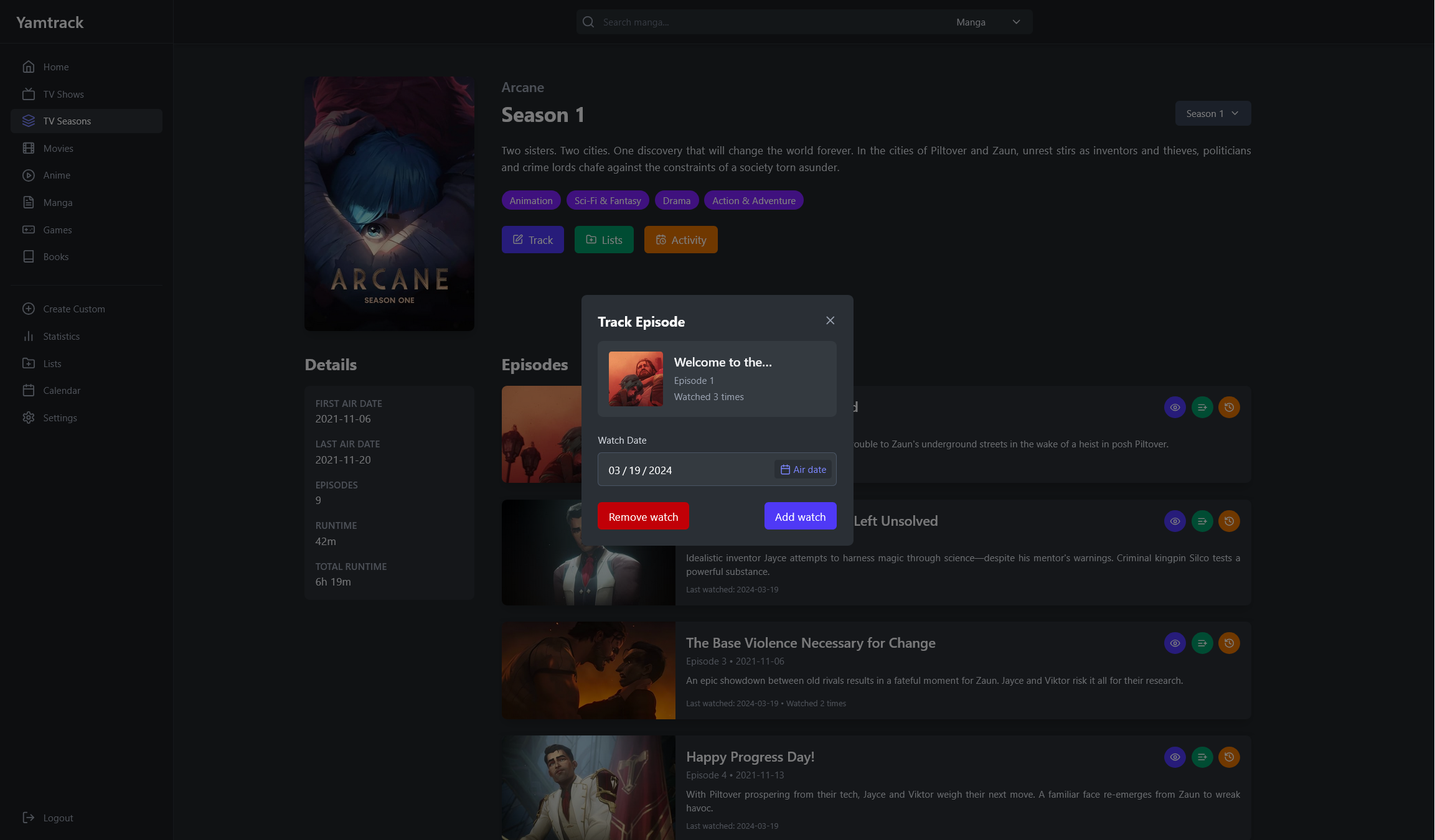
- 📺 Track each season of a tv show individually and episodes watched.
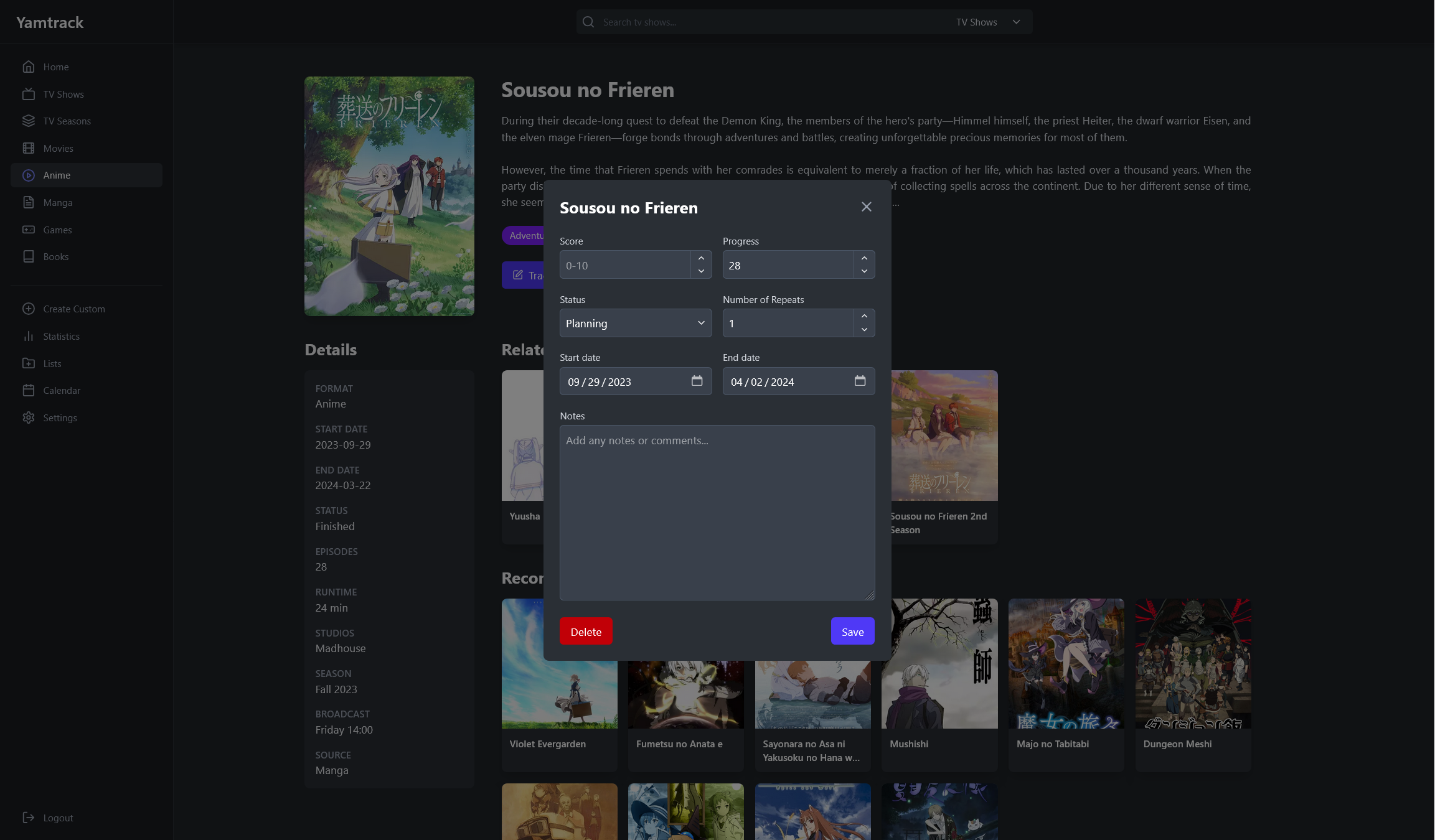
- ⭐ Save score, status, progress, repeats (rewatches, rereads...), start and end dates, or write a note.
- 📈 Keep a tracking history with each action with a media, such as when you added it, when you started it, when you started watching it again, etc.
- ✏️ Create custom media entries, for niche media that cannot be found by the supported APIs.
- 📂 Create personal lists to organize your media for any purpose, add other members to collaborate on your lists.
- 📅 Keep up with your upcoming media with a calendar, which can be subscribed to in external applications using a iCalendar (.ics) URL.
- 🔔 Receive notifications of upcoming releases via Apprise (supports Discord, Telegram, ntfy, Slack, email, and many more).
- 🐳 Easy deployment with Docker via docker-compose with SQLite or PostgreSQL.
- 👥 Multi-users functionality allowing individual accounts with personalized tracking.
- 🔑 Flexible authentication options including OIDC and 100+ social providers (Google, GitHub, Discord, etc.) via django-allauth.
- 🦀 Integration with [Jellyfin](https://jellyfin.org/), [Plex](https://plex.tv/) and [Emby](https://emby.media/) to automatically track new media watched.
- 📥 Import from [Trakt](https://trakt.tv/), [Simkl](https://simkl.com/), [MyAnimeList](https://myanimelist.net/), [AniList](https://anilist.co/) and [Kitsu](https://kitsu.app/) with support for periodic automatic imports.
- 📊 Export all your tracked media to a CSV file and import it back.
## 📱 Screenshots
| Homepage | Calendar |
| ---------------------------------------------------------------------------------------------- | ------------------------------------------------------------------------------------------- |
| 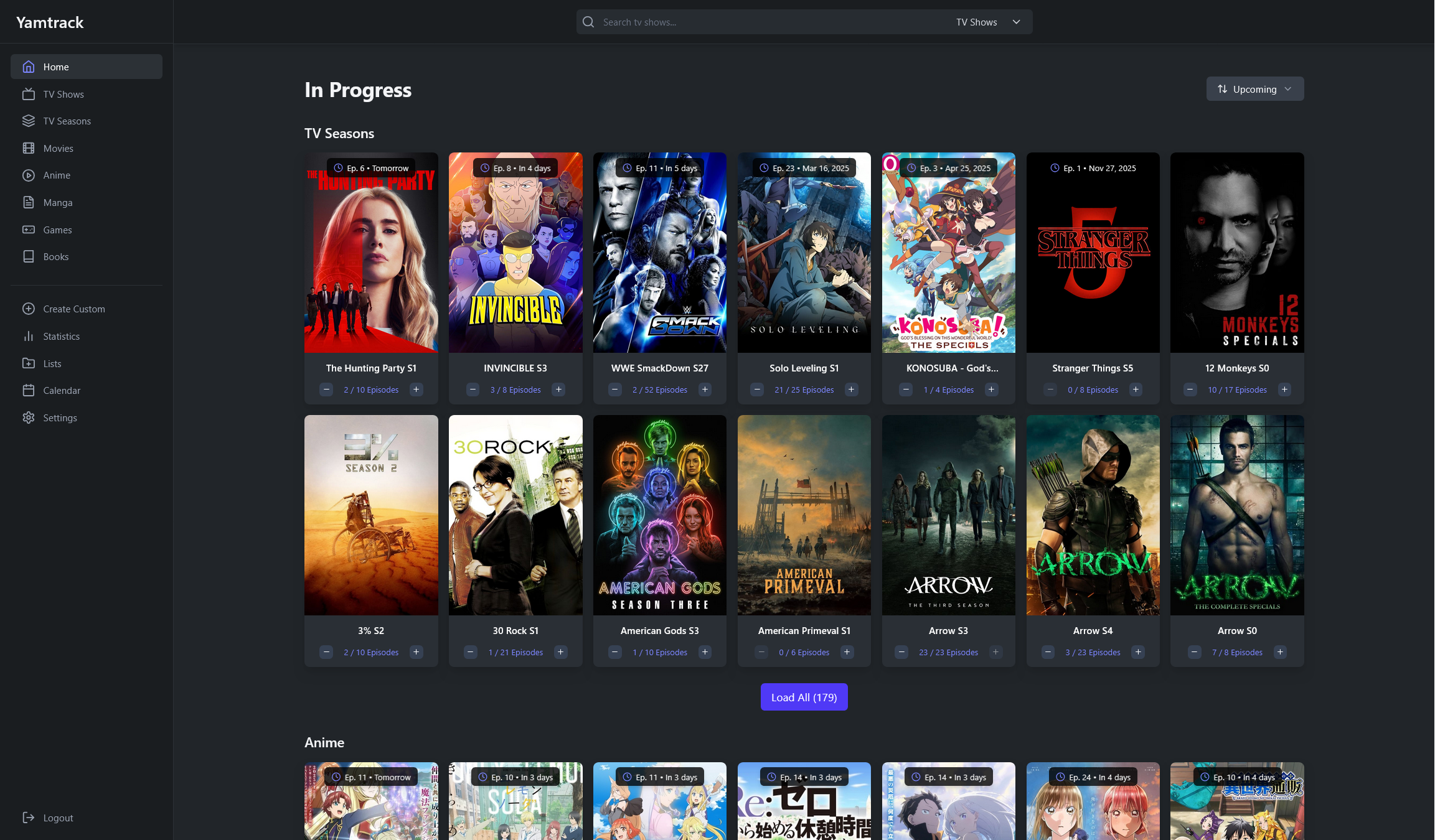 |
| 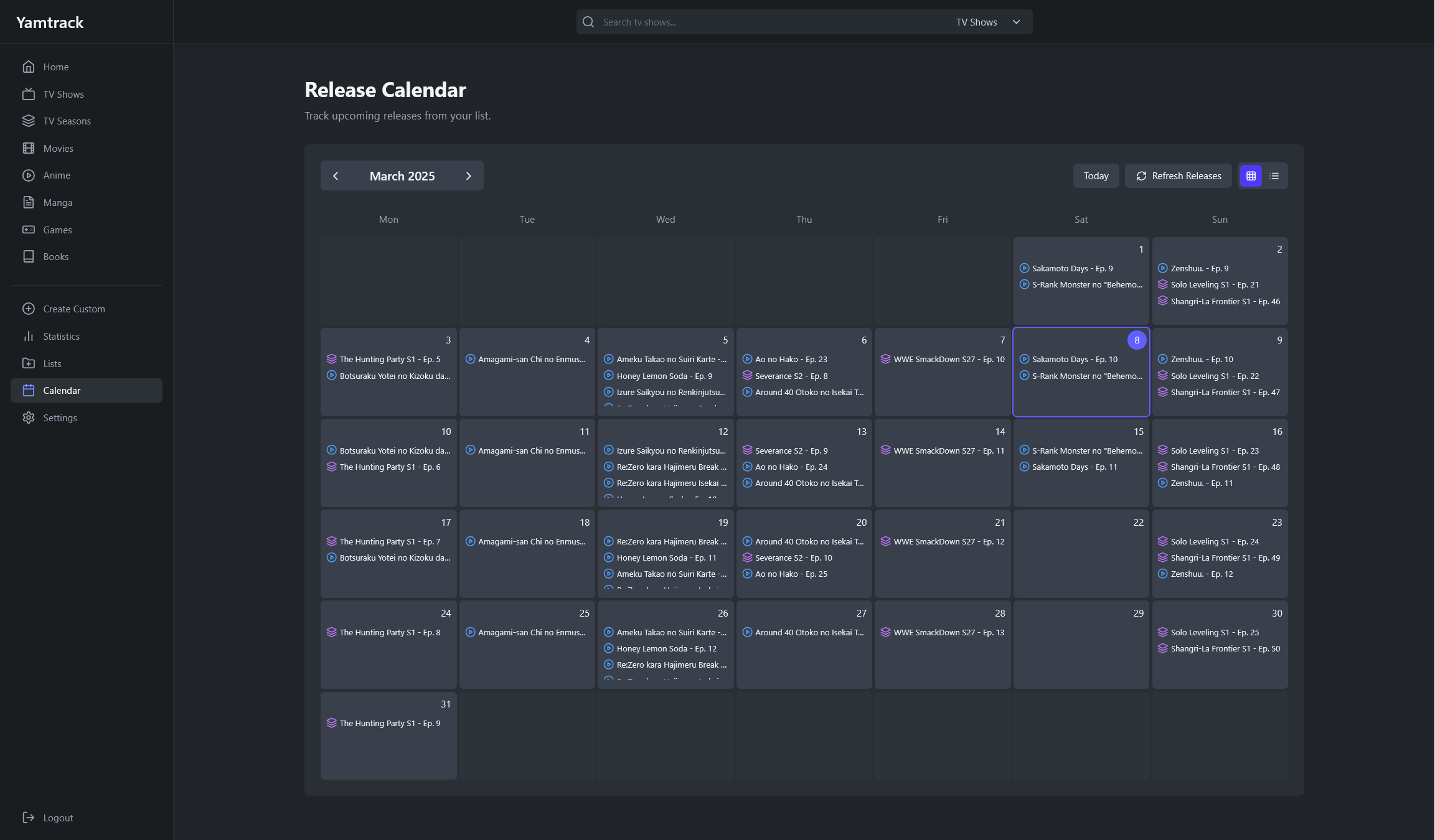 |
|
| Media List Grid | Media List Table |
| -------------------------------------------------------------------------------------------------- | ---------------------------------------------------------------------------------------------------- |
| 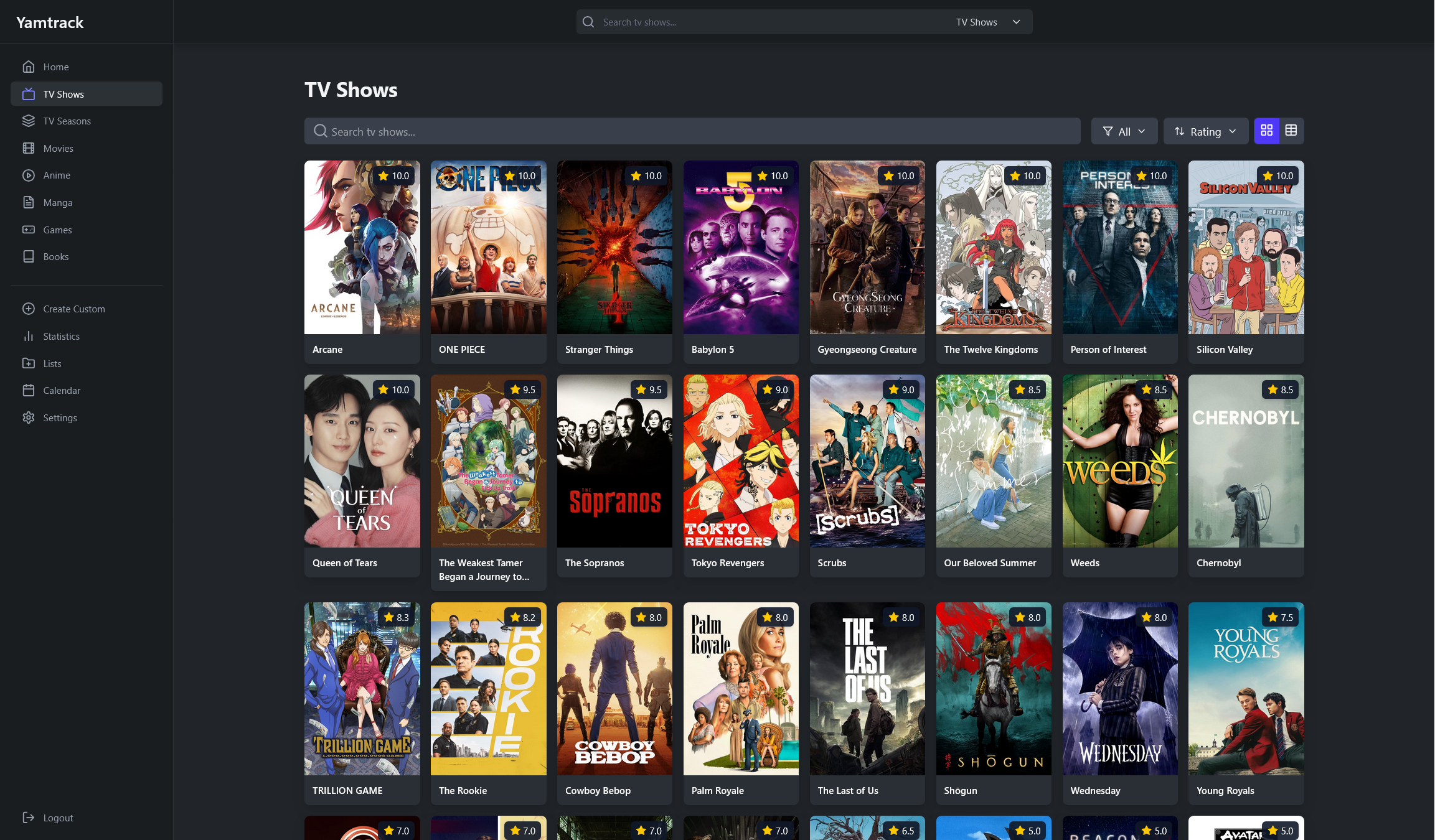 |
| 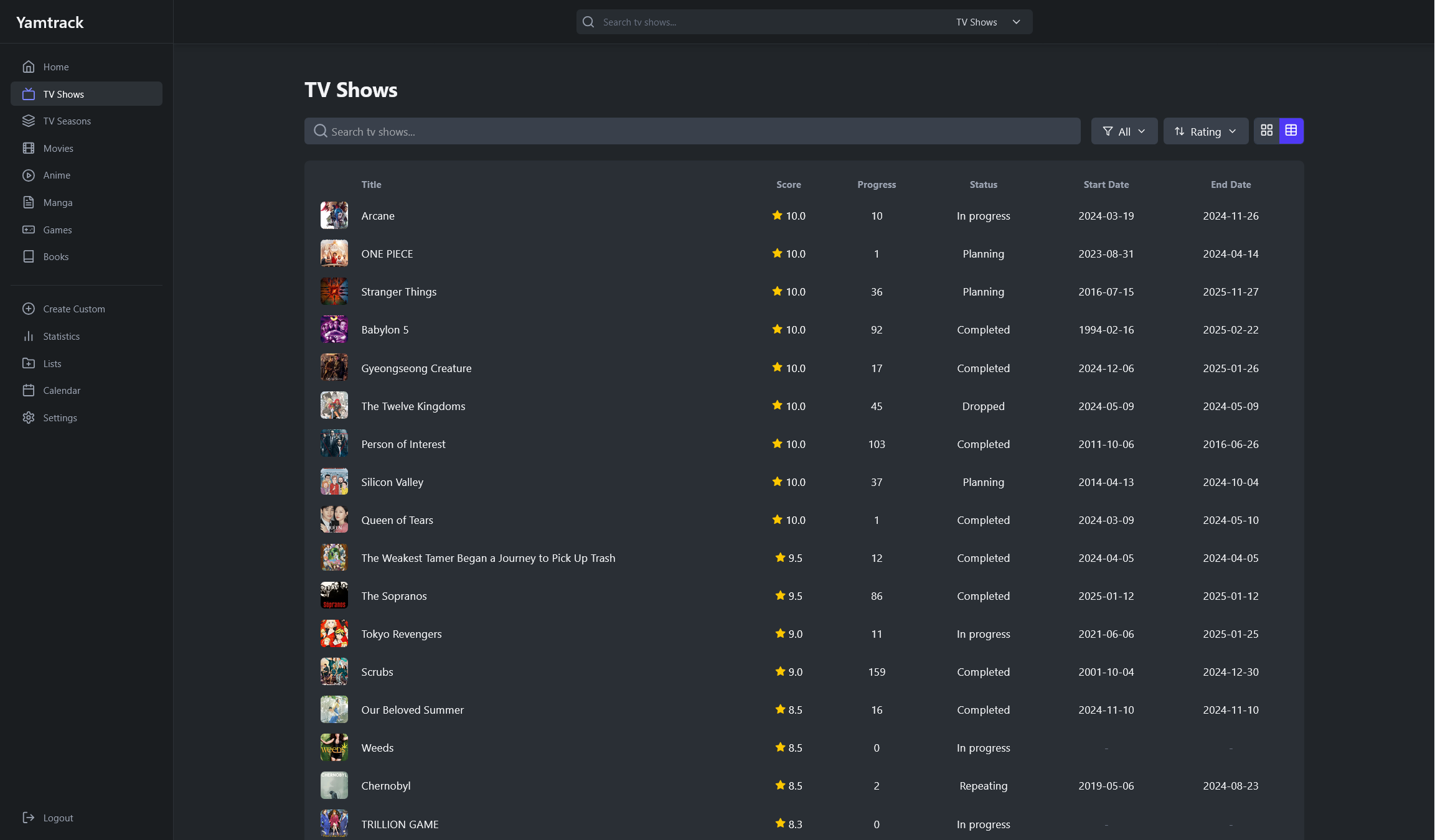 |
|
| Media Details | Tracking |
| ----------------------------------------------------------------------------------------------------- | ------------------------------------------------------------------------------------------- |
|  |
|  |
|
| Season Details | Tracking Episodes |
| ------------------------------------------------------------------------------------------------------- | ------------------------------------------------------------------------------------------------------------ |
|  |
|  |
|
| Lists | Statistics |
| ------------------------------------------------------------------------------------- | ----------------------------------------------------------------------------------------------- |
| 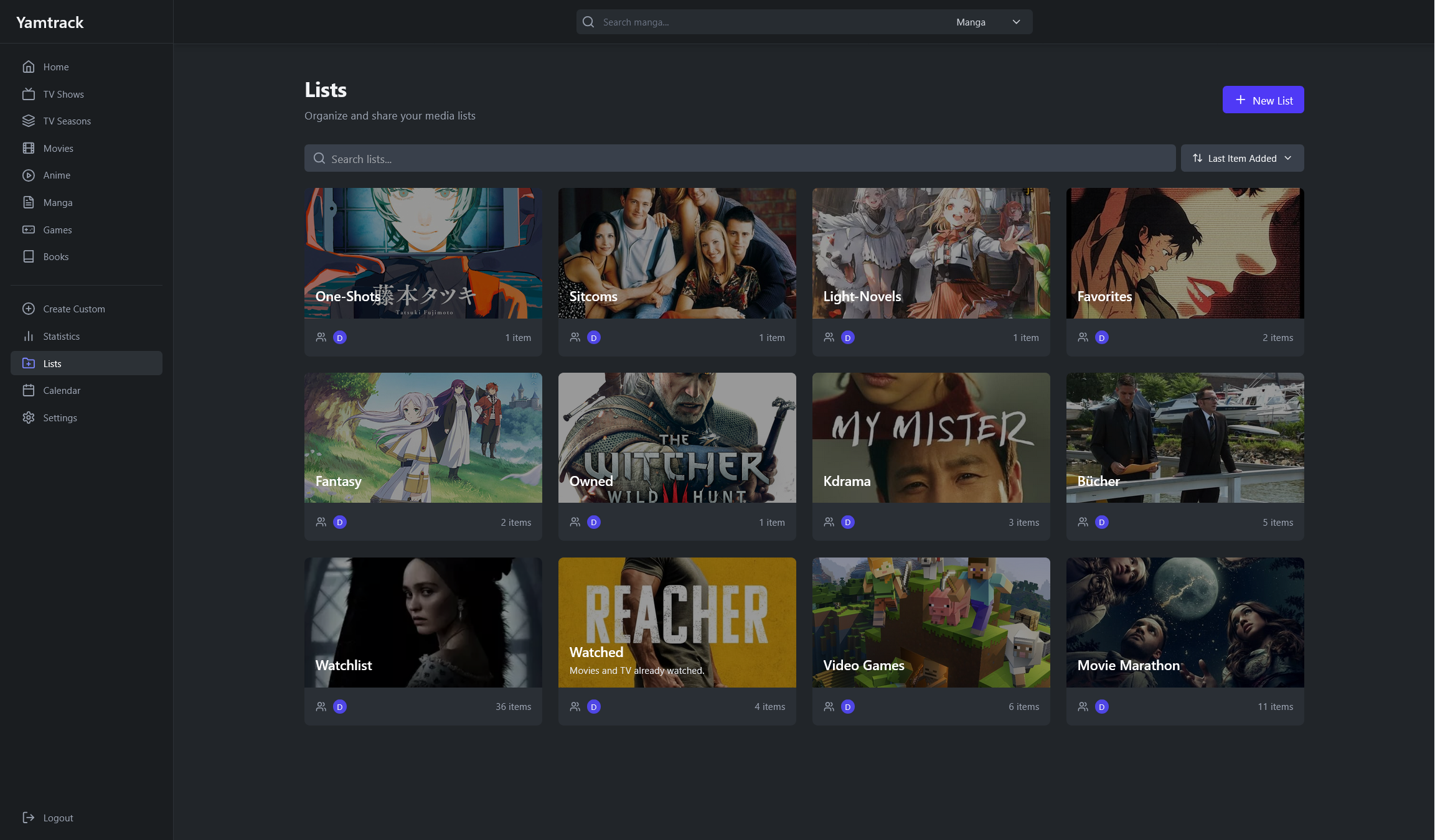 |
| 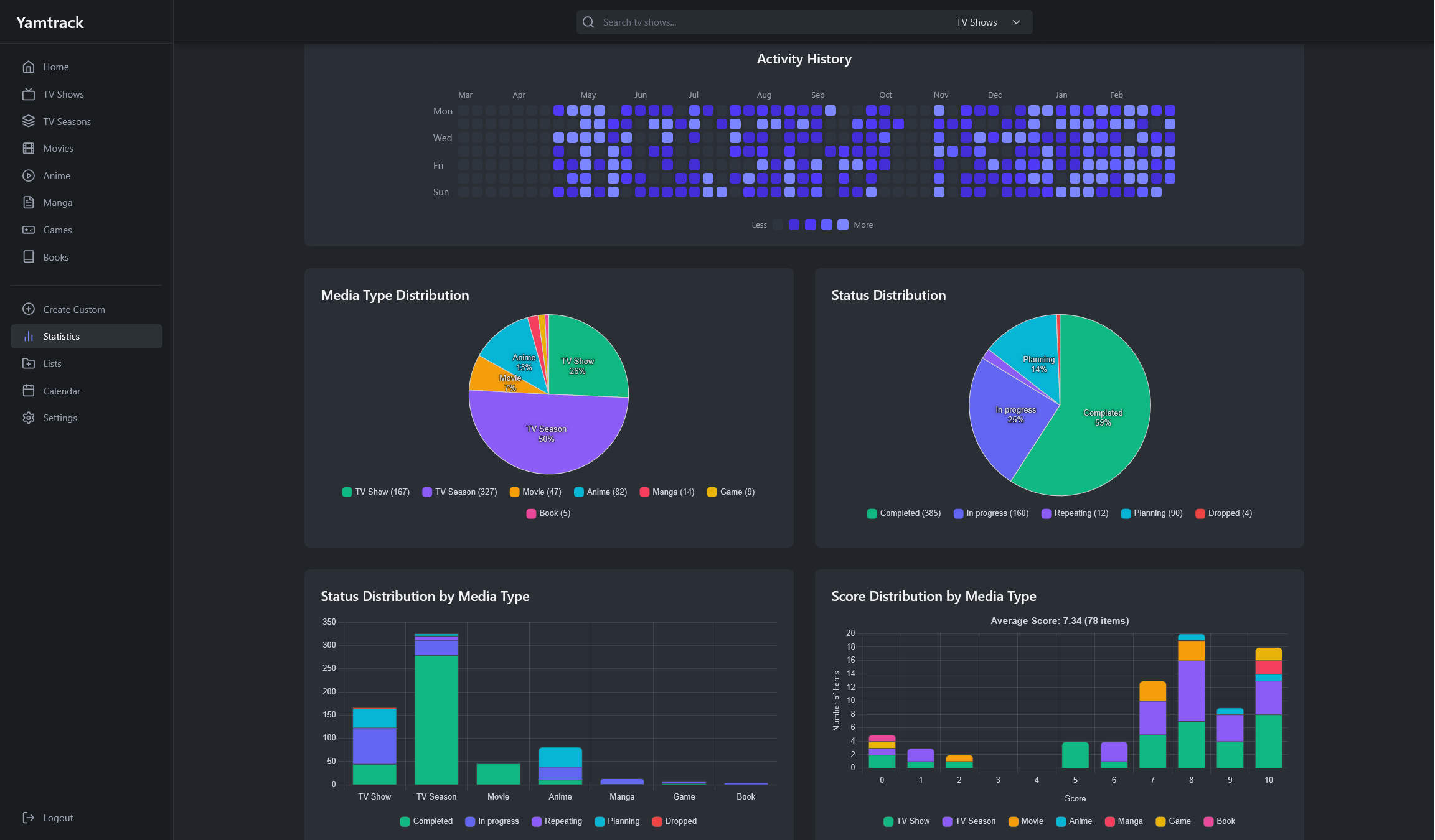 |
|
| Create Manual Entries | Import Data |
| ------------------------------------------------------------------------------------------------------------- | ------------------------------------------------------------------------------------------------- |
| 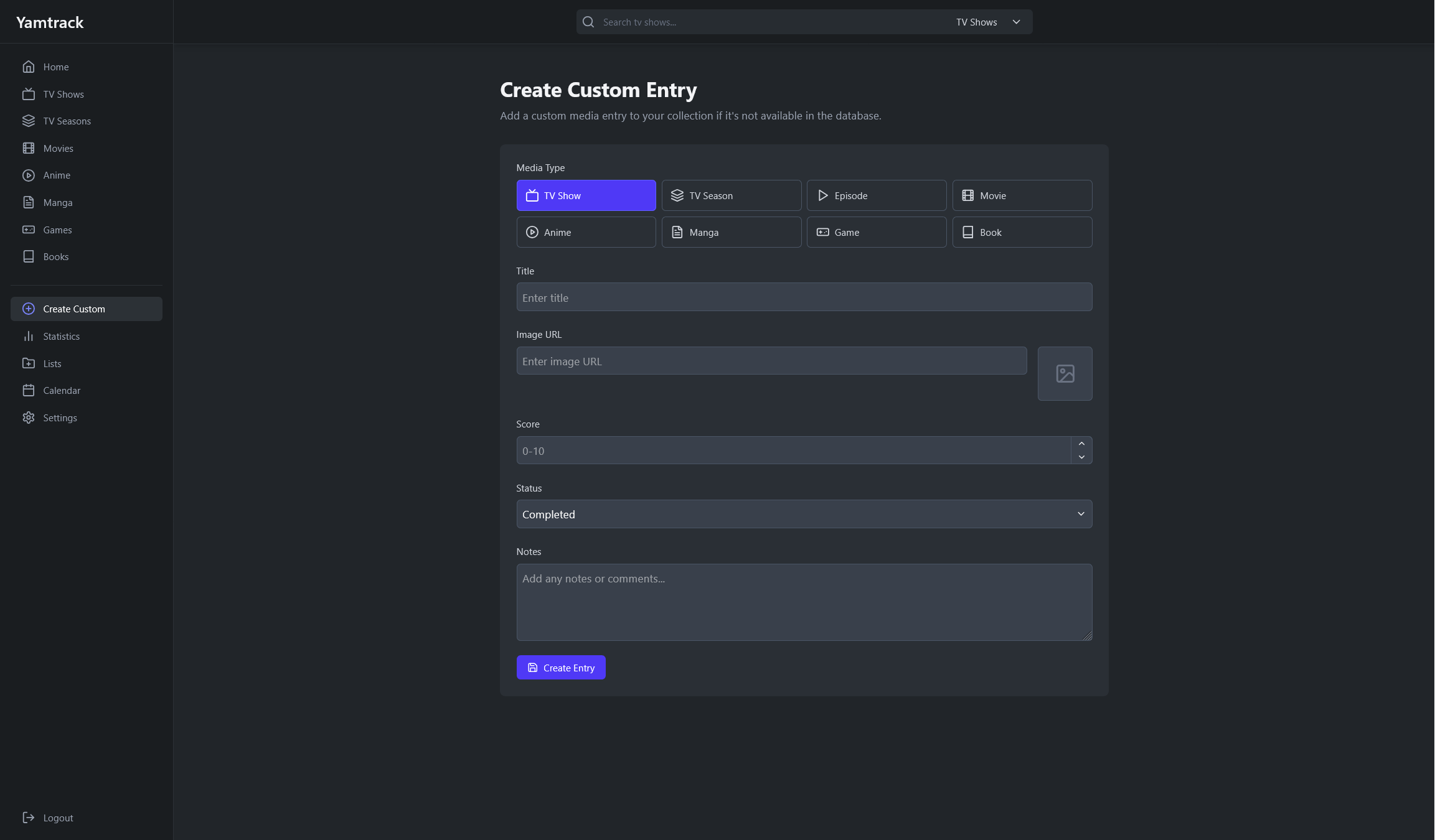 |
| 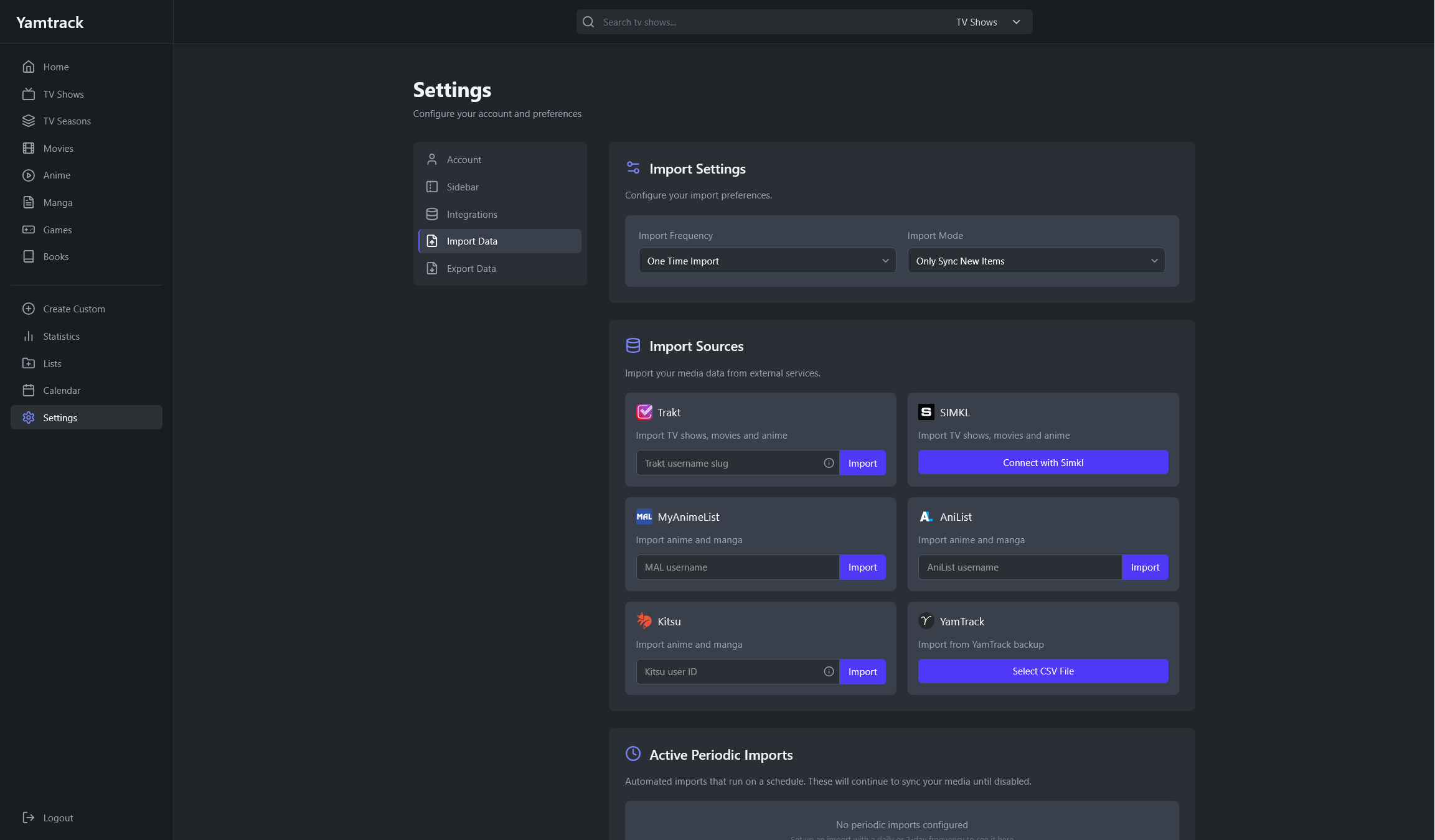 |
|
## 🐳 Installing with Docker
Copy the default `docker-compose.yml` file from the repository and set the environment variables. This would use a SQlite database, which is enough for most use cases.
To start the containers run:
```bash
docker-compose up -d
```
Alternatively, if you need a PostgreSQL database, you can use the `docker-compose.postgres.yml` file.
### 🌊 Reverse Proxy Setup
When using a reverse proxy, if you see a `403 - Forbidden` error, you need to set the `URLS` environment variable to the URL you are using for the app.
```bash
services:
yamtrack:
...
environment:
- URLS=https://yamtrack.mydomain.com
...
```
Note that the setting must include the correct protocol (`https` or `http`), and must not include the application `/` context path. Multiple origins can be specified by separating them with a comma (`,`).
### ⚙️ Environment variables
For detailed information on environment variables, please refer to the [Environment Variables wiki page](https://github.com/FuzzyGrim/Yamtrack/wiki/Environment-Variables).
## 💻 Local development
Clone the repository and change directory to it.
```bash
git clone https://github.com/FuzzyGrim/Yamtrack.git
cd Yamtrack
```
Install Redis or spin up a bare redis container:
```bash
docker run -d --name redis -p 6379:6379 --restart unless-stopped redis:8-alpine
```
Create a `.env` file in the root directory and add the following variables.
```bash
TMDB_API=API_KEY
MAL_API=API_KEY
IGDB_ID=IGDB_ID
IGDB_SECRET=IGDB_SECRET
STEAM_API_KEY=STEAM_API_SECRET
SECRET=SECRET
DEBUG=True
```
Then run the following commands.
```bash
python -m pip install -U -r requirements-dev.txt
cd src
python manage.py migrate
python manage.py runserver & celery -A config worker --beat --scheduler django --loglevel DEBUG & tailwindcss -i ./static/css/input.css -o ./static/css/tailwind.css --watch
```
Go to: http://localhost:8000
## 💪 Support the Project
There are many ways you can support Yamtrack's development:
### ⭐ Star the Project
The simplest way to show your support is to star the repository on GitHub. It helps increase visibility and shows appreciation for the work.
### 🐛 Bug Reports
Found a bug? Open an [issue](https://github.com/FuzzyGrim/Yamtrack/issues) on GitHub with detailed steps to reproduce it. Quality bug reports are incredibly valuable for improving stability.
### 💡 Feature Suggestions
Have ideas for new features? Share them through [GitHub issues](https://github.com/FuzzyGrim/Yamtrack/issues). Your feedback helps shape the future of Yamtrack.
### 🧪 Contributing
Pull requests are welcome! Whether it's fixing typos, improving documentation, or adding new features, your contributions help make Yamtrack better for everyone.
### ☕ Donate
If you'd like to support the project financially:
[](https://ko-fi.com/fuzzygrim)