https://github.com/g-w1/work
A very simple but effective CLI TODO manager.
https://github.com/g-w1/work
rust sqlite-database todolist
Last synced: about 1 year ago
JSON representation
A very simple but effective CLI TODO manager.
- Host: GitHub
- URL: https://github.com/g-w1/work
- Owner: g-w1
- License: gpl-3.0
- Created: 2020-07-15T16:35:01.000Z (almost 6 years ago)
- Default Branch: master
- Last Pushed: 2020-12-22T04:32:18.000Z (over 5 years ago)
- Last Synced: 2025-04-16T00:09:00.174Z (about 1 year ago)
- Topics: rust, sqlite-database, todolist
- Language: Rust
- Homepage:
- Size: 931 KB
- Stars: 25
- Watchers: 1
- Forks: 0
- Open Issues: 0
-
Metadata Files:
- Readme: README.md
- License: LICENSE
Awesome Lists containing this project
README
# Work: a terminal todo manager
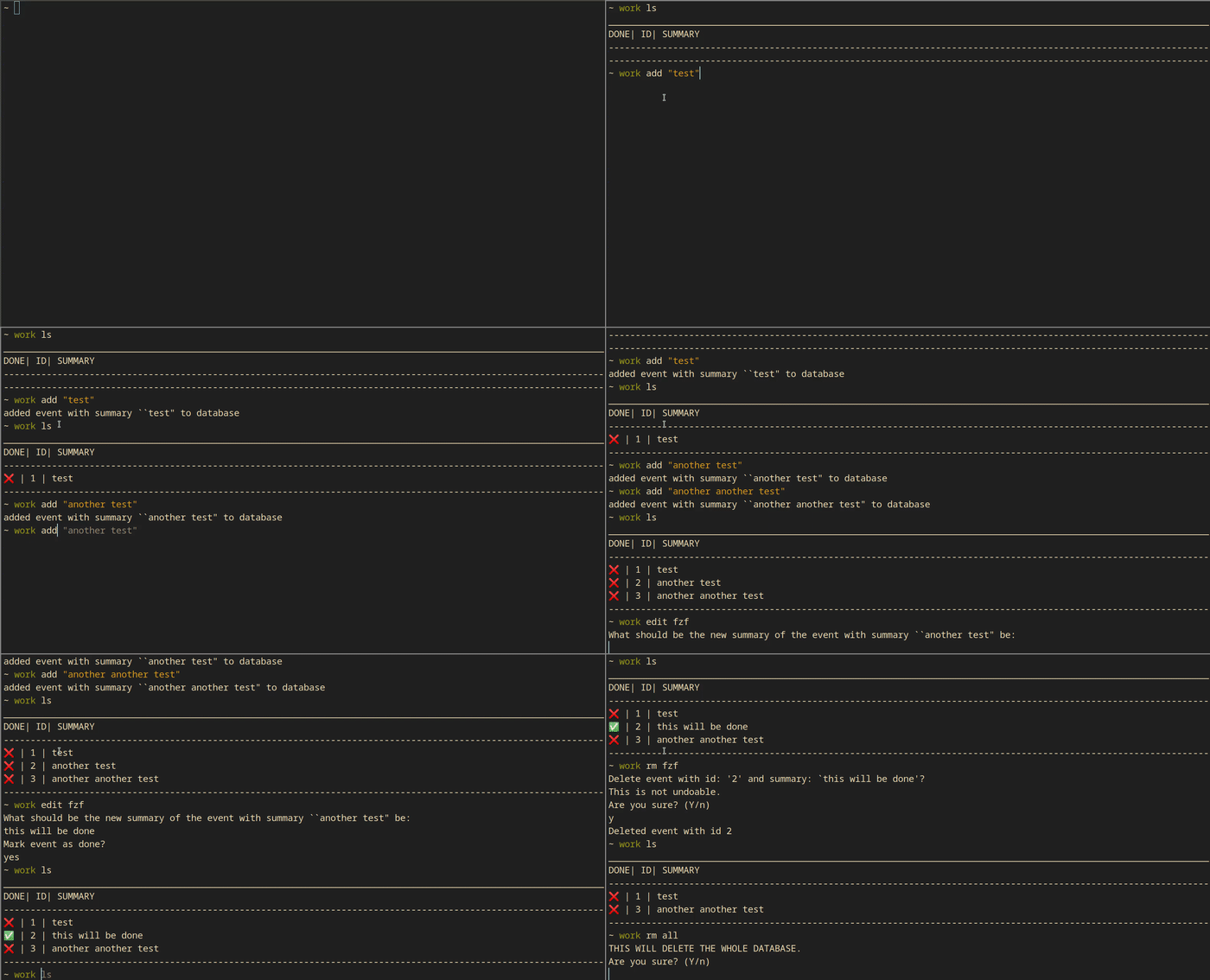
## Features:
- [x] use a sqlite database with [rusqlite](https://docs.rs/rusqlite/0.23.1/rusqlite/)
- [x] command line parsing with [clap.rs](https://clap.rs)
- [x] fuzzy finder built in with [skim](https://github.com/lotabout/skim)
- [x] config file parsing with [confy](https://crates.io/crates/confy)
## Instructions:
`work ls` to list all of your events.
Ex:
```
[user@hostname ~]$ work ls
________________________________________
DONE| ID| SUMMARY
----------------------------------------
❌ | 1 | test
❌ | 2 | another another test
✅ | 3 | another test
----------------------------------------
```
`work add ` add an event. Ex: `work add "test"`
`work rm ` to remove an event. Ex: `work rm 1`
`work rm fzf` to remove an event or multiple through a fuzzy finder. Search through the events and press tab to select multiple.
`work rm all` delete the whole database of events.
`work edit ` get to a prompt to edit an event. This will allow you to edit the name and make it done. Ex: `work edit 1`
`work edit fzf` the same as `work rm fzf` except multiple are not allowed.
`work done ` Mark an event as done. Ex: `work done 1`
`work done fzf` the same as `work rm fzf` except marking events done. Multiple _are_ allowed.
## Configuration:
You will find a `worktodo.toml` file in `~/.config/worktodo/` (I think it will be on `Library/Preferences/rs.worktodo/worktodo.toml` on macos because that is the default config location) this is the method of configuration. The settings are self explanatory. The config file will be auto generated on the first use of work.
`~/.config/worktodo/worktodo.toml`
```toml
emojis = true
backticks = true
verbose = true
show_id_in_ls = true
ask_for_confirm = true
```
## Database:
The database file will be stored at `~/.local/share/worktodo/work.db` It is a sqlite database.
## Limits:
- Only works on unix systems for now (I dont have any windows stuff to test on for now). If anyone wants to test it please do!
- on macos the config file is in a different place. i think `Library/Preferences/rs.worktodo/worktodo.toml`.
## Install:
It is on crates.io. Yay!
```bash
cargo install work
```
You can also
``` bash
git clone https://github.com/g-w1/work
cd work
cargo install --path .
```