https://github.com/gabraganca/quickstar
Synthesize stellar spectrum through a REST API.
https://github.com/gabraganca/quickstar
api astronomy astrophysics rest-api scientific-computing synspec
Last synced: 6 months ago
JSON representation
Synthesize stellar spectrum through a REST API.
- Host: GitHub
- URL: https://github.com/gabraganca/quickstar
- Owner: gabraganca
- License: mit
- Created: 2020-06-13T23:24:13.000Z (about 6 years ago)
- Default Branch: master
- Last Pushed: 2021-08-27T19:43:15.000Z (almost 5 years ago)
- Last Synced: 2025-02-04T10:56:55.971Z (over 1 year ago)
- Topics: api, astronomy, astrophysics, rest-api, scientific-computing, synspec
- Language: Fortran
- Homepage:
- Size: 4.61 MB
- Stars: 1
- Watchers: 1
- Forks: 0
- Open Issues: 14
-
Metadata Files:
- Readme: README.md
- Changelog: CHANGELOG.md
- Funding: .github/FUNDING.yml
- License: LICENSE
Awesome Lists containing this project
README
# QuickStar

[](https://codecov.io/gh/gabraganca/quickstar)
[](https://github.com/psf/black)
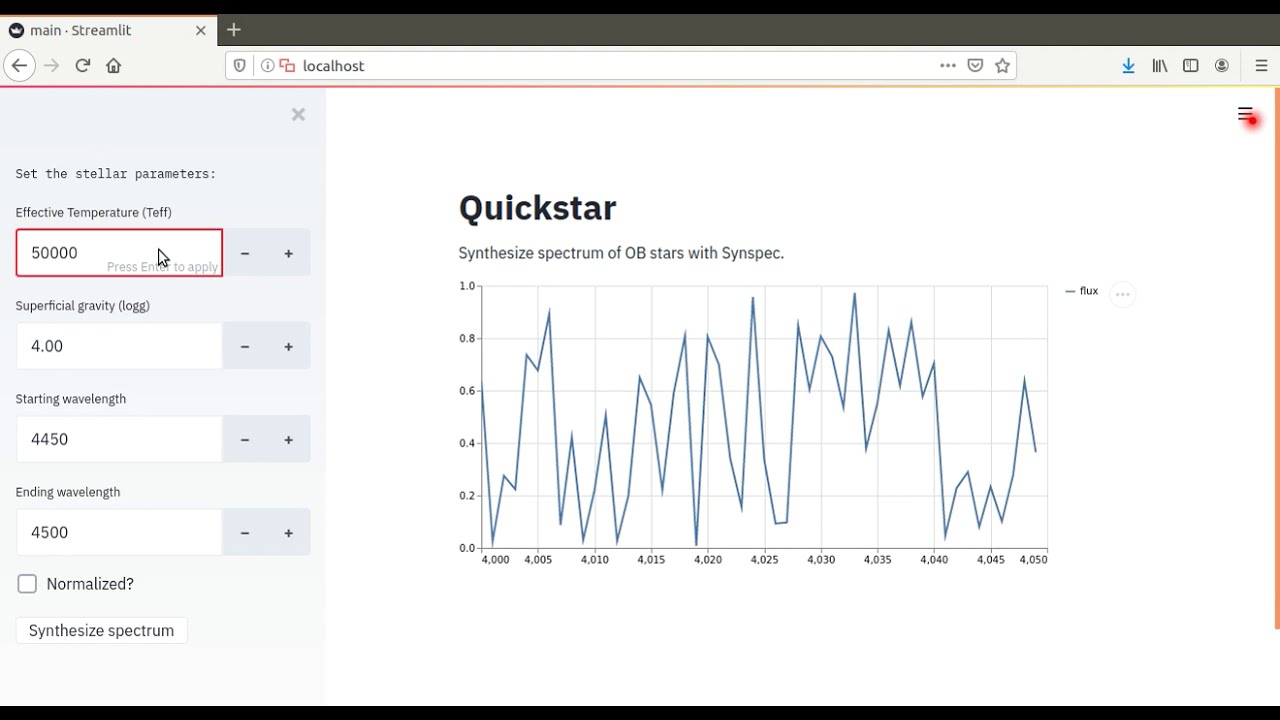
QuickStar provides the [Synspec][synspec-website] software built by Dr. Ivan Hubeny and Dr. Thierry Lanz as a web app, which can be use through the browser or as an API.
Click in the image below to see a quick demo.
[](https://youtu.be/PvHixH5YV6I)
[synspec-website]: http://tlusty.oca.eu/Synspec49/synspec.html
## Example of using the API
This is an example of how one can consume the API using Python but, since it is an API, it is language agnostic allowing you to use the tool of your choice (as long it makes web request available).
[](https://asciinema.org/a/345533)
The API runs asynchronously, so we need to send a POST request first with the stellar parameters to trigger the Synspec calculation. We will assume that QuickStar is running locally:
```python
import json
import requests
stellar_parameters = {"teff":20000, "logg":4.0, "wstart":4460, "wend":4500}
post_response = requests.post(
'http://localhost:8000/synspec',
data=json.dumps(stellar_parameters)
)
if post_response.ok:
print(post_response.text)
# {"id":"046f8aa4-d25f-4dec-b7b1-9b1c6025e2da"}
```
With the request `id`, we can get the results:
```python
result_id = json.loads(post_response.text)['id']
get_response = requests.get(f'http://localhost:8000/synspec/{result_id}')
if get_response.ok:
print(get_response.text)
```
Which will return, by default, only the twenty first wavelength-flux pairs.
```json
{
"id": "e5d0b55a-52f7-4c83-953e-aec86f155288",
"status": "SUCCESS",
"results": [
{
"wavelength": 4460.0,
"flux": 33390000.0
},
...
{
"wavelength": 4460.185,
"flux": 33500000.0
}
],
"finished_at": "2020-06-11T23:08:36.314996",
"total_count": 4097
}
```
To get the full spectrum, it's necessary to paginate the results. The example below shows how to paginate the results
```python
# Get the ID in the response and send a request
result_id = json.loads(post_response.text)["id"]
get_response = requests.get(f"http://localhost:8000/synspec/{result_id}")
# Get the fist part of the spectrum
spectrum = []
if get_response.ok:
spectrum.extend(json.loads(get_response.text).get("results", []))
# Paginate to get the rest of the spectrum
while "next" in get_response.links:
get_response = requests.get(get_response.links["next"]["url"])
if get_response.ok:
spectrum.extend(json.loads(get_response.text).get("results", []))
```
## API Documentation
The API documentation can be accessed in:
* , provided by [Swagger][api-swagger].
* , provided by [ReDoc][api-redoc].
[api-swagger]: https://github.com/swagger-api/swagger-ui
[api-redoc]: https://github.com/Redocly/redoc
## Requirements
The API and Synspec are containerized so all you will need is:
* [Docker][docker-install]
* [Docker Compose][docker-compose-install]
[docker-install]: https://docs.docker.com/get-docker/
[docker-compose-install]: https://docs.docker.com/compose/install/
## Deploying the services
The API is configured to run with Docker Compose. In your terminal, run.
```bash
docker-compose up
```
The command above will start the API with just one worker, which will not allow you to calculate multiple spectra in parallel. To start multiple workers, for example two, we need to use the following command:
```bash
docker-compose up --scale worker=2
```
This set up will allow to calculate two spectra in parallel.
Depending of how you have installed Docker and Docker Compose, it is possible that you will need to run the docker commands above with `sudo`.
After booting the services, the frontend can be accessed at [localhost](http://127.0.0.1).